
This page is not an official page of the app or its developer, but an independent editorial publication created for informational and commentary purposes. Unless expressly stated otherwise, neither the app nor its developer is affiliated with, endorsed by, sponsored by, authorized by, or otherwise officially connected with MWM, Apple, Google Play, the app publisher, or the app's developer, and nothing on this page implies that the app was developed using MWM's services. Any trademarks, logos, screenshots, and other content remain the property of their respective owners.

DaVinci Resolve for iPad
Experience the world’s only solution that combines legendary color correction and high-speed editing. Unleash your creativity with AI-powered tools and seamless cloud collaboration, anywhere you go.
Downloads
2M+User Rating
Total Ratings
8K+Publisher
Category
Photo & VideoLocales
12Latest Version
20.3.1Size
3.6 GBFirst Released
Dec 21, 2022Hollywood's Power, Now Portable
Experience the world's most advanced editing and color correction tools, redesigned for the iPad Pro to deliver a professional studio workflow anywhere you go.
Legendary Color Grading
Achieve the cinematic 'Hollywood look' with the same primary wheels and HDR grading tools used on major motion pictures.
DaVinci AI Neural Engine
Save hours of manual work with AI-powered Magic Mask tracking, Voice Isolation for pro audio, and Smart Reframe for social media.
Frequently Asked Questions
Everything you need to know about DaVinci Resolve for iPad
What is DaVinci Resolve for iPad?
DaVinci Resolve for iPad is a professional software tool that combines editing and color correction in a single application. It offers an elegant interface for both new users and professionals to work faster and with high-quality results.
Does DaVinci Resolve for iPad support collaboration?
Yes, DaVinci Resolve for iPad supports Blackmagic Cloud Collaboration. This allows multiple users to work on the same project timeline using cloud-based workflows and a Blackmagic Cloud ID.
What AI tools are available in DaVinci Resolve for iPad?
DaVinci Resolve for iPad features AI tools powered by the DaVinci AI Neural Engine, including magic mask, smart reframe, and voice isolation. These tools are available via a Studio In-App-Purchase.
Can DaVinci Resolve for iPad reframe footage for social media?
Yes, DaVinci Resolve for iPad features Smart Reframe, an AI tool that repurposes footage for different aspect ratios. It recognizes scene action and pans within it to create square or vertical versions for social media.
What are the compatibility requirements for DaVinci Resolve for iPad?
DaVinci Resolve for iPad is recommended for Apple iPad Pro M1 or newer models with at least 8GB of RAM. Earlier iPads may have feature limitations and be restricted to HD output.
Are DaVinci Resolve for iPad projects compatible with desktop versions?
Yes, DaVinci Resolve for iPad projects (drp) and project archives (dra) are fully compatible with DaVinci Resolve 20 on desktop. This ensures seamless workflow between devices.
Which file formats does DaVinci Resolve for iPad support?
DaVinci Resolve for iPad supports H.264, H.265, Apple ProRes, and Blackmagic RAW file formats. This ensures broad compatibility for professional video workflows.
What input devices does DaVinci Resolve for iPad support?
DaVinci Resolve for iPad supports the Magic Keyboard, Apple Pencil, and Studio and PRO XDR Displays. These accessories enhance the user experience and expand functionality.
Does DaVinci Resolve for iPad include advanced color grading features?
Yes, the DaVinci Resolve for iPad color page includes PowerWindows™, qualifiers, 3D trackers, and advanced HDR grading tools. It also features primary control sliders for precise adjustments.
Can I remove unwanted sounds from dialogue in DaVinci Resolve for iPad?
Yes, DaVinci Resolve for iPad offers Voice Isolation as an AI tool. This feature allows users to easily remove loud, undesirable sounds from interviews and dialogue recordings from noisy locations.
What is the 'cut page' in DaVinci Resolve for iPad designed for?
The 'cut page' in DaVinci Resolve for iPad is designed for projects with tight deadlines, such as documentary work. It offers a streamlined interface with features like source tape and smart editing tools for fast turnaround.
How can I track objects in a video using DaVinci Resolve for iPad?
DaVinci Resolve for iPad provides a Magic Mask AI tool that locates and tracks people, features, and objects in a shot with a single stroke. The software also features a "Tracker - Window" as shown in the UI.
Does DaVinci Resolve for iPad have face refinement capabilities?
Yes, DaVinci Resolve for iPad includes "Face Refinement" within its effects panel, as evidenced by the user interface. This feature enables detailed analysis and adjustment of faces in footage.
The following screenshots and description are sourced directly from the app's official store listing and are the property of the app developer.
App Store
Screenshots
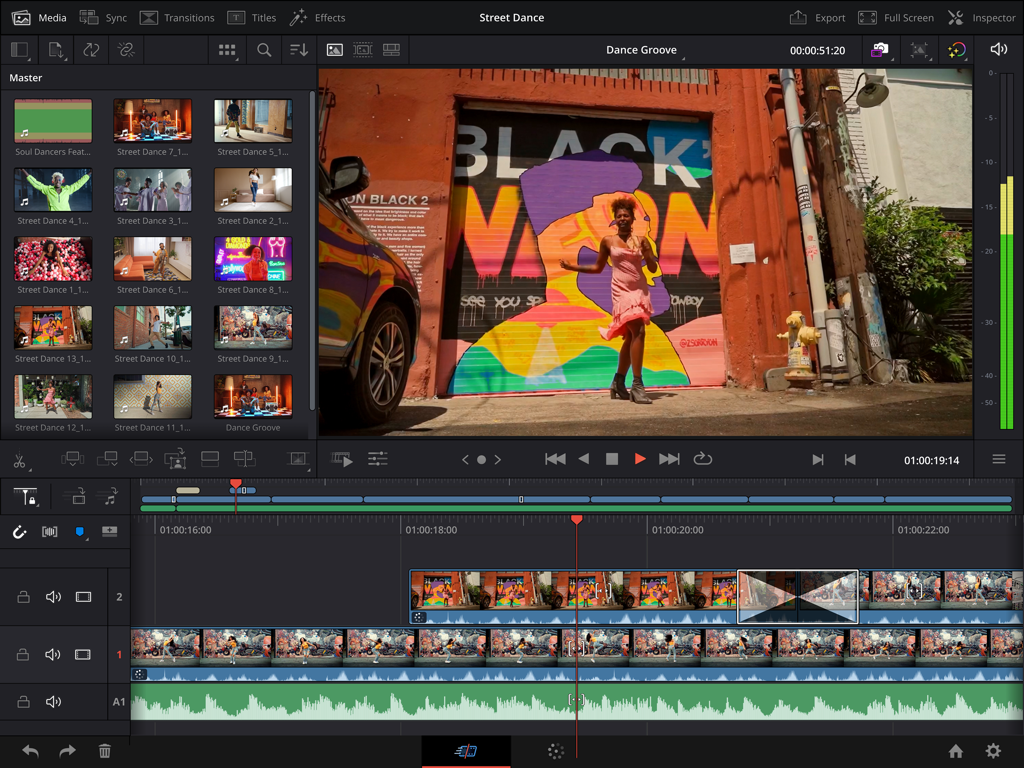
DaVinci Resolve for iPad interface showing professional video editing timeline and AI Magic Mask tool
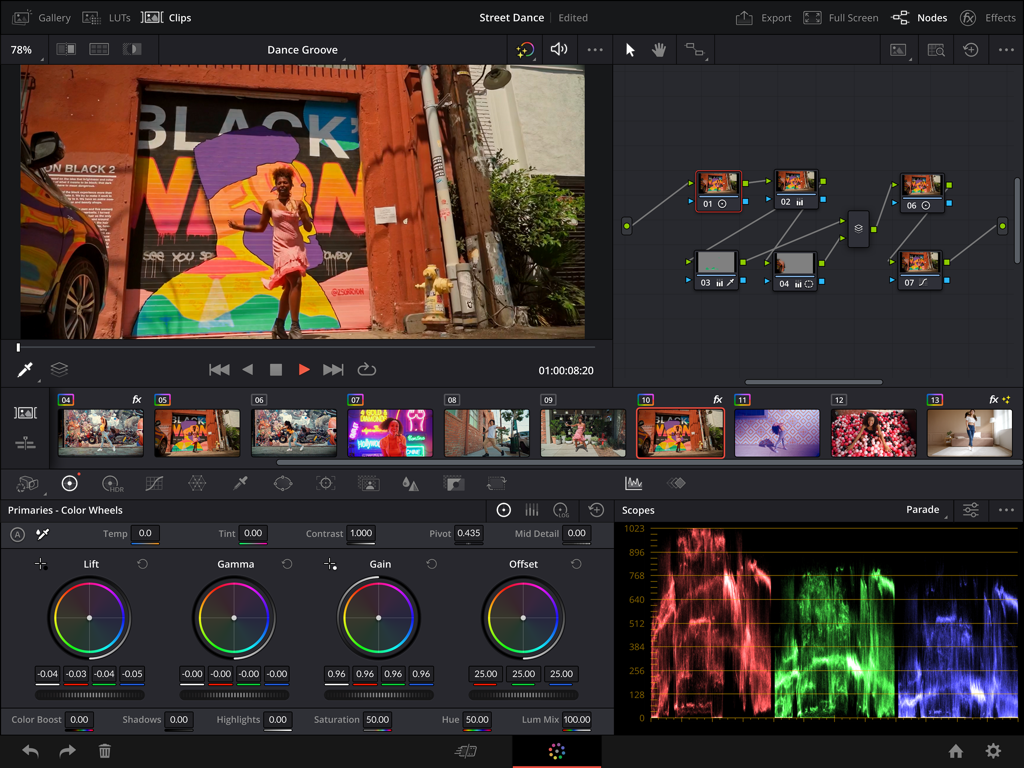
Professional color grading interface on DaVinci Resolve for iPad featuring color wheels, node tree, and scopes.
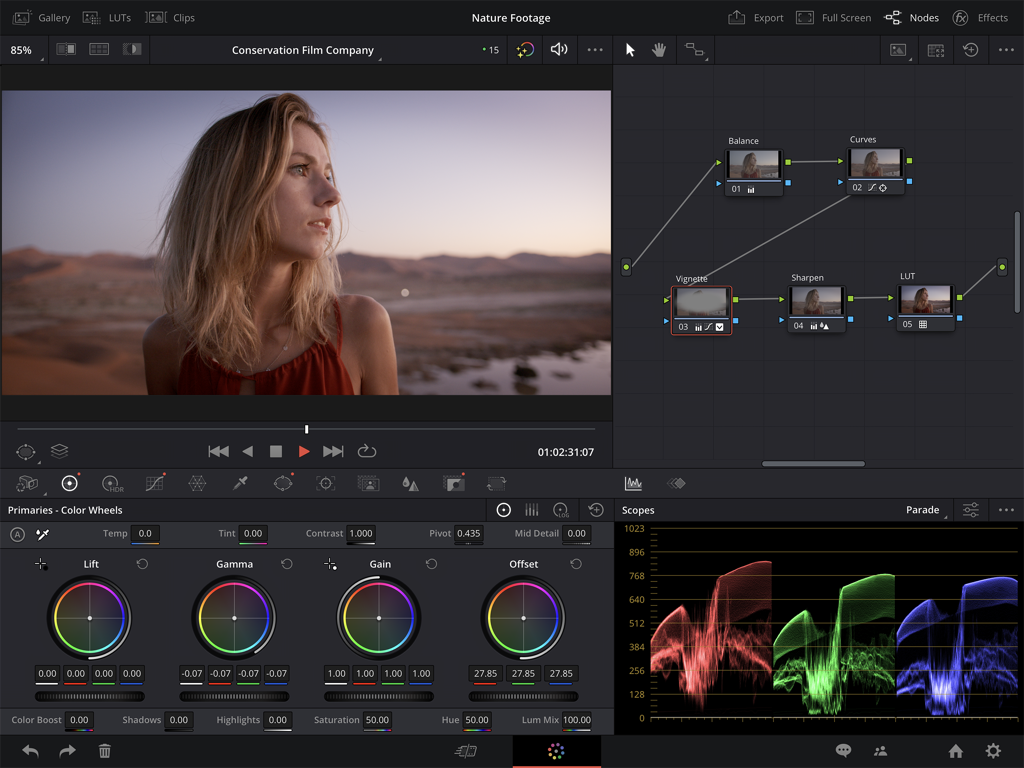
DaVinci Resolve for iPad professional color correction interface with color wheels and scopes
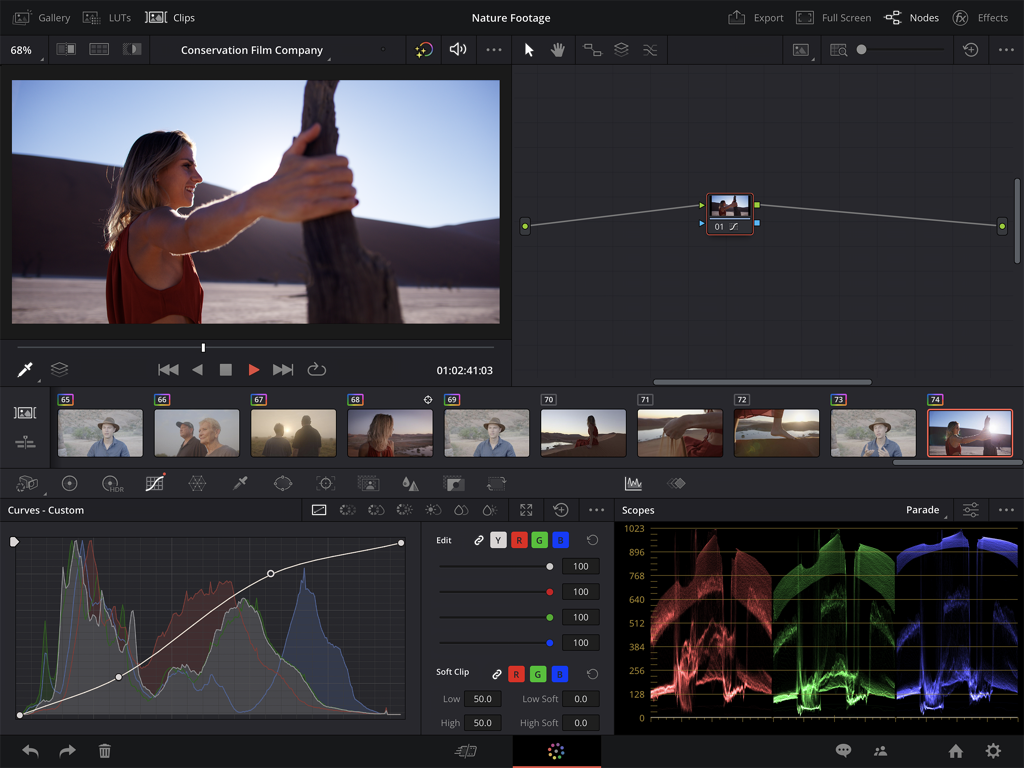
Professional video color correction interface in DaVinci Resolve for iPad featuring curves and scopes
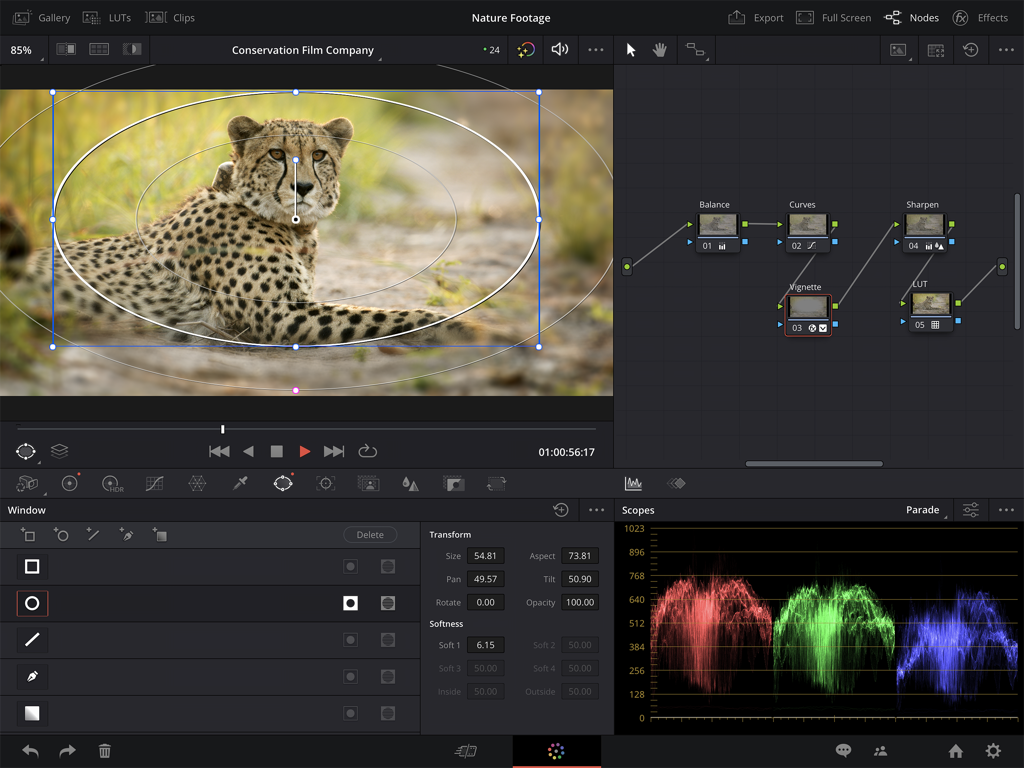
DaVinci Resolve for iPad professional color grading interface showing a node graph and video scopes
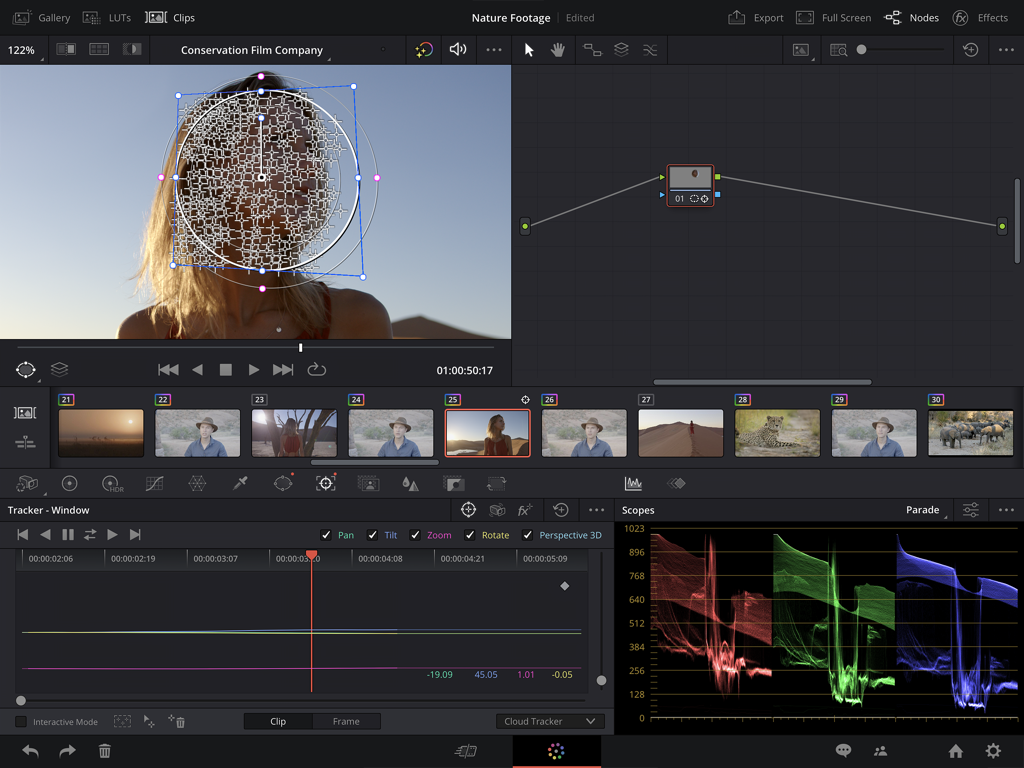
DaVinci Resolve for iPad professional color correction and face tracking tools
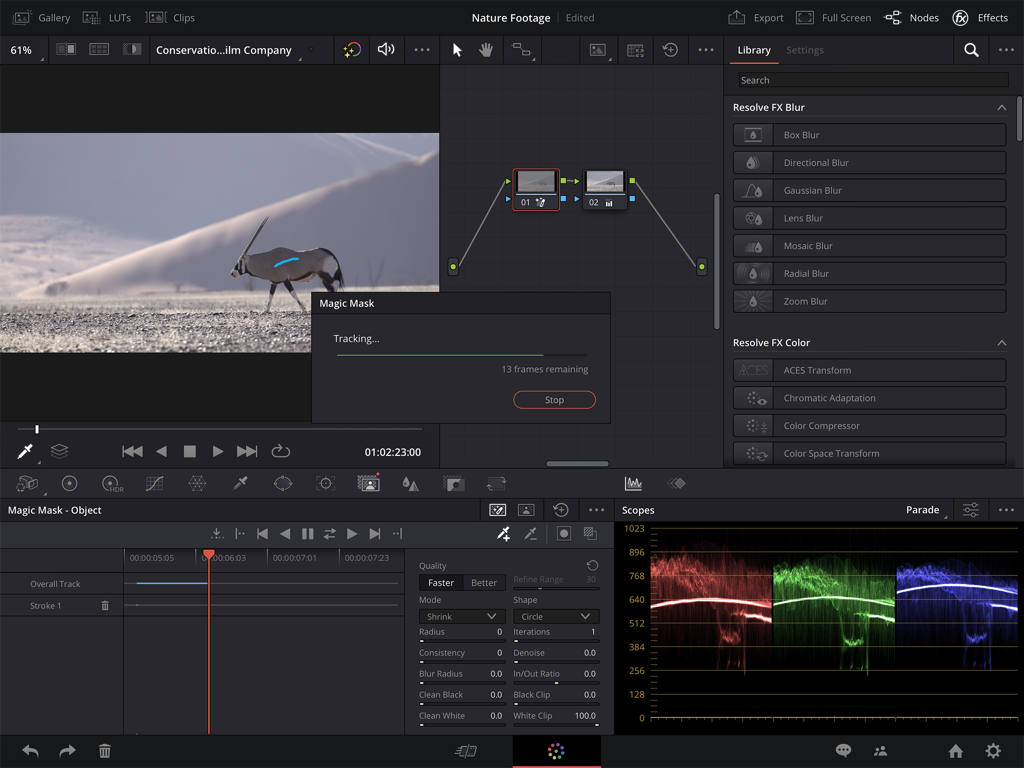
Professional video editing interface of DaVinci Resolve for iPad featuring AI Magic Mask tracking and color grading scopes
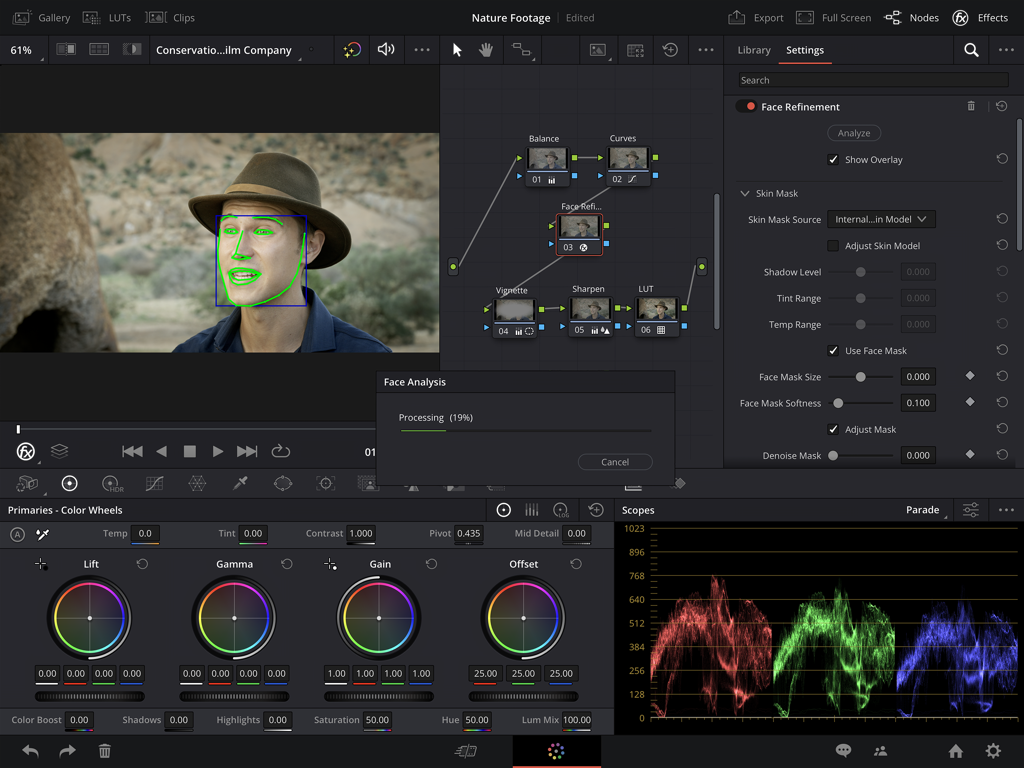
DaVinci Resolve for iPad professional color grading interface showing AI face refinement tool and color wheels
Description
Download
More Like This
Apps with similar features and user experience

VN: AI Video Editor
Ubiquiti Labs, LLC

Splice - Video Editor & Maker
Bending Spoons Apps ApS

Blurrr-Music video editor
TBPS INTERNATIONAL TECHNOLOGY PTE. LTD.

Node Video
小为 罗

Filmmaker Pro - Video Editor
Tinkerworks Apps

Time Cut: Smooth Slow Motion
立亚 林

LumaFusion
Luma Touch LLC

Slow Motion Video Fx Editor
Brain Craft Ltd

WEILO - My Last Video Editor
vimosoft
This page is not an official page of the app or its developer, but an independent editorial publication created for informational and commentary purposes. Unless expressly stated otherwise, neither the app nor its developer is affiliated with, endorsed by, sponsored by, authorized by, or otherwise officially connected with MWM, Apple, Google Play, the app publisher, or the app's developer, and nothing on this page implies that the app was developed using MWM's services. Any trademarks, logos, screenshots, and other content remain the property of their respective owners.