
This page is not an official page of the app or its developer, but an independent editorial publication created for informational and commentary purposes. Unless expressly stated otherwise, neither the app nor its developer is affiliated with, endorsed by, sponsored by, authorized by, or otherwise officially connected with MWM, Apple, Google Play, the app publisher, or the app's developer, and nothing on this page implies that the app was developed using MWM's services. Any trademarks, logos, screenshots, and other content remain the property of their respective owners.

VN: AI Video Editor
Crafting polished video once required specialized expertise. This app redefines mobile production, empowering users to blend professional edits with AI-driven efficiency for truly standout content.
Downloads
50M+User Rating
Total Ratings
4.3MPublisher
Category
Photo & VideoLocales
18Latest Version
2.3.0Size
506.9 MBFirst Released
Apr 22, 2018VN: AI Video Editor – Core Capabilities Assessment
An analytical overview of key features driving creative efficiency and professional output for digital content creators.
AI-Powered Background Removal
It allows users to precisely remove backgrounds from videos with intelligent AI, enabling focus on subjects and creative compositing for polished visual content.
Automated Subtitle Generation
The app provides one-click audio-to-text conversion, automatically generating accurate subtitles to enhance accessibility and engagement for viewers across platforms.
Beat-Sync Editing & Voice-overs
This tool features intuitive functions to automatically sync video cuts to music beats and easily record high-quality voice-overs, enhancing rhythm and narrative in content.
Multi-Track Precision Editing
The app provides an intuitive multi-track timeline, enabling users to precisely edit video clips, add various media layers, and apply keyframe animations for professional results.
High-Quality Custom Export
It allows users to customize export settings, including 4K resolution and up to 60 FPS, ensuring high-quality output optimized for various platforms and professional standards.
Dynamic Speed Ramps
This tool features advanced speed curve adjustments, allowing users to create cinematic time remapping effects similar to professional desktop software, enhancing video dynamics.
Advanced Keyframe Animation
The app provides powerful keyframe animation capabilities, enabling users to precisely control motion, scale, and other properties for dynamic and engaging visual effects.
AI Voice-Over Generation
The app features AI-powered text-to-speech, allowing users to effortlessly generate diverse voice-overs from written text, perfect for narration or creative effects.
Frequently Asked Questions
Everything you need to know about VN: AI Video Editor
Is VN a free video editor?
Yes, VN is a free video editing app. It provides extensive features for creating high-quality videos without any cost.
Does the VN app add watermarks to edited videos?
No, the VN app does not add watermarks to edited videos. Users can create and export high-quality videos without any watermarks.
Can VN perform multi-track video editing?
Yes, VN features an intuitive multi-track video editor. It allows adding picture-in-picture videos, photos, stickers, and texts to videos with keyframe animation.
How do I adjust video speed in VN?
VN allows users to adjust video playback speed using its Speed Curve feature. Users can choose from 6 preset curves or customize them for faster or slower effects.
Does VN support keyframe animation?
Yes, VN supports keyframe animation. It offers 19 built-in keyframe animation effects, allowing users to customize footage by adding additional keyframes or curves.
Can I remove backgrounds from videos or images using VN?
Yes, VN features an Intelligent Cutout tool. This tool precisely removes backgrounds to make characters stand out in videos or images.
Does VN offer automatic captions for videos?
Yes, VN offers automatic captions. The app swiftly converts audio into subtitles with just one click using its Auto Text-Caption Conversion feature.
What are the export capabilities of VN video editor?
VN allows custom export settings for video resolution, frame rate, and bit rate. It supports 4K resolution at up to 60 FPS.
Can VN edit HDR videos?
Yes, VN can edit Dolby Vision HDR videos. This feature is available on iPhone 12 and newer models.
Does VN offer AI-enhanced resolution upscaling?
Yes, VN provides AI-enhanced detail and resolution features. Users can upscale images, for example, by a factor of 3x.
How can I import materials into the VN app?
VN supports flexible material import via AirDrop, Wi-Fi, WhatsApp, or Telegram. Users can also import files in bulk using Zip files.
Does VN allow collaboration on video projects?
Yes, VN enables seamless collaboration. Users can transfer projects between mobile and desktop devices via AirDrop or iCloud for editing anytime, anywhere.
The following screenshots and description are sourced directly from the app's official store listing and are the property of the app developer.
App Store
Screenshots
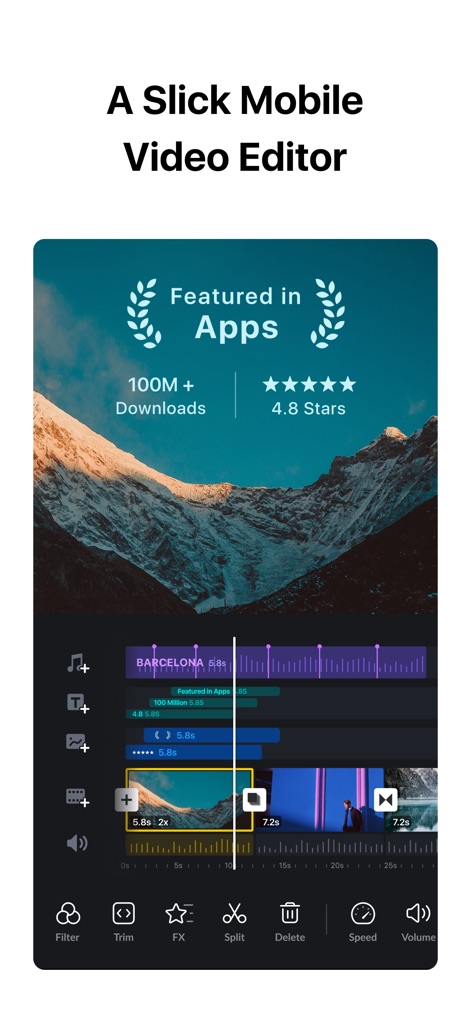
Seamless Mobile Editing
This app showcases its intuitive multi-track timeline and quick rough cut features, making precise adjustments accessible on mobile.
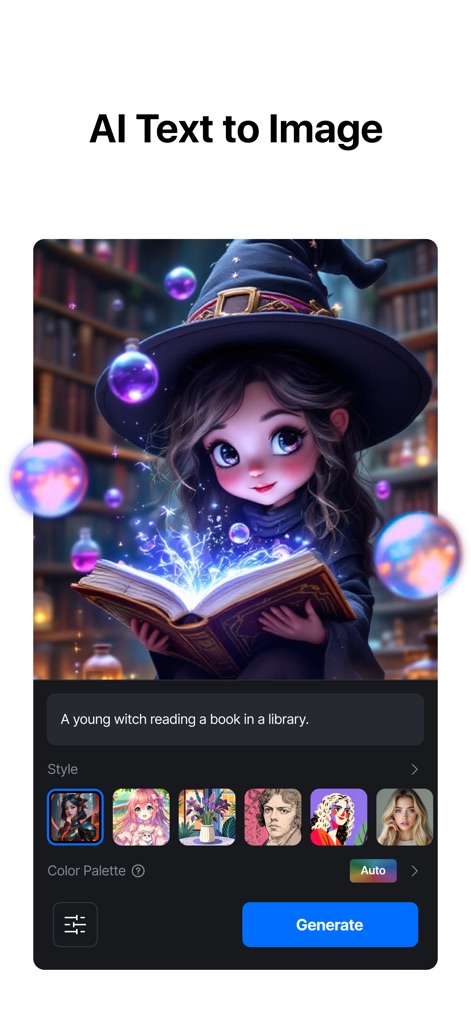
Creative AI Generation
Explore the app's AI Text to Image feature, allowing users to transform text prompts into diverse visual styles and rich color palettes.
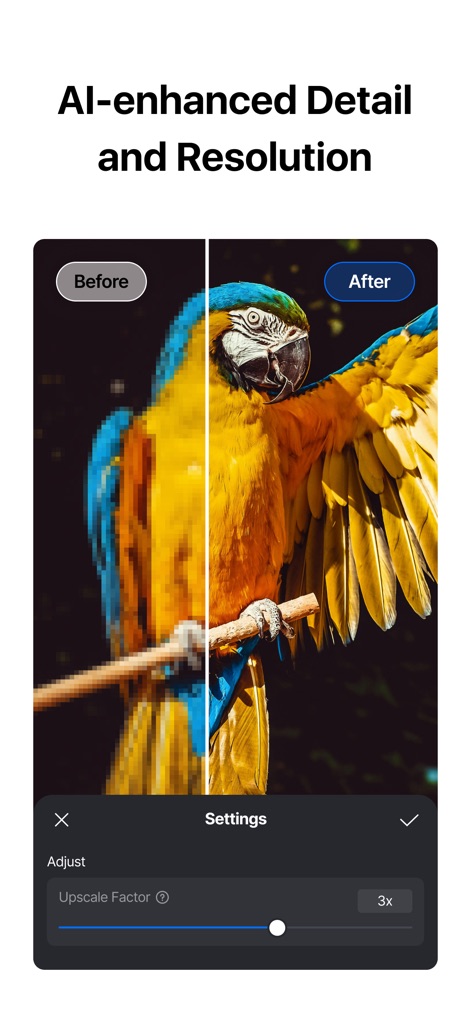
Clarity with AI
Witness the power of AI-enhanced detail and resolution, as the app dramatically improves image quality with a visible 3x upscale factor.
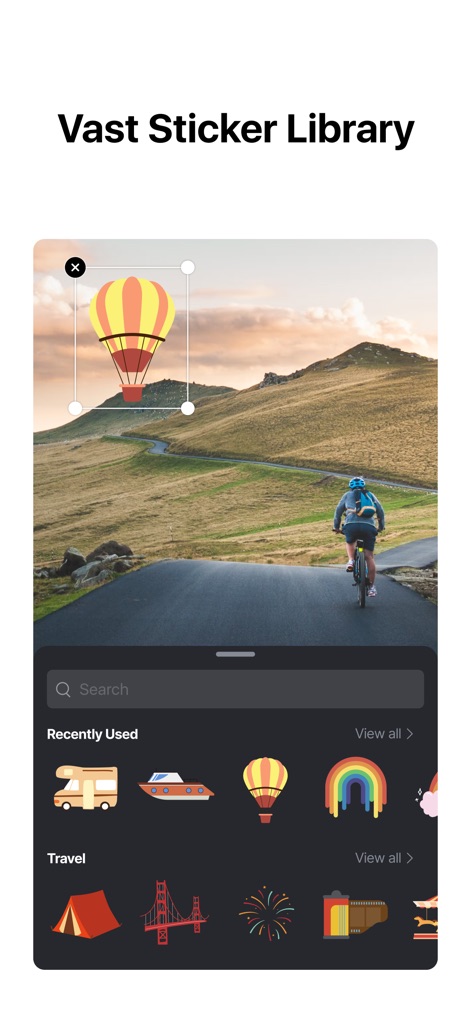
Expressive Sticker Library
Enhance visuals with the app's vast sticker library, featuring search functionality and categorized selections like 'Travel' to personalize content.

Dynamic Speed Control
Master video pacing with the app's sophisticated Speed Curve, offering precise control points and preset options like 'Montage' for cinematic effects.
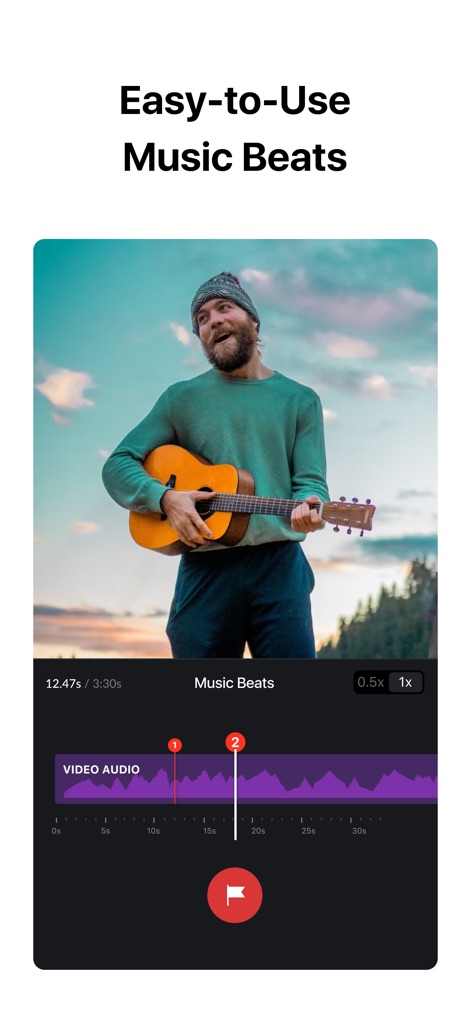
Rhythmic Beat Sync
Synchronize visuals perfectly with audio using the app's Music Beats feature, which highlights key moments on the waveform for precise editing.
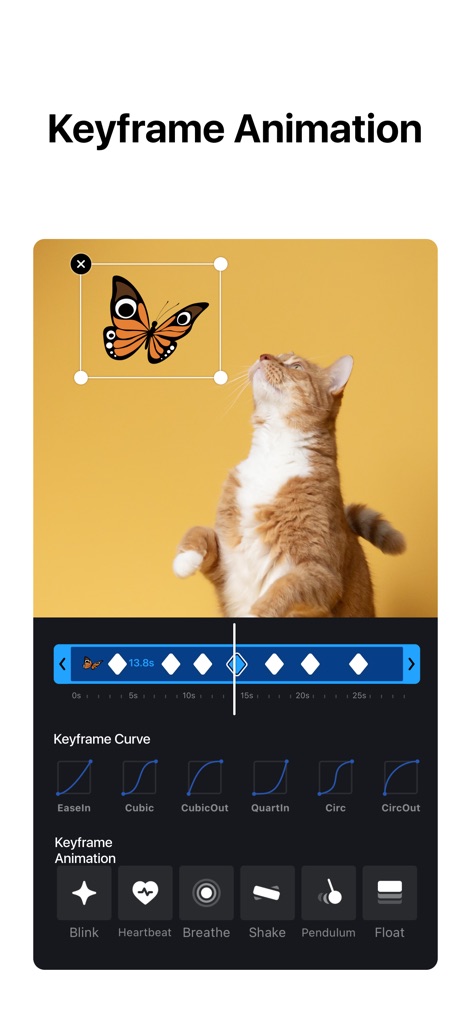
Advanced Keyframe Control
Unleash creativity with the app's comprehensive Keyframe Animation, allowing users to customize movement with curve options and dynamic effects like 'Blink'.
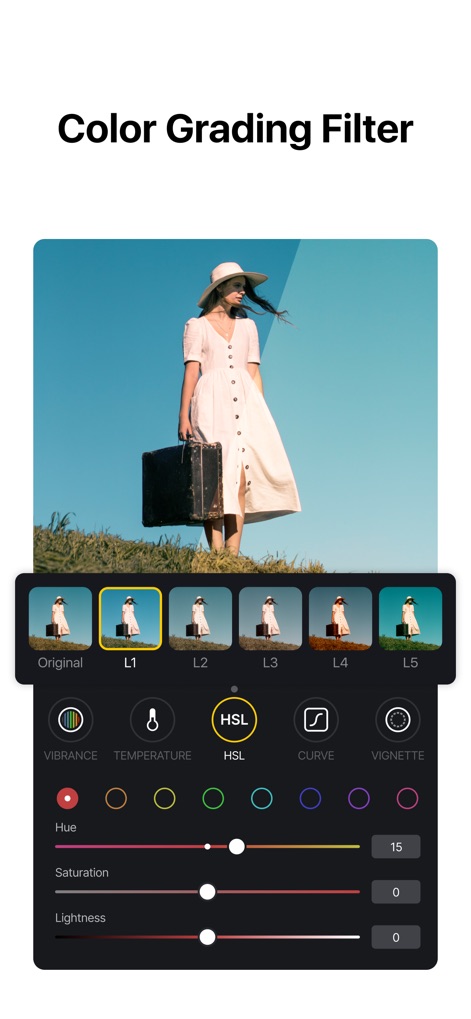
Professional Color Grading
Achieve cinematic looks with the app's powerful Color Grading filters, offering diverse presets and granular HSL adjustments for perfect hues and saturation.
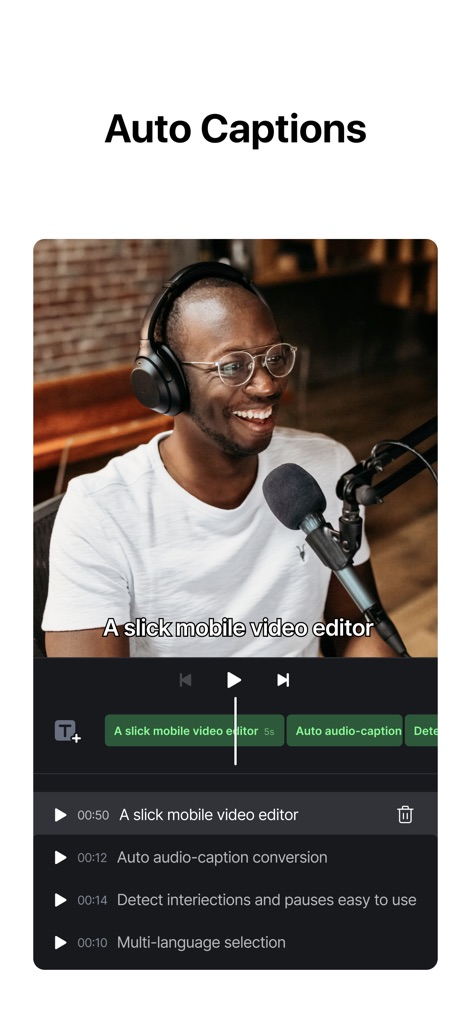
Instant Captions
Effortlessly generate subtitles with the app's Auto Captions feature, converting audio into text and providing clear playback controls for review.
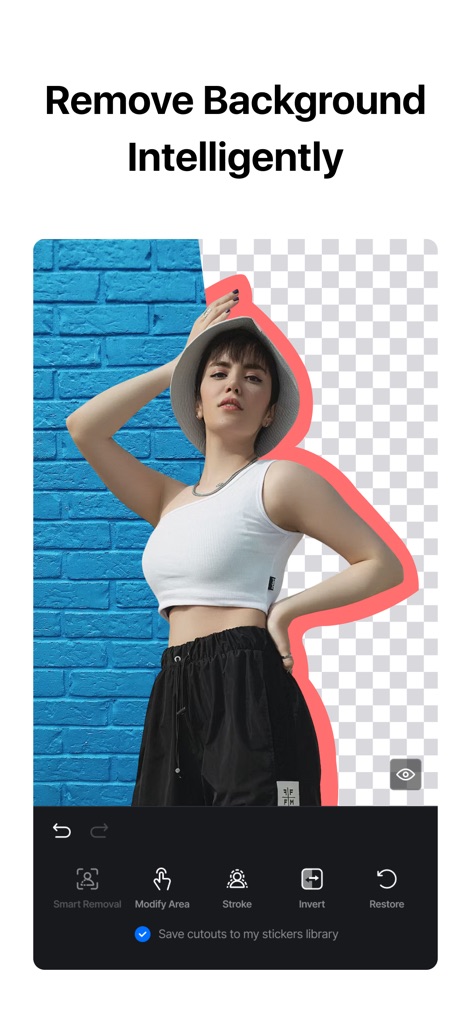
Smart Background Removal
Isolate subjects perfectly using the app's Intelligent Cutout, which precisely removes backgrounds and offers tools like 'Smart Removal' for refinement.
Description
Download
More Like This
Apps with similar features and user experience

Splice - Video Editor & Maker
Bending Spoons Apps ApS

Blurrr-Music video editor
TBPS INTERNATIONAL TECHNOLOGY PTE. LTD.

Node Video
小为 罗

Filmmaker Pro - Video Editor
Tinkerworks Apps

Time Cut: Smooth Slow Motion
立亚 林

LumaFusion
Luma Touch LLC

Slow Motion Video Fx Editor
Brain Craft Ltd

WEILO - My Last Video Editor
vimosoft

Video Effects Editor: Riveo
Forge and Form GmbH
This page is not an official page of the app or its developer, but an independent editorial publication created for informational and commentary purposes. Unless expressly stated otherwise, neither the app nor its developer is affiliated with, endorsed by, sponsored by, authorized by, or otherwise officially connected with MWM, Apple, Google Play, the app publisher, or the app's developer, and nothing on this page implies that the app was developed using MWM's services. Any trademarks, logos, screenshots, and other content remain the property of their respective owners.