
This page is not an official page of the app or its developer, but an independent editorial publication created for informational and commentary purposes. Unless expressly stated otherwise, neither the app nor its developer is affiliated with, endorsed by, sponsored by, authorized by, or otherwise officially connected with MWM, Apple, Google Play, the app publisher, or the app's developer, and nothing on this page implies that the app was developed using MWM's services. Any trademarks, logos, screenshots, and other content remain the property of their respective owners.


WEILO - My Last Video Editor
Unlock professional-grade masking, keyframes, and 4K export for free. No watermarks, no lag—just pure creative power optimized for M1/M2 chips and Apple Pencil.
Downloads
368K+User Rating
Total Ratings
7K+Publisher
Category
Photo & VideoLocales
14Latest Version
1.42.4Size
627.5 MBFirst Released
Jan 21, 2024Desktop-Class Power. Zero Subscription Fatigue.
Unlock professional-grade video editing on your iPad with high-performance tools, 4K exports, and absolutely no watermarks.
Surgical Precision with Pen Tools
Go beyond generic templates. Use your Apple Pencil to create custom masks and shapes for artistic control that rivals high-end desktop software.
Advanced Keyframe Animation
Master your motion. Control every parameter with individual keyframes and adjustable interpolation for smooth, professional-grade visual storytelling.
Frequently Asked Questions
Everything you need to know about WEILO - My Last Video Editor
Is WEILO - My Last Video Editor free to use?
Yes, WEILO allows free users to access and use all editing features without any restrictions. The app also exports videos without a watermark, even for free users.
What features does WEILO offer for video masking?
WEILO allows users to create masks freely with a pen tool, add multiple masks on a single clip, and adjust parameters like roundness or feather for seamless blending.
Does WEILO support 4K video export?
Yes, WEILO - My Last Video Editor supports professional export options, including 4K ultra-high definition. It also offers transparent export, GIF, video, and image exports at 24, 30, or 60fps.
Can I use keyframes for animation in WEILO?
Yes, WEILO allows users to create eye-catching animations with keyframes. You can adjust interpolation between keyframes for dynamic motion speed control and use individual keyframes for each parameter.
Does WEILO provide built-in music and sound effects?
Yes, WEILO provides over 1700 copyright-free background music and sound effects that are updated periodically. It also includes more than 5000 vector stickers, frames, and templates.
Is WEILO optimized for iPad and Apple Pencil use?
Yes, WEILO features an interface optimized for iPad, allowing for faster and more detailed editing. Users can utilize touch gestures and the Apple Pencil for intuitive control.
How does WEILO handle multi-clip editing?
WEILO enables multi-editing, allowing users to select and edit multiple clips simultaneously. This feature, similar to PC editors, allows for quick adjustments from cutting clips to changing detailed property values.
Can I group clips together in WEILO?
Yes, WEILO features a 'Compound' function that allows users to group multiple clips into one. Compounded clips can be moved or edited together, and individual clips inside them remain editable.
What types of video and audio effects are available in WEILO?
WEILO offers various video effects like Adjustments, Glitch, Gaussian Blur, Chromakey, Wave, and Mosaic. Detailed audio effects include Echo, Reverb, EQ, Distortion, and Pitch.
Does WEILO provide keyboard shortcuts for faster editing?
Yes, WEILO includes keyboard shortcuts for essential editing features. These shortcuts are designed to boost editing performance and maximize work productivity on the iPad.
The following screenshots and description are sourced directly from the app's official store listing and are the property of the app developer.
App Store
Screenshots
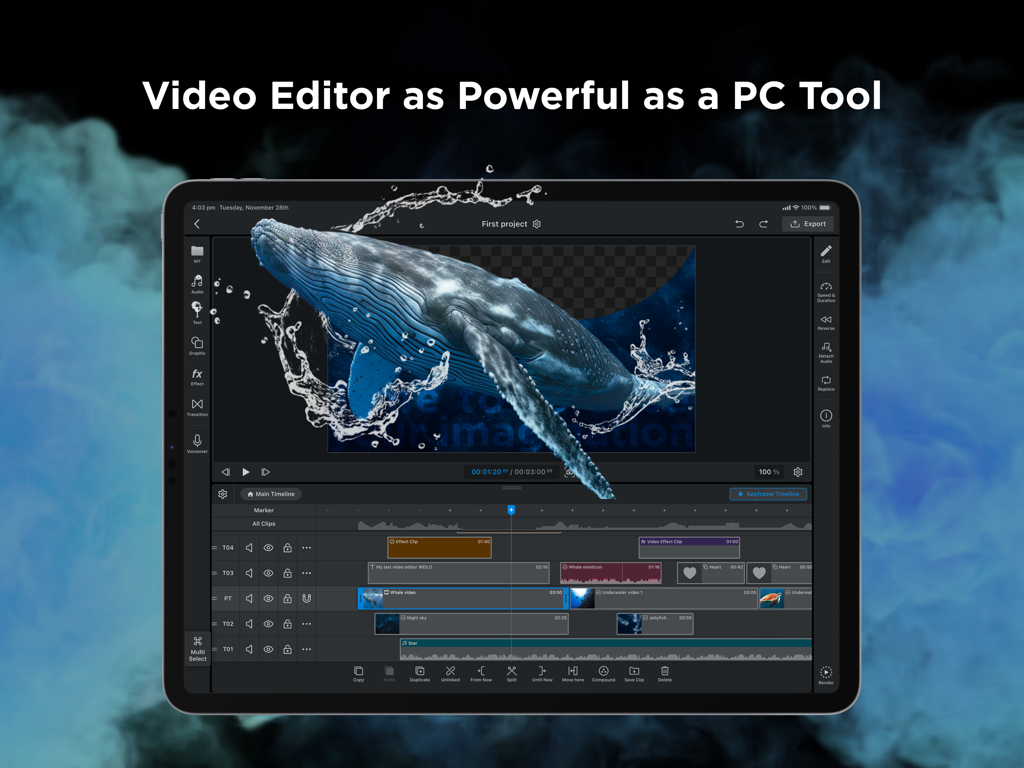
WEILO professional video editing interface on an iPad displaying a multi track timeline and advanced masking features
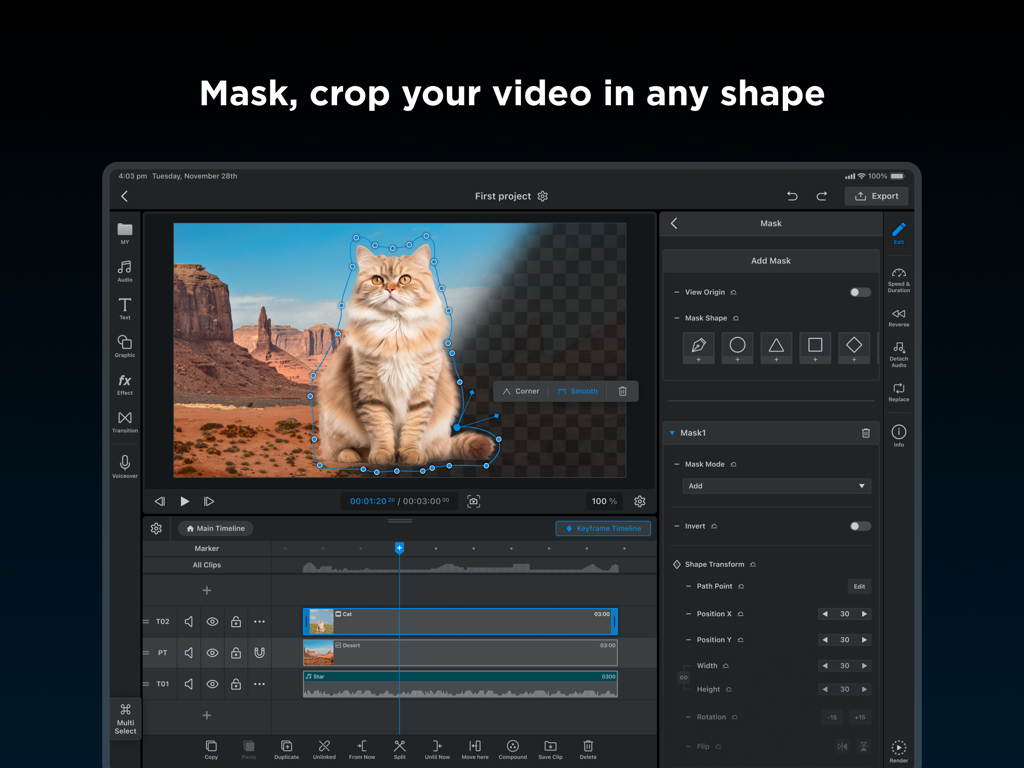
WEILO video editor on iPad showing a cat being masked with a pen tool for custom cropping
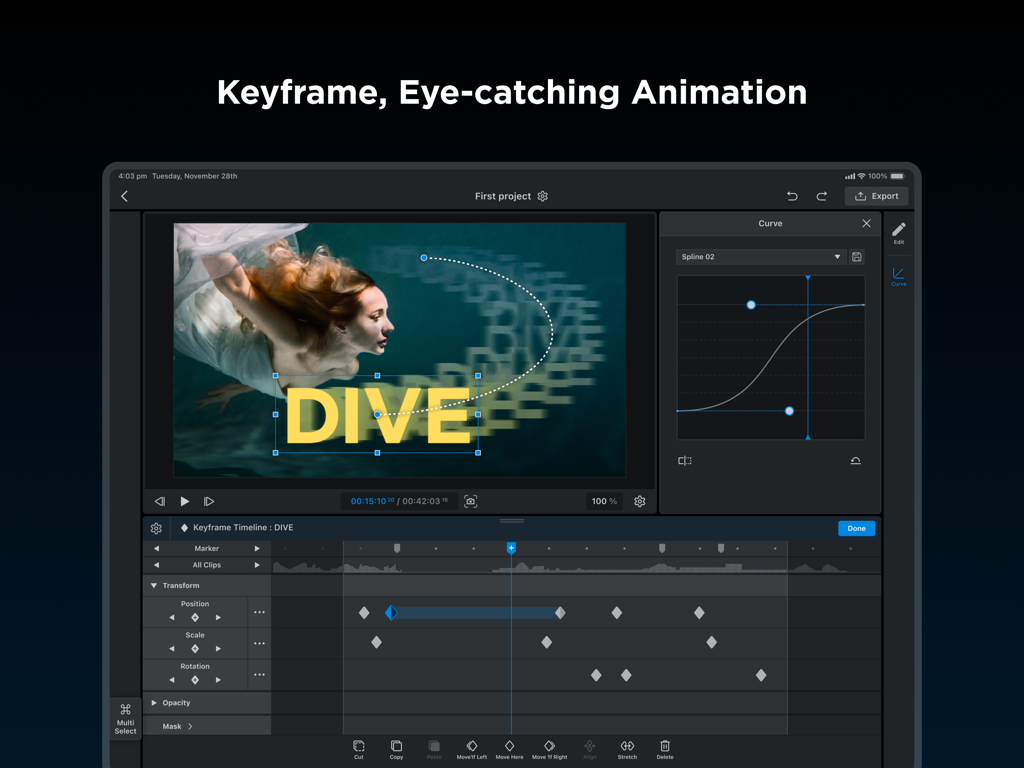
WEILO video editor for iPad showing keyframe animation timeline and motion curve adjustment.
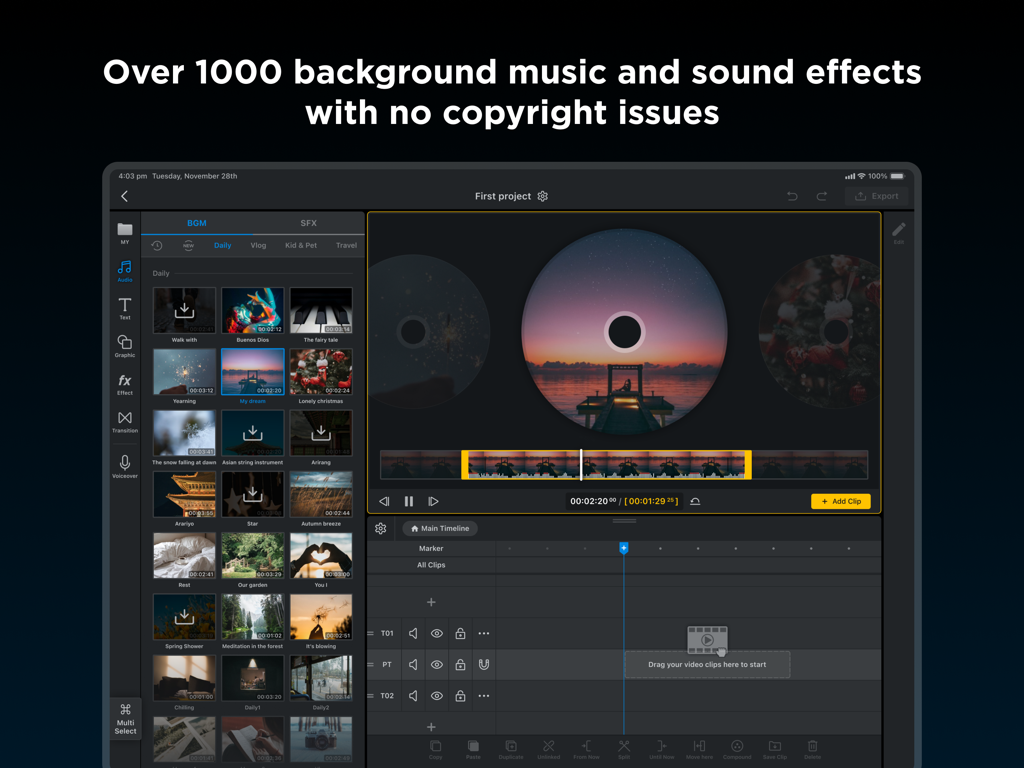
WEILO iPad app interface showcasing a library of over 1000 royalty-free background music and sound effects tracks.

The WEILO app interface on iPad showing a professional video editing timeline and distortion effects library
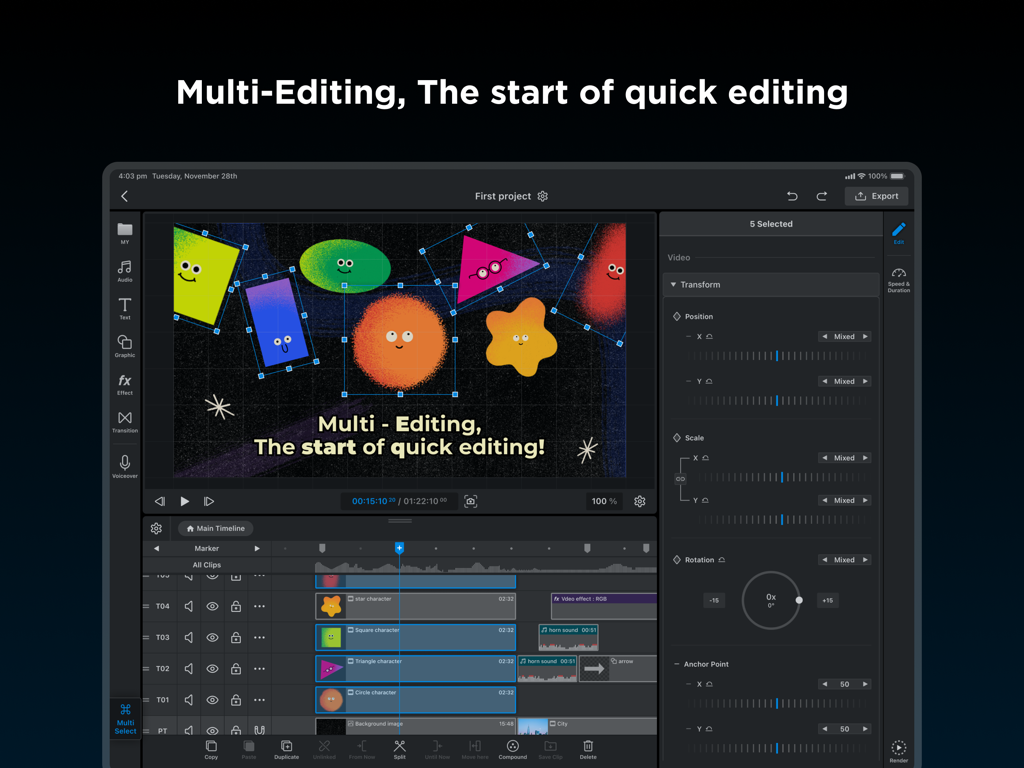
A screenshot of the WEILO video editor on iPad showing the multi-editing feature with multiple animated clips selected for simultaneous transformation.
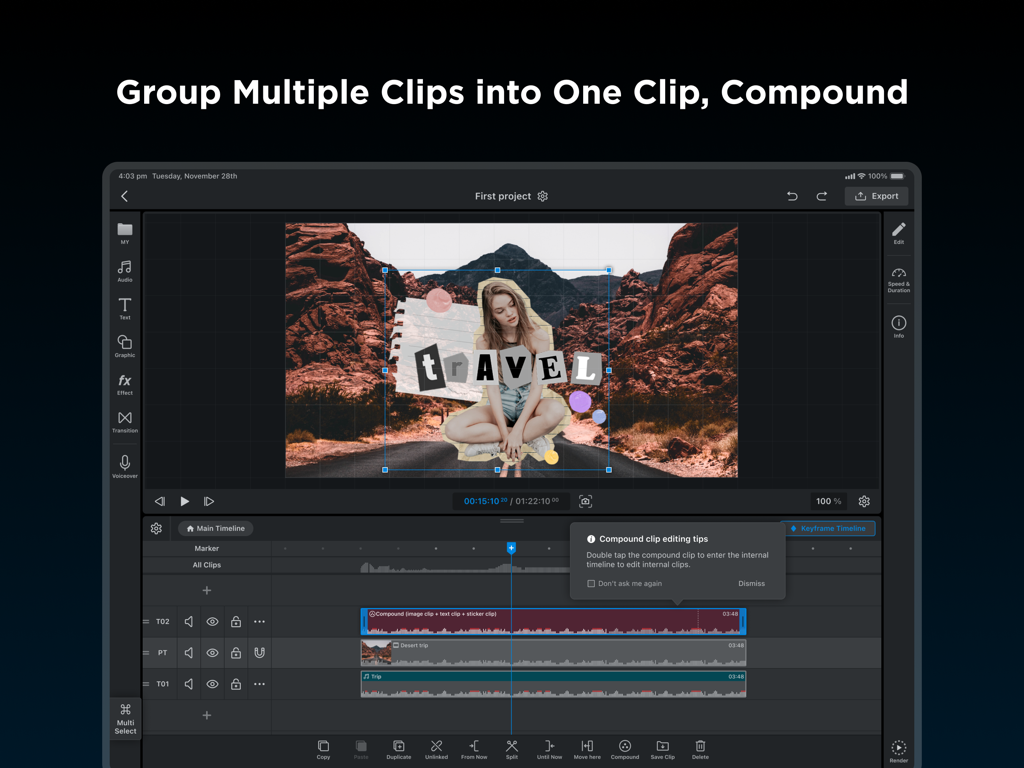
Professional iPad video editing interface in WEILO showing compound clips feature on the timeline
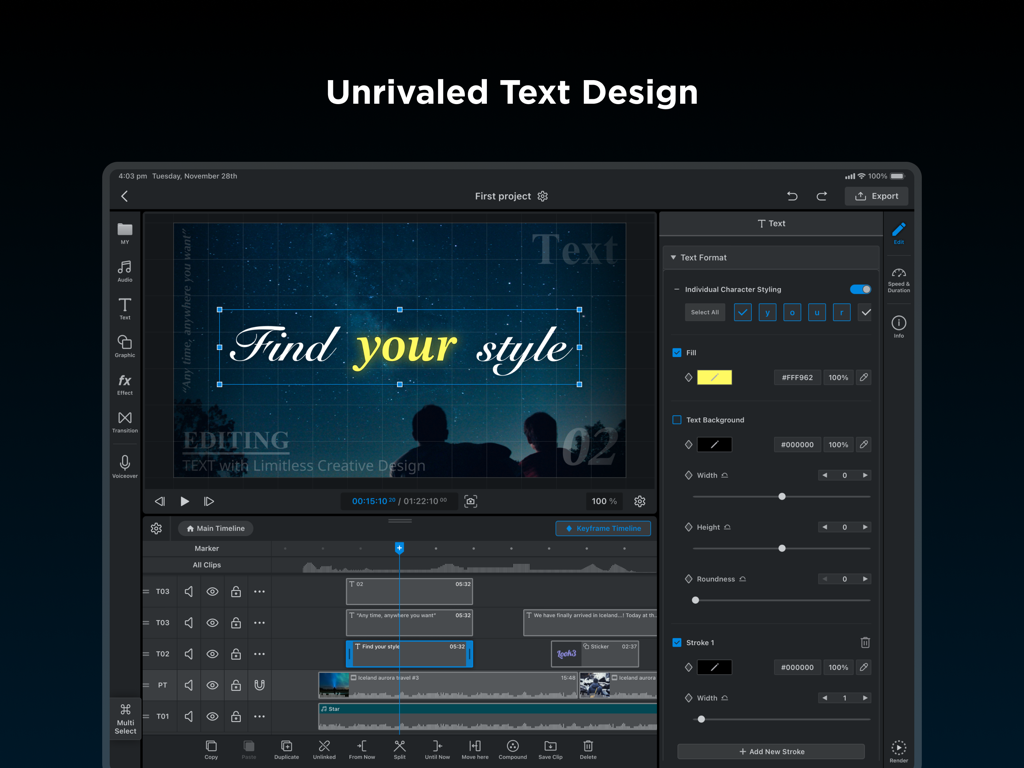
WEILO video editor for iPad showing professional text design and individual character styling features

WEILO video editor export interface on iPad showing 4K resolution settings and professional output options
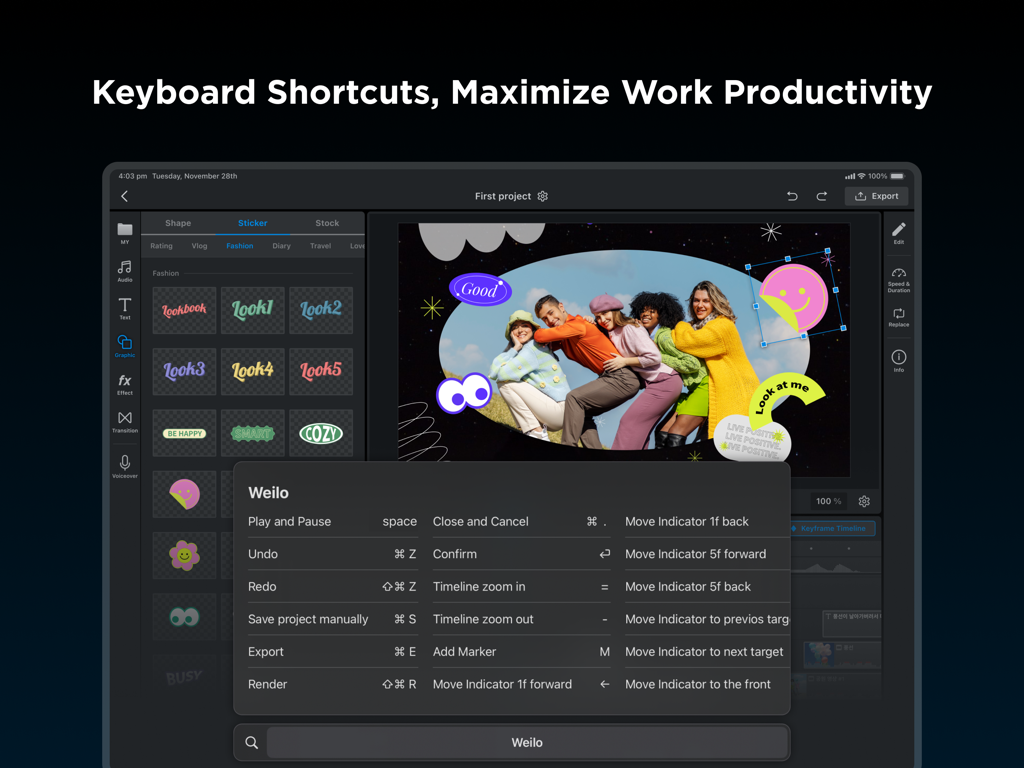
WEILO iPad video editor interface showing a list of keyboard shortcuts for professional editing productivity
Description
Download
More Like This
Apps with similar features and user experience

VN: AI Video Editor
Ubiquiti Labs, LLC

Splice - Video Editor & Maker
Bending Spoons Apps ApS

Blurrr-Music video editor
TBPS INTERNATIONAL TECHNOLOGY PTE. LTD.

Node Video
小为 罗

Filmmaker Pro - Video Editor
Tinkerworks Apps

Time Cut: Smooth Slow Motion
立亚 林

LumaFusion
Luma Touch LLC

Slow Motion Video Fx Editor
Brain Craft Ltd

Video Effects Editor: Riveo
Forge and Form GmbH
This page is not an official page of the app or its developer, but an independent editorial publication created for informational and commentary purposes. Unless expressly stated otherwise, neither the app nor its developer is affiliated with, endorsed by, sponsored by, authorized by, or otherwise officially connected with MWM, Apple, Google Play, the app publisher, or the app's developer, and nothing on this page implies that the app was developed using MWM's services. Any trademarks, logos, screenshots, and other content remain the property of their respective owners.