
This page is not an official page of the app or its developer, but an independent editorial publication created for informational and commentary purposes. Unless expressly stated otherwise, neither the app nor its developer is affiliated with, endorsed by, sponsored by, authorized by, or otherwise officially connected with MWM, Apple, Google Play, the app publisher, or the app's developer, and nothing on this page implies that the app was developed using MWM's services. Any trademarks, logos, screenshots, and other content remain the property of their respective owners.

Splice - Video Editor & Maker
Your phone just became a production house. It empowers users with desktop-tier editing control, transforming raw clips into polished, share-ready content from any location.
Downloads
75M+User Rating
Total Ratings
1.4MPublisher
Category
Photo & VideoLocales
12Latest Version
4.28.60Size
161.6 MBFirst Released
Dec 23, 2010Splice - Video Editor & Maker: Core Feature Analysis
Evaluating key functionalities for mobile video production targeting creative professionals and social media users.
Comprehensive Audio Suite
The app provides extensive audio capabilities, including a large royalty-free music library, precise mixing, and a voice recorder, crucial for high-quality sound design.
Integrated Sharing & Export
It allows users to directly export and share their edited videos to popular social media platforms and save them to their device, streamlining the content distribution workflow.
Dynamic Speed Control
This tool features advanced speed adjustments, including speed ramping, enabling dramatic or artistic effects in video sequences.
Advanced Layering & Compositing
The app offers capabilities to layer multiple media elements and remove backgrounds (Chroma Key), facilitating complex visual storytelling and creative effects.
Precise Editing Tools
The app provides essential tools for detailed manipulation of video and photo segments, ensuring content is perfectly framed and timed.
Creative Visual Effects Library
It provides a diverse collection of stylistic effects, allowing users to add unique artistic flair and professional polish to their videos.
Customizable Text & Titles
This tool features comprehensive text options for adding titles, overlays, and outros, crucial for branding and conveying information.
Visual Enhancement Controls
It allows users to fine-tune the visual quality of their footage, ensuring professional-looking color grading and image correction.
Frequently Asked Questions
Everything you need to know about Splice - Video Editor & Maker
What is Splice - Video Editor & Maker?
Splice is a powerful video editor designed for iPhone and iPad, enabling users to create professional-looking videos. It offers advanced features optimized for mobile devices, making video editing accessible on the go.
Can I edit videos on my iPhone with Splice?
Yes, Splice makes it easy to create fully customized, professional-looking videos on your iPhone or iPad. It is optimized to perform like a desktop editor on your mobile device.
What editing tools are available in the Splice app?
Splice provides powerful editing tools such as trim, cut, crop, exposure adjustment, speed control, overlaying, Chroma Key, Ken Burns effect, filters, and various glitch, chroma, and vintage effects.
How can I add music to my videos in Splice?
Splice allows users to choose from over 6,000 royalty-free tracks, trim and mix audio, use songs from their iTunes collection, or record custom narration and sound effects with the built-in voice recorder.
Does Splice support Chroma Key for video editing?
Yes, Splice supports Chroma Key functionality, allowing users to remove backgrounds from their videos. This feature enables the creation of incredible overlay effects with precision.
Can Splice create slow motion videos?
Yes, Splice can create slow motion videos. Users can adjust the playback speed for fast or slow motion, and the app also includes speed ramping capabilities for dynamic effects.
How do I share videos created with Splice?
Splice makes sharing easy, allowing users to share videos directly to platforms like YouTube, Instagram, TikTok, Facebook, Mail, and Messages. Videos can also be saved to the camera roll.
What are the subscription options for Splice - Video Editor & Maker?
Splice offers weekly, monthly, and yearly subscription lengths. Payment is charged to your iTunes Account upon purchase confirmation. Auto-renewal can be managed in Account Settings.
How do I cancel my Splice subscription?
You can manage your Splice subscription and turn off auto-renewal from your Account Settings after purchase. Auto-renewal must be disabled at least 24 hours before the current period ends.
Does Splice offer video effects like glitch or vintage?
Yes, Splice offers a variety of amazing video effects, including glitch, chroma, and vintage. Users can apply these effects to enhance their videos and create unique visual styles.
The following screenshots and description are sourced directly from the app's official store listing and are the property of the app developer.
App Store
Screenshots

Precision Timeline Editing
This app showcases its intuitive multi-track timeline interface and direct access to text overlay tools, empowering users with powerful editing capabilities.
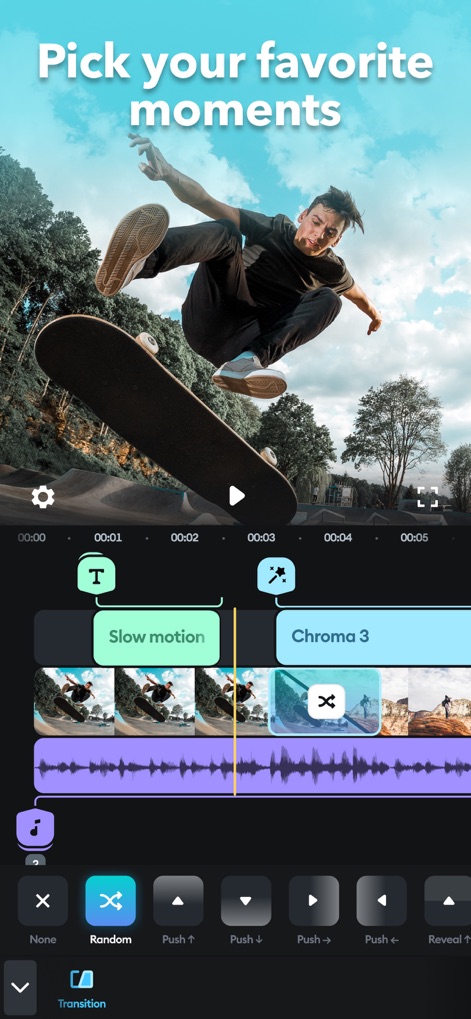
Dynamic Clip Control
Users can precisely apply slow motion effects and choose from a variety of transition styles to craft seamless and engaging video sequences.
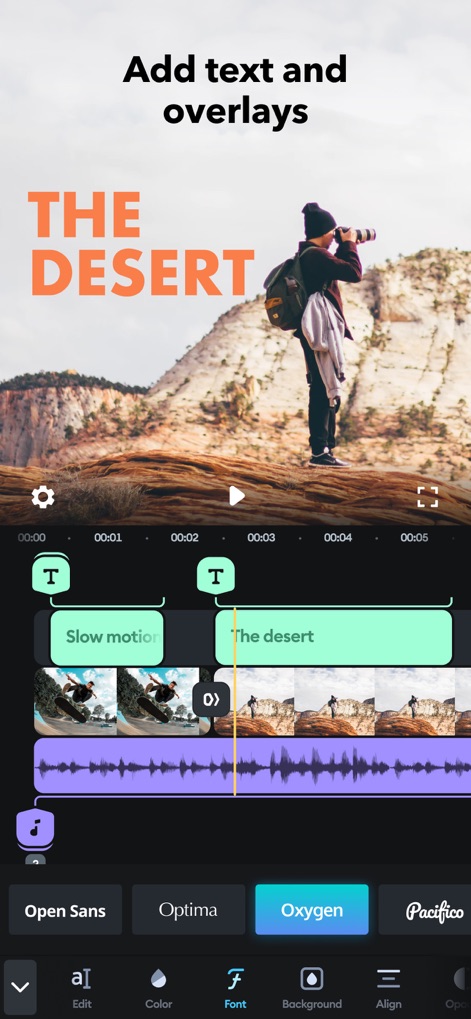
Creative Text & Fonts
The app demonstrates its robust text overlay feature, allowing customization with various fonts like Oxygen and Pacifico to enhance visual storytelling.
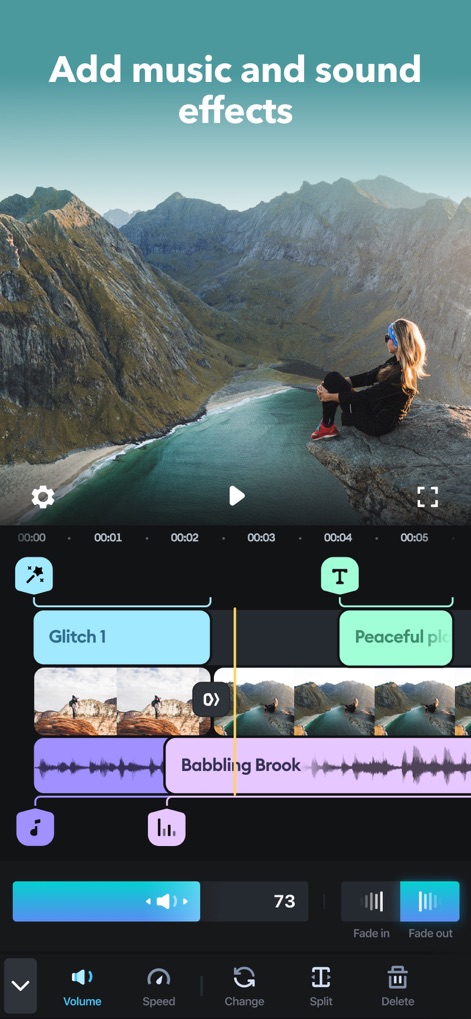
Immersive Soundscapes
This tool enables users to integrate custom sound effects and fine-tune audio with precise volume controls directly within the dedicated audio timeline.
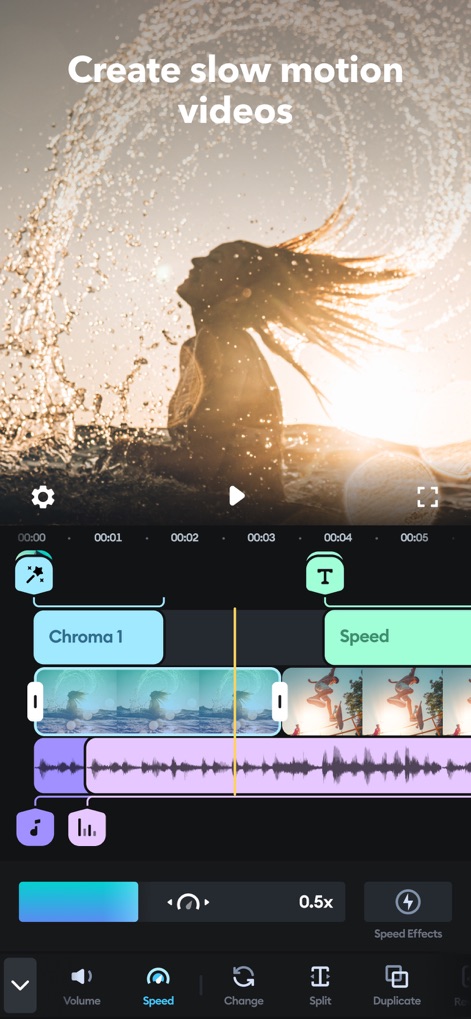
Master Speed Ramping
The app highlights its capability to adjust playback speed with options like 0.5x for slow motion and apply various speed effects, perfect for dynamic video creation.
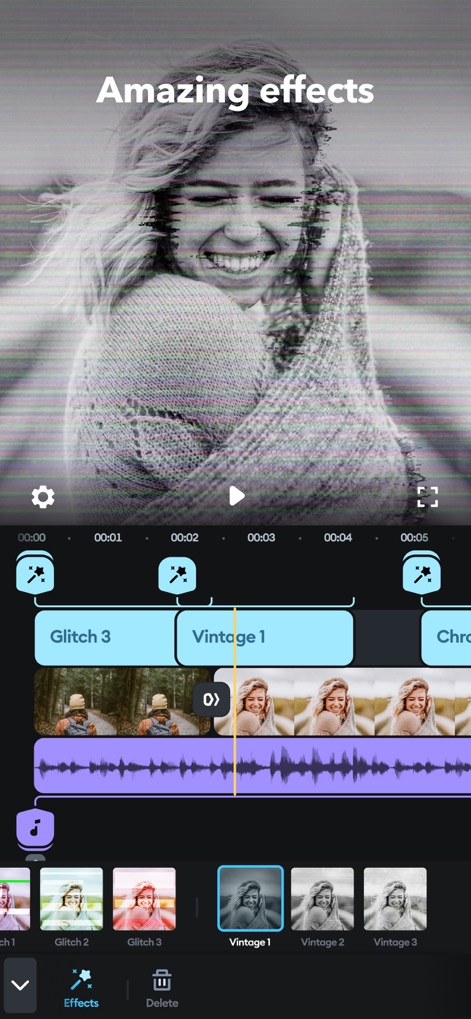
Artistic Visual Effects
Explore a diverse library of artistic visual effects, from dynamic Glitch styles to classic Vintage filters, transforming ordinary footage into cinematic experiences.
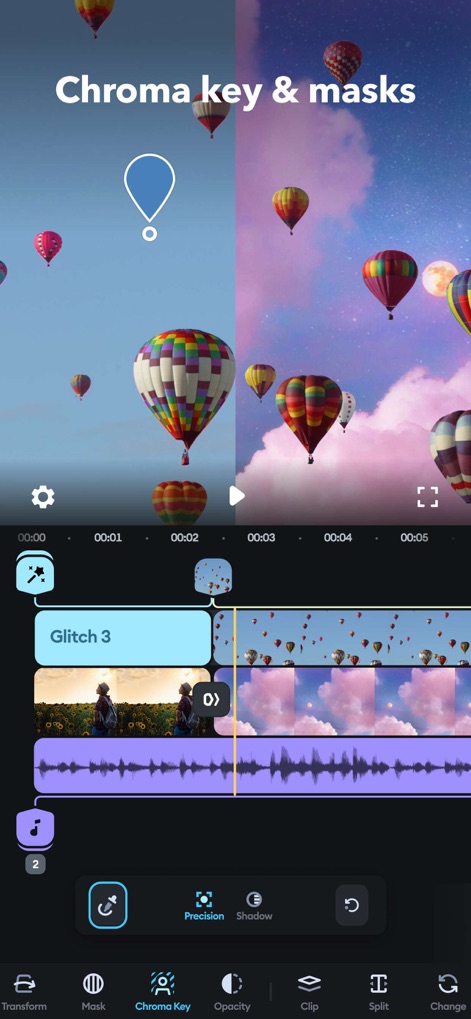
Advanced Green Screen
This tool offers powerful Chroma Key capabilities for background removal and advanced Masking options, enabling sophisticated visual compositing for creative projects.
Description
Download
More Like This
Apps with similar features and user experience

VN: AI Video Editor
Ubiquiti Labs, LLC

Blurrr-Music video editor
TBPS INTERNATIONAL TECHNOLOGY PTE. LTD.

Node Video
小为 罗

Filmmaker Pro - Video Editor
Tinkerworks Apps

Time Cut: Smooth Slow Motion
立亚 林

LumaFusion
Luma Touch LLC

Slow Motion Video Fx Editor
Brain Craft Ltd

WEILO - My Last Video Editor
vimosoft

Video Effects Editor: Riveo
Forge and Form GmbH
This page is not an official page of the app or its developer, but an independent editorial publication created for informational and commentary purposes. Unless expressly stated otherwise, neither the app nor its developer is affiliated with, endorsed by, sponsored by, authorized by, or otherwise officially connected with MWM, Apple, Google Play, the app publisher, or the app's developer, and nothing on this page implies that the app was developed using MWM's services. Any trademarks, logos, screenshots, and other content remain the property of their respective owners.