
This page is not an official page of the app or its developer, but an independent editorial publication created for informational and commentary purposes. Unless expressly stated otherwise, neither the app nor its developer is affiliated with, endorsed by, sponsored by, authorized by, or otherwise officially connected with MWM, Apple, Google Play, the app publisher, or the app's developer, and nothing on this page implies that the app was developed using MWM's services. Any trademarks, logos, screenshots, and other content remain the property of their respective owners.


Node Video
Experience the power of desktop-grade editing with limitless layers, precise keyframe animation, and AI-driven tools designed for creators who refuse to settle for basic.
Downloads
5M+User Rating
Total Ratings
64K+Publisher
Category
Photo & VideoLocales
2Latest Version
8.4.0Size
220.1 MBFirst Released
Feb 8, 2020Pro Tools for the Next Gen Creator
Experience the power of desktop VFX software on your mobile device. From advanced 3D rendering to precision motion tracking, Node Video is built for editors who refuse to settle for basic.
Professional Motion Design
Unlock limitless creativity with a full Pen Tool, curve editor, and frame-accurate keyframing for elite-level smoothness and custom transitions.
Dynamic Audio Reaction
Automate your edits with music. Use the audio spectrum to control any parameter—from lens flares to scale—for perfect rhythm-sync every time.
Frequently Asked Questions
Everything you need to know about Node Video
Who is the Node Video app designed for?
Node Video is a powerful video editing app specifically designed for professional editors, offering advanced features and precise controls.
Does Node Video support multiple layers in editing?
Yes, Node Video supports limitless layers and groups, enabling complex video projects with extensive organization.
What core editing features does Node Video provide?
Node Video offers precise video editing capabilities, including a Timeline, Keyframe animation, Curve Editor, and various masking tools.
Does Node Video offer fast rendering speeds?
Yes, Node Video features super fast rendering, optimizing the workflow for professional video editors.
What is the Audio Reactor feature in Node Video?
Node Video's Audio Reactor visualizes audio, allowing users to control every effect and property parameter via the audio spectrum.
Does Node Video utilize AI technology?
Yes, Node Video includes AI-powered features, such as automatically separating humans from backgrounds in real-time.
Can Node Video map videos to 3D models?
Yes, Node Video provides 3D renderers that enable mapping videos and images to 3D models, alongside 3D camera settings.
What color correction features are available in Node Video?
Node Video includes extensive color correction tools like Basic Color Correction (Exposure, Contrast), RGB Curve, HSL Curve, and Color Wheel.
How do I get unlimited access to Node Video features?
To access all features and content in Node Video, users must purchase a Pro Subscription.
What are the billing options for Node Video Pro Subscription?
Node Video Pro Subscriptions are billed monthly or annually, based on the selected plan.
Do Node Video Pro Subscriptions auto-renew?
Yes, Node Video subscriptions auto-renew unless cancelled at least 24 hours before the current period ends.
How do I manage my Node Video subscription settings?
Users can manage their Node Video subscription and turn off auto-renewal through their Account Settings after purchase.
Can I cancel my Node Video subscription at any time?
No, cancellation during an active Node Video subscription is not permitted per Apple policy, and refunds are not issued for unused terms.
What happens to my Node Video free trial if I subscribe?
Any unused portion of a Node Video free trial is forfeited immediately upon purchasing a subscription.
Does the Node Video subscription price change by region?
Yes, the price for a Node Video Pro Subscription can vary depending on the user's geographical location.
Where can I find the Node Video terms of use?
Node Video's terms of use are available at http://www.nodevideo.com/terms_of_use.html.
Where can I find Node Video's privacy policy?
Node Video's privacy policy is available at http://www.nodevideo.com/privacy_policy.html.
How can I contact Node Video customer support?
Users can contact Node Video support by emailing contact@nodevideo.com for assistance.
Does Node Video feature a curve editor?
Yes, Node Video includes a Pro Curve Editor, allowing precise control over keyframe animation and motion path adjustments.
Can Node Video create slow-motion effects?
Yes, Node Video includes "Pro Slowmo" capabilities and various transform options like Position, Scale, and Rotation for detailed adjustments.
What VFX tools are available in Node Video?
Node Video provides Pro VFX Tools including a Pen Tool for shape creation and masking, alongside motion tracking functionalities.
The following screenshots and description are sourced directly from the app's official store listing and are the property of the app developer.
App Store
Screenshots
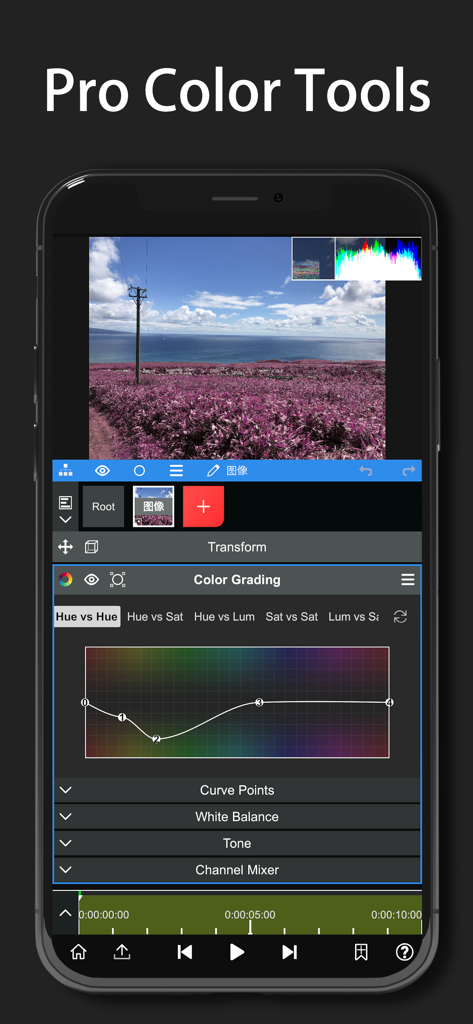
Node Video app interface showing professional color grading tools and curves on a smartphone
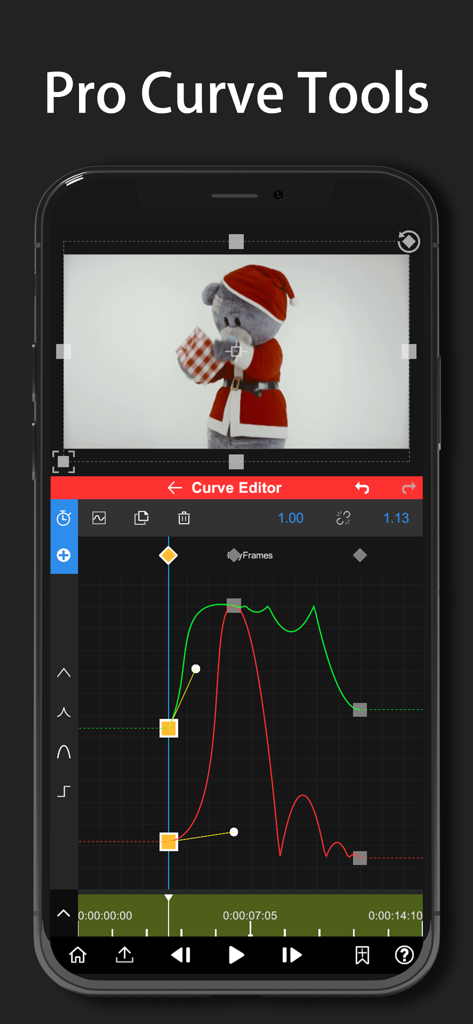
Node Video app interface showing professional curve tools for precise motion graphics and keyframe editing on a smartphone
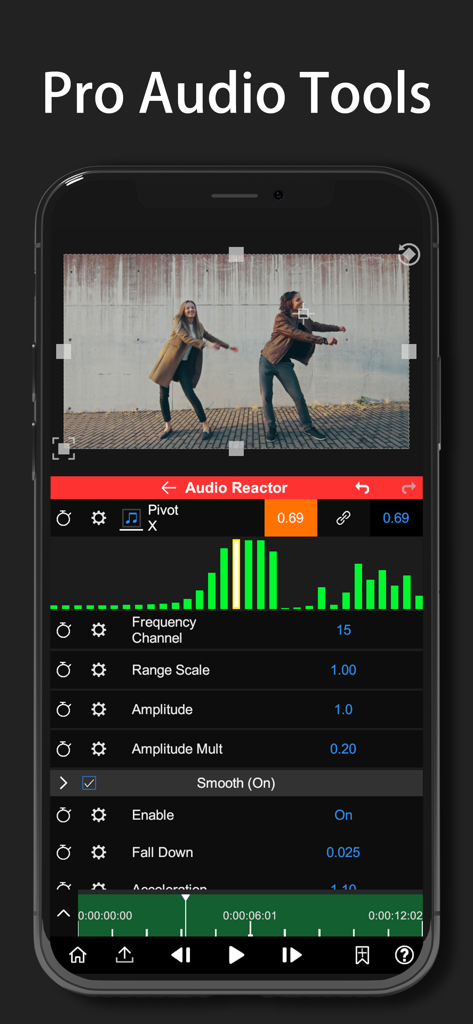
Node Video app interface showing the Audio Reactor tool with a music spectrum visualizer
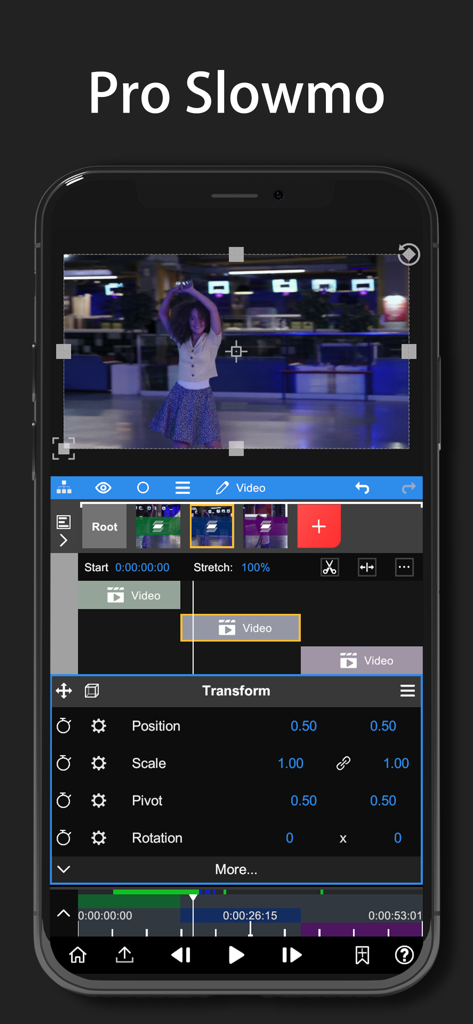
Node Video app interface showing Pro Slowmo editing with timeline layers and transform properties for professional video effects
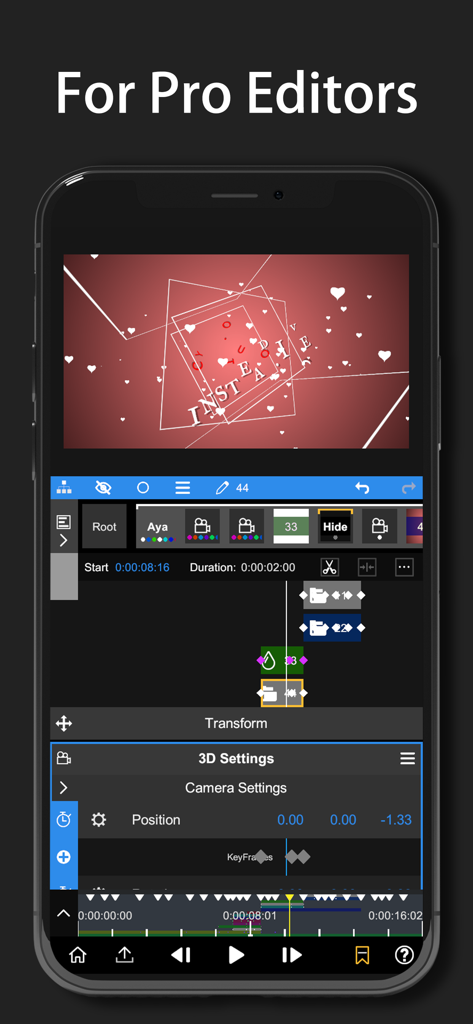
A professional video editing interface on a smartphone screen showing 3D camera settings and keyframe animation for creators.
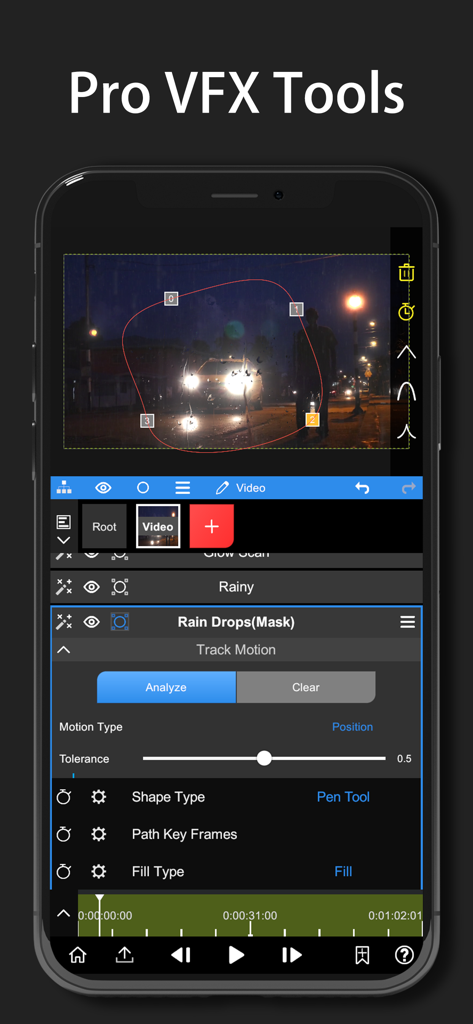
Node Video mobile interface for motion tracking and pen tool masking
Description
Download
More Like This
Apps with similar features and user experience

VN: AI Video Editor
Ubiquiti Labs, LLC

Splice - Video Editor & Maker
Bending Spoons Apps ApS

Blurrr-Music video editor
TBPS INTERNATIONAL TECHNOLOGY PTE. LTD.

Filmmaker Pro - Video Editor
Tinkerworks Apps

Time Cut: Smooth Slow Motion
立亚 林

LumaFusion
Luma Touch LLC

Slow Motion Video Fx Editor
Brain Craft Ltd

WEILO - My Last Video Editor
vimosoft

Video Effects Editor: Riveo
Forge and Form GmbH
This page is not an official page of the app or its developer, but an independent editorial publication created for informational and commentary purposes. Unless expressly stated otherwise, neither the app nor its developer is affiliated with, endorsed by, sponsored by, authorized by, or otherwise officially connected with MWM, Apple, Google Play, the app publisher, or the app's developer, and nothing on this page implies that the app was developed using MWM's services. Any trademarks, logos, screenshots, and other content remain the property of their respective owners.