
This page is not an official page of the app or its developer, but an independent editorial publication created for informational and commentary purposes. Unless expressly stated otherwise, neither the app nor its developer is affiliated with, endorsed by, sponsored by, authorized by, or otherwise officially connected with MWM, Apple, Google Play, the app publisher, or the app's developer, and nothing on this page implies that the app was developed using MWM's services. Any trademarks, logos, screenshots, and other content remain the property of their respective owners.

Game Emulator: GamePod Emu
Nostalgia Weaponized. This app turns your device into a portable arcade, reviving pixelated legends without the fuss.
Downloads
500k+User Rating
Total Ratings
13.2KPublisher
Category
EntertainmentLocales
21Latest Version
3.0.5Size
150.7 MBFirst Released
Oct 28, 2025An evaluation of core functionalities appealing to retro gaming enthusiasts.
Game Emulator: GamePod Emu - Key Features Analysis
Multi-Console Emulation
The app provides extensive support for multiple classic console formats, including GBA, NES, and GBC, enabling users to enjoy a broad spectrum of retro titles from various systems.
Nostalgic User Interface
It boasts a beautifully designed retro-styled user interface and animations, evoking the authentic feel of the 80s and 90s gaming era for a deeply nostalgic and aesthetically pleasing experience.
Optimized Performance & Stability
This tool delivers fast and stable emulation performance, specifically optimized for modern mobile devices to ensure a smooth and dependable gaming experience without lag or glitches.
Intuitive ROM Library Management
The app allows users to efficiently organize and browse their personal game library, featuring visually appealing pixel-art covers that enhance the nostalgic experience and simplify game discovery.
Frequently Asked Questions
Everything you need to know about Game Emulator: GamePod Emu
What is GamePod?
GamePod is a retro game emulator and launcher that transforms your phone into a retro console. It allows users to load and play their legally owned ROMs with smooth performance and an 8-bit-inspired interface.
Does GamePod include pre-loaded games?
No, GamePod does not include or distribute any game files. Users must provide their own legally obtained ROMs to play games within the application.
What retro consoles does GamePod support?
GamePod supports multiple classic console formats including GB, GBC, GBA, NES, SNES, N64, PS1, PSP, NDS, GNSS, NGC, and 3DS. It offers broad compatibility for retro gaming.
Can I use an external controller with GamePod?
Yes, GamePod offers robust controller support. Users can connect and utilize various external controllers for an enhanced and authentic retro gaming experience.
What features does GamePod offer for game organization?
GamePod allows users to organize and browse their personal game library efficiently. It displays pixel-art covers for games, creating a visually appealing and organized collection.
Does GamePod have an auto-save function?
Yes, GamePod includes an auto-save feature. This ensures that game progress is automatically saved, providing convenience and preventing loss of gameplay data.
What is the age rating for GamePod?
The age rating for GamePod is set to 13+. This rating is due to the potential for mature content in user-added games, as the app does not distribute game files itself.
Does GamePod provide haptic feedback during gameplay?
Yes, GamePod supports haptic feedback. This feature provides tactile sensations, enhancing the immersive experience while playing retro games on the emulator.
Where can I find GamePod's Privacy Policy?
GamePod's Privacy Policy is available online at https://piiko.app/privacy. Users can review the policy to understand how their data is handled.
The following screenshots and description are sourced directly from the app's official store listing and are the property of the app developer.
App Store
Screenshots
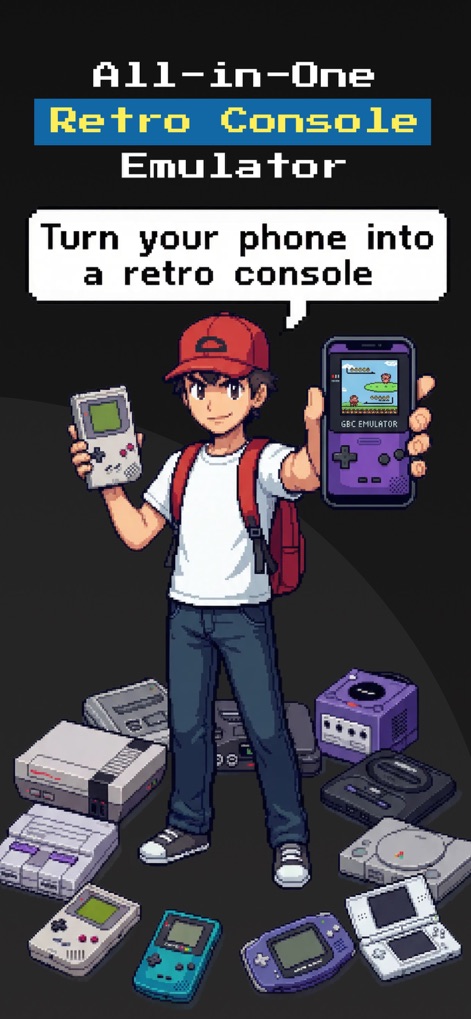
This tool transforms a mobile device into a versatile retro console, clearly displaying support for iconic systems like the Game Boy and PlayStation 1.
Universal Console Hub
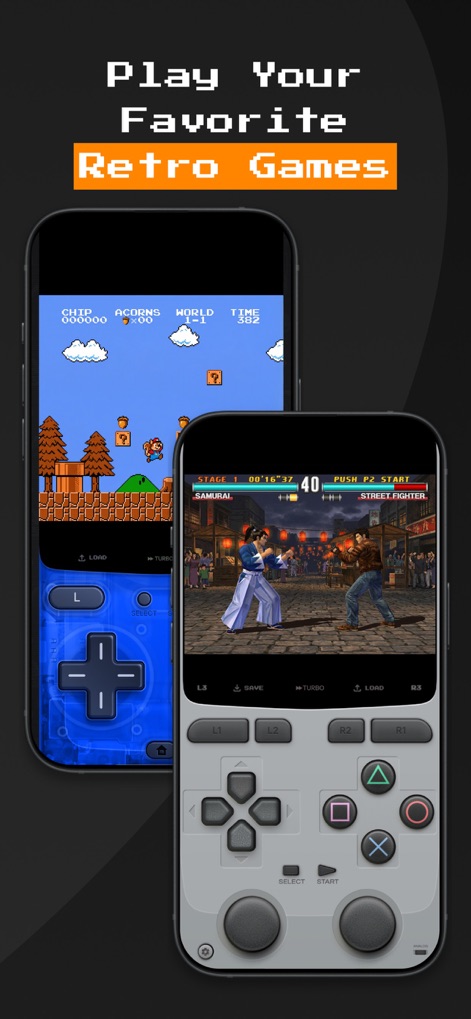
Users can dive into classic titles, with transparent on-screen D-pads for platformers and detailed button layouts for fighting games, ensuring responsive gameplay.
Intuitive On-Screen Controls
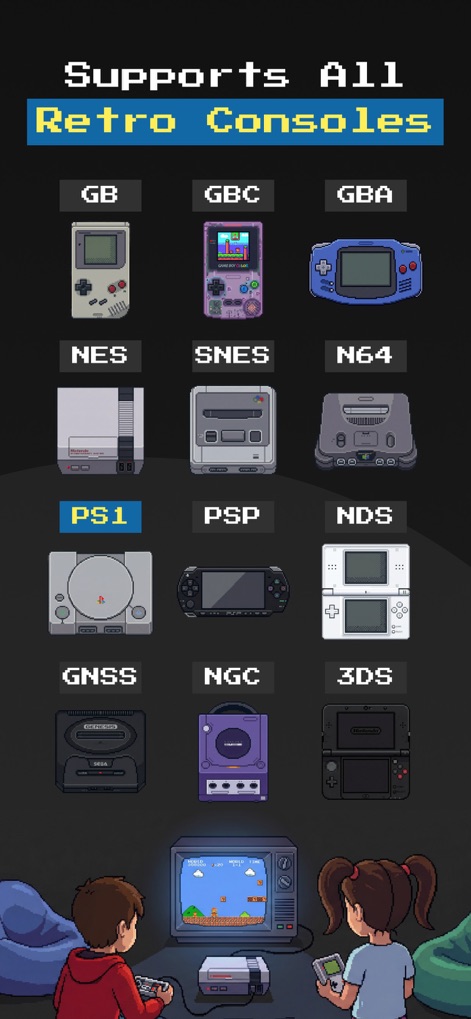
The app demonstrates extensive compatibility across a multitude of retro platforms, showcasing beloved consoles from the Game Boy Color to the Nintendo 3DS with pixel-art flair.
Vast Console Collection
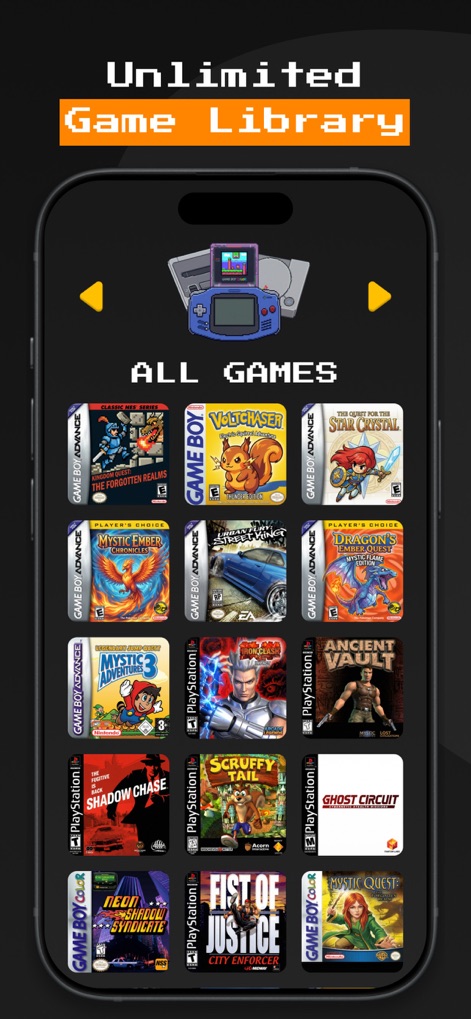
Users can effortlessly manage their game collection, which features a grid of detailed pixel-art covers for each title and intuitive navigation arrows for browsing.
Curated Game Library
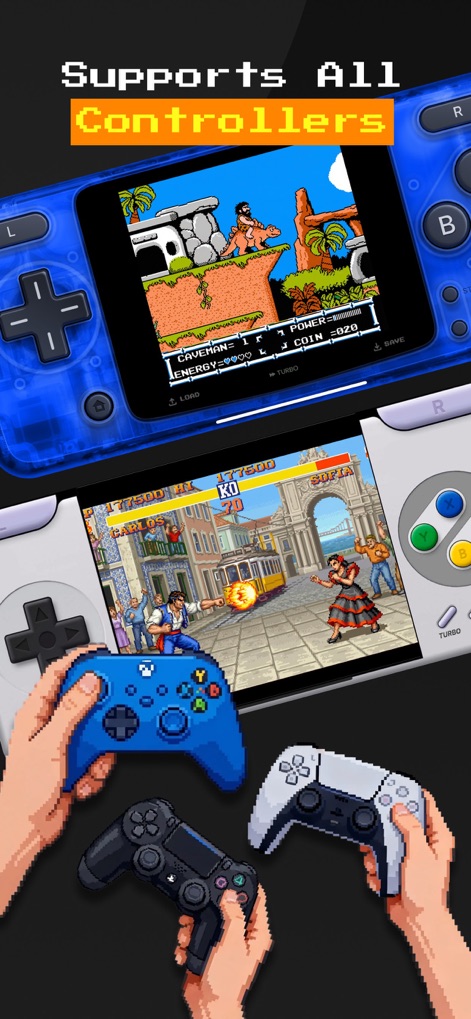
This emulator offers comprehensive support for external gamepads, enabling users to connect modern controllers like Xbox and PlayStation 5 for a tactile and authentic gaming experience.
Seamless Controller Integration
Description
Download
More Like This
Apps with similar features and user experience
Retra - app console emulator
MODERN DEV LP

Manic EMU - Game Emulator
傲霜 李
Gamuroid: All Game Emulator
UNIVERSAL TECHLAB COMPANY LIMITED

Lucky Emulator – GBA & DS
LUCKY MUSHROOM LIMITED
MyBoyGame-All in one Emulator
明 李

Game Emulator - RePlay
彩连 刘

Delta - Game Emulator
Yvette Testut
Emu — Game Consoles App
METRONOM YAZILIM LIMITED SIRKETI
Gamebyte
TE-DE GROUP doo
This page is not an official page of the app or its developer, but an independent editorial publication created for informational and commentary purposes. Unless expressly stated otherwise, neither the app nor its developer is affiliated with, endorsed by, sponsored by, authorized by, or otherwise officially connected with MWM, Apple, Google Play, the app publisher, or the app's developer, and nothing on this page implies that the app was developed using MWM's services. Any trademarks, logos, screenshots, and other content remain the property of their respective owners.