
This page is not an official page of the app or its developer, but an independent editorial publication created for informational and commentary purposes. Unless expressly stated otherwise, neither the app nor its developer is affiliated with, endorsed by, sponsored by, authorized by, or otherwise officially connected with MWM, Apple, Google Play, the app publisher, or the app's developer, and nothing on this page implies that the app was developed using MWM's services. Any trademarks, logos, screenshots, and other content remain the property of their respective owners.


MyBoyGame-All in one Emulator
Claim every classic, wherever you are. This app makes obsolete the hunt for old hardware.
Downloads
500k+User Rating
Total Ratings
7.7KPublisher
Category
UtilitiesLocales
10Latest Version
4.3Size
128.9 MBFirst Released
May 14, 2024An analytical overview of core functionalities enhancing the retro gaming experience on mobile platforms.
Key Features Analysis: MyBoyGame-All in one Emulator
Wide Platform Compatibility
The app provides extensive support for numerous classic game console formats, enabling users to enjoy a broad spectrum of retro titles from various eras.
Integrated Fast-Forward Functionality
This tool features a unique fast-forward option, allowing players to skip lengthy dialogues or repetitive sections and get straight to the action.
Frequently Asked Questions
Everything you need to know about MyBoyGame-All in one Emulator
What is MyBoyGame-All in one Emulator?
MyBoyGame-All in one Emulator is an iOS app designed for gaming enthusiasts. It allows users to relive classic gaming moments by emulating multiple retro game formats, providing an ultimate gaming experience.
What classic game formats does MyBoyGame-All in one Emulator support?
MyBoyGame-All in one Emulator supports multiple classic game formats. These include GBA, GB, GBC, SFC, MD, and NES. This allows users to enjoy a wide range of nostalgic games.
Does MyBoyGame-All in one Emulator include a save functionality?
Yes, MyBoyGame-All in one Emulator includes powerful save functionality. It supports multiple save slots, enabling users to save their game progress anytime without worries. Screenshot #8 also shows "快速保存" (Quick Save).
Can users fast-forward through games in MyBoyGame-All in one Emulator?
Yes, MyBoyGame-All in one Emulator features a unique fast-forward function. This allows users to skip lengthy dialogues or tedious sections, directly engaging in the exciting parts of a game.
How can I subscribe to exclusive features in MyBoyGame-All in one Emulator?
Users can unlock exclusive member features via iTunes auto-renewal subscriptions within MyBoyGame-All in one Emulator. Fees are charged to your iTunes account upon purchase confirmation.
What are the available subscription plans for MyBoyGame-All in one Emulator?
MyBoyGame-All in one Emulator offers several subscription plans. These include a "Monthly Subscription," a "Yearly Subscription," and a "Lifetime Membership" for exclusive member features.
How do I cancel my MyBoyGame-All in one Emulator subscription?
To cancel your MyBoyGame-All in one Emulator subscription, go to your iOS device's Settings, then Apple ID, and tap "Subscriptions." Select the auto-renewing VIP subscription and cancel it at least 24 hours before the billing cycle ends.
Is MyBoyGame-All in one Emulator officially affiliated with game manufacturers?
No, MyBoyGame-All in one Emulator is not affiliated with any game manufacturers. The names of gaming consoles mentioned are solely used to describe the supported game environments.
Where can I find the Privacy Policy for MyBoyGame-All in one Emulator?
The Privacy Policy for MyBoyGame-All in one Emulator is available at https://sites.google.com/view/huajiu-terms/. This link is provided within the app's description.
Does MyBoyGame-All in one Emulator support different screen orientations?
Yes, MyBoyGame-All in one Emulator supports different screen orientations. Screenshot #9 shows options for "Landscape (Small Screen)" and "Landscape (Large Screen)" under display settings.
The following screenshots and description are sourced directly from the app's official store listing and are the property of the app developer.
App Store
Screenshots
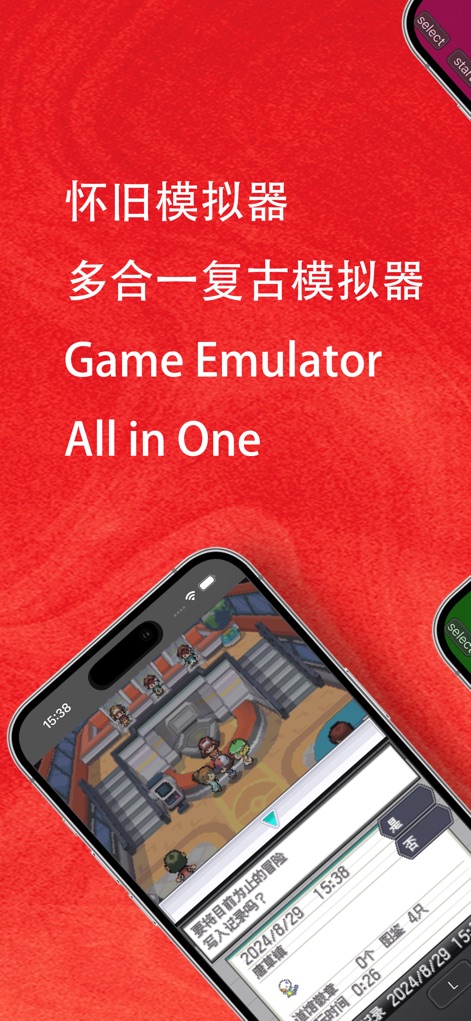
Experience authentic retro gameplay with a clear game screen displaying in-game dialogue and intuitive virtual controls like 'start' and 'select'.
Classic Game Immersion

Explore diverse classic titles, from RPGs to adventure games, controlled seamlessly with the on-screen D-pad and a dedicated 'fast' forward button for quick progression.
Multi-Game Nostalgia
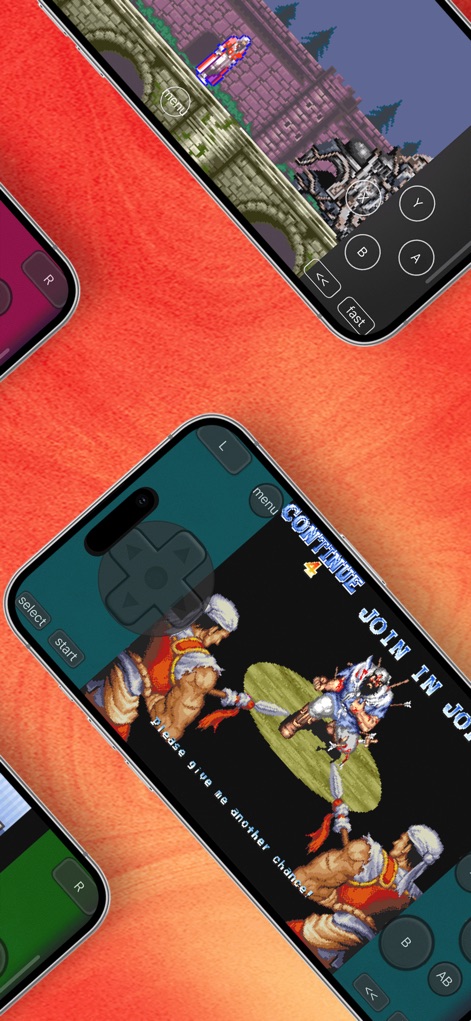
Engage in thrilling action and fighting games, utilizing the responsive virtual D-pad for movement and quick access to the 'menu' for in-game options.
Action-Packed Classics

Navigate intense game scenarios with precise control using the 'select' and 'start' buttons, alongside the versatile 'L' and 'R' trigger buttons for advanced maneuvers.
Dynamic Play Controls
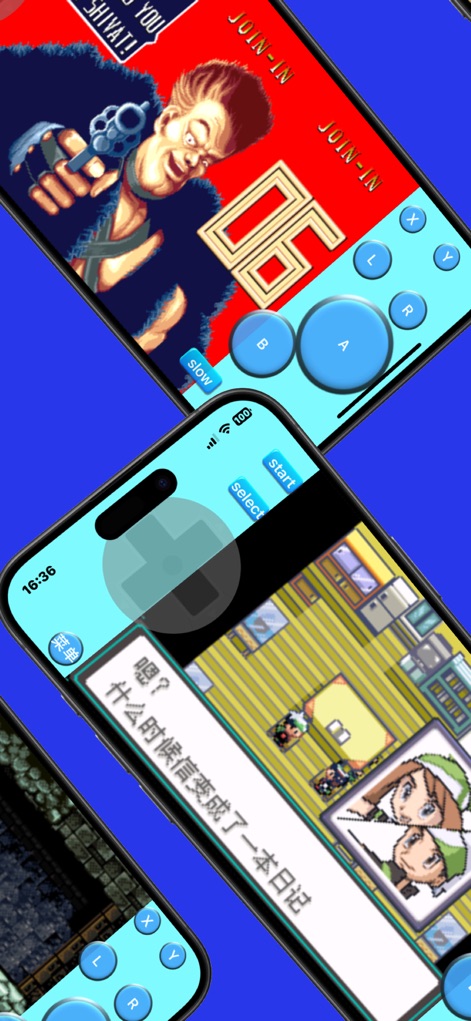
Relive cherished game moments with clear dialogue windows and responsive virtual 'A', 'B', 'X', 'Y' action buttons, complemented by a 'slow' motion feature for tactical gameplay.
Enhanced Gaming Experience

Immerse yourself in vast game maps, guiding your character with the virtual D-pad, and adjust the pace of your journey using the 'fast' or 'slow' speed options.
Adventure & Exploration

Manage your gameplay efficiently with intuitive menu options, offering convenient 'Quick Save' and 'Quick Load' features, alongside customization for 'Virtual Buttons'.
Smart Game Management

Tailor your viewing experience with flexible display orientation options such as 'Landscape (Small Screen)' or 'Landscape (Large Screen)', optimizing your virtual control layout.
Customizable Display

Enjoy streamlined gameplay with a minimalist virtual gamepad featuring a prominent D-pad for precise movement and clearly defined 'A' and 'B' action buttons for quick inputs.
Intuitive Control Design
Description
Download
More Like This
Apps with similar features and user experience
Retra - app console emulator
MODERN DEV LP

Manic EMU - Game Emulator
傲霜 李
Game Emulator: GamePod Emu
Aytek Sokmen

Gamuroid: All Game Emulator
UNIVERSAL TECHLAB COMPANY LIMITED

Lucky Emulator – GBA & DS
LUCKY MUSHROOM LIMITED

Game Emulator - RePlay
彩连 刘

Delta - Game Emulator
Yvette Testut

Emu — Game Consoles App
METRONOM YAZILIM LIMITED SIRKETI

Gamebyte
TE-DE GROUP doo
This page is not an official page of the app or its developer, but an independent editorial publication created for informational and commentary purposes. Unless expressly stated otherwise, neither the app nor its developer is affiliated with, endorsed by, sponsored by, authorized by, or otherwise officially connected with MWM, Apple, Google Play, the app publisher, or the app's developer, and nothing on this page implies that the app was developed using MWM's services. Any trademarks, logos, screenshots, and other content remain the property of their respective owners.