
This page is not an official page of the app or its developer, but an independent editorial publication created for informational and commentary purposes. Unless expressly stated otherwise, neither the app nor its developer is affiliated with, endorsed by, sponsored by, authorized by, or otherwise officially connected with MWM, Apple, Google Play, the app publisher, or the app's developer, and nothing on this page implies that the app was developed using MWM's services. Any trademarks, logos, screenshots, and other content remain the property of their respective owners.


Gamebyte
Bring 8 legendary consoles to your iPhone with a refined PixelArt interface. Import your ROMs and experience pixel-perfect gameplay from the NES to the N64, featuring haptic feedback and fully customizable controls.
Downloads
163K+User Rating
Total Ratings
2K+Publisher
Category
UtilitiesLocales
1Latest Version
1.1.2Size
242.7 MBFirst Released
Sep 20, 2025Your Entire Childhood in Your Pocket
Relive the golden era of gaming with a powerful, all-in-one emulator optimized for your iPhone. From 8-bit legends to handheld classics, your personal ROM library has never felt more alive.
8 Iconic Consoles, One App
Stop switching between apps. Effortlessly play your favorite titles from NES, SNES, N64, NDS, and more in one unified, high-performance library.
Precise Tactile Feedback
Bridge the gap between glass and plastic. Experience every jump and hit with haptic vibration and fully customizable layouts tailored to your hands.
The following screenshots and description are sourced directly from the app's official store listing and are the property of the app developer.
App Store
Screenshots
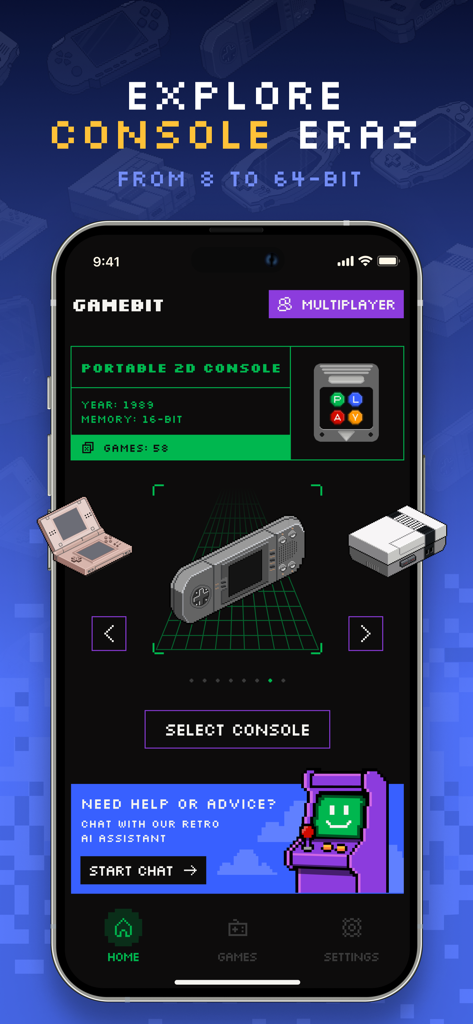
Gamebyte app interface showing retro console selection with a pixel art design
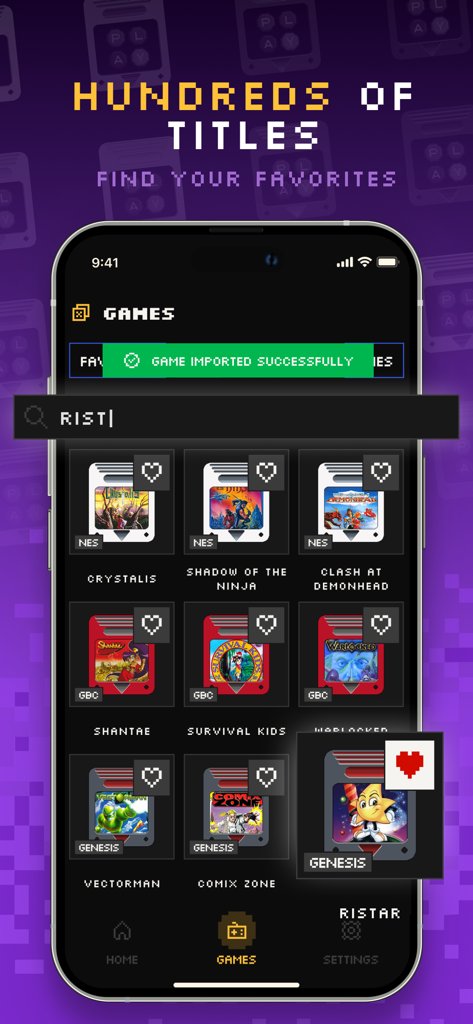
The Gamebyte app interface showing a searchable library of imported retro video games with a pixel art design.
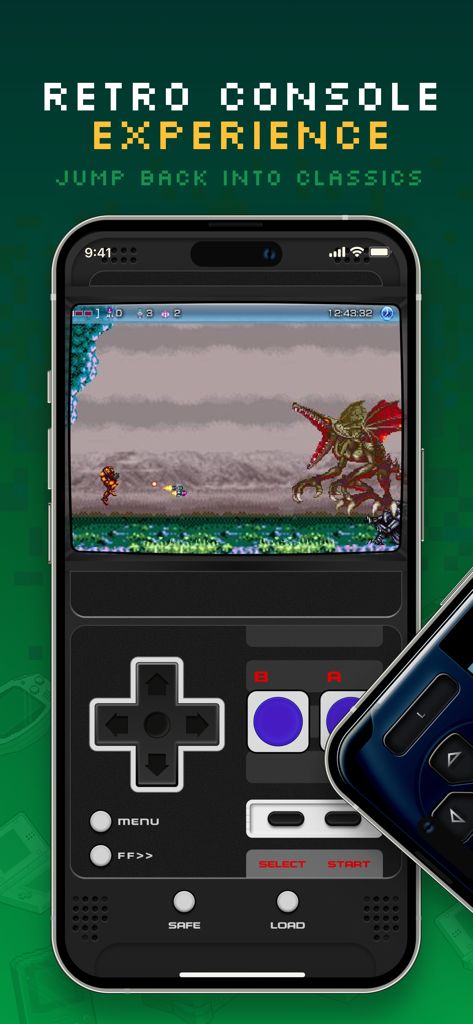
Gamebyte mobile app interface featuring a retro side-scroller game and virtual console controls
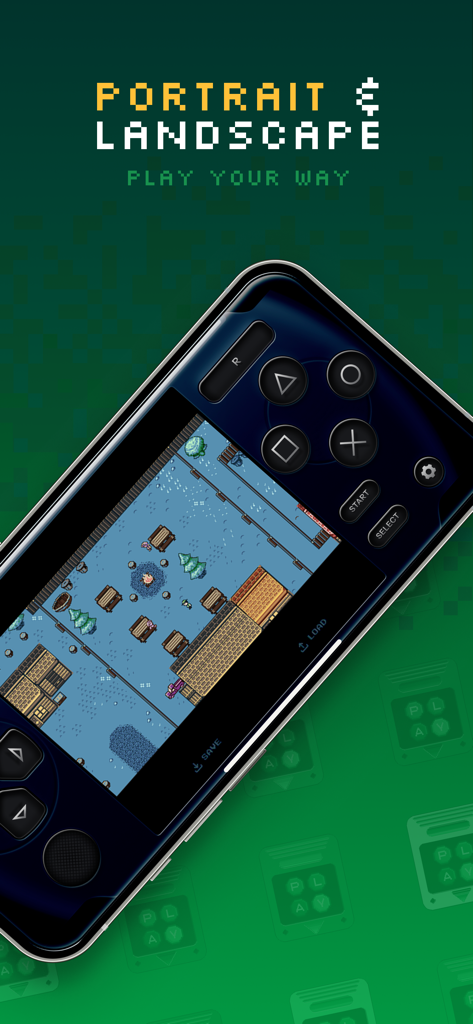
Gamebyte emulator app showing landscape gameplay and virtual controls
Description
Download
More Like This
Apps with similar features and user experience
Retra - app console emulator
MODERN DEV LP

Manic EMU - Game Emulator
傲霜 李
Game Emulator: GamePod Emu
Aytek Sokmen

Gamuroid: All Game Emulator
UNIVERSAL TECHLAB COMPANY LIMITED

Lucky Emulator – GBA & DS
LUCKY MUSHROOM LIMITED
MyBoyGame-All in one Emulator
明 李

Game Emulator - RePlay
彩连 刘
Emu — Game Consoles App
METRONOM YAZILIM LIMITED SIRKETI

MON - DS GBA SFC Emulator
佳成 黄
This page is not an official page of the app or its developer, but an independent editorial publication created for informational and commentary purposes. Unless expressly stated otherwise, neither the app nor its developer is affiliated with, endorsed by, sponsored by, authorized by, or otherwise officially connected with MWM, Apple, Google Play, the app publisher, or the app's developer, and nothing on this page implies that the app was developed using MWM's services. Any trademarks, logos, screenshots, and other content remain the property of their respective owners.