
This page is not an official page of the app or its developer, but an independent editorial publication created for informational and commentary purposes. Unless expressly stated otherwise, neither the app nor its developer is affiliated with, endorsed by, sponsored by, authorized by, or otherwise officially connected with MWM, Apple, Google Play, the app publisher, or the app's developer, and nothing on this page implies that the app was developed using MWM's services. Any trademarks, logos, screenshots, and other content remain the property of their respective owners.


Manic EMU - Game Emulator
Unleash gaming history, instantly. This app delivers every classic, exactly how you remember it, without compromise.
Downloads
1M+User Rating
Total Ratings
23.3KPublisher
Category
EntertainmentLocales
33Latest Version
1.9.0Size
605.7 MBFirst Released
Apr 2, 2025An in-depth analysis of Manic EMU's core functionalities for the discerning retro gamer.
Key Features of Manic EMU - Game Emulator
Extensive Multi-Platform Emulation
The app provides extensive multi-platform emulation, allowing users to relive classic games across a vast library of consoles, arcade systems, and legacy computer platforms.
Advanced Controller Support
It allows users to enjoy a true console-like experience with comprehensive controller freedom, supporting native Joy-Con, DUALSHOCK, Xbox, and various Bluetooth controllers for versatile gameplay.
Cross-Device Cloud Sync
This tool features robust iCloud synchronization, ensuring seamless cross-device progress, settings, and game saves, with encrypted cloud backups to prevent any loss of gaming data.
RetroAchievements Integration
The app integrates RetroAchievements, enabling users to unlock unique challenges and earn trophies for their favorite classic games, enhancing replayability and community engagement.
Cloud Storage Integration
It offers convenient cloud integration for one-click game import from popular services like Google Drive and Dropbox, alongside WebDAV/SMB support for accessing a wider range of digital libraries.
Comprehensive Customization Options
This tool provides extensive customization options, including retro filters for immersive visuals, custom skins for an authentic feel, and custom shortcuts to personalize the control scheme.
In-Game Enhancement Suite
The app includes powerful game enhancements such as 5x speed control, an unlimited library of cheat codes, and extensive save slots (manual and auto-save) for a highly flexible gaming experience.
Cross-Screen Play with AirPlay
It allows users to extend their gaming experience to the big screen with Cross-Screen Play, utilizing AirPlay mirroring for lag-free streaming and immersive couch gaming sessions.
Frequently Asked Questions
Everything you need to know about Manic EMU - Game Emulator
What gaming platforms does Manic EMU support?
Manic EMU supports Nintendo (3DS, N64, DS, GBA, GBC, GB, NES, SNES, VB, PokeMini), SONY (PS1, PSP), SEGA (Dreamcast, Saturn, Master System, Game Gear, SG-1000, 32X, MCD, Genesis), and Atari consoles.
Does Manic EMU offer cloud saving and syncing?
Yes, Manic EMU features iCloud Sync for cross-device game, save, and settings synchronization. It includes encrypted storage and cloud backups to prevent progress loss.
Can I import games into Manic EMU from cloud services?
Yes, Manic EMU supports one-click import from Google Drive, Dropbox, OneDrive, Baidu Cloud, and Aliyun. It also supports WebDAV/SMB protocols for broader access.
What controller types are compatible with Manic EMU?
Manic EMU provides controller freedom with native support for Joy-Con, DUALSHOCK, and Xbox controllers. It also connects with Bluetooth controllers, keyboards, and is Mac compatible.
Does Manic EMU allow screen mirroring to a TV?
Yes, Manic EMU supports Cross-Screen Play with AirPlay mirroring. This allows lag-free streaming from your phone to a TV for an enhanced big-screen gaming experience.
How can I customize my Manic EMU experience?
Manic EMU offers custom skins, which are third-party compatible, for an authentic feel. Users can also define custom shortcuts to redefine their controls for personalized gameplay.
Does Manic EMU provide unlimited game saves?
Yes, Manic EMU offers unlimited save capabilities. It includes both manual saves and 50 auto-save slots to ensure game progress is always preserved.
Are there any premium features or subscriptions in Manic EMU?
Yes, Manic EMU offers premium features unlocked via iTunes auto-renewal. Users can choose Monthly, Yearly, or Lifetime subscription plans for access to these enhancements.
How do I cancel a Manic EMU subscription?
To cancel your Manic EMU subscription, go to Settings, then Apple ID, and navigate to Subscriptions to manage your plan. Cancellation must occur at least 24 hours before renewal.
Can I use cheat codes in Manic EMU?
Yes, Manic EMU provides an unlimited library of cheat codes. These codes enable perfect playthroughs and offer additional options for enhancing your gaming experience.
The following screenshots and description are sourced directly from the app's official store listing and are the property of the app developer.
App Store
Screenshots
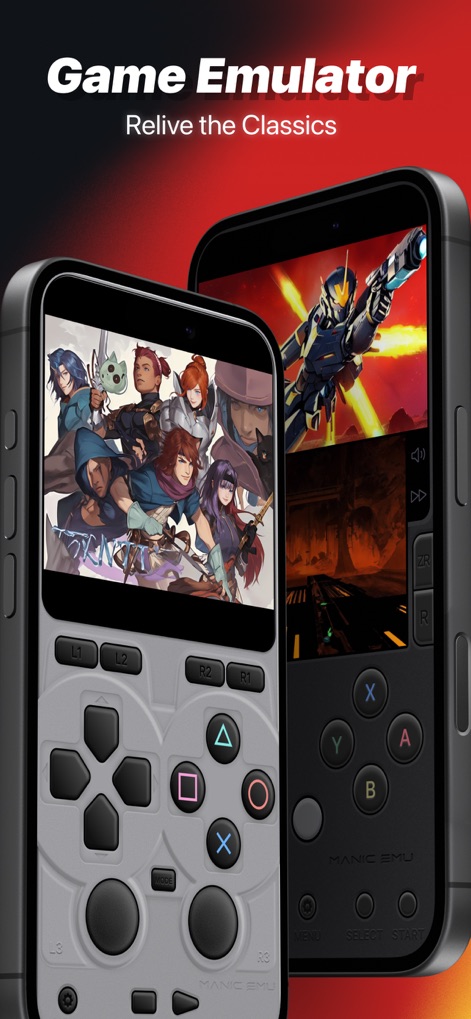
Experience authentic retro gameplay with responsive on-screen controller layouts and diverse game interfaces from multiple iconic platforms.
Classic Gaming Interface
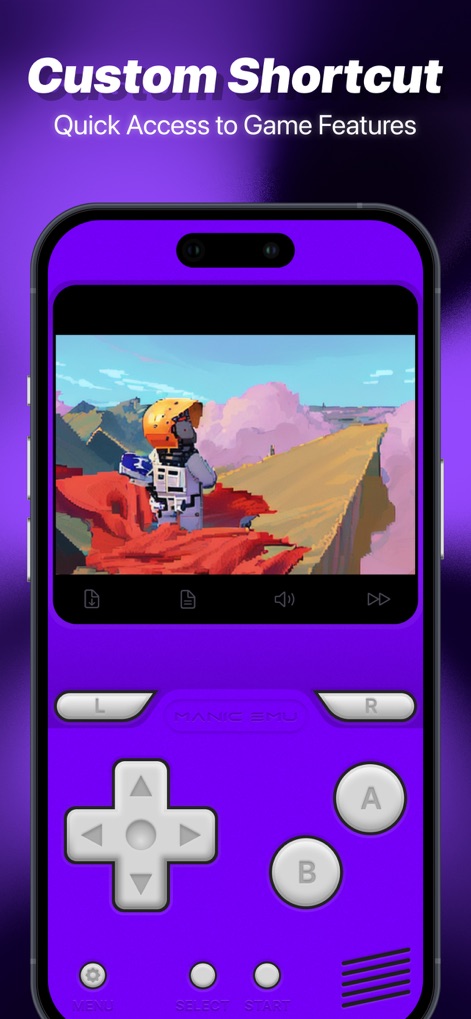
This tool offers personalized gameplay through its custom controller skin and quick-access icons for features like fast-forward and in-game saves.
Tailored Play Experience
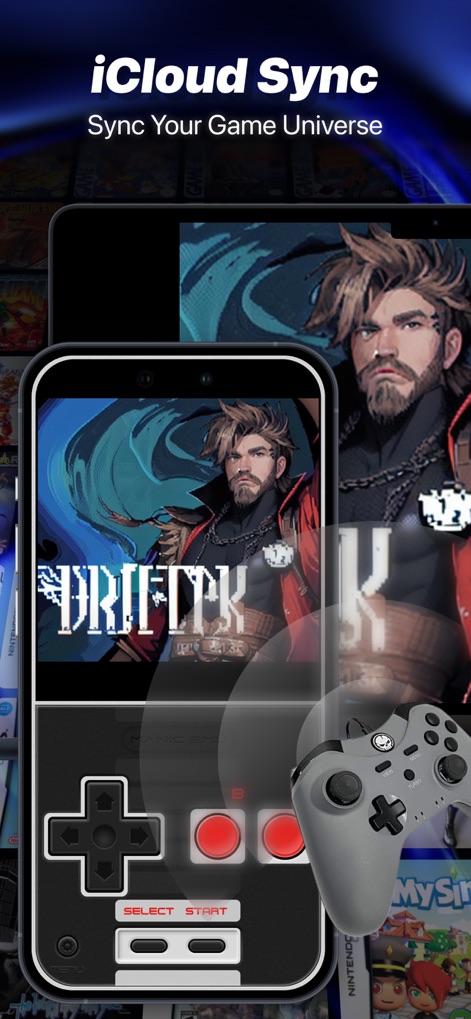
The app offers seamless iCloud Sync to keep game progress synchronized across devices, complemented by robust support for external controllers like DUALSHOCK.
Universal Gaming Sync
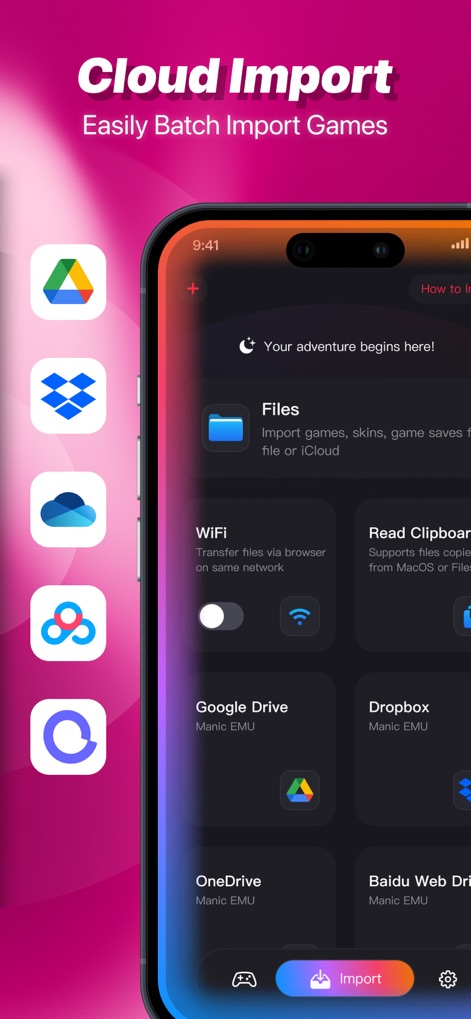
Users can effortlessly import game ROMs via multiple cloud service integrations or directly from local files, ensuring a streamlined setup.
Effortless Game Imports
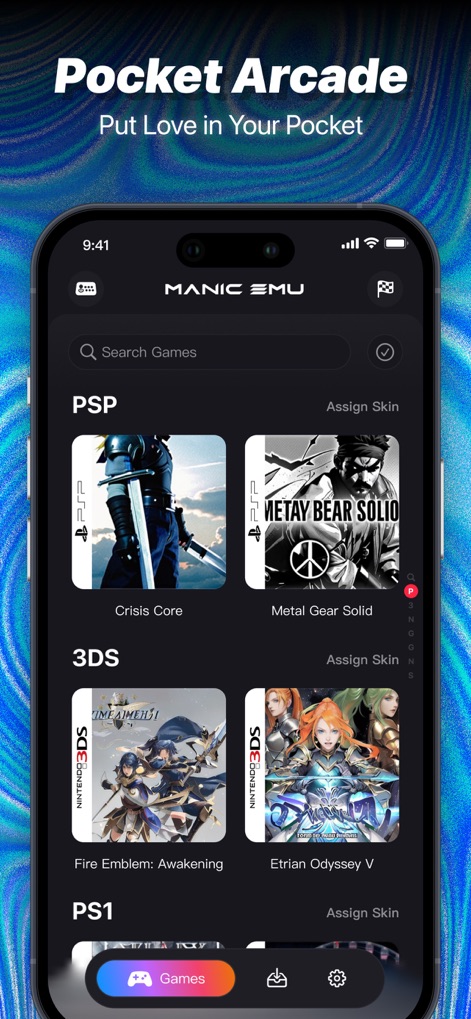
This app presents an organized game library, featuring categorized titles by platform and displaying vibrant game covers for easy access.
Curated Game Collection
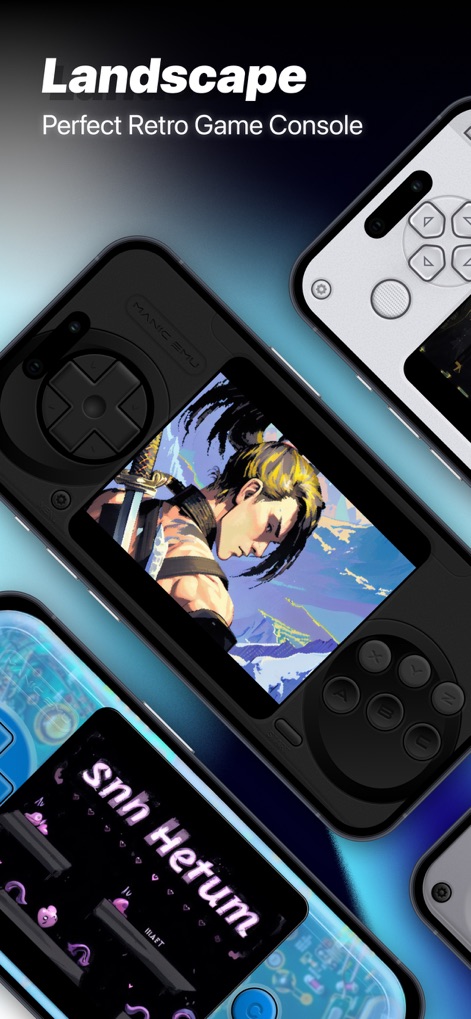
The app provides an optimized landscape mode for enhanced gameplay, delivering immersive full-screen visuals and comfortable controls.
Optimized Landscape Play
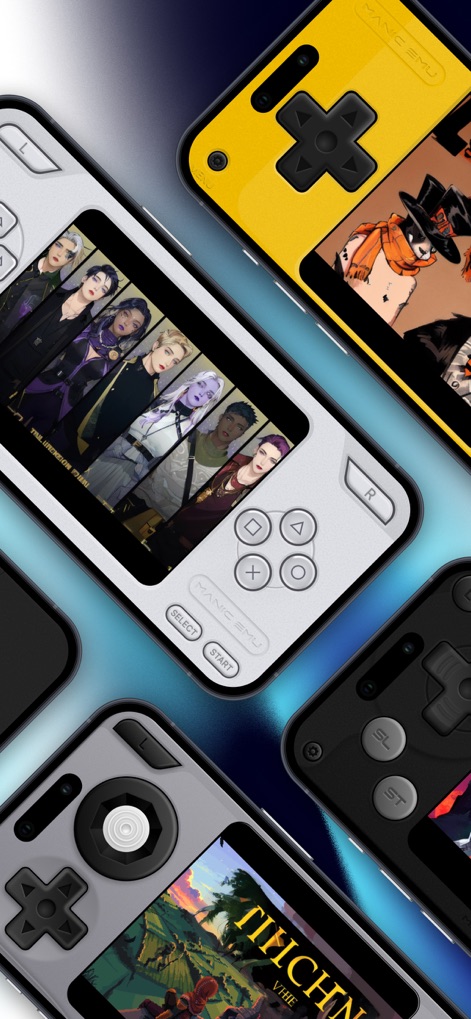
Users can personalize their retro gaming experience with diverse custom console skins and enjoy dynamic gameplay across various emulated titles.
Personalized Console Skins
Description
Download
More Like This
Apps with similar features and user experience
Retra - app console emulator
MODERN DEV LP
Game Emulator: GamePod Emu
Aytek Sokmen
Gamuroid: All Game Emulator
UNIVERSAL TECHLAB COMPANY LIMITED

Lucky Emulator – GBA & DS
LUCKY MUSHROOM LIMITED
MyBoyGame-All in one Emulator
明 李

Game Emulator - RePlay
彩连 刘

Delta - Game Emulator
Yvette Testut
Emu — Game Consoles App
METRONOM YAZILIM LIMITED SIRKETI

Gamebyte
TE-DE GROUP doo
This page is not an official page of the app or its developer, but an independent editorial publication created for informational and commentary purposes. Unless expressly stated otherwise, neither the app nor its developer is affiliated with, endorsed by, sponsored by, authorized by, or otherwise officially connected with MWM, Apple, Google Play, the app publisher, or the app's developer, and nothing on this page implies that the app was developed using MWM's services. Any trademarks, logos, screenshots, and other content remain the property of their respective owners.