
This page is not an official page of the app or its developer, but an independent editorial publication created for informational and commentary purposes. Unless expressly stated otherwise, neither the app nor its developer is affiliated with, endorsed by, sponsored by, authorized by, or otherwise officially connected with MWM, Apple, Google Play, the app publisher, or the app's developer, and nothing on this page implies that the app was developed using MWM's services. Any trademarks, logos, screenshots, and other content remain the property of their respective owners.

JPG Image Converter PNG/JPEG
The all-in-one utility to transform HEIC to JPG, PNG, or PDF. Batch convert, compress for faster sharing, and organize your files with professional-grade tools designed for your mobile workflow.
Downloads
85K+User Rating
Total Ratings
700Publisher
Category
UtilitiesLocales
8Latest Version
6.5.1Size
165.4 MBFirst Released
Sep 7, 2021Professional Image Tools in Your Pocket
Stop struggling with incompatible formats and huge file sizes. Our all-in-one utility handles everything from HEIC conversion to smart compression, tailored for your mobile-first workflow.
Universal Format Conversion
Instantly bridge the gap between Apple's HEIC and industry standards like JPG, PNG, or PDF. Perfect for uploading to government portals, school sites, and Windows PCs.
Smart Size Optimization
Reduce file sizes while maintaining high quality. Save massive amounts of iPhone storage and ensure your images load instantly on social media or websites.
Frequently Asked Questions
Everything you need to know about JPG Image Converter PNG/JPEG
What image formats can JPG Image Converter PNG/JPEG convert to?
JPG Image Converter PNG/JPEG supports conversion to JPG, PNG, PDF, GIF, WEBP, PSD, EXR, ICO, TIFF, WBMP, and BMP. It ensures broad compatibility for various image needs.
Can I resize images using JPG Image Converter PNG/JPEG?
Yes, JPG Image Converter PNG/JPEG allows users to resize images. The app offers options to adjust dimensions in pixels, inches, centimeters, or millimeters.
Does JPG Image Converter PNG/JPEG support batch image conversion?
Yes, JPG Image Converter PNG/JPEG supports converting multiple images simultaneously. Users can select and process several photos at once for efficient workflow.
How much does JPG Image Converter PNG/JPEG cost?
JPG Image Converter PNG/JPEG offers a weekly subscription for $2.99, a monthly subscription for $4.99, and a lifetime purchase for $29.99. These prices apply to United States customers.
Can I reduce image file size with JPG Image Converter PNG/JPEG?
Yes, JPG Image Converter PNG/JPEG includes a compression tool. Users can reduce image file size and adjust compression levels while maintaining quality.
Does JPG Image Converter PNG/JPEG offer a photo editor?
Yes, JPG Image Converter PNG/JPEG includes a built-in photo editor. This editor allows users to crop and adjust images before proceeding with conversion.
Can I save converted files directly to my device using JPG Image Converter PNG/JPEG?
Yes, JPG Image Converter PNG/JPEG allows users to save converted files directly to their device. The app also supports sharing via messaging, email, or cloud services.
What additional features does JPG Image Converter PNG/JPEG provide beyond conversion and compression?
JPG Image Converter PNG/JPEG provides additional features such as image resizing, image stitching, and converting video frames into images. These tools enhance its utility for image management.
How do I manage my subscription for JPG Image Converter PNG/JPEG?
Users can manage their JPG Image Converter PNG/JPEG subscription and turn off auto-renewal through their iTunes Account Settings after purchase. Auto-renewal must be disabled 24 hours prior to the current period's end.
The following screenshots and description are sourced directly from the app's official store listing and are the property of the app developer.
App Store
Screenshots
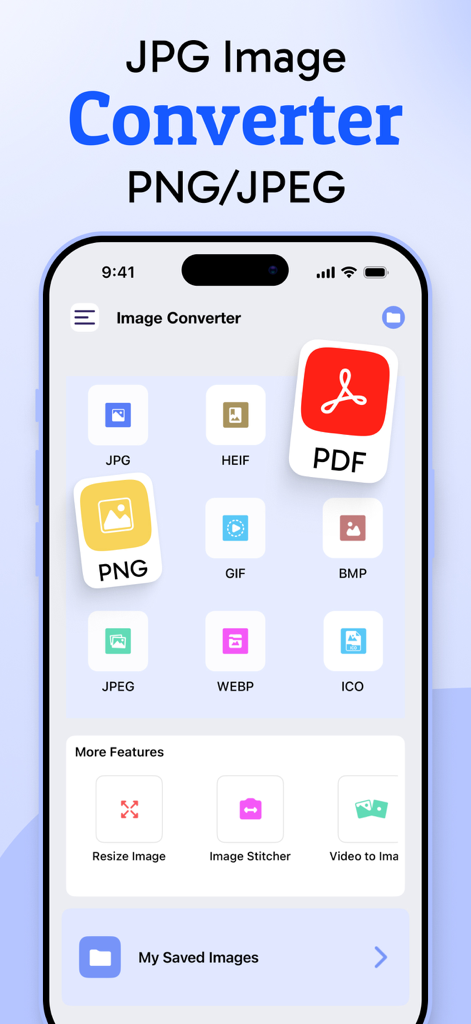
Home screen of the JPG Image Converter app showing different image format conversion icons like PNG and PDF
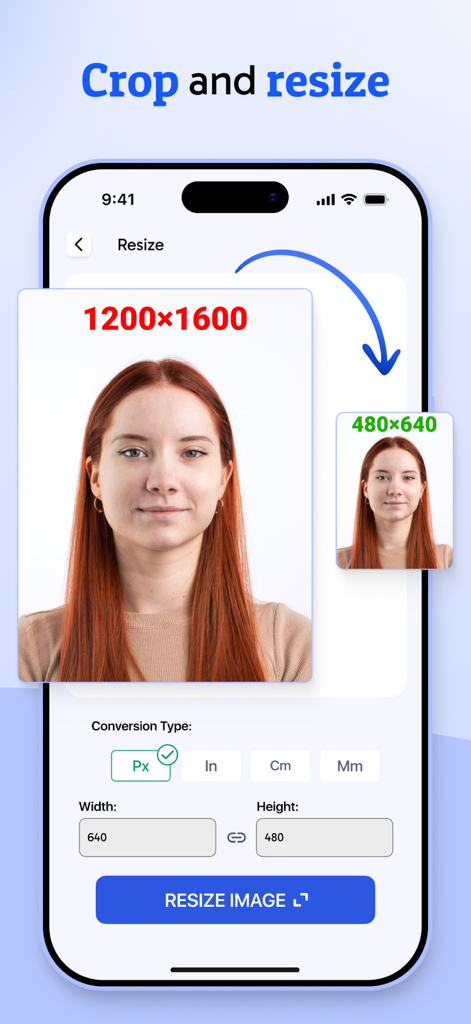
A smartphone screen demonstrating the crop and resize feature for images in the JPG converter app
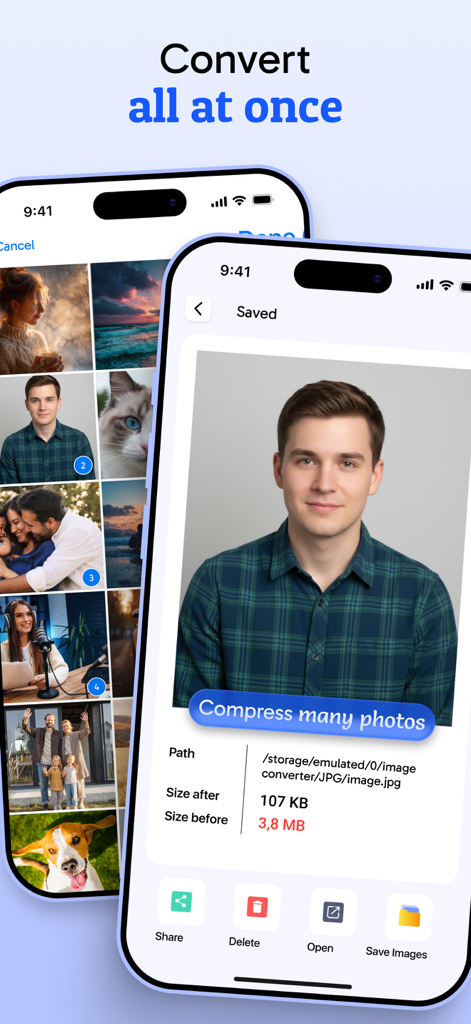
Interface of the JPG Image Converter app showing batch photo conversion and compression details
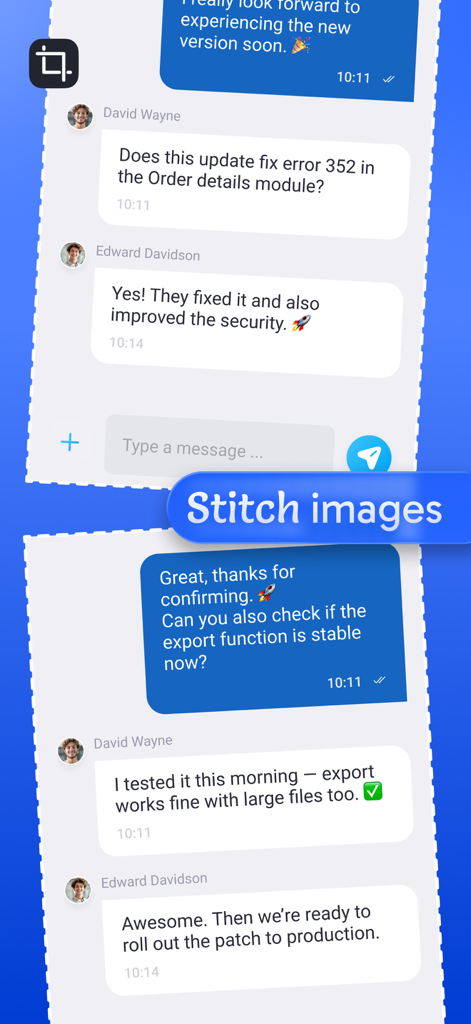
Stitch multiple images or screenshots into one continuous file
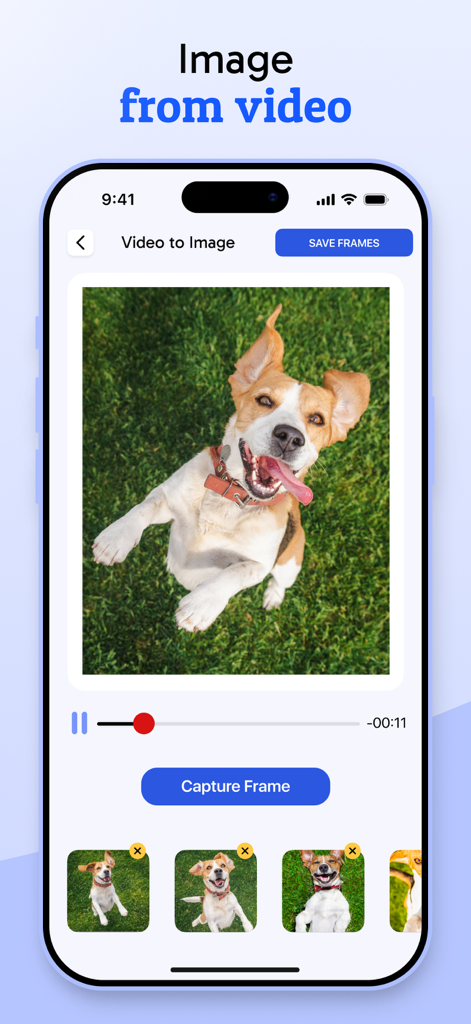
A mobile app screen showing a feature to extract still images from a video of a dog with a capture frame button.
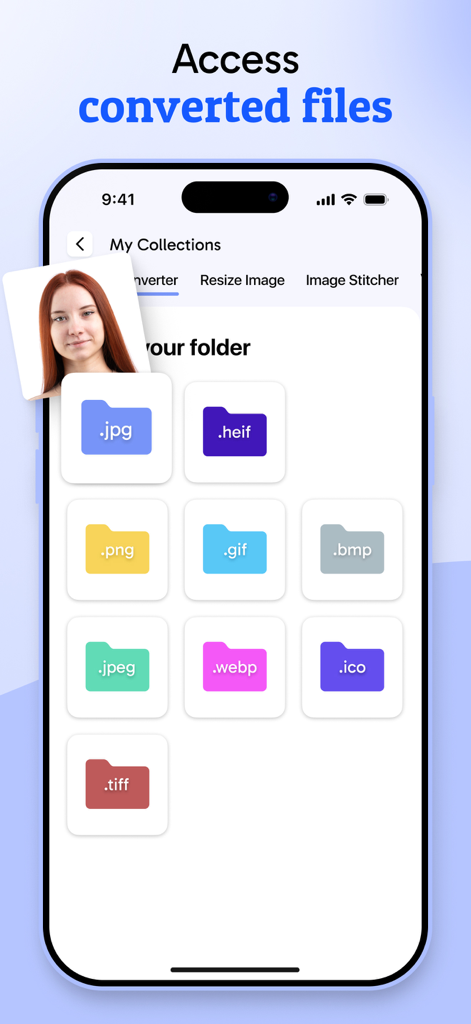
A mobile app interface displaying folders for different converted image file formats like JPG PNG and WEBP
Description
Download
More Like This
Apps with similar features and user experience

Square Fit Photo Video Editor
Honk Honk Punch Pty Ltd

Image Size
Vitalij Schaefer

Compress Photos & Pictures
New Marketing Lab, Inc

JPEG-PNG Image file converter
handyCloset Inc.

Compress Photos, Resize Image
SMDA GROUP SP. Z OO

Photo Resizer: resize image
Ryoichi Fukugawa

Photo Compress - Shrink Pics
Brachmann Online Marketing GmbH & Co. KG

Size Image
Abdullah Albalawi

Photo & Picture Resizer
Farluner Apps Grzegorz Balcerzak
This page is not an official page of the app or its developer, but an independent editorial publication created for informational and commentary purposes. Unless expressly stated otherwise, neither the app nor its developer is affiliated with, endorsed by, sponsored by, authorized by, or otherwise officially connected with MWM, Apple, Google Play, the app publisher, or the app's developer, and nothing on this page implies that the app was developed using MWM's services. Any trademarks, logos, screenshots, and other content remain the property of their respective owners.