
This page is not an official page of the app or its developer, but an independent editorial publication created for informational and commentary purposes. Unless expressly stated otherwise, neither the app nor its developer is affiliated with, endorsed by, sponsored by, authorized by, or otherwise officially connected with MWM, Apple, Google Play, the app publisher, or the app's developer, and nothing on this page implies that the app was developed using MWM's services. Any trademarks, logos, screenshots, and other content remain the property of their respective owners.

Lala Kids: Create Life Story
The ultimate video editor for the modern memory-keeper. Effortlessly create professional-looking stories with green screen, animations, and playful effects—designed for busy parents on the go.
Downloads
650K+User Rating
Total Ratings
1K+Publisher
Category
Photo & VideoLocales
35Latest Version
2.3.9Size
130.2 MBFirst Released
May 6, 2021Turn Every Milestone Into a Masterpiece
Lala Kids provides parents with professional-grade storytelling tools to transform raw clips into cinematic memories that last a lifetime.
Magical Green Screen
Transport your children to enchanted worlds or animated landscapes using the effortless Chroma Key background remover.
Pro Animation Made Simple
Bring your stories to life with easy-to-use keyframes that add professional movement to your photos and video layers.
Frequently Asked Questions
Everything you need to know about Lala Kids: Create Life Story
What is Lala Kids: Create Life Story?
Lala Kids: Create Life Story is a video editor app for iPhone or iPad. It allows users to create professional-looking videos by selecting backgrounds, trimming clips, adding characters, and overlaying text.
What video editing features does Lala Kids include?
Lala Kids includes Green Screen, Keyframes and Animation, Text Effects, Music & Voice addition, and classic video editing features like cutting, trimming, cropping, and merging.
Does Lala Kids offer a green screen feature?
Yes, Lala Kids offers a green screen feature. It allows users to remove backgrounds using Chroma Key technology within the app.
Can users animate characters in Lala Kids?
Yes, users can animate layers, including characters, in Lala Kids using keyframes. This allows for custom animations beyond the app's built-in effects.
Is it possible to add music and voice to videos in Lala Kids?
Yes, Lala Kids allows users to add their favorite music to videos and record voiceovers. This feature helps create short music video clips.
Does Lala Kids provide characters for video creation?
Yes, Lala Kids provides various "Kids Characters" that users can add to their videos. These characters are central to the app's creative functionality.
What subscription options are available for Lala Kids?
Lala Kids offers weekly or annual subscription plans for unlimited access to all features. A one-time payment option is also available, which is not a subscription.
How do I cancel my Lala Kids subscription?
You can manage your Lala Kids subscription and turn off auto-renewal by going to your iTunes Account Settings after purchase. Cancellation must occur 24 hours before the current period ends.
Does Lala Kids offer refunds for subscriptions?
No, according to Apple policy, refunds are not provided for any unused portion of the term once a Lala Kids subscription is purchased.
Which devices support the Lala Kids app?
The Lala Kids app is designed for use on iPhone or iPad devices. It facilitates professional video creation directly on these mobile platforms.
Does Lala Kids offer different backgrounds for videos?
Yes, Lala Kids provides various "Kids Backgrounds" that users can tap to select and incorporate into their videos.
Can users add stickers in Lala Kids?
Yes, Lala Kids features over 100 stickers that users can add to their videos to enhance visual storytelling and creativity.
The following screenshots and description are sourced directly from the app's official store listing and are the property of the app developer.
App Store
Screenshots
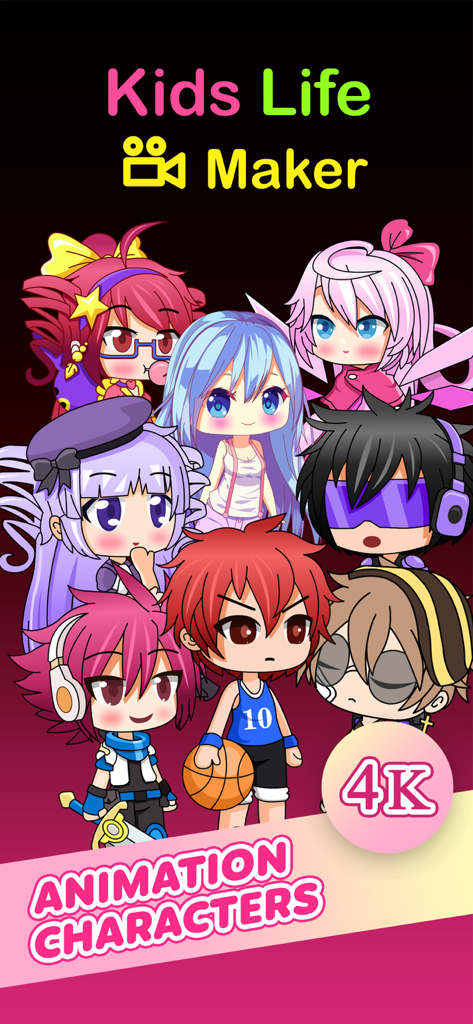
Colorful anime style animation characters for the Lala Kids video maker app
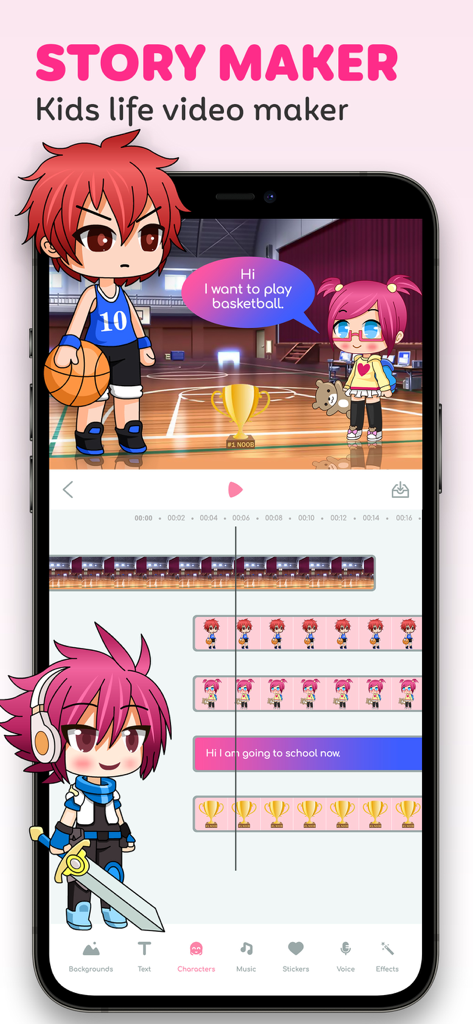
Lala Kids app screen showing video editing timeline with anime characters and story assets
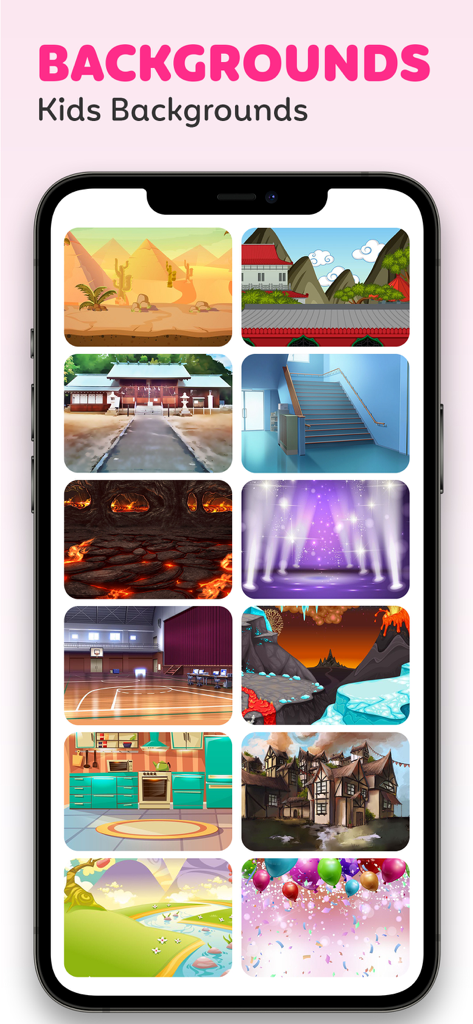
A selection of colorful background scenes including fantasy worlds, sports courts, and home interiors for kids video editing.
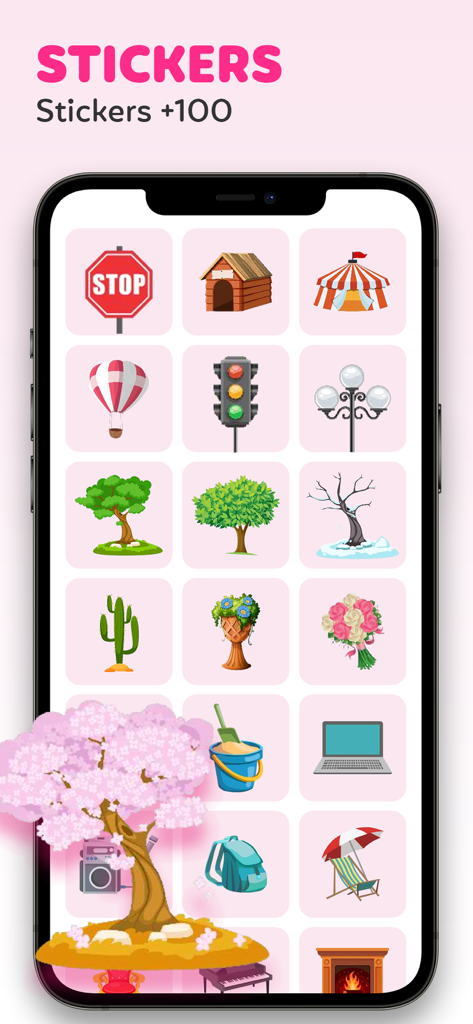
A library of colorful stickers for kids video editing in the Lala Kids app
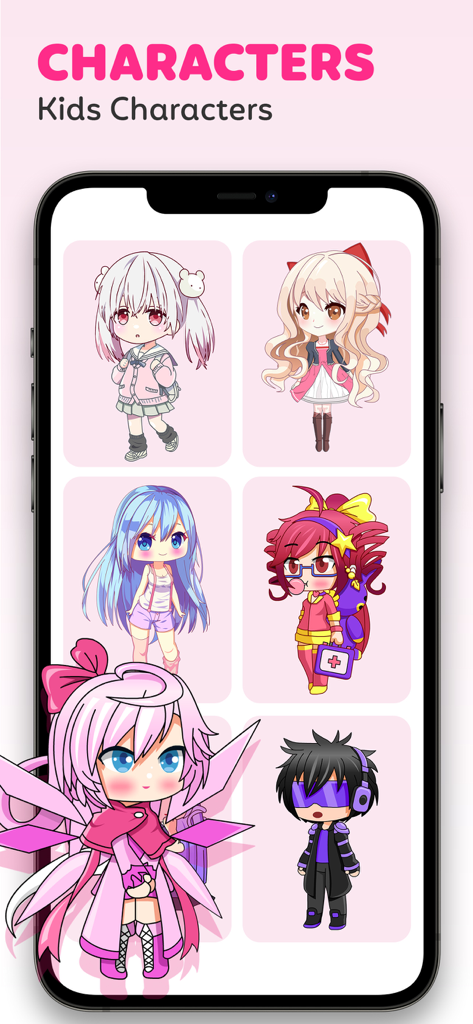
Screenshot of the Lala Kids app showing a variety of cute anime-style characters available for video storytelling.
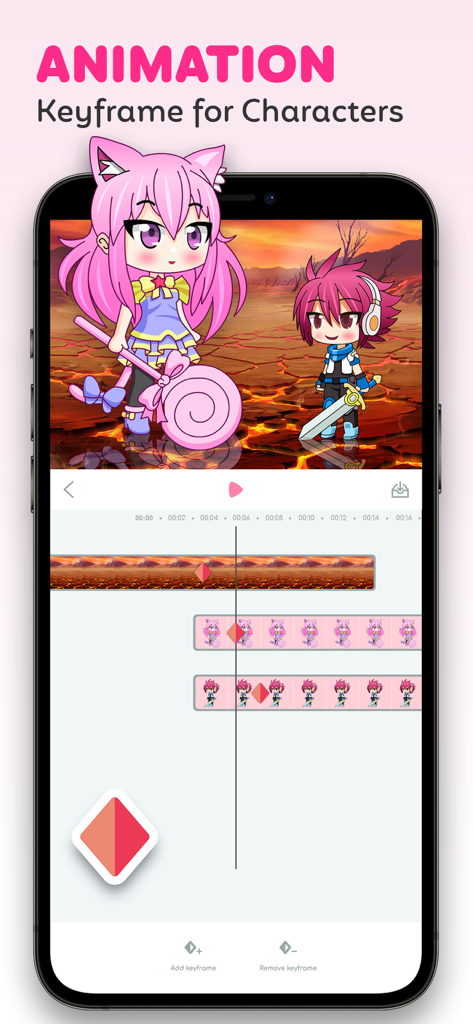
Mobile app interface of Lala Kids showing character animation with keyframes and a video timeline
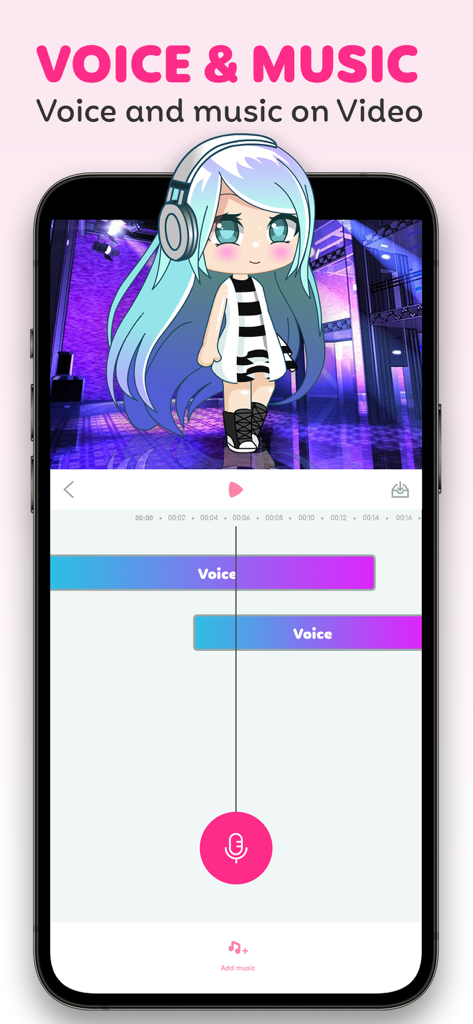
Lala Kids app interface showing voiceover and music tracks for video editing with an animated character
Description
Download
More Like This
Apps with similar features and user experience

VN: AI Video Editor
Ubiquiti Labs, LLC

Splice - Video Editor & Maker
Bending Spoons Apps ApS

Blurrr-Music video editor
TBPS INTERNATIONAL TECHNOLOGY PTE. LTD.

Node Video
小为 罗

Filmmaker Pro - Video Editor
Tinkerworks Apps

Time Cut: Smooth Slow Motion
立亚 林

LumaFusion
Luma Touch LLC

Slow Motion Video Fx Editor
Brain Craft Ltd

WEILO - My Last Video Editor
vimosoft
This page is not an official page of the app or its developer, but an independent editorial publication created for informational and commentary purposes. Unless expressly stated otherwise, neither the app nor its developer is affiliated with, endorsed by, sponsored by, authorized by, or otherwise officially connected with MWM, Apple, Google Play, the app publisher, or the app's developer, and nothing on this page implies that the app was developed using MWM's services. Any trademarks, logos, screenshots, and other content remain the property of their respective owners.