
This page is not an official page of the app or its developer, but an independent editorial publication created for informational and commentary purposes. Unless expressly stated otherwise, neither the app nor its developer is affiliated with, endorsed by, sponsored by, authorized by, or otherwise officially connected with MWM, Apple, Google Play, the app publisher, or the app's developer, and nothing on this page implies that the app was developed using MWM's services. Any trademarks, logos, screenshots, and other content remain the property of their respective owners.


Microsoft Loop
The fluid, co-creation space designed for the modern hybrid team. Bring your ideas, tasks, and content into focus with live components that stay in sync across all your Microsoft 365 apps.
Downloads
966K+User Rating
Total Ratings
7K+Publisher
Category
ProductivityLocales
33Latest Version
2.105Size
180.7 MBFirst Released
Oct 24, 2023Everything You Need, All in One Flow
Break down silos with a flexible workspace that brings together teams, content, and tasks across your favorite Microsoft 365 apps.
Portable Loop Components
Share live lists or tables across Teams and Outlook. Update data in one place and watch it reflect everywhere instantly.
Real-Time Co-Creation
Brainstorm and iterate with your team on the fly. Add photos, comments, and reactions to keep the momentum going from any device.
Frequently Asked Questions
Everything you need to know about Microsoft Loop
What is Microsoft Loop?
Microsoft Loop is a transformative co-creation experience connecting teams, content, and tasks across tools and devices. It enables users to think, plan, and create collaboratively.
How do I start using Microsoft Loop?
To begin, download the Microsoft Loop app and sign in. You use either your Microsoft Account or an account provided by your work or school.
What collaboration features does Microsoft Loop offer?
Microsoft Loop facilitates collaboration through in-app comments and reactions. It also allows editing and sharing of Loop components across Microsoft 365, keeping teams synchronized.
Can Microsoft Loop help organize project content?
Yes, Microsoft Loop helps organize project content. Users can bring all their project materials into a dedicated Loop workspace to focus on important tasks and information.
Does Microsoft Loop integrate with Microsoft 365?
Yes, Microsoft Loop integrates with Microsoft 365. Users can edit and share Loop components across Microsoft 365 applications, ensuring team members stay on the same page.
What kind of content can users add to Microsoft Loop pages?
Users can add various content to Microsoft Loop pages, including ideas, task lists, and photos. This functionality helps express thoughts and organize information visually.
Does Microsoft Loop provide notifications for team activity?
Yes, Microsoft Loop provides notifications. It delivers only relevant alerts, enabling users to quickly re-engage with tasks needing attention, as shown in the Notifications screen.
Is Microsoft Loop available for mobile users?
Yes, Microsoft Loop is available for mobile users. The app is designed for co-creation on the go, allowing users to think, plan, and create collaboratively from their mobile devices.
Where can I find the privacy terms for Microsoft Loop?
The privacy terms for Microsoft Loop are available at https://aka.ms/privacy. The app is subject to a separate privacy statement and terms and conditions.
The following screenshots and description are sourced directly from the app's official store listing and are the property of the app developer.
App Store
Screenshots
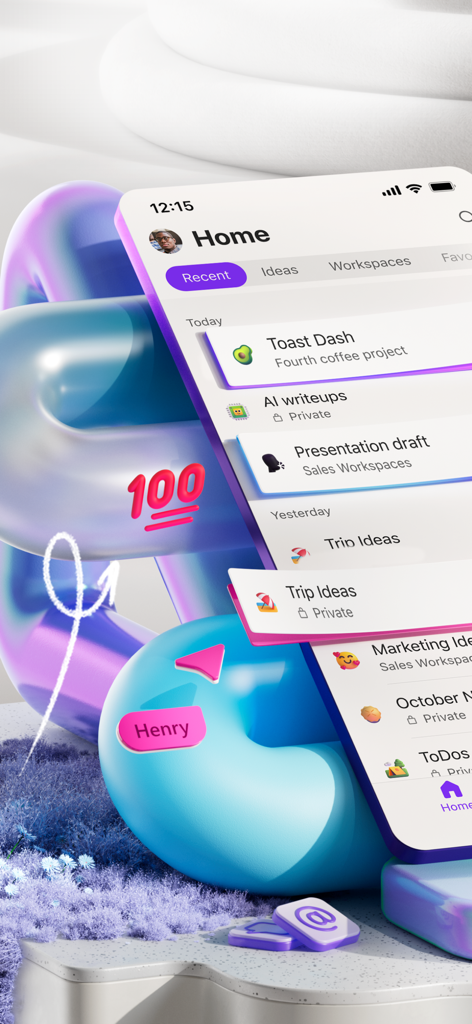
The home screen of the Microsoft Loop mobile app showing various project workspaces and collaborative notes
Abstract representation of Microsoft Loop mobile interface with collaborative tasks and playful emojis
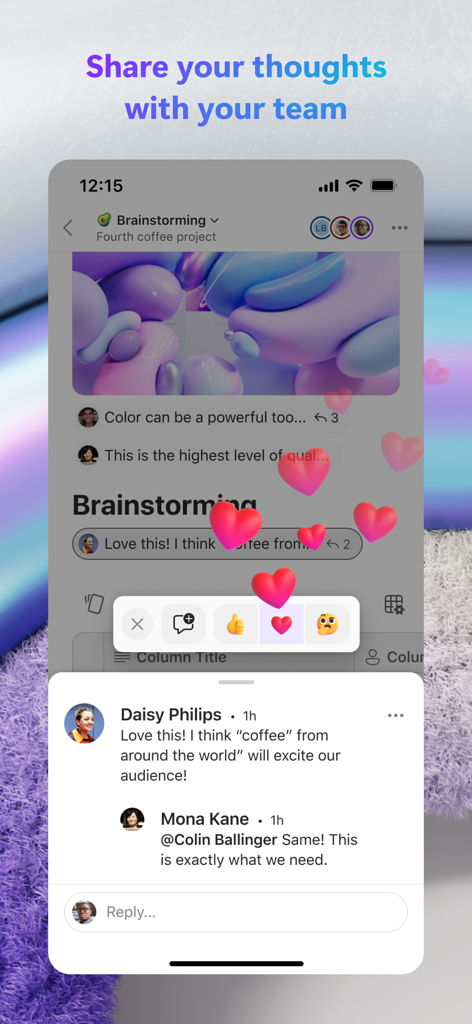
Microsoft Loop app interface showing team comments and heart emoji reactions for collaboration
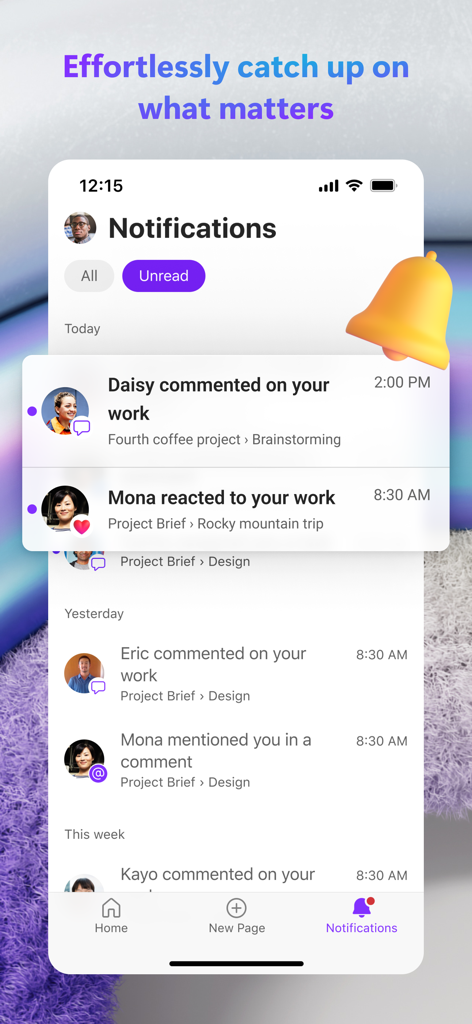
The Microsoft Loop app notification center showing a list of team activity including comments and reactions on projects
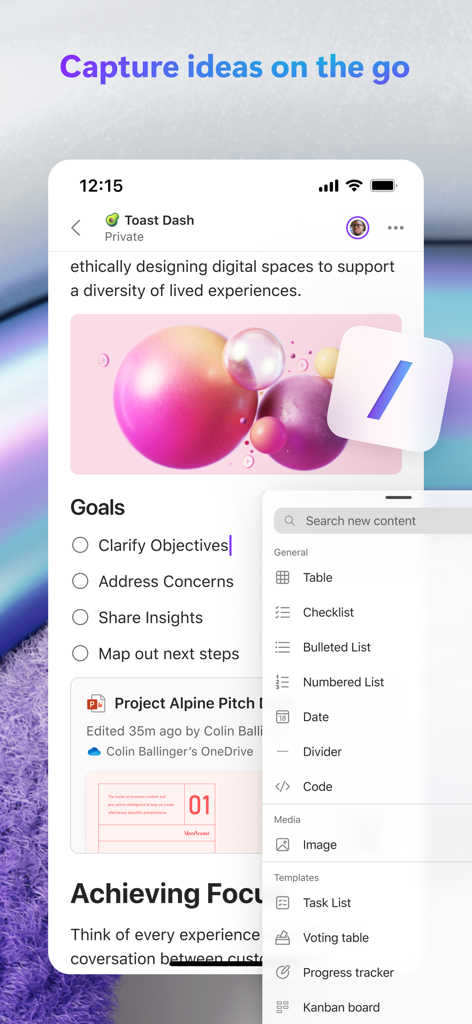
Microsoft Loop mobile app interface showing collaborative task lists and content creation tools.
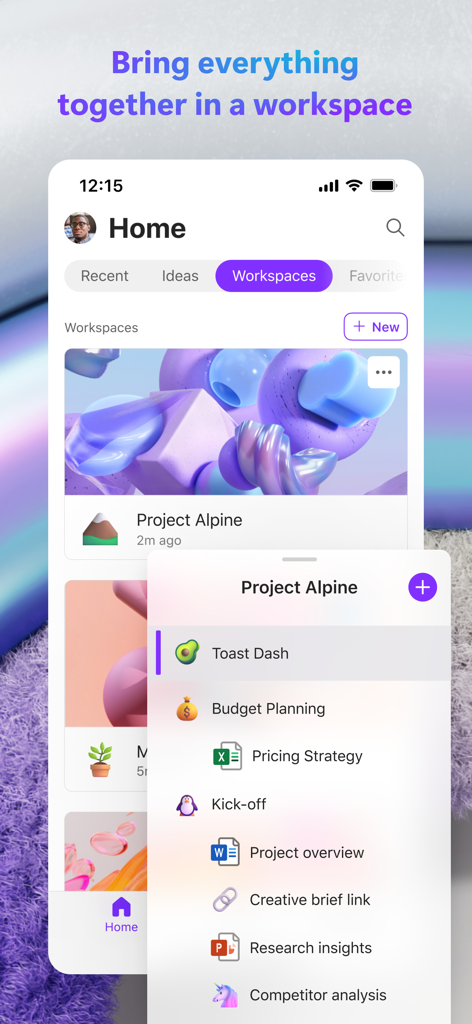
Microsoft Loop app showing a project workspace with integrated files and team collaboration tools.
Description
Download
More Like This
Apps with similar features and user experience

Xmind - Mind Map & Brainstorm
Xmind Ltd.

Smartsheet: Projects & Teams
Smartsheet Inc.

Miro: your visual workspace
Realtimeboard Inc.

Padlet
Wallwisher, Inc.

Asana: Work Management
Asana, Inc.

Microsoft Planner
Microsoft Corporation

Microsoft Whiteboard
Microsoft Corporation

Nola: Story Planner & Writing
indent Inc.

MeisterTask - Task Management
MeisterLabs
This page is not an official page of the app or its developer, but an independent editorial publication created for informational and commentary purposes. Unless expressly stated otherwise, neither the app nor its developer is affiliated with, endorsed by, sponsored by, authorized by, or otherwise officially connected with MWM, Apple, Google Play, the app publisher, or the app's developer, and nothing on this page implies that the app was developed using MWM's services. Any trademarks, logos, screenshots, and other content remain the property of their respective owners.