
This page is not an official page of the app or its developer, but an independent editorial publication created for informational and commentary purposes. Unless expressly stated otherwise, neither the app nor its developer is affiliated with, endorsed by, sponsored by, authorized by, or otherwise officially connected with MWM, Apple, Google Play, the app publisher, or the app's developer, and nothing on this page implies that the app was developed using MWM's services. Any trademarks, logos, screenshots, and other content remain the property of their respective owners.


Xmind - Mind Map & Brainstorm
Mental clutter obstructs progress. Xmind cuts through it, empowering users to sculpt raw ideas into structured action, instantly.
Downloads
12.5M+User Rating
Total Ratings
269.8KPublisher
Category
ProductivityLocales
16Latest Version
26.02.04105Size
843.3 MBFirst Released
Dec 12, 2017Xmind - Mind Map & Brainstorm: Software Evaluation
An Analytical Review of Key Features for Enhanced Productivity and Collaboration
Real-time Collaboration
The app provides real-time collaboration features, enabling teams to work simultaneously on the same mind map, share ideas, and stay in sync regardless of location.
Diverse Mind Map Structures
It allows users to select from 9 different structures, including Mind Map, Logic Chart, and Matrix, and even mix them within a single map for comprehensive information organization.
Integrated Task Management
This tool features integrated task management, allowing users to create, manage, set priorities, track progress, and define durations for tasks directly within their mind maps.
Extensive Import & Export Options
It allows users to import from and export to various common formats such as PDF, PNG, Markdown, Word, Excel, and PowerPoint, ensuring seamless integration with external tools.
Dynamic Pitch Mode
The app provides a Pitch Mode to transform mind maps into dynamic slideshows with auto-generated transitions and layouts, facilitating clear and engaging presentations for various audiences.
Rich Content Enrichment
It allows users to elaborate and enrich topics by inserting images, audio notes, mathematical equations (via LaTeX), hyperlinks, and drawings, supporting detailed and diverse information capture.
Focus & Organization Tools
This tool features an Outliner for hierarchical thought structuring and a ZEN Mode for a full-screen, distraction-free environment, enhancing focus and aiding content-centric work.
Aesthetic Customization & Templates
The app provides a wide array of well-designed templates, smart color themes, hand-drawn styles, illustrations, and stickers to create visually appealing and unique mind maps effortlessly.
Frequently Asked Questions
Everything you need to know about Xmind - Mind Map & Brainstorm
What is Xmind?
Xmind is a full-featured mind mapping and brainstorming tool for clarity, creativity, and collaboration across all platforms. It helps users structure thoughts and manage projects efficiently.
Does Xmind offer templates for mind mapping?
Yes, Xmind provides over 100 well-designed templates to kick-start any mind map, covering various creative, planning, and study needs.
What structures does Xmind support for mind maps?
Xmind supports 9 different structures, including Mind Map, Logic Chart, Brace Map, Org Chart, Tree Chart, Timeline, Fishbone, Tree Table, and Matrix. Multiple structures can be combined.
Can users add rich media to Xmind mind maps?
Yes, Xmind allows enriching topics with images, audio notes, equations, labels, hyperlinks, topic links, and drawings for comprehensive information visualization.
Does Xmind support LaTeX for equations?
Yes, Xmind supports LaTeX, enabling users to accurately jot down mathematics and chemical equations directly within their mind maps.
Can I record audio notes in Xmind?
Yes, Xmind allows users to record audio notes directly within their mind maps, ensuring creative ideas are captured quickly without missing details.
Does Xmind include an Outliner feature?
Yes, Xmind features an Outliner to hierarchically organize thoughts and ideas, which can then be seamlessly integrated into a mind map structure.
Does Xmind offer a distraction-free mode?
Yes, Xmind provides a ZEN Mode, a full-screen, distraction-free environment designed for content focus. This feature is available specifically on iPad.
Can Xmind convert mind maps into presentations?
Yes, Xmind's Pitch Mode transforms mind maps into slideshows with auto-generated transitions and layouts, allowing for easy and effective presentations.
Does Xmind support multitasking with other apps?
Yes, Xmind supports multitasking, allowing users to open, read, and edit two files side-by-side, such as Xmind and GoodNotes/Notability simultaneously.
Does Xmind allow real-time collaboration?
Yes, Xmind supports real-time collaboration, enabling teams to work simultaneously on the same mind map, share ideas, and edit content together regardless of location.
What file formats can Xmind import?
Xmind can import files from MindManager, FreeMind, Lighten, MindNode, Markdown, OPML, TextBundle, and Word (DOCX Only) for versatile compatibility.
What export formats does Xmind support?
Xmind supports exporting mind maps to PDF, PNG, Markdown, Word, Excel, PowerPoint, OPML, and TextBundle formats, providing universal sharing options.
Can I password-protect Xmind files?
Yes, Xmind allows users to encrypt their mind map files with a password, enhancing the security and privacy of their intellectual property.
Can Xmind be used for project and task management?
Yes, Xmind integrates task management, allowing users to create, set priorities, track progress, and manage task duration directly within their mind maps.
How much does an Xmind subscription cost annually?
An annual Xmind Pro/Premium subscription costs either $59.99 or $99.00, depending on the chosen plan. These are auto-renewable subscriptions.
How do I cancel my Xmind subscription?
To cancel an Xmind subscription, navigate to Settings > iTunes & App Store > Tap Apple ID > View Apple ID > Subscriptions, then select the Xmind subscription to cancel.
Is Xmind a recurring subscription?
Yes, Xmind subscriptions are auto-renewable. Your iTunes account is automatically charged for renewal 24 hours prior to the expiration of each billing cycle.
Where can I find Xmind's Privacy Policy?
Xmind's comprehensive Privacy Policy, detailing data handling practices, is publicly available on their website at https://www.xmind.com/privacy/.
Where can I find Xmind's Terms of Service?
Xmind's official Terms of Service, which includes subscription rules and user agreements, can be accessed on their website at https://www.xmind.com/terms/.
The following screenshots and description are sourced directly from the app's official store listing and are the property of the app developer.
App Store
Screenshots
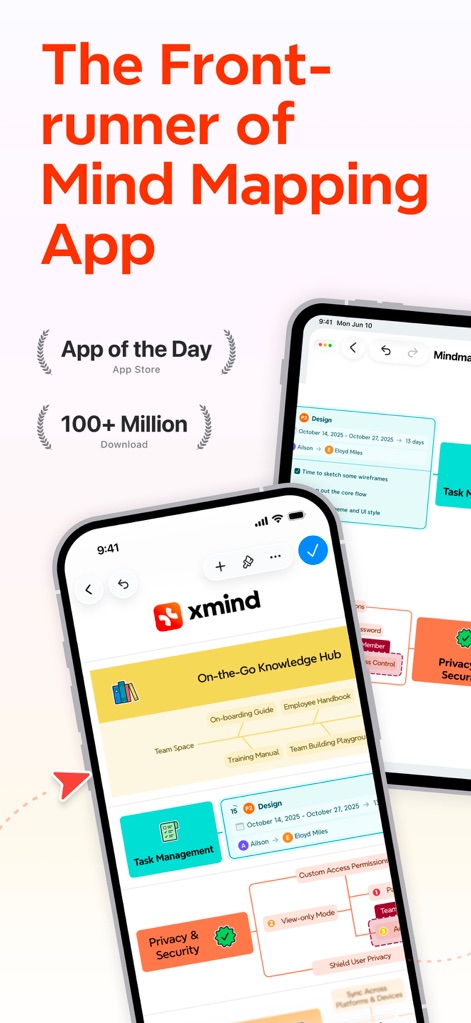
Leader in Mind Mapping
This tool showcases its intuitive interface for organizing complex information, with clear visual features like task management nodes and privacy settings, demonstrating its leadership in the mind mapping category.
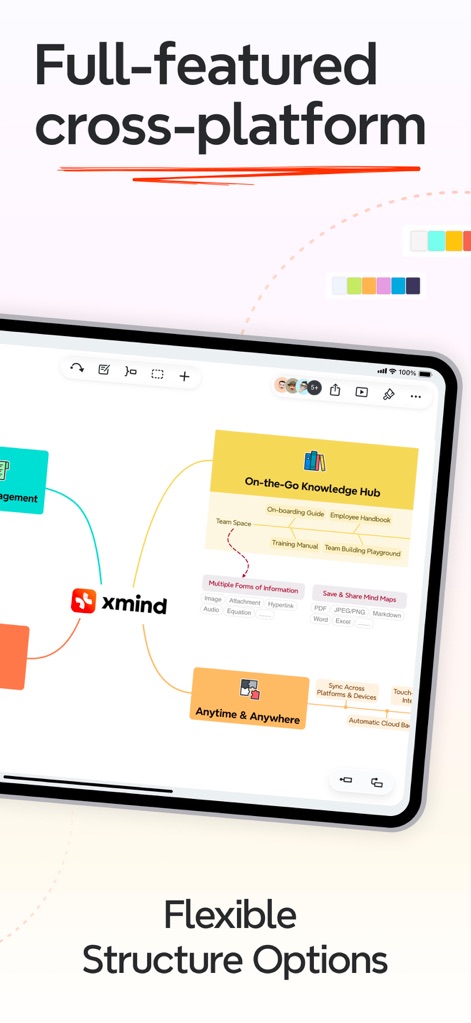
Cross-Platform Flexibility
Users can explore the app's adaptable structure options, visually demonstrated by interconnected knowledge hubs and clear indicators for seamless synchronization across multiple devices.
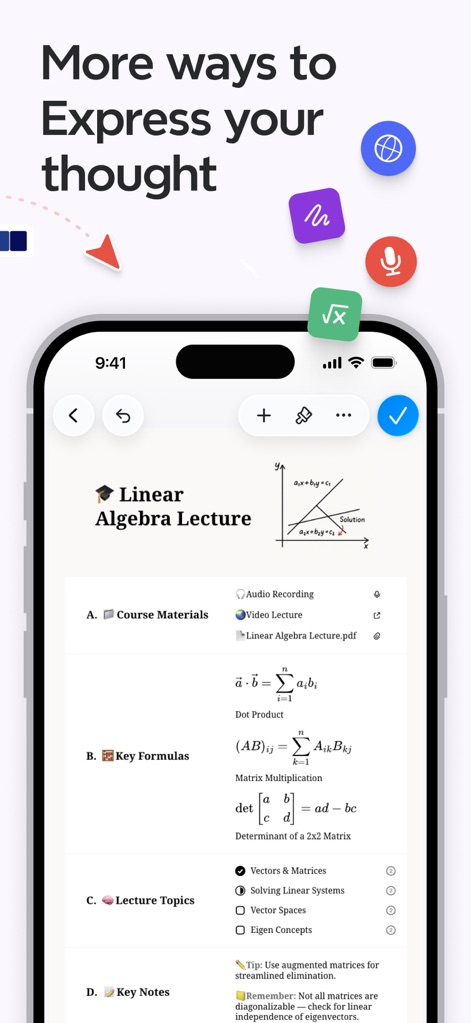
Diverse Content Integration
This tool empowers users to enrich their thoughts with diverse content types, evident from the integrated mathematical equations and the ability to embed audio notes directly into mind maps.
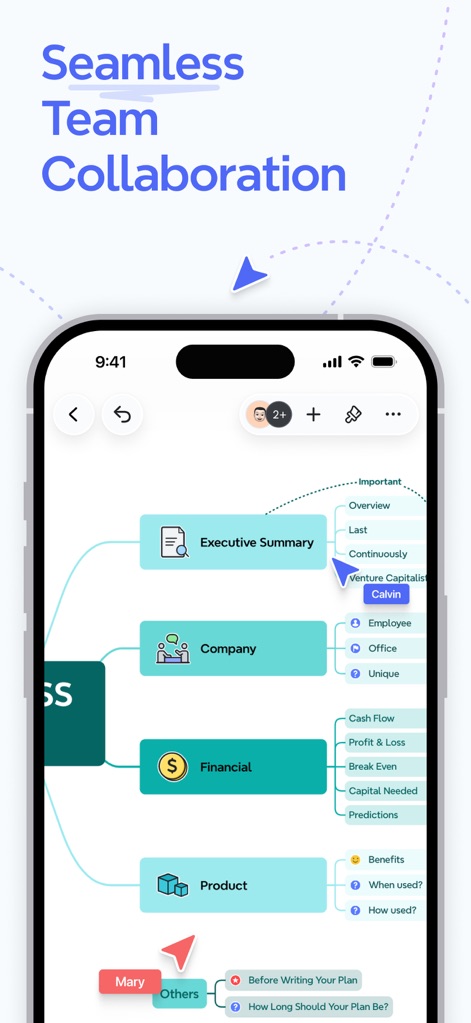
Collaborative Workflows
The app facilitates smooth teamwork, visibly highlighted by the real-time collaboration indicator showing multiple contributors and the organized breakdown of project sections like "Executive Summary" and "Financials."
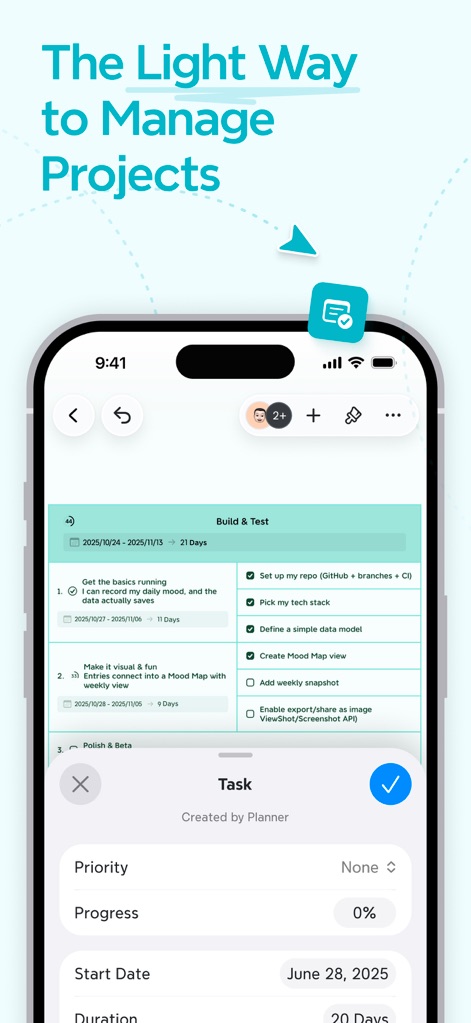
Integrated Project Management
This tool streamlines project oversight, allowing users to track task progress within mind maps and manage detailed task properties including priority levels and estimated durations.
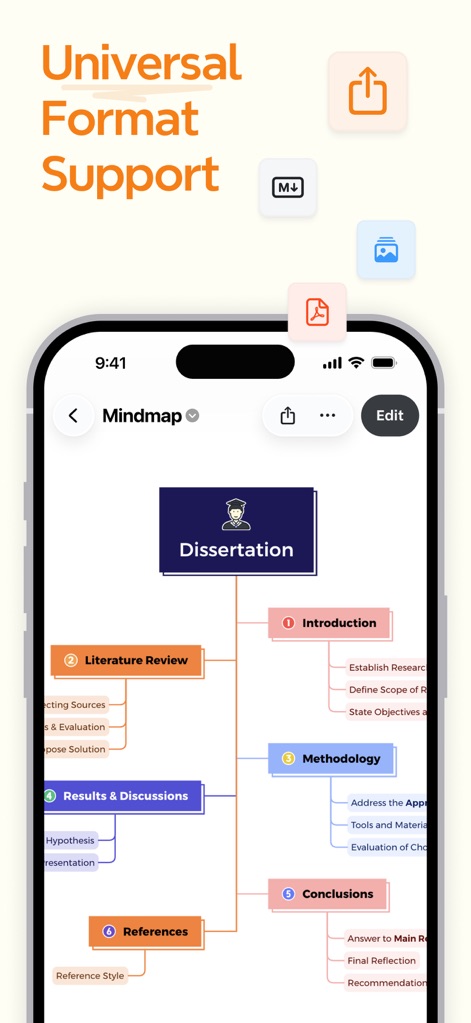
Extensive Format Compatibility
The app offers broad format support for easy sharing and integration, evident from the visible export options for PDF and Markdown, and the structured outline of a "Dissertation."
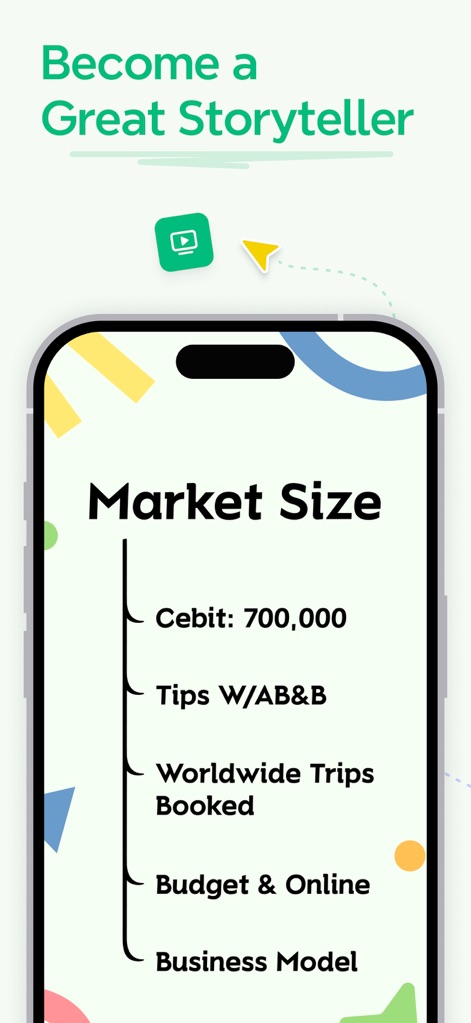
Engaging Presentation Tools
Users can transform complex ideas into compelling narratives, as demonstrated by the app's clean list-based information display and its dedicated presentation mode icon.
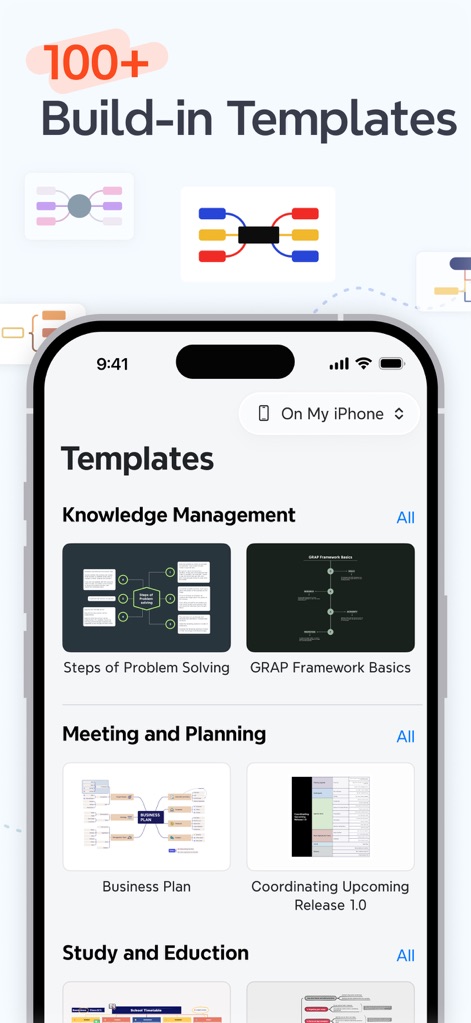
Ready-to-Use Templates
The app accelerates creativity with an extensive library of pre-designed templates, categorized for various uses such as "Knowledge Management" and "Meeting and Planning" to jumpstart any project.
Description
Download
More Like This
Apps with similar features and user experience

Smartsheet: Projects & Teams
Smartsheet Inc.

Miro: your visual workspace
Realtimeboard Inc.

Padlet
Wallwisher, Inc.

Asana: Work Management
Asana, Inc.

Microsoft Planner
Microsoft Corporation

Microsoft Loop
Microsoft Corporation

Microsoft Whiteboard
Microsoft Corporation

Nola: Story Planner & Writing
indent Inc.

MeisterTask - Task Management
MeisterLabs
This page is not an official page of the app or its developer, but an independent editorial publication created for informational and commentary purposes. Unless expressly stated otherwise, neither the app nor its developer is affiliated with, endorsed by, sponsored by, authorized by, or otherwise officially connected with MWM, Apple, Google Play, the app publisher, or the app's developer, and nothing on this page implies that the app was developed using MWM's services. Any trademarks, logos, screenshots, and other content remain the property of their respective owners.