
This page is not an official page of the app or its developer, but an independent editorial publication created for informational and commentary purposes. Unless expressly stated otherwise, neither the app nor its developer is affiliated with, endorsed by, sponsored by, authorized by, or otherwise officially connected with MWM, Apple, Google Play, the app publisher, or the app's developer, and nothing on this page implies that the app was developed using MWM's services. Any trademarks, logos, screenshots, and other content remain the property of their respective owners.


Miro: your visual workspace
Bring your best ideas to life on an infinite canvas. Whether you are brainstorming on iPad with your Apple Pencil or managing agile workflows on the go, collaborate seamlessly with your team from anywhere.
Downloads
6M+User Rating
Total Ratings
26K+Publisher
Category
ProductivityLocales
8Latest Version
3.25.30240969Size
47.2 MBFirst Released
Jan 3, 2017Visual Collaboration for the Modern Team
Miro’s Intelligent Canvas provides your distributed team with a unified space to dream, design, and build the future of your products together.
Sketch with Apple Pencil
Transform hand-drawn concepts into professional-grade diagrams instantly with intelligent shape recognition and stylus optimization.
Instant Sticky Note Digitization
Bridge the gap between physical workshops and digital boards by scanning paper notes into editable objects with a single tap.
Frequently Asked Questions
Everything you need to know about Miro: your visual workspace
What is Miro?
Miro is a visual workspace designed for innovation, enabling distributed teams to dream, design, and build together. It provides an Intelligent Canvas™ for visualizing concepts, ideas, and solutions.
Can Miro be used for team collaboration?
Yes, Miro is built for team collaboration, enabling distributed teams to work side-by-side. It supports real-time feedback and allows multiple collaborators on boards.
Does Miro support digitizing handwritten notes?
Yes, Miro's mobile app allows users to scan paper post-it notes and convert them into editable digital notes. This feature helps in organizing physical ideas digitally.
Can I use Miro on my iPad or iPhone?
Yes, Miro is available as an app for both iPad and iPhone, providing tools to collaborate with boards and manage projects from your mobile devices.
What are some core features of Miro for mobile users?
Miro's mobile features include creating, viewing, and editing boards, capturing ideas on the go, sharing boards, uploading various media, and reviewing/resolving comments.
Can I edit documents directly within the Miro app?
Yes, the Miro app allows users to edit, annotate, and mark up documents and PDFs directly. This includes working with various document types on the go.
Does Miro provide pre-made templates for boards?
Yes, Miro offers over 200 pre-made templates to facilitate faster and more efficient board creation. These templates support various use cases and workflows.
Can Miro be used for mind mapping?
Yes, on tablets, Miro allows users to create Mind Maps to visualize their ideas. This feature helps in organizing thoughts and complex information visually.
Does Miro notify users of important updates or changes?
Yes, Miro provides notifications to ensure users never miss an important update or change on their boards. This keeps team members informed in real-time.
Can I use an Apple Pencil with Miro on a tablet?
Yes, on tablets, Miro supports the Apple Pencil for drawing concepts, sketching new design ideas, and taking digital notes. It can also convert drawings into shapes.
The following screenshots and description are sourced directly from the app's official store listing and are the property of the app developer.
App Store
Screenshots
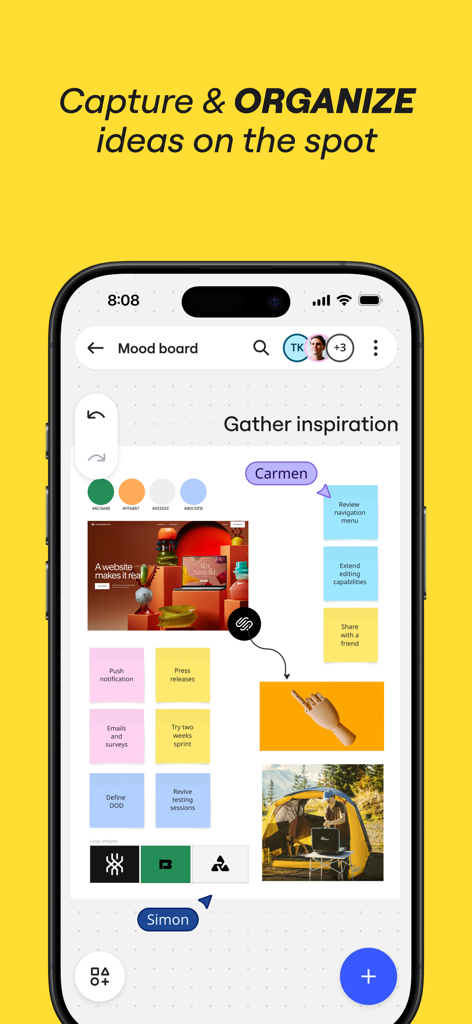
Miro mobile app interface displaying a collaborative mood board with sticky notes and images for organizing ideas.
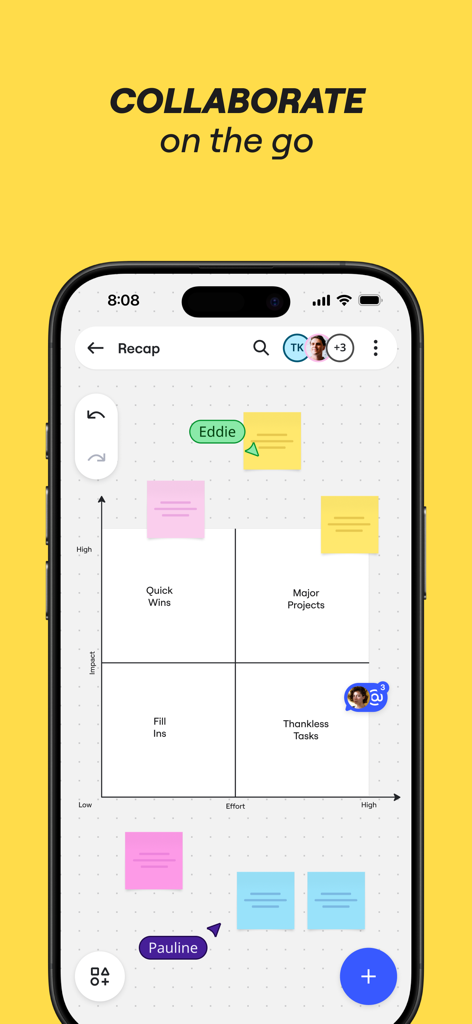
Miro mobile app showing a collaborative impact versus effort matrix with colorful digital sticky notes
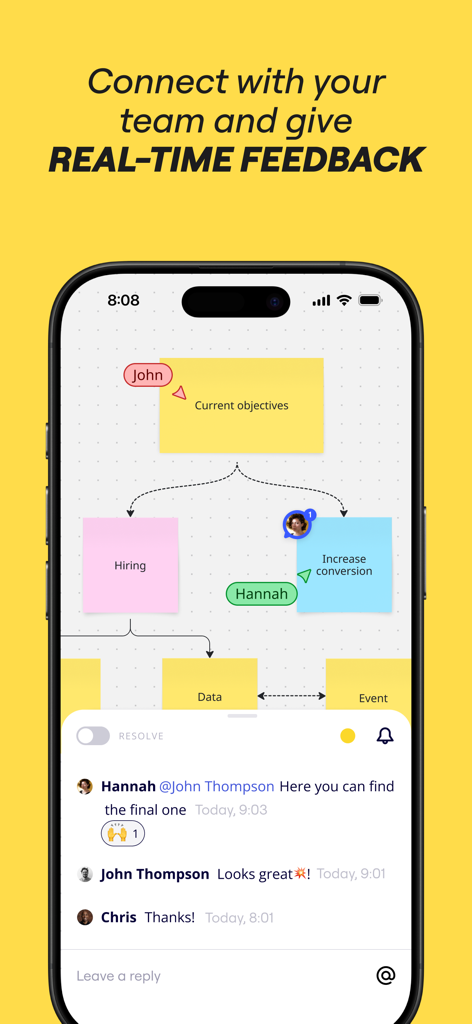
Miro mobile app showing a collaborative visual board with sticky notes and a real-time team comment thread.
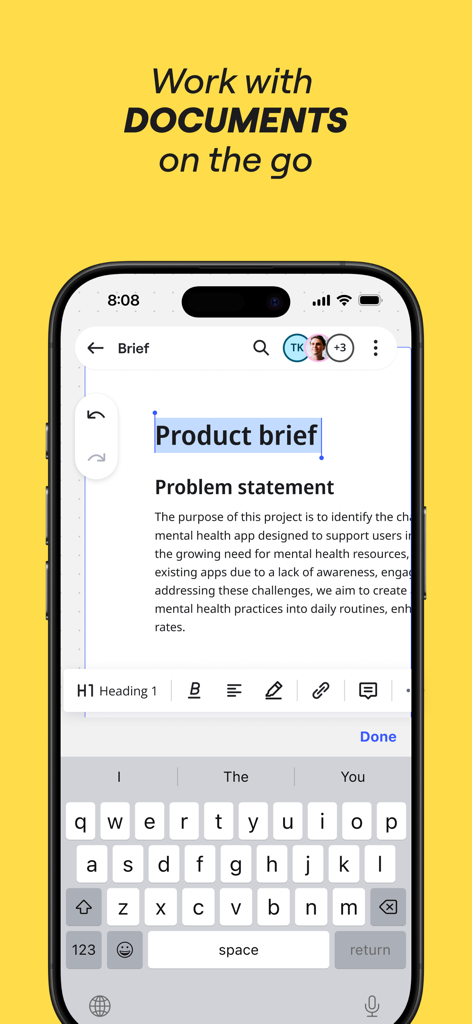
Miro mobile app interface showing a product brief being edited on an iPhone
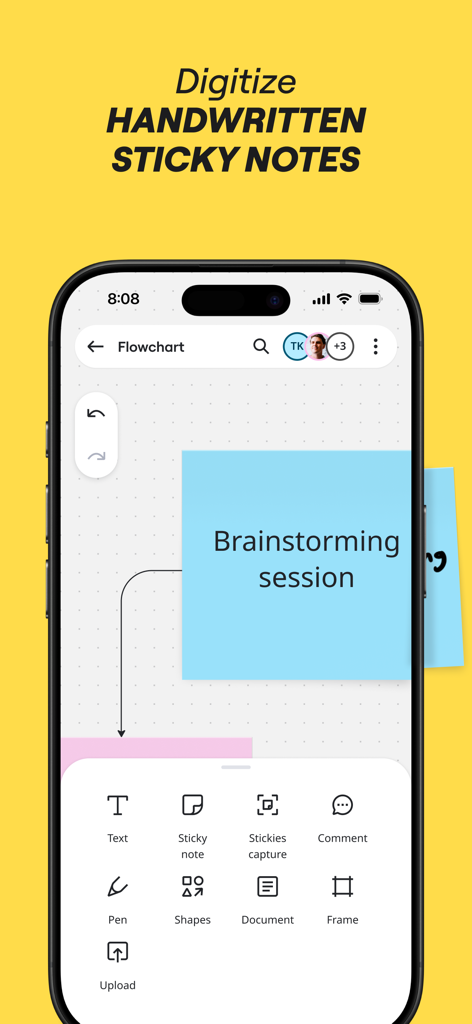
Miro app on iPhone showing a digital blue sticky note and options to capture and digitize handwritten notes for brainstorming
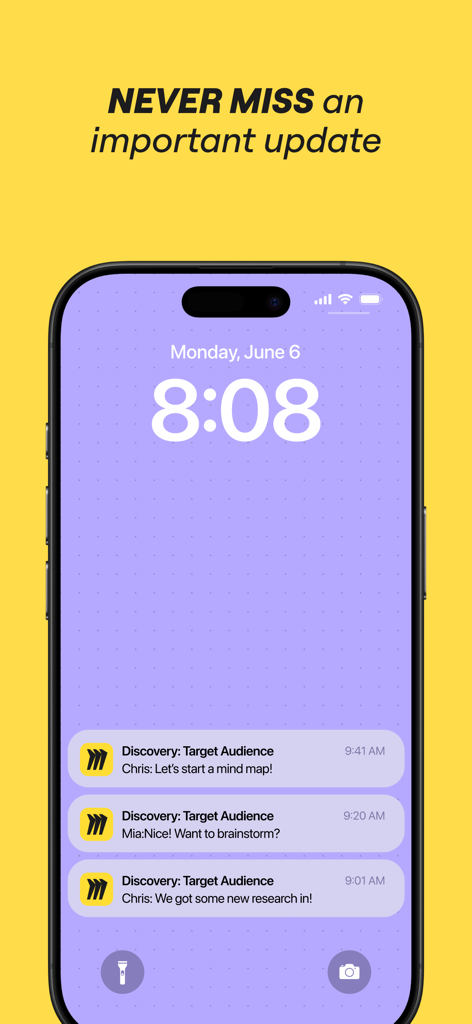
Miro mobile app notifications on an iPhone lock screen showing real-time team collaboration updates.
Description
Download
More Like This
Apps with similar features and user experience

Xmind - Mind Map & Brainstorm
Xmind Ltd.

Smartsheet: Projects & Teams
Smartsheet Inc.

Padlet
Wallwisher, Inc.

Asana: Work Management
Asana, Inc.

Microsoft Planner
Microsoft Corporation

Microsoft Loop
Microsoft Corporation

Microsoft Whiteboard
Microsoft Corporation

Nola: Story Planner & Writing
indent Inc.

MeisterTask - Task Management
MeisterLabs
This page is not an official page of the app or its developer, but an independent editorial publication created for informational and commentary purposes. Unless expressly stated otherwise, neither the app nor its developer is affiliated with, endorsed by, sponsored by, authorized by, or otherwise officially connected with MWM, Apple, Google Play, the app publisher, or the app's developer, and nothing on this page implies that the app was developed using MWM's services. Any trademarks, logos, screenshots, and other content remain the property of their respective owners.