Parental Control - FamilyTime
Download on App Store

This page is not an official page of the app or its developer, but an independent editorial publication created for informational and commentary purposes. Unless expressly stated otherwise, neither the app nor its developer is affiliated with, endorsed by, sponsored by, authorized by, or otherwise officially connected with MWM, Apple, Google Play, the app publisher, or the app's developer, and nothing on this page implies that the app was developed using MWM's services. Any trademarks, logos, screenshots, and other content remain the property of their respective owners.


Logo of Parental Control - FamilyTime
Download on App Store

Parental Control - FamilyTime

Take charge of screen time, block inappropriate apps, and track real-time locations with the digital seatbelt designed to protect your family in a connected world.

Key Figures

Downloads

164K+

User Rating

2.8/5

Total Ratings

1K+

Publisher

AZIZOLIOUS LLC

Category

Lifestyle

Locales

12

Latest Version

3.5.7

Size

115.4 MB

First Released

May 20, 2015
Features

Complete Protection for Your Family’s Digital World

Take the stress out of parenting with powerful tools to manage screen time, block inappropriate content, and track locations in real-time.

Smart Screen Time Limits

End the screen time battles by setting automated schedules for homework, dinner, and bedtime with a single tap.

Real-Time Safety Tracking

Know exactly where your kids are with geofencing alerts and emergency SOS signals for total peace of mind while they are on the go.

The following screenshots and description are sourced directly from the app's official store listing and are the property of the app developer.

App Store

Screenshots
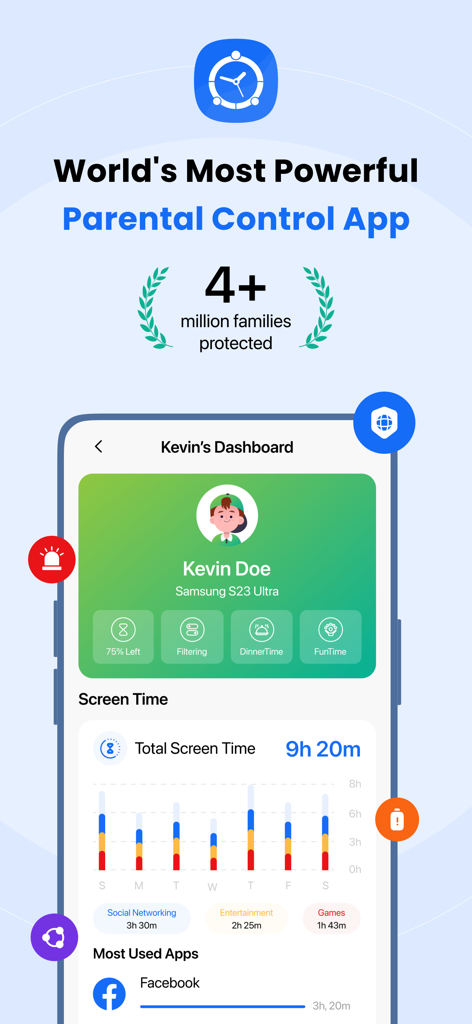
Parental Control - FamilyTime - FamilyTime app dashboard showing screen time usage statistics and most used apps for a child profile
FamilyTime app dashboard showing screen time usage statistics and most used apps for a child profile

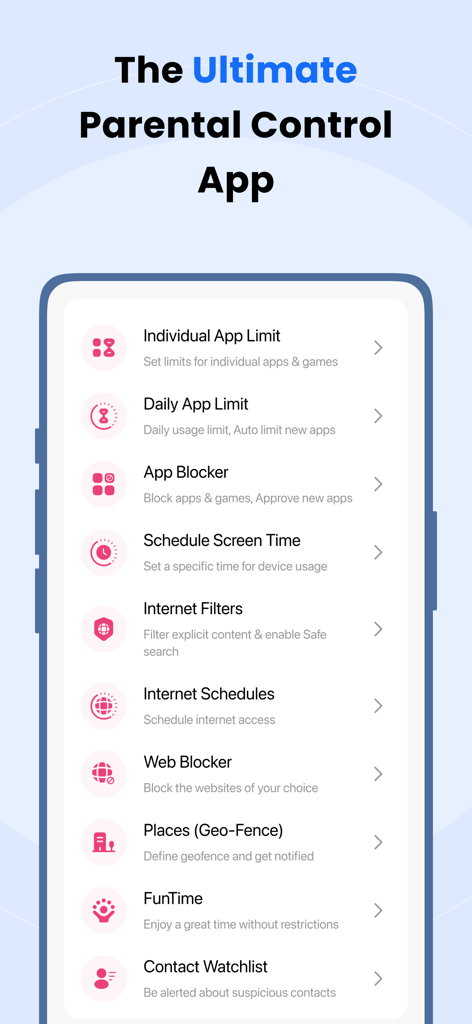
Parental Control - FamilyTime - A mobile interface showing features of the FamilyTime parental control app including app limits and internet filters
A mobile interface showing features of the FamilyTime parental control app including app limits and internet filters

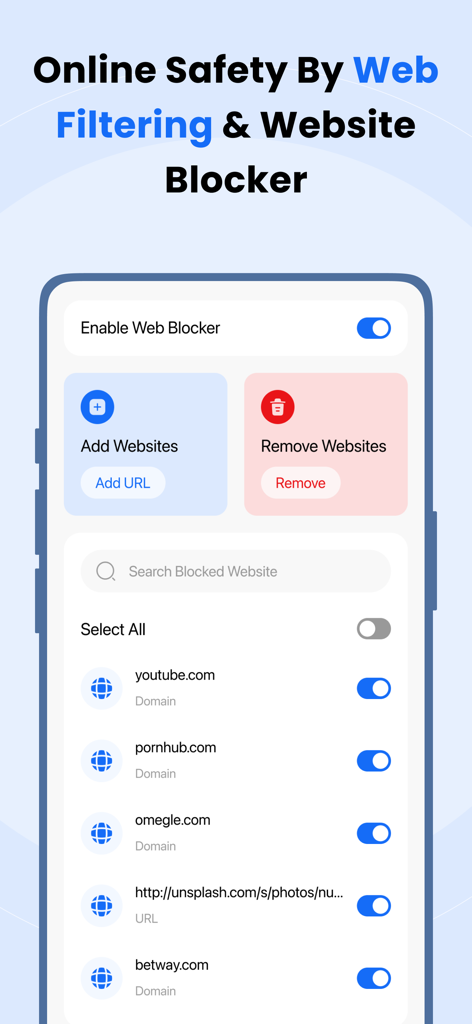
Parental Control - FamilyTime - Parental Control - FamilyTime app interface showing web filtering and website blocker settings
Parental Control - FamilyTime app interface showing web filtering and website blocker settings

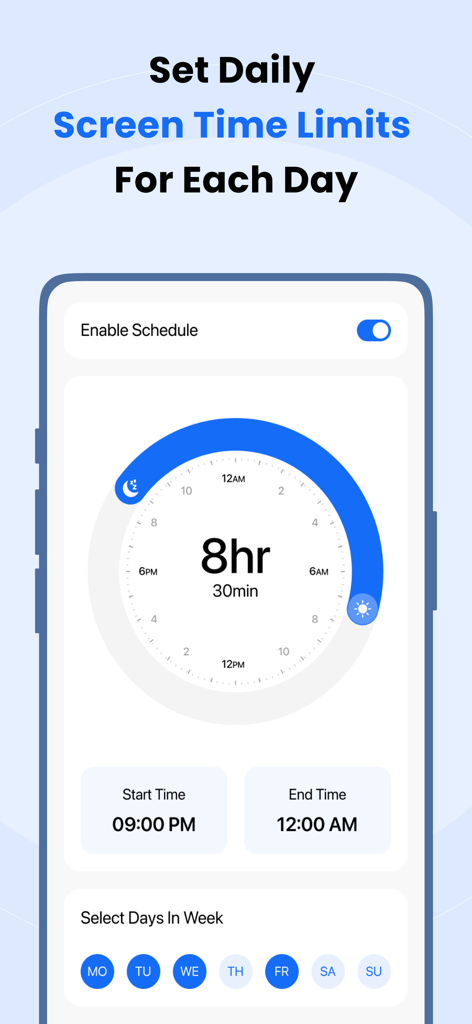
Parental Control - FamilyTime - Interface of FamilyTime app showing how to set daily screen time limits and schedules for children

Interface of FamilyTime app showing how to set daily screen time limits and schedules for children
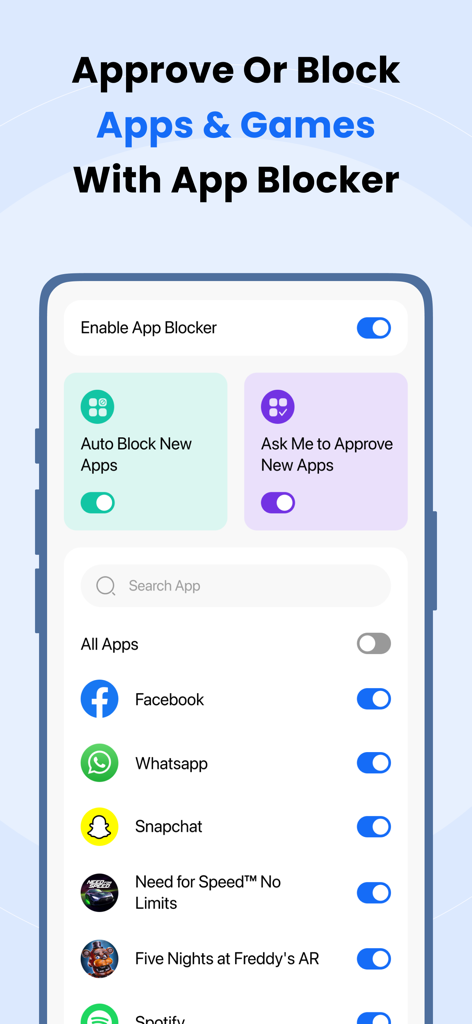
Parental Control - FamilyTime - FamilyTime app interface showing options to approve or block apps like Facebook and WhatsApp
FamilyTime app interface showing options to approve or block apps like Facebook and WhatsApp

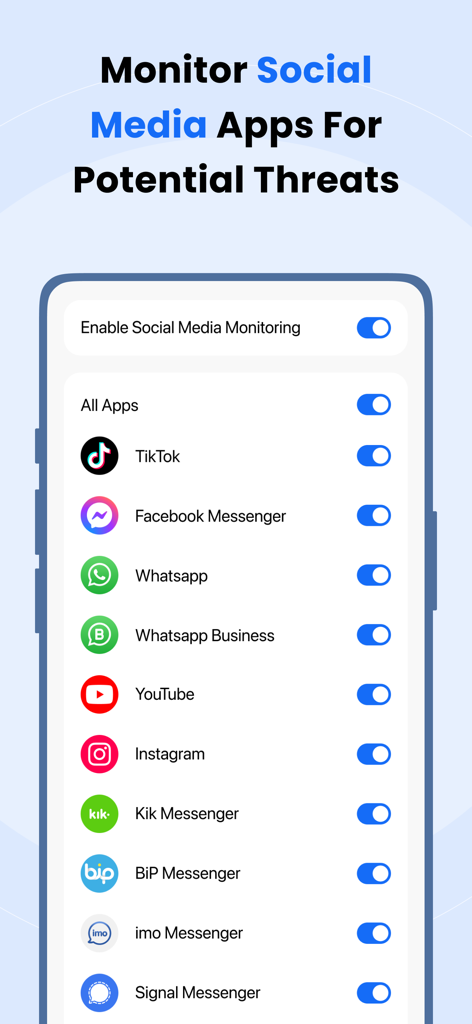
Parental Control - FamilyTime - Interface for monitoring social media apps like TikTok and Instagram for potential threats
Interface for monitoring social media apps like TikTok and Instagram for potential threats

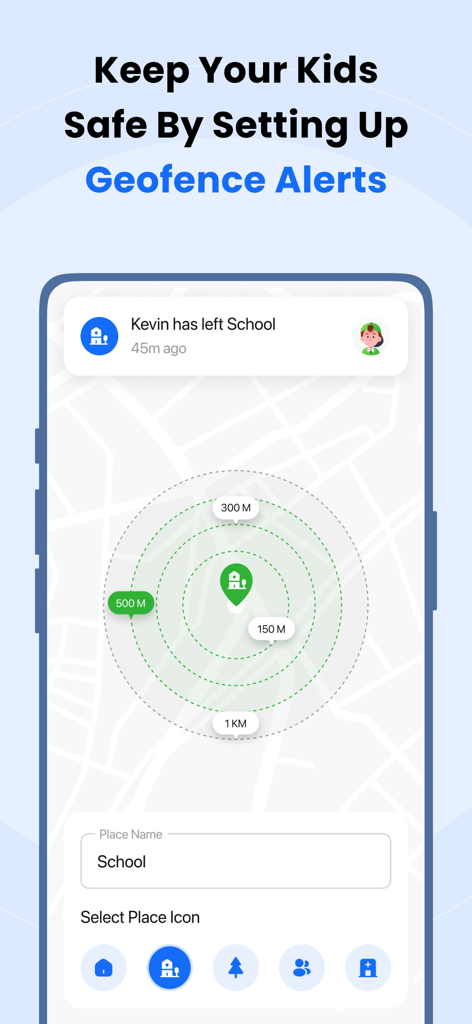
Parental Control - FamilyTime - FamilyTime app interface showing geofence alert settings with a map and a notification that a child has left school
FamilyTime app interface showing geofence alert settings with a map and a notification that a child has left school

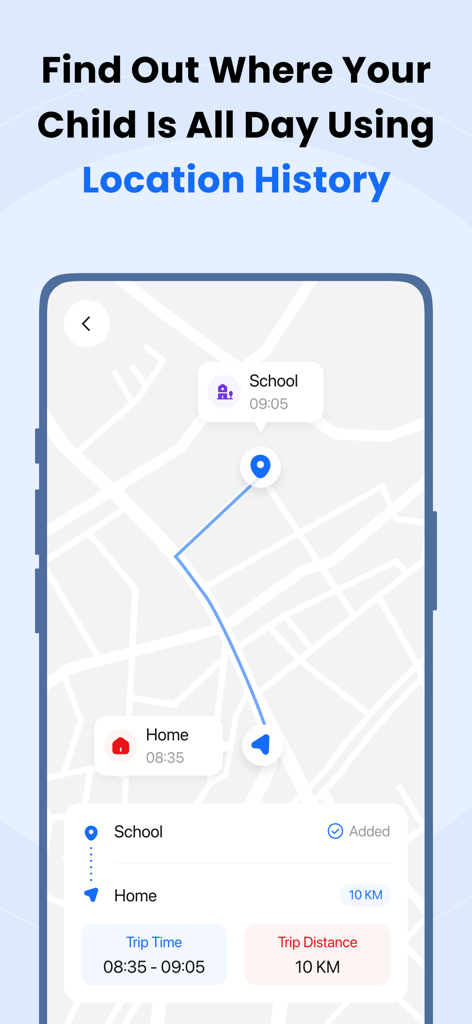
Parental Control - FamilyTime - Screenshot of FamilyTime parental control app showing child location history on a map
Screenshot of FamilyTime parental control app showing child location history on a map

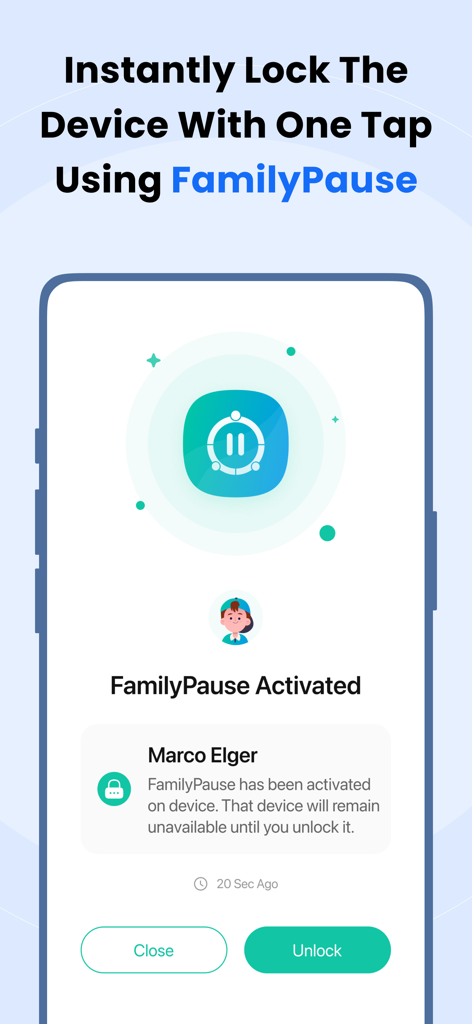
Parental Control - FamilyTime - FamilyTime app interface displaying the FamilyPause feature to instantly lock a child's device
FamilyTime app interface displaying the FamilyPause feature to instantly lock a child's device

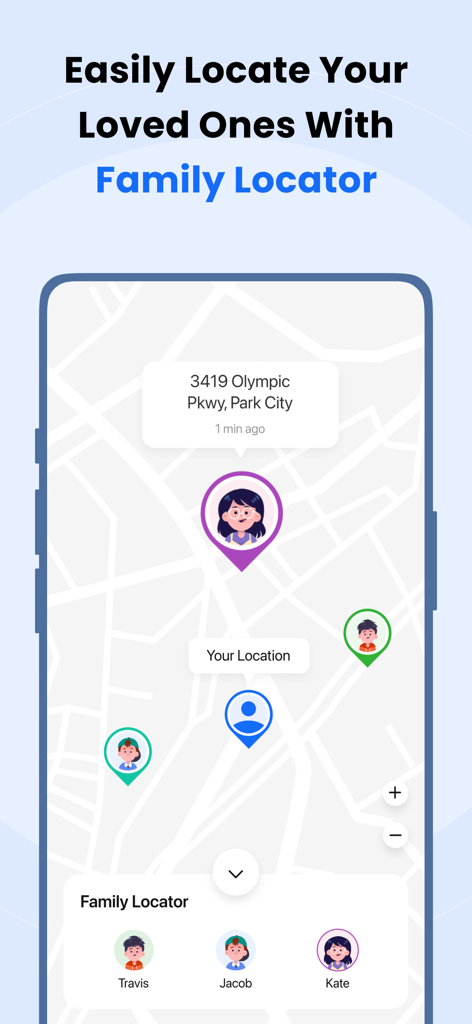
Parental Control - FamilyTime - FamilyTime app interface showing a real-time GPS map with family member locations

FamilyTime app interface showing a real-time GPS map with family member locations

Description

FamilyTime parental controls - the most convenient way for parents to monitor their kids’ online and offline activities and ensure their safety and security. With FamilyTime, manage content and app usage across all child devices and keep tabs on your children’s daily happenings. Limit screen time, monitor & manage kid's phone activities with useful features like App Blocking, Family Locator, Screen Time Allowance, Content Filters, Kid Tracker, Geofencing, App Restrictions & much more! Key features: Limit Screen Time Worried that the kids are not sleeping at night or focusing on their homework? Limit their Screen Time and say goodbye to worries! Parents can even set custom rules for Screen Time. Pre-defined Rules: - Bedtime - Dinner Time - Homework Time TeenSafe Drive Speed Limit: Afraid your teens would drive too fast? FamilyTime understands your concern! Define speed limits for your teens and get instant alerts when they cross those limits. Content Filters Ensure the online safety and productivity of your kids by filtering out inappropriate, obscene content on their iOS devices. Block mature and adult Films, TV shows and apps on your children's iOS devices, including explicit content on iTunes and adult fiction on the iBooks store. App Blocker FamilyTime - App Blocker gives parents the power to remotely block unwanted and inappropriate apps and games on their children’s phones & tablets with a single tap! Now you can be sure that your children only use safe and productive apps. - Manage the Time your Kids Spend on their Devices - Block children’s Internet access - Block social networking apps like Facebook, Snapchat, WhatsApp, Instagram, Twitter, etc. - Block addictive apps and games with a single tap! Places - Mobile Geofencing Parents can monitor their children’s locations in real-time and are notified when their children enter or leave areas geofenced by the parents. - Geofence as many places as you deem necessary. - Get alerts when they enter or leave those places. Activity Reports FamilyTime lets you view the phone activity reports of your children from this parental control App. You can see their location history and other phone usage info even on the go! Receive SOS/Panic Alerts Always be there for your children in emergencies and know where to find them. Get SOS Alerts from your children in emergencies with full location details. Receive PickMeUp Alerts Never forget to pick up your children from school, gym, or football practice. Receive PickMeUp Alerts from your children with complete location info when it’s time to pick them up. Speeding Alerts Get notified when your kids are in a car moving over the speed limit that you consider safe. Hence, you can monitor if their school bus is moving over the speed limit and take the right action. Remote Management FamilyTime - Dashboard is a great way to organize and manage the child profiles you add to your FamilyTime Account. You can keep tabs on your kids at a single glance and can easily manage settings and parental controls for each child separately. Note: FamilyTime - Dashboard works over mobile data connections, home Wi-Fi, and public Wi-Fi to ensure your child is always safe from harm. Disclaimer: GPS running in the background for Location Tracking can decrease battery life. Our customers’ privacy is our top priority; FamilyTime Dashboard does not collect any information, data, or location details from the Parent’s phone. For more information, please read: Privacy Policy: http://familytime.io/legal/privacy-policy.html Terms and Conditions: http://familytime.io/legal/terms-conditions.html

Download

Download on App Store

This page is not an official page of the app or its developer, but an independent editorial publication created for informational and commentary purposes. Unless expressly stated otherwise, neither the app nor its developer is affiliated with, endorsed by, sponsored by, authorized by, or otherwise officially connected with MWM, Apple, Google Play, the app publisher, or the app's developer, and nothing on this page implies that the app was developed using MWM's services. Any trademarks, logos, screenshots, and other content remain the property of their respective owners.








