
This page is not an official page of the app or its developer, but an independent editorial publication created for informational and commentary purposes. Unless expressly stated otherwise, neither the app nor its developer is affiliated with, endorsed by, sponsored by, authorized by, or otherwise officially connected with MWM, Apple, Google Play, the app publisher, or the app's developer, and nothing on this page implies that the app was developed using MWM's services. Any trademarks, logos, screenshots, and other content remain the property of their respective owners.

Downloads
1M+User Rating
Total Ratings
24.1KPublisher
Category
Photo & VideoLocales
1Latest Version
4.11.1Size
320.0 MBFirst Released
Apr 4, 2021An evaluation of essential functionalities tailored for content creators and media professionals.
Key Features Analysis: Riverside Podcast Video Studio
Professional Quality Local Recordings
The app provides pristine HD audio and video, captured locally for up to 10 participants, ensuring top-tier quality regardless of internet stability.
Intuitive Text-Based Editing
It allows users to edit video and audio simply by modifying the automatically generated transcript, enabling easy cuts, trims, and removal of filler words.
AI-Powered Transcription
This tool features highly accurate, AI-driven speech-to-text transcription available in over 100 languages, providing a reliable text foundation for editing and accessibility.
Automated AI Captions & Subtitles
The app automatically generates customizable AI captions and subtitles in seconds, enhancing video accessibility and audience engagement across platforms.
Quick Content Clip Creation
It allows users to easily create short clips, reels, and YouTube shorts from longer recordings, optimizing content for rapid sharing across social media platforms.
Advanced Audio Enhancement
This tool features cutting-edge audio processing capabilities to enhance sound quality and effectively eliminate background noise, ensuring clear and professional-sounding content.
Integrated Teleprompter
The app provides an integrated teleprompter feature, enabling users to upload scripts, adjust font size, and control scrolling speed for flawless delivery.
Multi-Camera Recording Support
It allows users to utilize an iPhone as a secondary camera, enabling recording from multiple angles to create more dynamic and professional video content.
Frequently Asked Questions
Everything you need to know about Riverside Podcast Video Studio
What is Riverside Podcast Video Studio?
Riverside is a powerful podcast and video maker that allows users to record and edit video and audio easily. It includes AI features like captions, transcription, and a teleprompter, enabling high-quality content creation from anywhere.
Does Riverside Podcast Video Studio record in high quality?
Yes, Riverside records PRO quality audio and video. It captures individual HD tracks for up to 10 participants, saving files in WAV and up to 4K resolution formats, ensuring crisp details regardless of internet connection.
Does Riverside Podcast Video Studio include a teleprompter?
Yes, Riverside includes a teleprompter feature. Users can upload scripts, select font size, and adjust speed to stay focused and on point for professional talking videos.
How accurate is Riverside's AI transcription and what languages does it support?
Riverside's AI transcription is 99% accurate and works with over 100 languages. It transcribes speech-to-text in seconds, providing precise transcripts of recordings.
Can I edit videos by editing text in Riverside Podcast Video Studio?
Yes, Riverside offers text-based editing. Users edit video or audio by simply editing the transcript on their phone, allowing easy cutting, trimming, and removal of filler words or pauses.
How do I create short clips for social media using Riverside?
Riverside allows users to create short clips easily by recording shorts or selecting parts of their video. This is ideal for podcast clips, YouTube shorts, or Instagram reels, enabling quick export and sharing.
Does Riverside Podcast Video Studio provide automatic captions?
Yes, Riverside provides auto captions and subtitles using AI. Users can add and customize them in seconds to fit their brand, making videos accessible and enhancing engagement.
Does Riverside Podcast Video Studio support multi-cam recording?
Yes, Riverside supports multi-cam recording. Users can utilize their iPhone as a second camera to record from multiple angles, enhancing production value for various content types.
How many participants can record simultaneously in Riverside Podcast Video Studio?
Riverside Podcast Video Studio allows recording with up to 10 participants at a time. It captures individual HD audio and video tracks for each participant, ensuring high-quality output.
Is Riverside Podcast Video Studio free to download?
Yes, Riverside Podcast Video Studio is free to download. Users can experience its content creation features by downloading the app from the store.
Where can I find the Privacy Policy for Riverside Podcast Video Studio?
The Privacy Policy for Riverside Podcast Video Studio is available at the URL: https://riverside.fm/privacy-policy. This link is provided within the app description.
The following screenshots and description are sourced directly from the app's official store listing and are the property of the app developer.
App Store
Screenshots
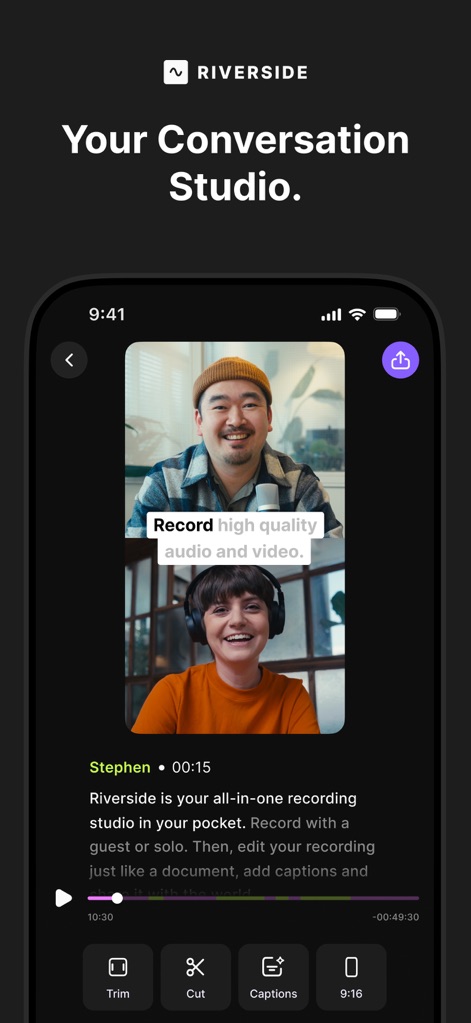
See how the app transforms a phone into a powerful recording studio, enabling high-quality audio and video recording with intuitive editing tools like trim and cut.
Studio in Pocket
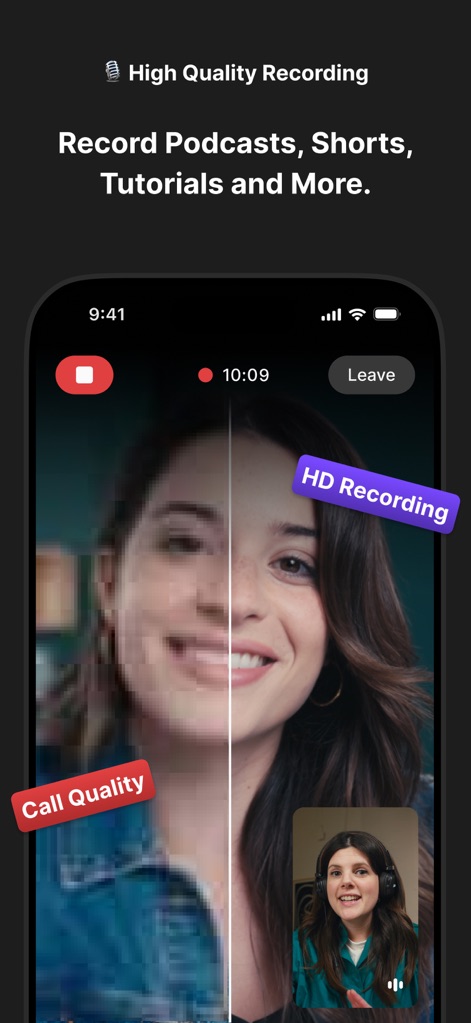
Witness the app's pristine HD recording capabilities, visually comparing typical call quality against the superior studio quality this tool delivers.
Crystal Clear Capture
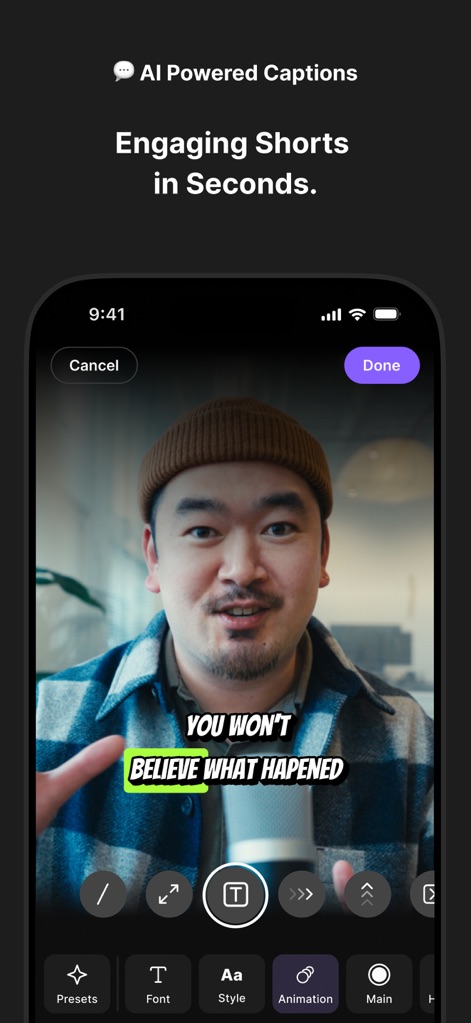
Explore the app's advanced AI-powered caption generation, showcasing how users can effortlessly customize font and animation for engaging short videos.
Smart Captioning
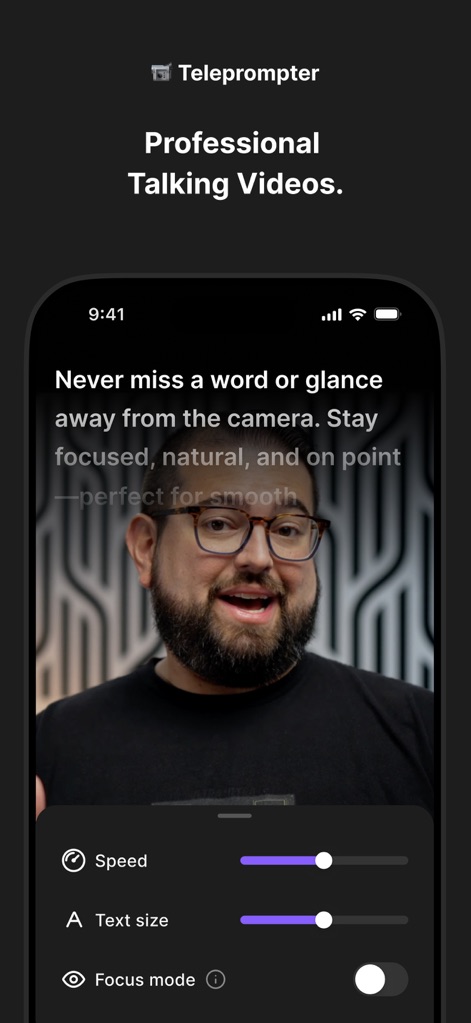
Discover the integrated teleprompter feature, allowing users to control text speed and size for natural, professional talking videos.
Seamless Teleprompter
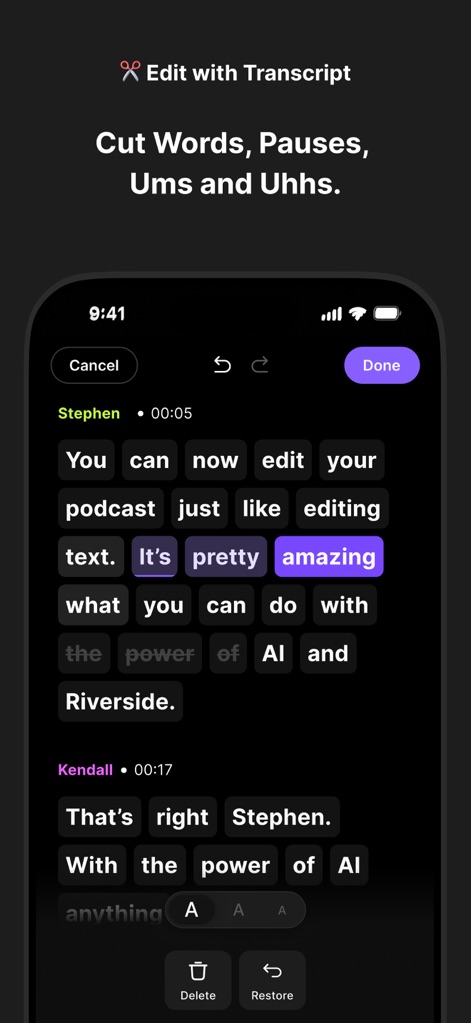
Observe the innovative text-based editing interface, which allows users to cut, trim, and remove filler words directly by manipulating the transcript.
Transcript Edits
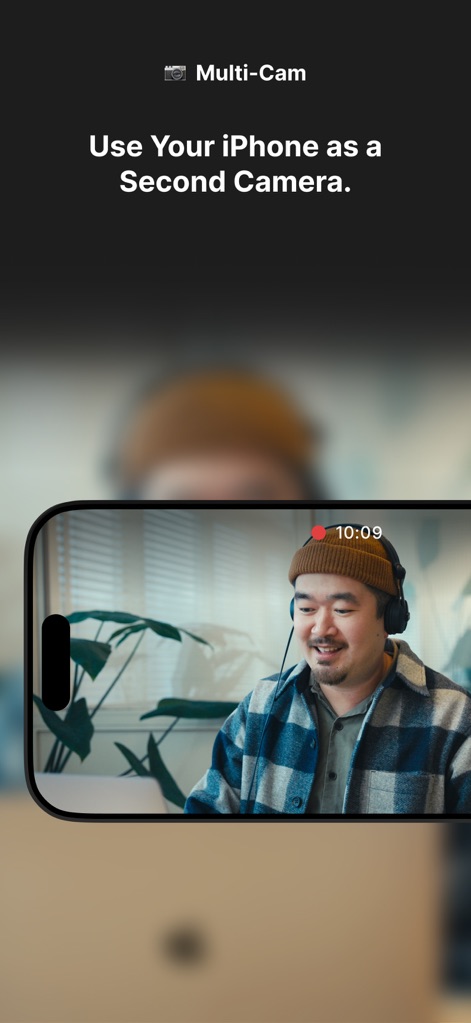
Understand the versatile multi-camera recording functionality, demonstrating how users can leverage an iPhone as a second camera for dynamic shots.
Multi-Cam Setup
Description
Download
More Like This
Apps with similar features and user experience

Teleprompter
Teleprompter Apps Ltd

BIGVU Teleprompter Captions AI
BIGVU INC

Teleprompter for Video
Norton Five Ltd

Teleprompter.com
Teleprompter LLC

Vmake: AI Talking Video Editor
Starii Tech Pty Ltd

说得AI提词器相机-全能的脚本创作提词拍摄快速剪辑口播神器
Hangzhou Gaishi Technology Co., Ltd.

Teleprompter-Record Script
晨铭 李

Verba: Captions & Video Editor
Verba Creative Inc.

Teleprompter: Video Recording
志威 王
This page is not an official page of the app or its developer, but an independent editorial publication created for informational and commentary purposes. Unless expressly stated otherwise, neither the app nor its developer is affiliated with, endorsed by, sponsored by, authorized by, or otherwise officially connected with MWM, Apple, Google Play, the app publisher, or the app's developer, and nothing on this page implies that the app was developed using MWM's services. Any trademarks, logos, screenshots, and other content remain the property of their respective owners.