
This page is not an official page of the app or its developer, but an independent editorial publication created for informational and commentary purposes. Unless expressly stated otherwise, neither the app nor its developer is affiliated with, endorsed by, sponsored by, authorized by, or otherwise officially connected with MWM, Apple, Google Play, the app publisher, or the app's developer, and nothing on this page implies that the app was developed using MWM's services. Any trademarks, logos, screenshots, and other content remain the property of their respective owners.

Screen Recorder °
Capture high-quality gameplay with FaceCam reactions and edit like a pro for TikTok and YouTube—all from your iPhone or iPad.
Downloads
3M+User Rating
Total Ratings
83K+Publisher
Category
Photo & VideoLocales
4Latest Version
3.6Size
20.6 MBFirst Released
Aug 4, 2018Professional Tools for the Creator Economy
Stop settling for basic recordings. Our all-in-one mobile studio gives you the power to record, react, and edit high-quality content that is ready to go viral.
Live FaceCam Reactions
Add your personality to every video. Record your screen and face simultaneously to create authentic reaction content for TikTok and YouTube.
Pro-Grade Game Capture
Record every epic win with internal audio and customizable FPS settings. High-resolution output ensures your gameplay looks crisp on any platform.
Frequently Asked Questions
Everything you need to know about Screen Recorder °
What is Screen Recorder °?
Screen Recorder ° is an app for iPhone and iPad designed to record your device's screen. It captures everything on screen, including games and apps, and supports adding reactions and audio.
Can I record games and apps with Screen Recorder °?
Yes, Screen Recorder ° supports recording games and other applications running on your device. It also captures the audio from these recordings.
Does Screen Recorder ° allow recording audio and reactions?
Yes, Screen Recorder ° allows users to capture reactions and record audio alongside their screen recordings. You can also adjust the FaceCam size.
Can I customize recording parameters in Screen Recorder °?
Yes, Screen Recorder ° supports setting recording parameters such as Resolution, FPS, and Orientation. This allows users to customize their screen recording quality.
What video editing features are available in Screen Recorder °?
Screen Recorder ° includes editing features such as trimming recording files. It also allows importing and editing external videos, not just recorded files.
How much does Screen Recorder ° cost?
Screen Recorder ° offers a monthly subscription. The monthly subscription price for the app is $3.49.
How do I manage my Screen Recorder ° subscription?
Users can manage their subscription and turn off auto-renewal through their iTunes Account Settings after purchase. Auto-renewal must be turned off 24-hours before the current period ends.
Does Screen Recorder ° support both iPhone and iPad?
Yes, Screen Recorder ° is compatible with both iPhone and iPad devices. It is designed for screen recording on both platforms.
The following screenshots and description are sourced directly from the app's official store listing and are the property of the app developer.
App Store
Screenshots
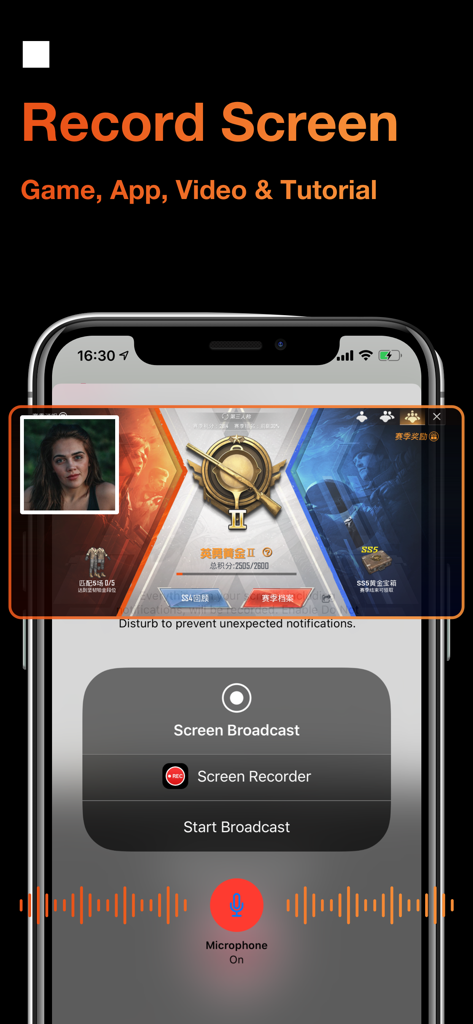
Screen recording of a mobile game with FaceCam reaction and microphone active.
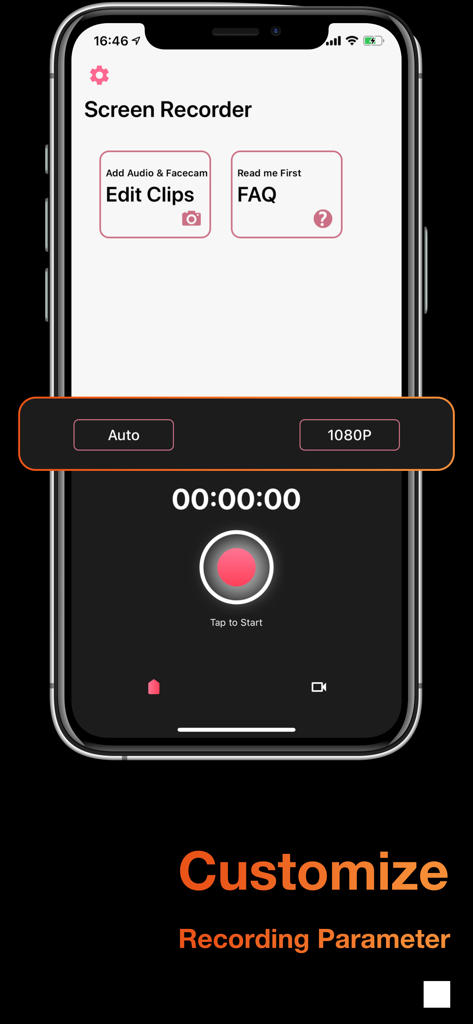
Interface of the Screen Recorder app featuring customizable recording parameters and a start button.
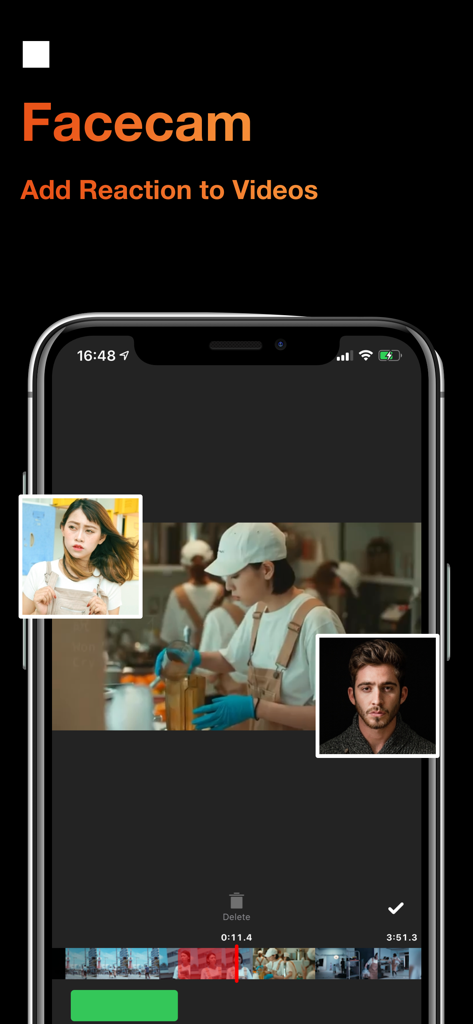
iPhone screen displaying the Facecam feature for adding video reactions
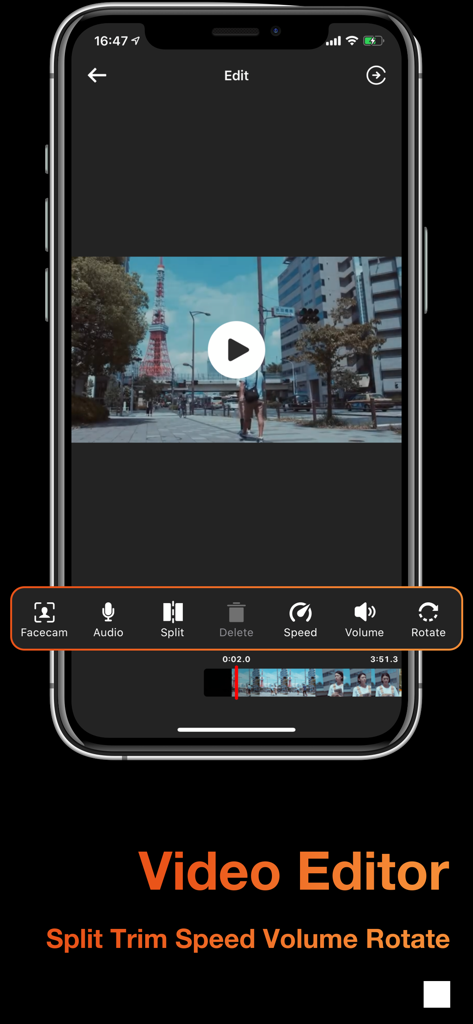
Video editor interface of Screen Recorder app showing tools for split trim speed and volume adjustment
Description
Download
More Like This
Apps with similar features and user experience

Medal - Game Clipping
Medal B.V.

Screen Recorder,Video Recorder
VIDEOSHOW PTE. LTD.

Screen Recorder
App of the Year LLC

Record it! :: Screen Recorder
DIGISET LLC

Screen Recorder Voice & Video
Arthur Eduardo Skaetta Alvarez Desenvolvimento de Software LTDA.

Screen Recorder ®
Poster App LLP

Super Screen Recorder: Full HD
Dream United, Ltd.

Screen Recorder: Go Record
Torqued Studios LLC

Screen Recorder-Video & Voice
Danila Ianushev
This page is not an official page of the app or its developer, but an independent editorial publication created for informational and commentary purposes. Unless expressly stated otherwise, neither the app nor its developer is affiliated with, endorsed by, sponsored by, authorized by, or otherwise officially connected with MWM, Apple, Google Play, the app publisher, or the app's developer, and nothing on this page implies that the app was developed using MWM's services. Any trademarks, logos, screenshots, and other content remain the property of their respective owners.