
This page is not an official page of the app or its developer, but an independent editorial publication created for informational and commentary purposes. Unless expressly stated otherwise, neither the app nor its developer is affiliated with, endorsed by, sponsored by, authorized by, or otherwise officially connected with MWM, Apple, Google Play, the app publisher, or the app's developer, and nothing on this page implies that the app was developed using MWM's services. Any trademarks, logos, screenshots, and other content remain the property of their respective owners.

Shutter - Sony Camera Remote
Unlock the full potential of your camera with wireless tethering, advanced exposure monitoring, and seamless photo transfers designed for the modern creator.
Downloads
268K+User Rating
Total Ratings
1K+Publisher
Category
Photo & VideoLocales
9Latest Version
4.31Size
76.2 MBFirst Released
Apr 17, 2019Take Total Control of Your Sony Alpha
Bridge the gap between professional optics and mobile convenience with the most intuitive remote control app designed for the modern Sony creator.
Professional Monitoring Tools
Nail your exposure and focus every time with advanced overlays including RGB histograms, zebras, and false color monitoring.
The Ultimate Solo Workflow
Master self-portraits and time-lapses with a smart intervalometer, customizable delays, and audio cues that act as your digital assistant.
Frequently Asked Questions
Everything you need to know about Shutter - Sony Camera Remote
What is Shutter - Sony Camera Remote?
Shutter is a remote control application for Sony Alpha and Cyber-shot cameras. It enables users to capture diverse photos like self-portraits, travel shots, and astrophotography by controlling their camera from an iOS device.
Which Sony camera models are compatible with the Shutter app?
The Shutter app supports numerous Sony Alpha and Cyber-shot models, including various a1, a7, a7R, a7S, a9, a5000/5100, a6000 series, FX, RX, ZV, HX, WX, and NEX cameras. A full list is in the app description.
Can I connect my Sony camera to Shutter wirelessly or via USB?
Yes, Shutter allows users to connect their Sony camera either wirelessly or by using a USB cable. This provides flexible connection options for remote control.
Does Shutter - Sony Camera Remote support focus bracketing?
Yes, Shutter supports focus bracketing on specific camera models like a1, a7C, a7R, a7 IV, a7S III, a9, a6700, FX, RX100 VII, and ZV series. It requires Sony AF lenses.
Can Shutter app import and filter RAW photos?
Yes, the Shutter app allows users to easily browse, filter, and download photos from their camera, including RAW format images. This feature is for managing captures on the go.
Does Shutter offer tools for perfect photo composition?
Yes, Shutter includes composition tools such as aspect ratios and grid overlays. These features help users compose perfect shots for various photography types.
What exposure tools are available in the Shutter app?
Shutter provides professional exposure tools including RGB, histogram, zebras, and false color. These assist users in achieving precise exposure control for their photographs.
Can I use my Apple Watch to control my Sony camera with Shutter?
Yes, Shutter provides a dedicated Apple Watch App. Users can control focus, exposure, use the self-timer, and trigger photos and videos directly from their wrist.
Are there any Sony cameras that do not support video recording with Shutter?
Yes, specific Sony models such as a7, a7R, a6000, a5000, RX1 II, and NEX series do not support video recording through the Shutter app.
How can Shutter help with astrophotography?
Shutter is perfect for astrophotography by allowing users to stack multiple exposures. This technique helps achieve sharp, noise-free images of the Milky Way and Northern Lights.
Does Shutter have a self-timer feature for group photos?
Yes, Shutter features a self-timer with a configurable delay and interval for repeated capture. This is ideal for self-portraits and group shots, ensuring everyone looks their best.
Is customer support available for the Shutter app?
Yes, Shutter guarantees satisfaction, and all support requests are handled directly by engineers. Users can expect a response within 24 hours.
What is the purpose of exposure bracketing in the Shutter app?
Shutter supports exposure bracketing, which helps preserve detail in both bright and dark areas of a photo. It is particularly useful for real-estate and interiors photography.
Does Shutter consume a lot of battery power on my device?
No, the Shutter app is optimized for low battery usage. This ensures that users can control their Sony camera for extended periods without excessive drain on their mobile device.
Does the Shutter app support BULB exposure?
Yes, Shutter supports BULB exposure. However, NEX, HX, and WX series cameras do not support this feature, as noted in the app's warnings.
The following screenshots and description are sourced directly from the app's official store listing and are the property of the app developer.
App Store
Screenshots
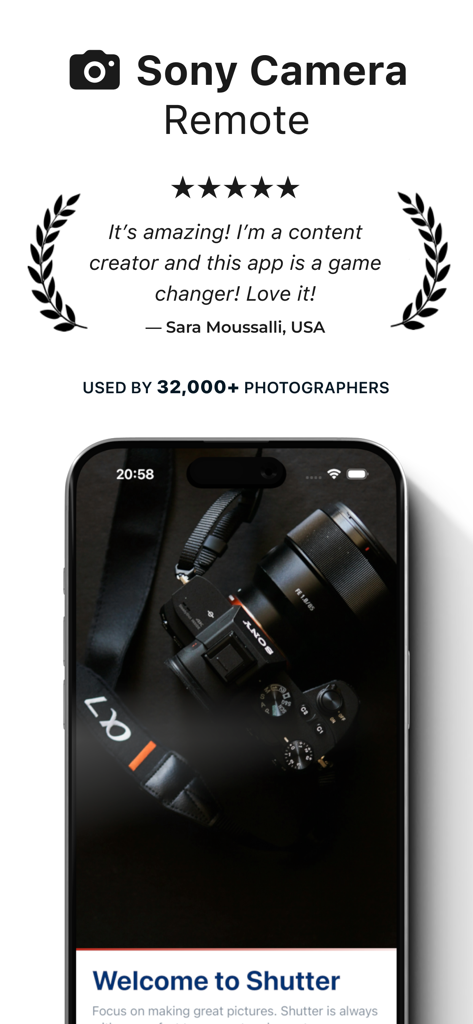
Testimonial and rating for the Shutter Sony Camera Remote app featuring a Sony Alpha camera on an iPhone
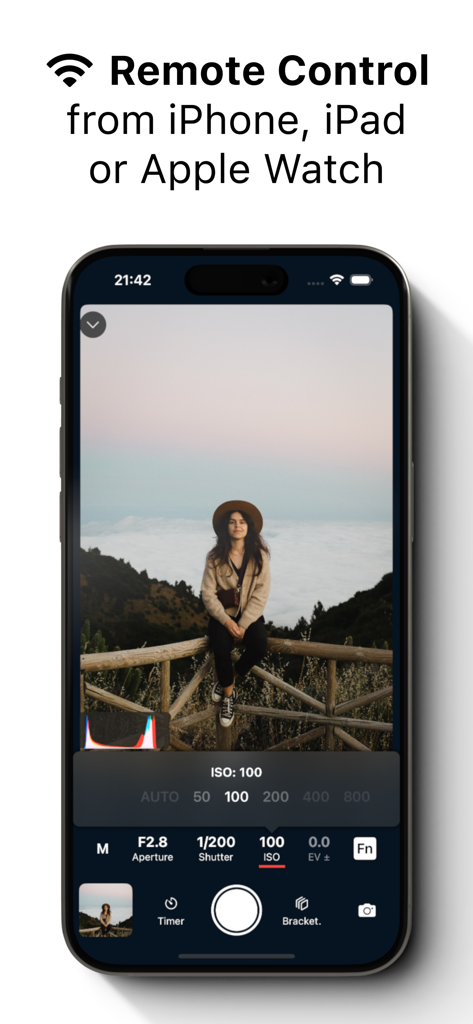
Shutter app on iPhone showing remote control interface for Sony cameras
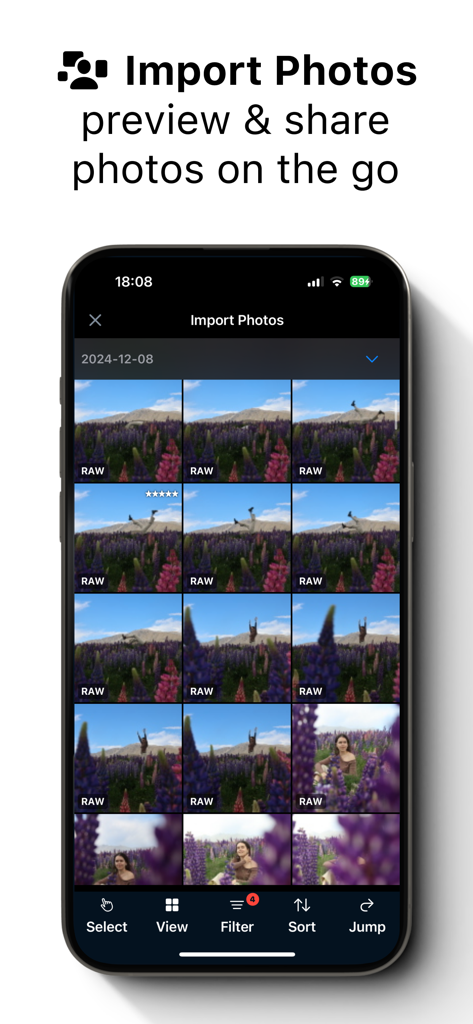
Interface of the Shutter app showing a grid of RAW photos for importing from a Sony camera
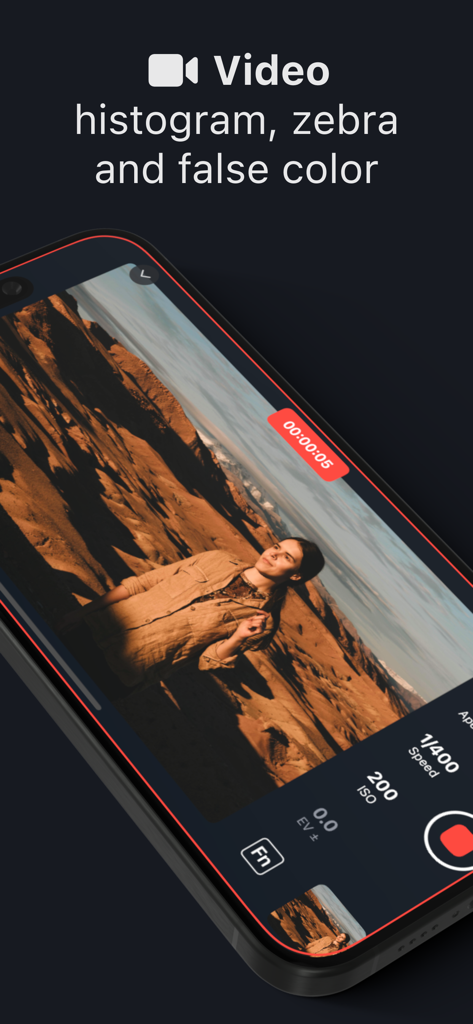
Shutter app video recording interface on a smartphone showing technical exposure tools for Sony cameras
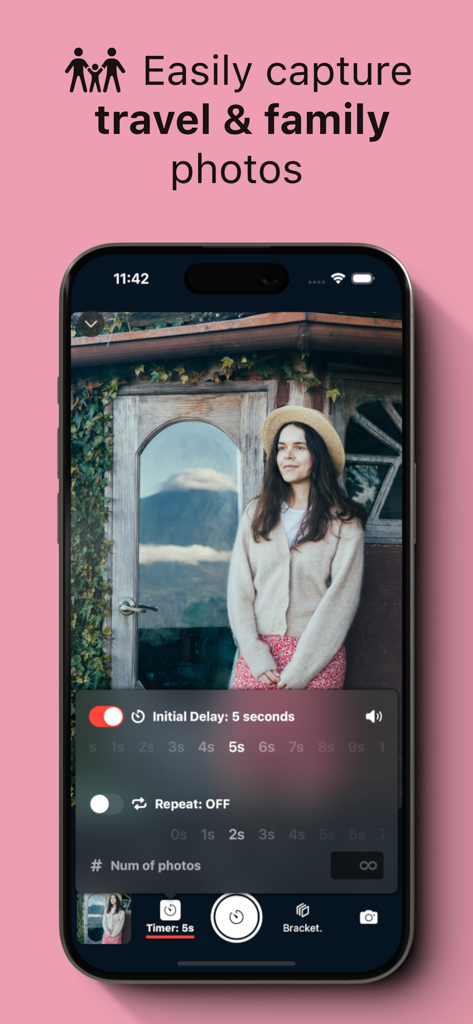
Interface of Shutter app for Sony cameras displaying a 5-second timer for self-portraits.
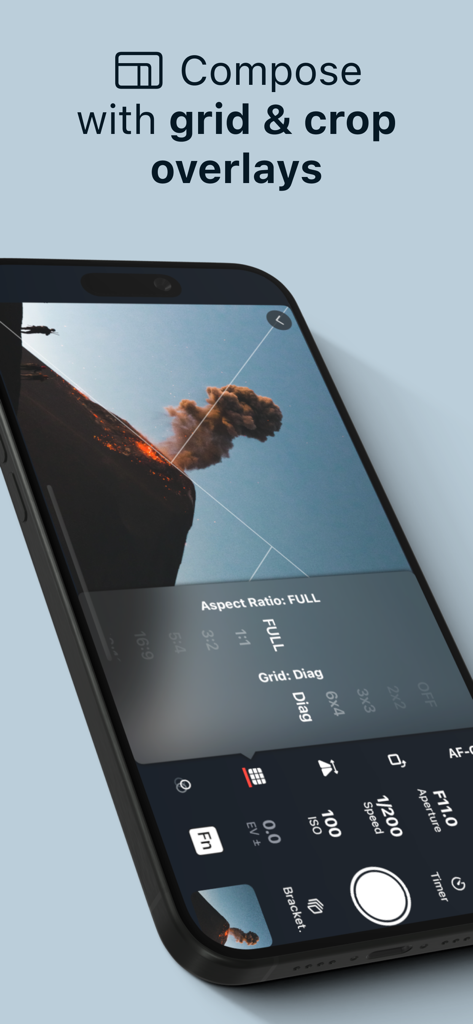
Shutter app interface showing grid and crop overlays for photo composition
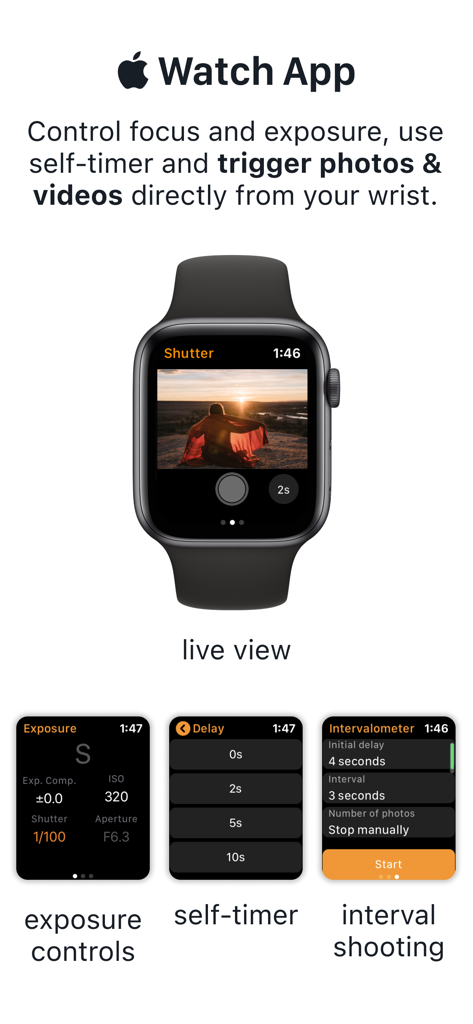
Apple Watch app for Sony camera control showing live view and exposure settings
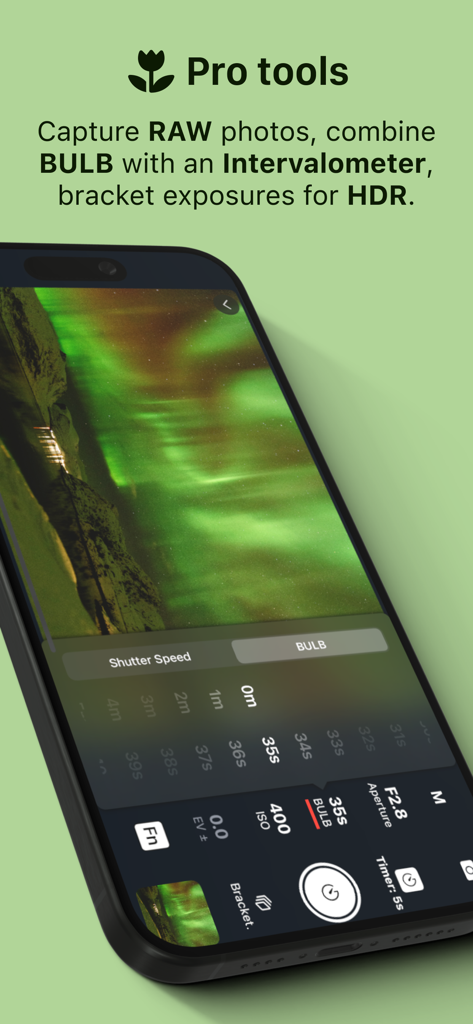
Shutter app interface for Sony cameras showing pro tools including BULB mode and HDR bracketing for astrophotography
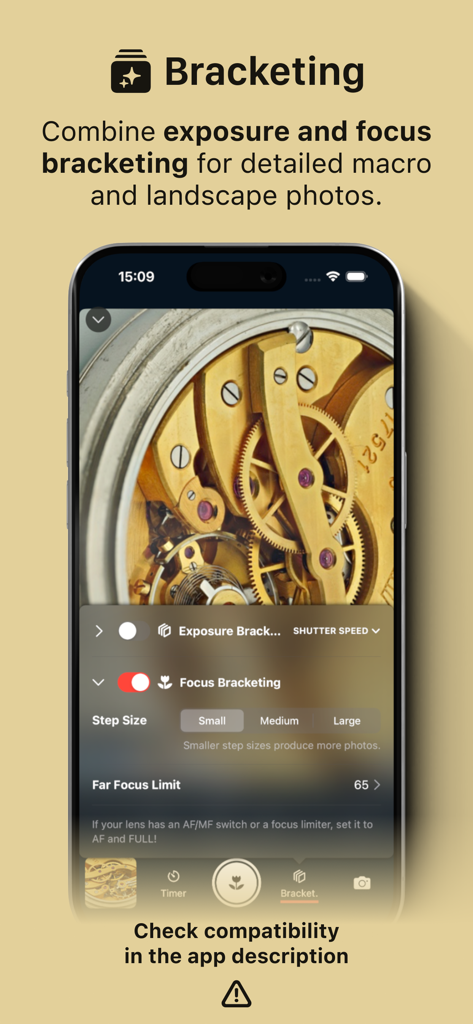
A smartphone screen showing the bracketing settings of the Shutter app for Sony cameras, featuring focus and exposure control for macro photography.
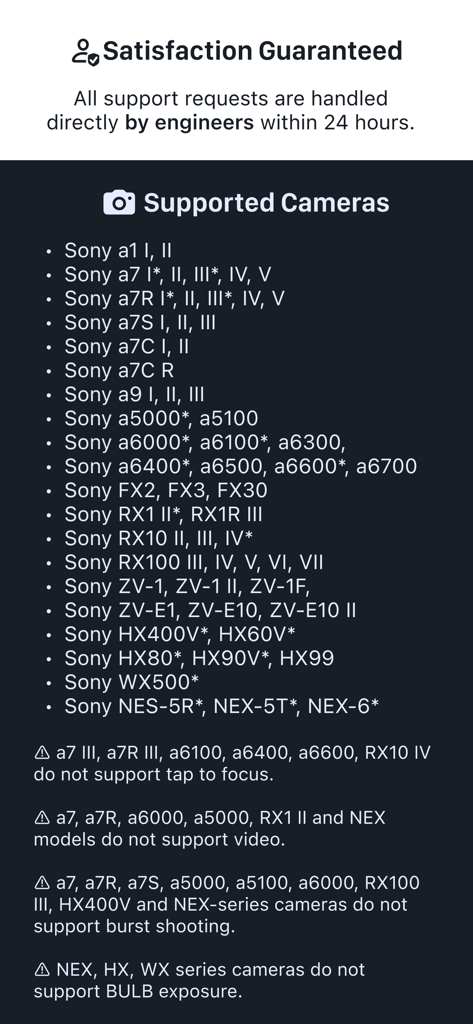
A detailed list of Sony Alpha and Cyber-shot camera models compatible with the Shutter remote app
Description
Download
More Like This
Apps with similar features and user experience

DJI Mimo
SZ DJI TECHNOLOGY CO., LTD

DJI Ronin
SZ DJI TECHNOLOGY CO., LTD

Roku TV Remote Control & Cast
Aleh Piashkou

Remote for Hisense TV.
Duscov Stepan

Alpha Linker - Camera Transfer
恒茂 刘

MyCentsys Pro
Centurion Systems (Pty) Ltd

Roku TV Remote Control・
Artur Belov

Luminair
Synthe FX, LLC

FUJIFILM XApp
FUJIFILM Corporation
This page is not an official page of the app or its developer, but an independent editorial publication created for informational and commentary purposes. Unless expressly stated otherwise, neither the app nor its developer is affiliated with, endorsed by, sponsored by, authorized by, or otherwise officially connected with MWM, Apple, Google Play, the app publisher, or the app's developer, and nothing on this page implies that the app was developed using MWM's services. Any trademarks, logos, screenshots, and other content remain the property of their respective owners.