
This page is not an official page of the app or its developer, but an independent editorial publication created for informational and commentary purposes. Unless expressly stated otherwise, neither the app nor its developer is affiliated with, endorsed by, sponsored by, authorized by, or otherwise officially connected with MWM, Apple, Google Play, the app publisher, or the app's developer, and nothing on this page implies that the app was developed using MWM's services. Any trademarks, logos, screenshots, and other content remain the property of their respective owners.

Smart Endoscope
Turn your smartphone into a professional-grade inspection tool. Capture high-definition visuals for home repairs, auto maintenance, and personal care with total ease.
Downloads
160K+User Rating
Total Ratings
600Publisher
Category
Photo & VideoLocales
1Latest Version
1.5.4Size
172.2 MBFirst Released
Nov 16, 2020See the Unseen with Precision
Turn your smartphone into a powerful diagnostic tool. Capture, record, and analyze everything from home repairs to personal wellness with high-definition clarity.
Crystal-Clear Live Inspection
Get a real-time, high-definition view of tight spaces, engines, or pipes, allowing you to identify problems without the guesswork.
Instant Photo & Video Capture
Save high-quality visuals directly to your device gallery to document progress, track health changes, or share with a professional.
Frequently Asked Questions
Everything you need to know about Smart Endoscope
What is the Smart Endoscope app?
The Smart Endoscope app connects select otoscopes and borescope models to your mobile device. It provides control over the connected device and allows users to capture and save photos or videos directly to their phone.
Can I record videos with the Smart Endoscope app?
Yes, the Smart Endoscope app allows users to record videos and take photos. It saves this captured media content directly to your mobile device.
Is the Smart Endoscope app for medical use?
No, the Smart Endoscope app is not a medical application. It is not intended for diagnosis, treatment, cure, or prevention of any medical condition. The app is for general inspection purposes only.
How does the Smart Endoscope app connect to devices?
The Smart Endoscope app connects with select otoscope and borescope models. It provides mobile controls for these devices, enabling functions like live viewing and media capture.
What types of devices does the Smart Endoscope app support?
The Smart Endoscope app supports select otoscope and borescope models. The app's 'Shop' section displays examples like Wi-Fi Otoscope, TD500 Pro Articulating Borescope, and WF200 Dual-Lens Borescope.
Does the Smart Endoscope app require camera permissions?
Yes, the Smart Endoscope app may require camera permission. This is a normal request to enable the app to take photos and videos, which is a core functionality.
Where can I find information about Smart Endoscope Premium subscription terms?
Yes, information regarding the Smart Endoscope Premium subscription terms is available. You can find these details by referring to the link provided in the app description.
Can I view saved photos and videos within the Smart Endoscope app?
Yes, you can view saved photos and videos directly within the Smart Endoscope app. The app features a dedicated "My Media" section to access all captured content.
The following screenshots and description are sourced directly from the app's official store listing and are the property of the app developer.
App Store
Screenshots
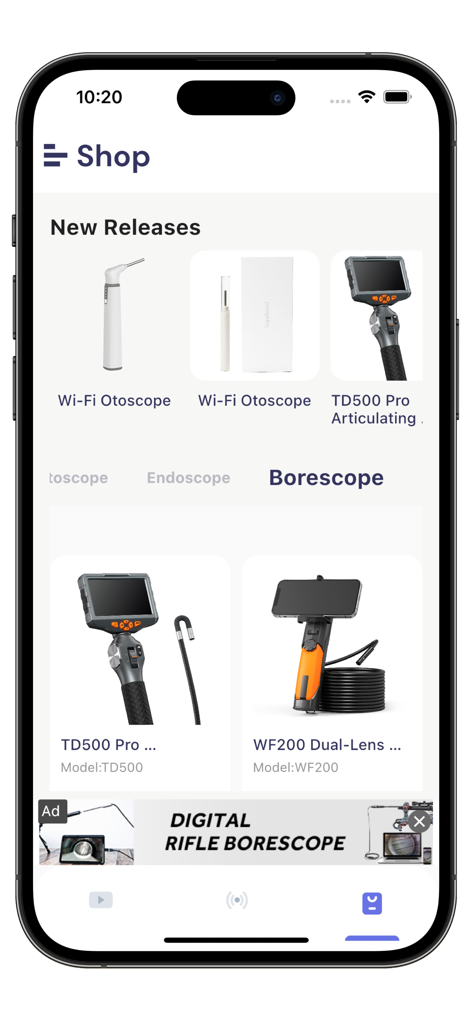
In-app shop displaying various endoscope and otoscope models for purchase.
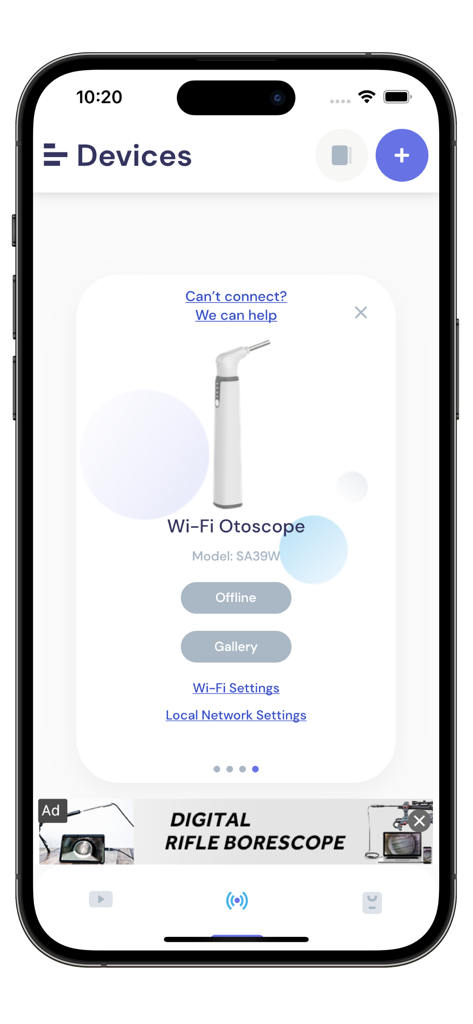
Smart Endoscope app screen showing a Wi-Fi Otoscope device connection interface
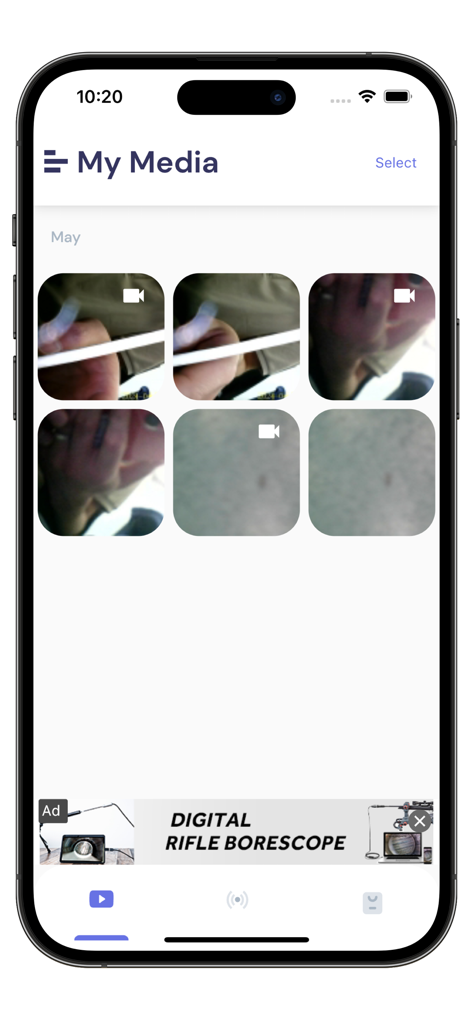
Smart Endoscope app media gallery screen showing a grid of recorded inspection photos and videos
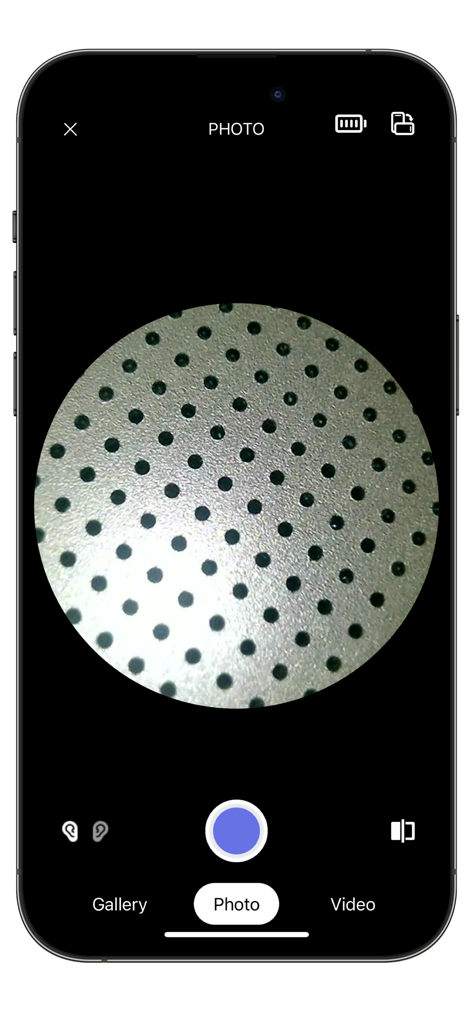
Smart Endoscope mobile app interface showing a circular camera view for high-definition close-up inspections
Description
Download
More Like This
Apps with similar features and user experience

DJI Mimo
SZ DJI TECHNOLOGY CO., LTD

DJI Ronin
SZ DJI TECHNOLOGY CO., LTD

Roku TV Remote Control & Cast
Aleh Piashkou

Remote for Hisense TV.
Duscov Stepan

Alpha Linker - Camera Transfer
恒茂 刘

MyCentsys Pro
Centurion Systems (Pty) Ltd

Roku TV Remote Control・
Artur Belov

Luminair
Synthe FX, LLC

FUJIFILM XApp
FUJIFILM Corporation
This page is not an official page of the app or its developer, but an independent editorial publication created for informational and commentary purposes. Unless expressly stated otherwise, neither the app nor its developer is affiliated with, endorsed by, sponsored by, authorized by, or otherwise officially connected with MWM, Apple, Google Play, the app publisher, or the app's developer, and nothing on this page implies that the app was developed using MWM's services. Any trademarks, logos, screenshots, and other content remain the property of their respective owners.