
This page is not an official page of the app or its developer, but an independent editorial publication created for informational and commentary purposes. Unless expressly stated otherwise, neither the app nor its developer is affiliated with, endorsed by, sponsored by, authorized by, or otherwise officially connected with MWM, Apple, Google Play, the app publisher, or the app's developer, and nothing on this page implies that the app was developed using MWM's services. Any trademarks, logos, screenshots, and other content remain the property of their respective owners.


Sony | Monitor & Control
Turn your mobile device into a high-precision cinema monitor. Master every shot with waveform, false color, and remote focus control for your Sony Cinema Line and Alpha cameras.
Downloads
343K+User Rating
Total Ratings
600Publisher
Category
Photo & VideoLocales
20Latest Version
2.5.1Size
70.4 MBFirst Released
Sep 11, 2023A Professional Cinema Monitor in Your Pocket
Transform your iPhone, iPad, or Mac into a high-precision control center. Get cinema-grade monitoring tools and remote camera operation designed for the modern Sony filmmaker.
Precision Exposure & Color
Master every shot with professional Waveform, False Color, and Histogram displays. Apply LUTs in real-time to preview your final grade directly on your mobile screen.
Seamless Remote Control
Adjust focus, ND filters, and frame rates wirelessly or via cable. Perfect for solo operators or managing cameras mounted on gimbals and cranes.
Frequently Asked Questions
Everything you need to know about Sony | Monitor & Control
What is Sony | Monitor & Control?
Sony | Monitor & Control is an app for video creators. It enables wired and wireless video monitoring, high-precision exposure adjustments, and focus control using a smartphone, tablet, or Mac.
What cameras are compatible with Sony | Monitor & Control?
Sony | Monitor & Control supports cameras including BURANO, FX6, FX3, FX30, α1 II, α9 III, α7R V, α7S III, α7CR, and ZV-E1. These cameras require the latest system software update for full compatibility.
Can Sony | Monitor & Control use both wired and wireless connections?
Yes, Sony | Monitor & Control supports both wired and wireless connections. Wired connections ensure stability where wireless signals are unreliable, while wireless options provide flexibility for remote camera operation.
Does Sony | Monitor & Control offer advanced exposure monitoring tools?
Yes, Sony | Monitor & Control provides advanced exposure monitoring. It includes waveform monitor, false colour, histogram, and zebra displays for precise exposure settings on the connected large screen device.
How does Sony | Monitor & Control assist with focus operations?
Sony | Monitor & Control assists with focus via touch focusing, AF sensitivity adjustment, and an intuitive operation bar on the screen side. It also features a Focus Map for visualizing in-focus and out-of-focus areas.
What mobile devices and operating systems are supported by Sony | Monitor & Control?
Sony | Monitor & Control supports iOS/iPadOS versions 17.0 to 26.0 and macOS versions 14.7 to 26.0. It functions on smartphones, tablets, and Mac devices that meet these operating environment specifications.
Can users apply LUTs while shooting with Sony | Monitor & Control?
Yes, users can apply LUTs while shooting in Log mode with Sony | Monitor & Control. This feature enables real-time previewing of the finished image directly on the monitoring device during production.
Does Sony | Monitor & Control support multi-camera monitoring?
Yes, Sony | Monitor & Control supports multi-camera monitoring. Multiple cameras can be connected to a single iPad, Mac, or iPhone for simultaneous operation, display, and shooting control from one device.
The following screenshots and description are sourced directly from the app's official store listing and are the property of the app developer.
App Store
Screenshots
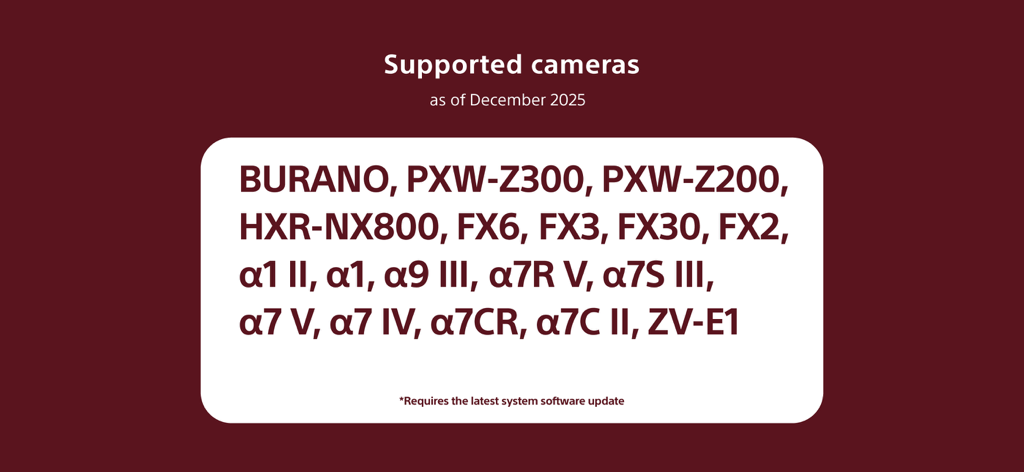
List of supported Sony cameras for the Monitor and Control app including BURANO and Alpha series models.
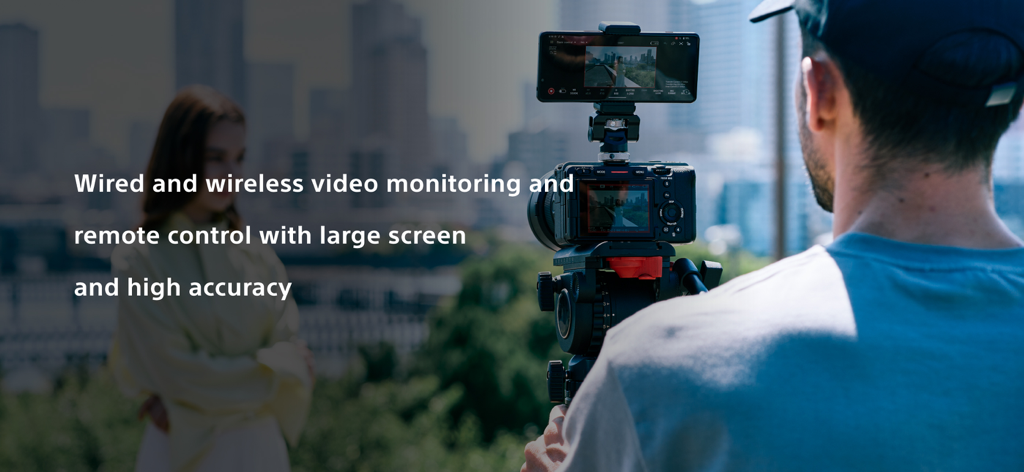
Professional filmmaker using a smartphone as an external monitor with the Sony Monitor and Control app
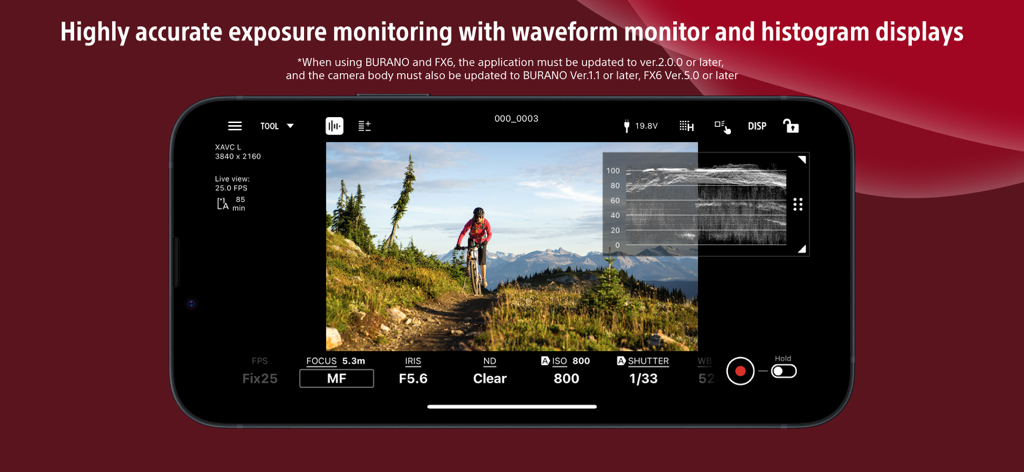
Smartphone interface of Sony Monitor and Control app with waveform display for exposure monitoring
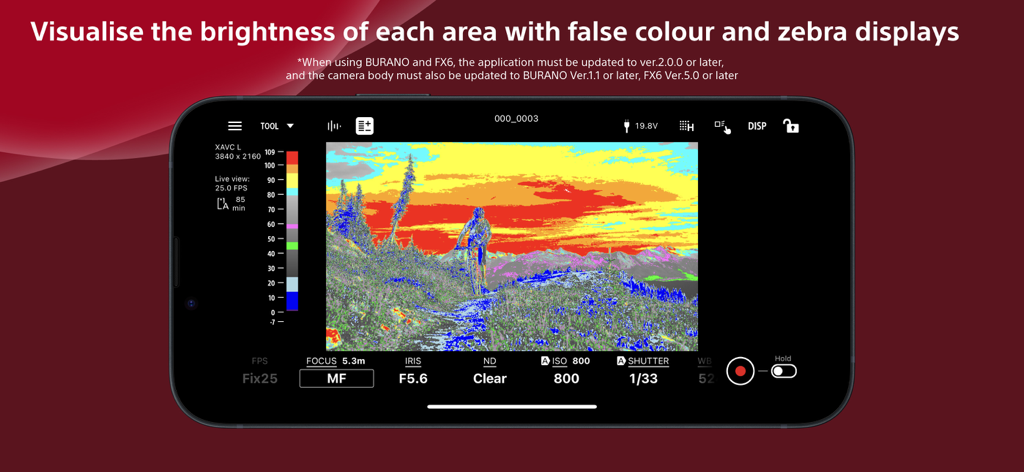
Sony Monitor and Control app interface displaying false color for exposure monitoring
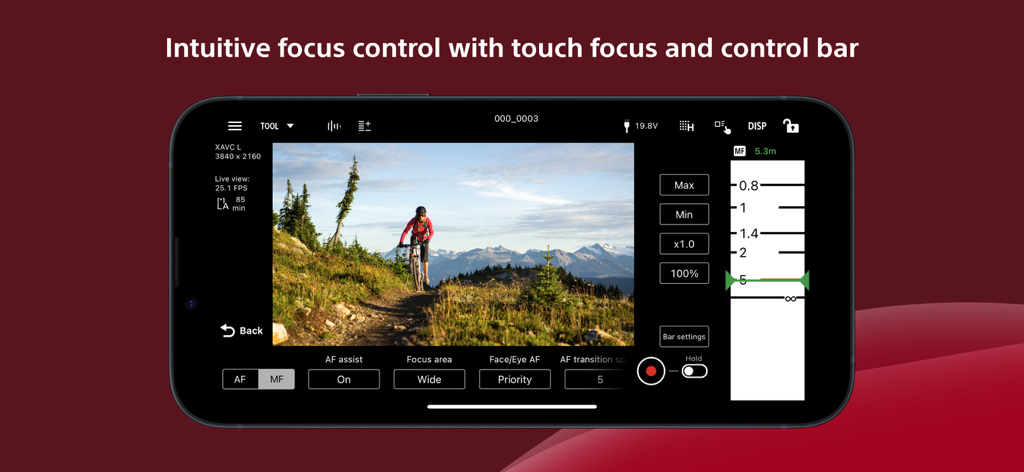
Sony Monitor and Control app interface displaying manual focus slider and touch focus settings for filmmaking
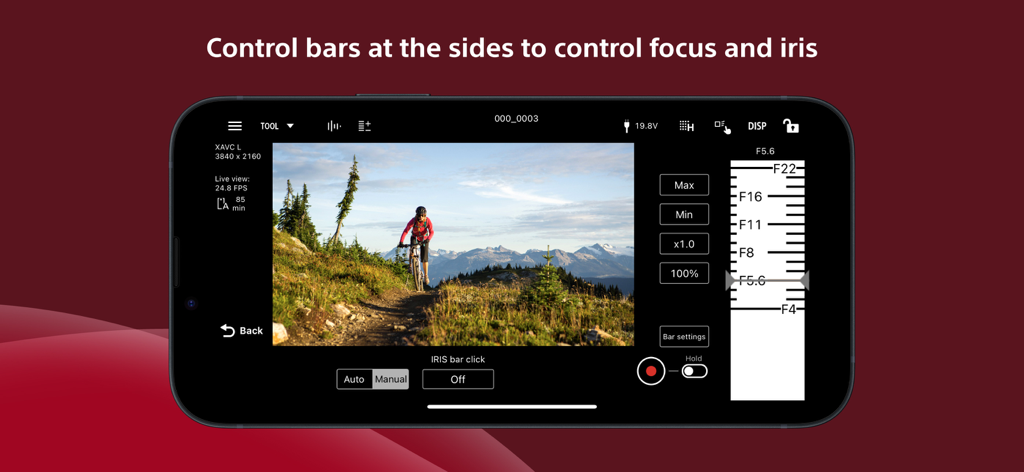
Sony Monitor and Control app interface showing the iris adjustment slider and remote camera controls on a smartphone screen
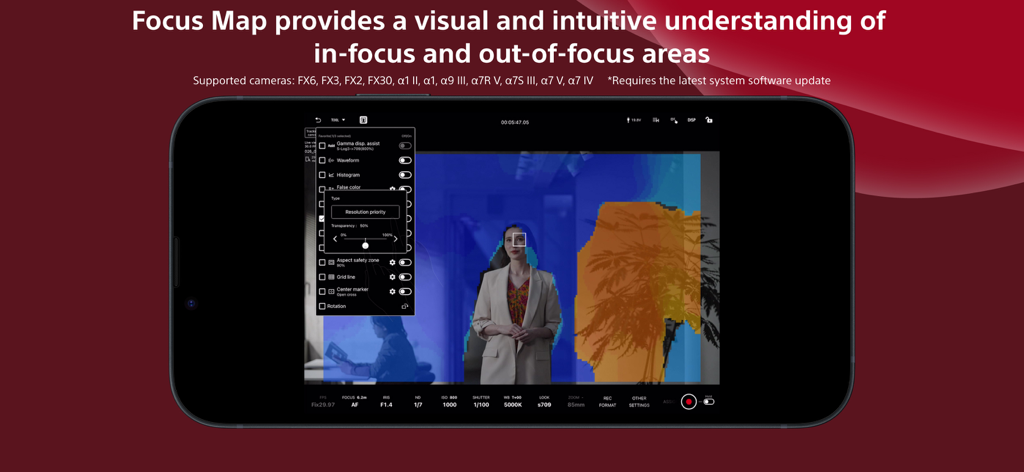
A smartphone screen displaying the Sony Monitor and Control app with its Focus Map feature visualizing in-focus and out-of-focus areas
Description
Download
More Like This
Apps with similar features and user experience

DJI Mimo
SZ DJI TECHNOLOGY CO., LTD

DJI Ronin
SZ DJI TECHNOLOGY CO., LTD

Roku TV Remote Control & Cast
Aleh Piashkou

Remote for Hisense TV.
Duscov Stepan

Alpha Linker - Camera Transfer
恒茂 刘

MyCentsys Pro
Centurion Systems (Pty) Ltd

Roku TV Remote Control・
Artur Belov

Luminair
Synthe FX, LLC

FUJIFILM XApp
FUJIFILM Corporation
This page is not an official page of the app or its developer, but an independent editorial publication created for informational and commentary purposes. Unless expressly stated otherwise, neither the app nor its developer is affiliated with, endorsed by, sponsored by, authorized by, or otherwise officially connected with MWM, Apple, Google Play, the app publisher, or the app's developer, and nothing on this page implies that the app was developed using MWM's services. Any trademarks, logos, screenshots, and other content remain the property of their respective owners.