
This page is not an official page of the app or its developer, but an independent editorial publication created for informational and commentary purposes. Unless expressly stated otherwise, neither the app nor its developer is affiliated with, endorsed by, sponsored by, authorized by, or otherwise officially connected with MWM, Apple, Google Play, the app publisher, or the app's developer, and nothing on this page implies that the app was developed using MWM's services. Any trademarks, logos, screenshots, and other content remain the property of their respective owners.


Teleprompter Automatic
Stop fumbling, start delivering. This app hands users absolute command over their on-camera presence.
Downloads
250k+User Rating
Total Ratings
1.7KPublisher
Category
Photo & VideoLocales
30Latest Version
4.3.2Size
63.8 MBFirst Released
Feb 1, 2022An Analytical Overview for Content Creators
Key Features of Teleprompter Automatic
Dynamic Script Scrolling
The app provides precise control over script speed, ensuring smooth and confident delivery during video recordings and presentations.
Automated Subtitling
It automatically generates subtitles for recorded content and offers translation into multiple languages, significantly enhancing accessibility and global reach.
Branding & Visual Customization
This tool enables users to overlay custom logos on their videos and replace green screen backgrounds with any chosen image, allowing for professional branding and creative visual customization.
Social Media Optimization
It allows for effortless resizing of videos to perfectly fit the aspect ratios of various social media platforms, optimizing content for wider distribution and engagement.
In-App Video Editing
The app offers essential post-recording editing capabilities, including trimming, flipping, and rotating videos, to refine and perfect the final output directly within the application.
Script Import Capability
Users can easily import existing scripts or text into the app, streamlining the preparation process for recordings and presentations.
Flexible Text Mirroring
This feature allows users to mirror text horizontally or vertically, providing flexibility for different teleprompter setups and ensuring optimal viewing.
Creative Video Filters
The app offers a selection of special effects and filters, such as black & white and monochrome, to enhance the visual style and mood of recorded videos.
Frequently Asked Questions
Everything you need to know about Teleprompter Automatic
What is Teleprompter Automatic?
Teleprompter Automatic is a powerful tool for creating professional videos with automatic text scrolling, video editing, and special effects. It supports script import and features like auto subtitles.
Can Teleprompter Automatic control text scrolling speed?
Yes, Teleprompter Automatic allows users to easily control their script's speed, which is ideal for video recording and presentations.
Does Teleprompter Automatic support script import?
Yes, Teleprompter Automatic allows users to quickly add any script or text for seamless recording within the app.
Can I mirror text in Teleprompter Automatic?
Yes, Teleprompter Automatic offers text mirroring capabilities, allowing users to mirror their text horizontally or vertically for perfect alignment.
What video editing features does Teleprompter Automatic offer?
Teleprompter Automatic provides video editing functions such as trimming, flipping, rotating, resizing, and adjusting video speed after recording.
Does Teleprompter Automatic add subtitles automatically?
Yes, Teleprompter Automatic automatically adds subtitles and can translate them into multiple languages, enhancing video accessibility.
Can Teleprompter Automatic customize video backgrounds?
Yes, Teleprompter Automatic allows users to replace a green screen with any custom background or blur the background for professional videos.
Are there special effects available in Teleprompter Automatic?
Yes, Teleprompter Automatic includes special effects like black & white and monochrome filters to enhance video appearance. It also offers various text effects.
Does Teleprompter Automatic include a countdown timer for recording?
Yes, Teleprompter Automatic features a countdown timer, allowing users to prepare before recording begins.
Can I use camera zoom with Teleprompter Automatic?
Yes, Teleprompter Automatic integrates a camera zoom feature to focus on key moments during video recording.
Does Teleprompter Automatic support AirPlay?
Yes, Teleprompter Automatic supports AirPlay, enabling users to play their recorded videos on any compatible device.
Can I resize videos for social media using Teleprompter Automatic?
Yes, Teleprompter Automatic allows users to resize their videos to perfectly fit social media platforms or other specific requirements.
What are the terms of use for Teleprompter Automatic?
The terms of use for Teleprompter Automatic are available at https://appbox.group/terms.html, providing legal guidelines for app usage.
Where can I find the privacy policy for Teleprompter Automatic?
The privacy policy for Teleprompter Automatic is accessible at http://appbox.group/privacy.html, detailing how user data is handled.
Does Teleprompter Automatic allow adding custom logos to videos?
Yes, Teleprompter Automatic enables users to overlay their own logo onto videos, which helps in branding content.
Can Teleprompter Automatic shoot videos in 4K?
Yes, Teleprompter Automatic supports shooting videos in 4K resolution, offering high-quality video capture.
Does Teleprompter Automatic offer speech recognition for scrolling?
Yes, Teleprompter Automatic allows users to move the script forward using voice scrolling, which syncs with speech.
The following screenshots and description are sourced directly from the app's official store listing and are the property of the app developer.
App Store
Screenshots
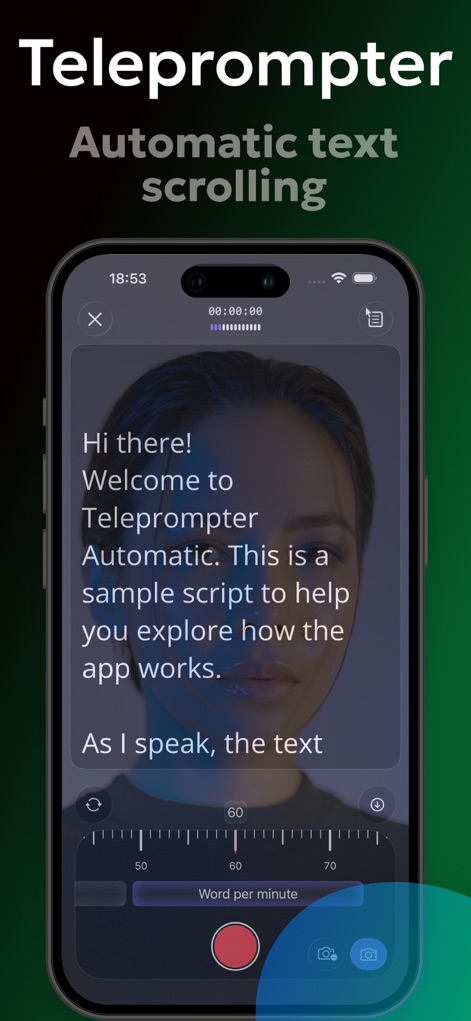
See how Teleprompter Automatic features an intuitive "Word per minute" slider to adjust text scrolling speed and displays a clear sample script for quick setup.
Script Scrolling Control
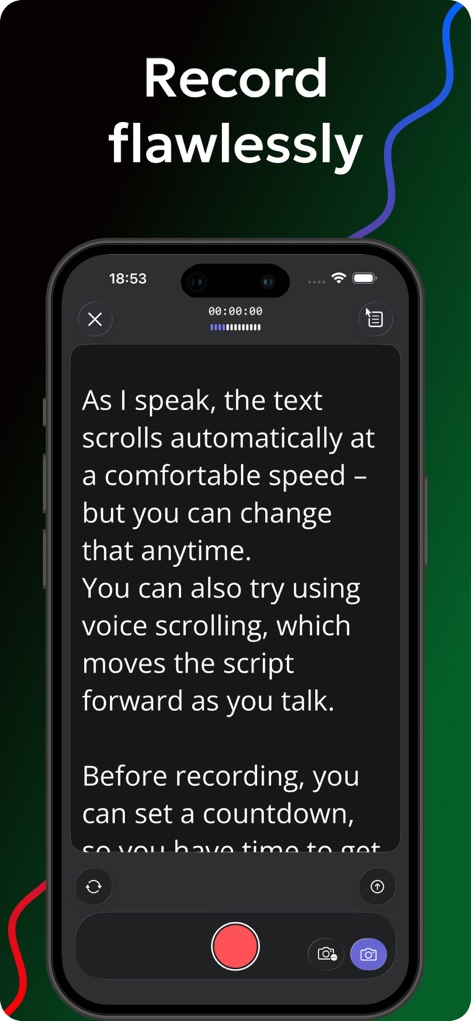
The app enables automatic text scrolling for seamless delivery and allows users to set a countdown timer for perfect recording preparation.
Flawless Recording Setup
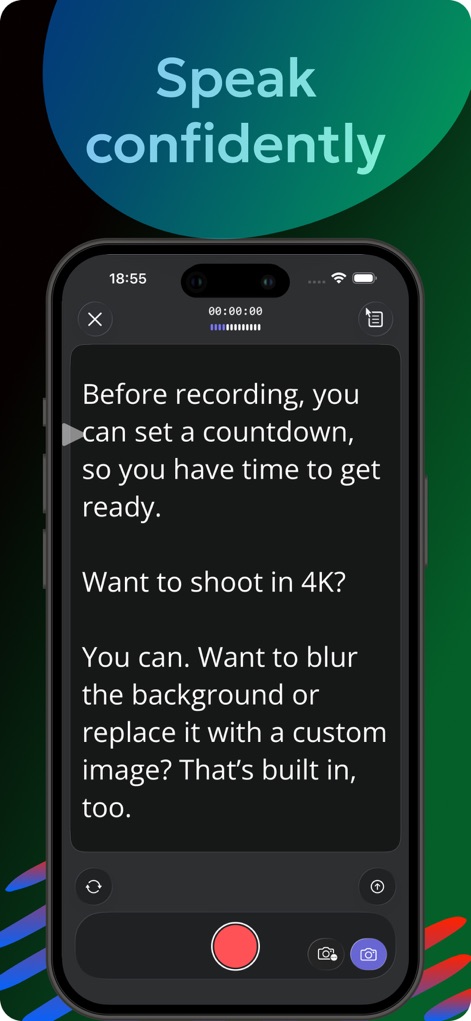
Users can capture video in high-resolution 4K and benefit from features like custom image background replacement to enhance visual appeal.
Enhanced Video Quality
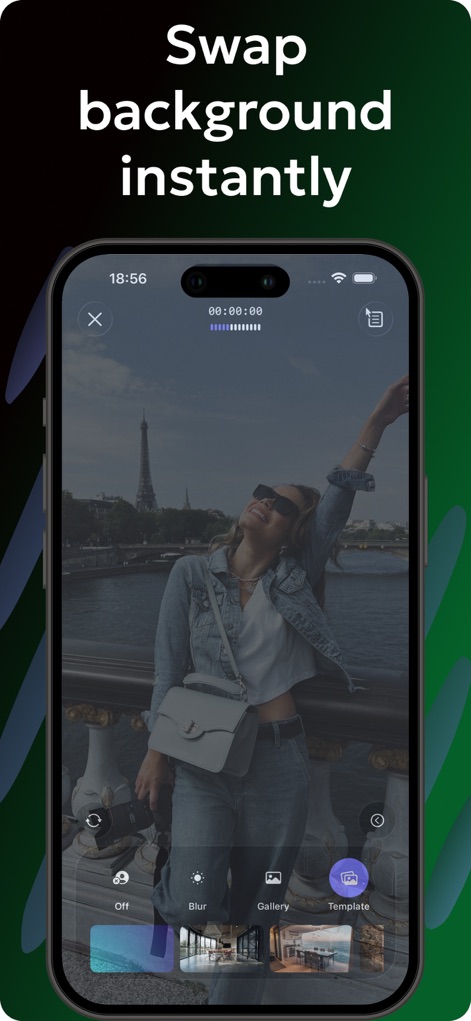
This tool offers instant background replacement with options to select from a user's gallery or pre-set templates.
Dynamic Backgrounds
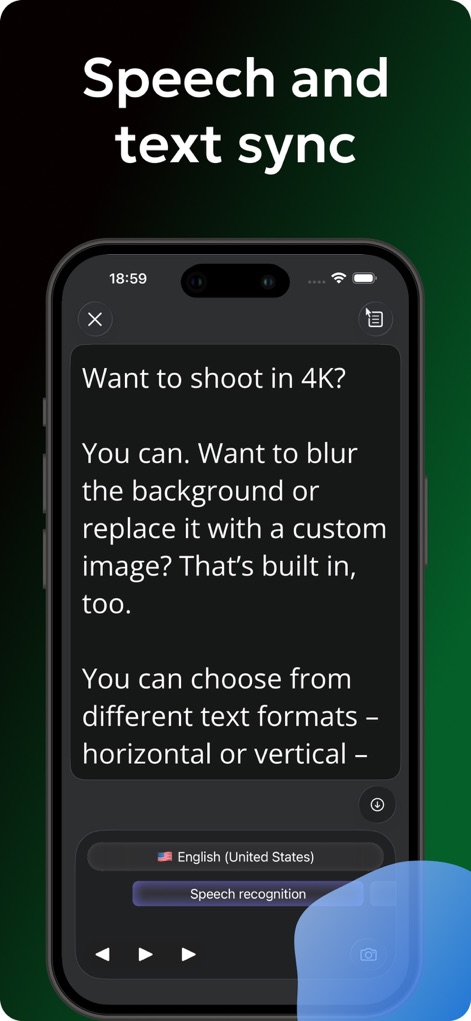
The app integrates speech recognition for synchronized text display and provides flexible text format options including horizontal or vertical orientation.
Voice Sync Capability
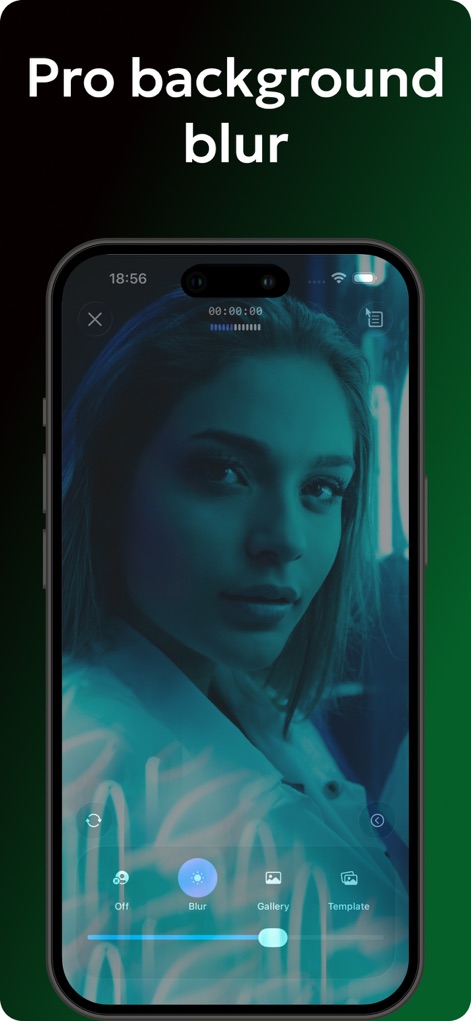
Achieve professional-looking videos with a customizable background blur effect, easily toggled on or off directly within the app.
Professional Background Blur
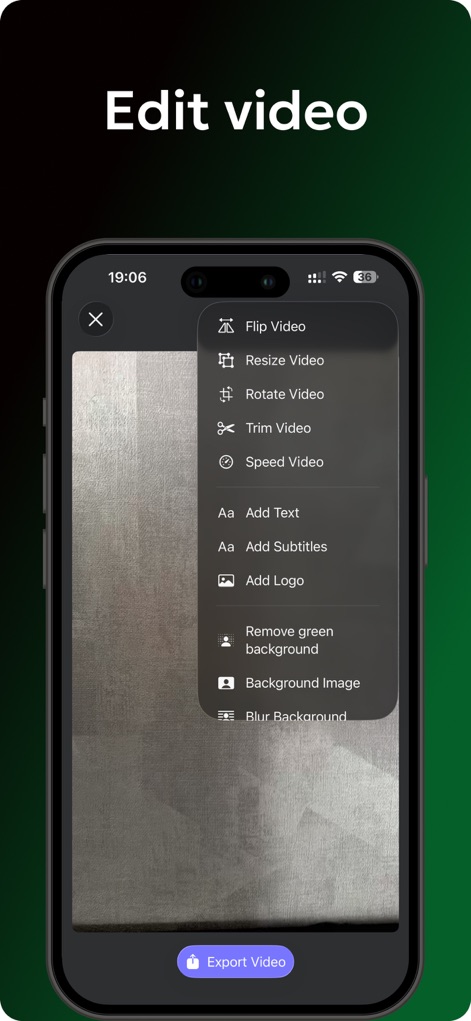
This tool provides a comprehensive video editing menu, allowing users to trim unwanted sections and resize videos for various platforms.
Powerful Video Editor
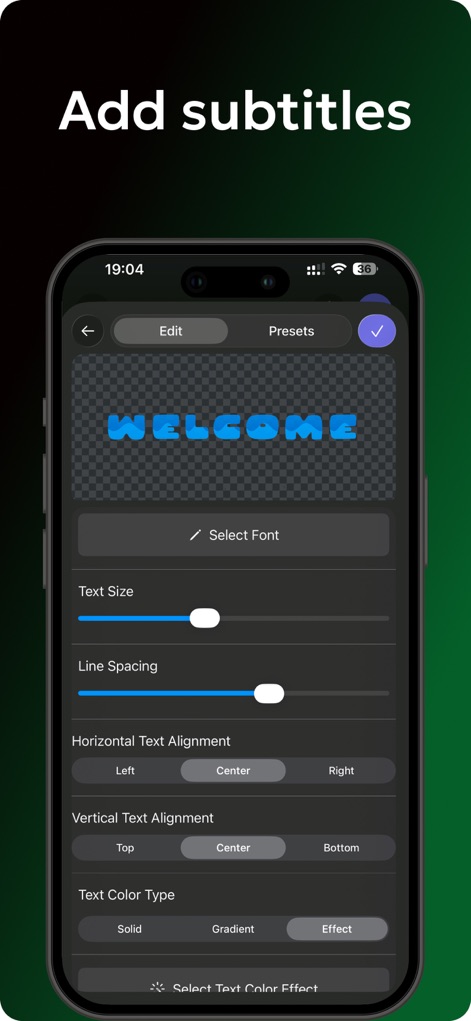
Users can fully customize subtitles, adjusting text size and line spacing, and apply various text color effects for visual emphasis.
Subtitle Customization

Enhance videos with a selection of creative pre-designed text effects like "Flame" and "Neon" for dynamic visual storytelling.
Creative Text Effects
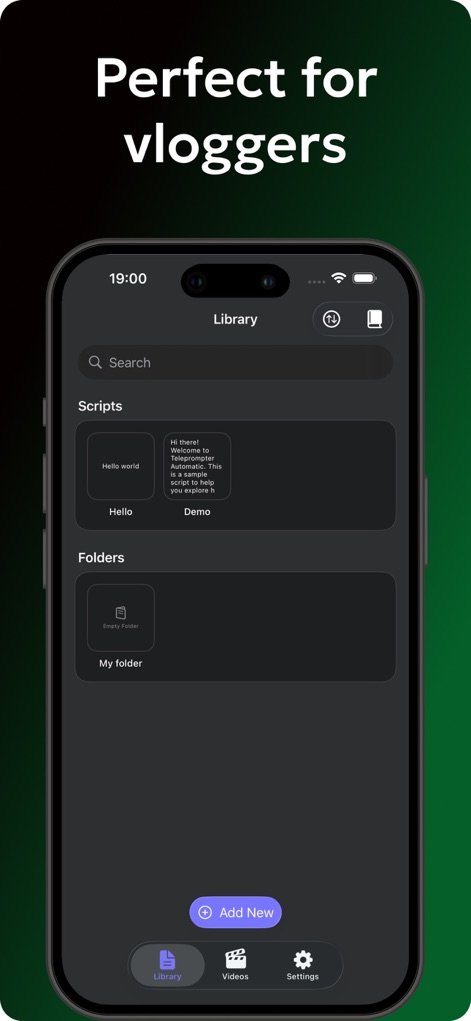
The app offers an organized script library for easy access and allows users to create folders to efficiently manage their video content.
Script Management Hub
Description
Download
More Like This
Apps with similar features and user experience

Teleprompter
Teleprompter Apps Ltd

BIGVU Teleprompter Captions AI
BIGVU INC

Teleprompter for Video
Norton Five Ltd

Teleprompter.com
Teleprompter LLC

Vmake: AI Talking Video Editor
Starii Tech Pty Ltd

说得AI提词器相机-全能的脚本创作提词拍摄快速剪辑口播神器
Hangzhou Gaishi Technology Co., Ltd.

Teleprompter-Record Script
晨铭 李

Verba: Captions & Video Editor
Verba Creative Inc.

Teleprompter: Video Recording
志威 王
This page is not an official page of the app or its developer, but an independent editorial publication created for informational and commentary purposes. Unless expressly stated otherwise, neither the app nor its developer is affiliated with, endorsed by, sponsored by, authorized by, or otherwise officially connected with MWM, Apple, Google Play, the app publisher, or the app's developer, and nothing on this page implies that the app was developed using MWM's services. Any trademarks, logos, screenshots, and other content remain the property of their respective owners.