
This page is not an official page of the app or its developer, but an independent editorial publication created for informational and commentary purposes. Unless expressly stated otherwise, neither the app nor its developer is affiliated with, endorsed by, sponsored by, authorized by, or otherwise officially connected with MWM, Apple, Google Play, the app publisher, or the app's developer, and nothing on this page implies that the app was developed using MWM's services. Any trademarks, logos, screenshots, and other content remain the property of their respective owners.

Terminal#
Empower your workflow with a secure, powerful terminal interface designed for DevOps and SysAdmins. Manage remote servers, monitor logs, and maintain uptime directly from your mobile device.
Downloads
213K+User Rating
Total Ratings
0Publisher
Category
Developer ToolsLocales
6Latest Version
1.4Size
6.0 MBFirst Released
Jul 20, 2022Professional-Grade Server Management
Terminal# empowers system admins and developers to maintain full control over their infrastructure from any iOS device, ensuring uptime without the desk.
Secure SSH Protocol
Ensure absolute privacy with encrypted data transmission, keeping your server credentials and remote sessions protected at all times.
On-Call Flexibility
Leave the laptop behind. Manage your Linux clusters, cloud instances, or Raspberry Pis directly from your iPhone or iPad.
Frequently Asked Questions
Everything you need to know about Terminal#
What is Terminal#?
Terminal# is an SSH client for securely managing servers directly from a mobile device. It features a powerful terminal interface for efficient server administration on the go.
How does Terminal# ensure secure server connections?
Terminal# ensures secure connections by utilizing the SSH protocol. This protocol encrypts data transmission, safeguarding server management and protecting sensitive information.
Can I manage multiple servers using the Terminal# app?
Yes, the Terminal# app supports managing multiple servers. Users add and organize server connections on the "Servers" screen, providing a centralized management hub.
How do users add a new server connection in Terminal#?
Users add a new server connection in Terminal# by navigating to the "Servers" tab and tapping "Add Server." They then input the username, address, port, and authentication details.
What authentication options are available for servers in Terminal#?
Terminal# provides two authentication options for server connections: Password and Key. Users select their preferred secure method when configuring a new server entry.
Can the terminal font size be customized in Terminal#?
Yes, Terminal# allows customization of the terminal font size. Users adjust this setting via the "Settings" menu under the "Terminal" section, ensuring readability.
Is Terminal# a mobile server management application?
Yes, Terminal# functions as a mobile server management application. It enables administrators and developers to securely control their servers directly from their mobile device for flexibility.
How can a user cancel their Terminal# subscription?
Users cancel their Terminal# subscription through their Apple ID settings in iTunes and the App Store. Automatic renewal can be disabled there at least 24 hours before the current period ends.
Is cancellation of an active Terminal# subscription possible?
No, cancellation of an active Terminal# subscription is not available during its active period. Any unused free trial portion is forfeited when a subscription is purchased.
Does the Terminal# app support a dark theme?
Yes, the Terminal# app supports a dark theme. Users select "Dark Mode," "Light Mode," or "Follow System" within the "Theme" section of the app's "Settings" menu.
Where can I access the privacy policy for Terminal#?
The privacy policy for Terminal# is accessible via the link provided in the app's description: https://www.making-app.com/remterm/. This outlines data handling practices.
Can Terminal# display server process information?
Yes, Terminal# displays server process information. The terminal interface shows system details like CPU usage, memory allocation, and active tasks, facilitating monitoring.
The following screenshots and description are sourced directly from the app's official store listing and are the property of the app developer.
App Store
Screenshots
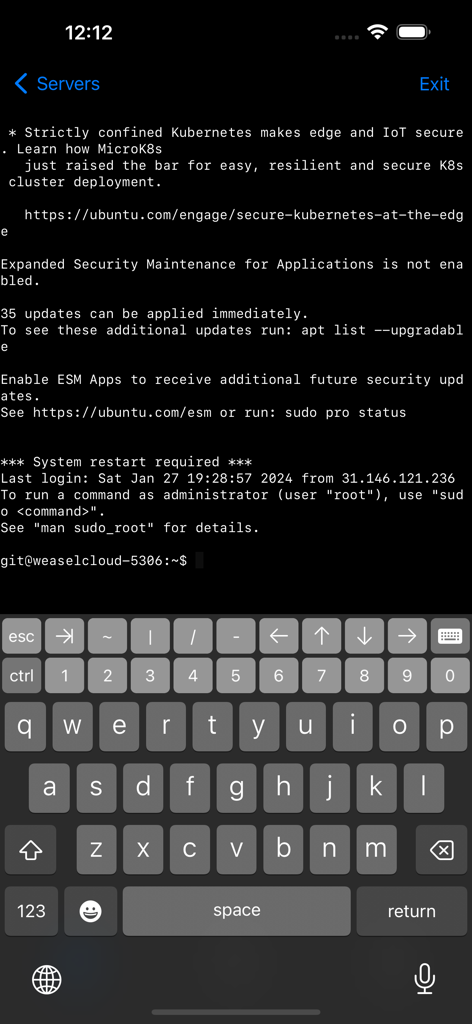
Mobile SSH client displaying an Ubuntu server terminal session with a developer keyboard
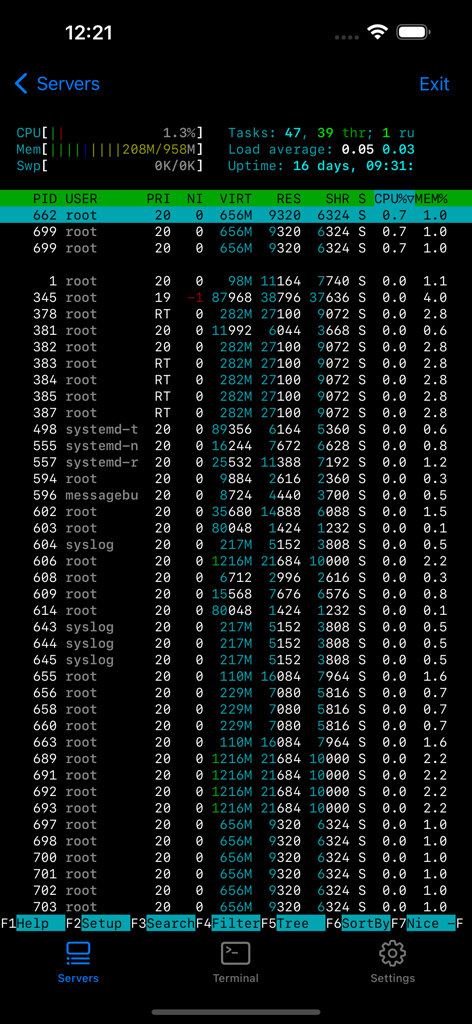
Terminal interface showing server process monitoring and system stats
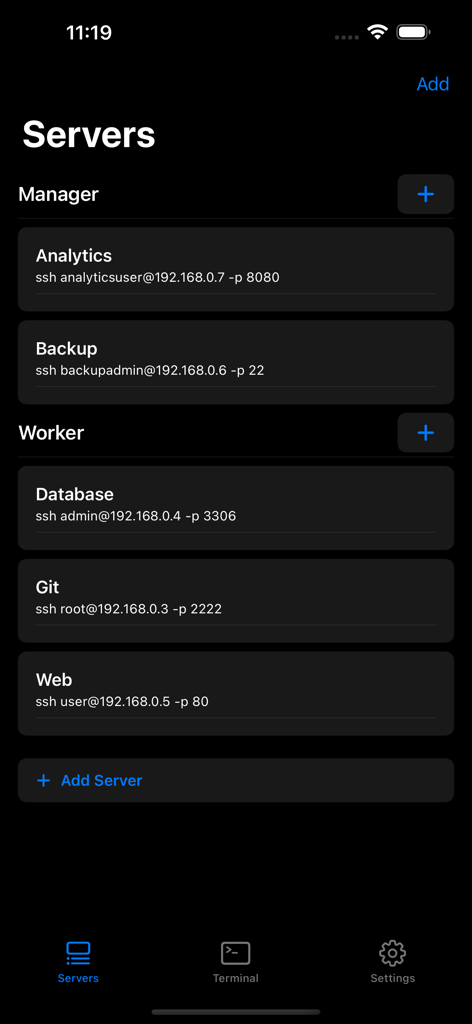
Interface of the Terminal# app showing a list of configured SSH servers categorized by manager and worker roles.
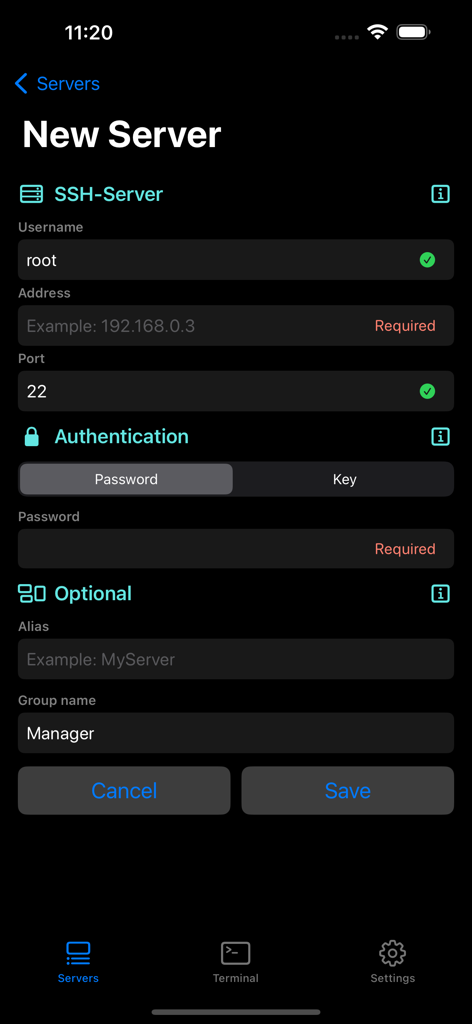
A mobile screen showing the setup form for a new SSH server connection in the Terminal sharp app
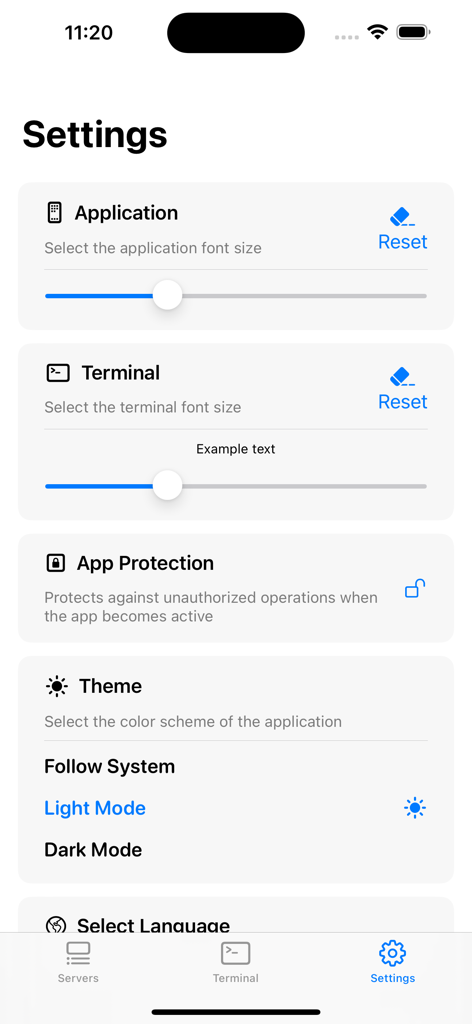
The settings interface of Terminal# app displaying font size and theme settings.
Description
Download
More Like This
Apps with similar features and user experience

xTerminal - SSH Terminal Shell
婉媚 邵

SSH Client - Secure ShellFish
Anders Borum

FTPManager - FTP, SFTP client
Skyjos Co., Ltd.

FTP Client Pro
Anders Havn

Termux
FREE AI UTILS COMPANY LIMITED
TN5250
Jan Frydendal

Blink Shell, Build & Code
Blink Shell, Inc

Prompt 3
Panic, Inc.

NovaAccess - Tailnet Tools
GalaxNet Ltd.
This page is not an official page of the app or its developer, but an independent editorial publication created for informational and commentary purposes. Unless expressly stated otherwise, neither the app nor its developer is affiliated with, endorsed by, sponsored by, authorized by, or otherwise officially connected with MWM, Apple, Google Play, the app publisher, or the app's developer, and nothing on this page implies that the app was developed using MWM's services. Any trademarks, logos, screenshots, and other content remain the property of their respective owners.