
This page is not an official page of the app or its developer, but an independent editorial publication created for informational and commentary purposes. Unless expressly stated otherwise, neither the app nor its developer is affiliated with, endorsed by, sponsored by, authorized by, or otherwise officially connected with MWM, Apple, Google Play, the app publisher, or the app's developer, and nothing on this page implies that the app was developed using MWM's services. Any trademarks, logos, screenshots, and other content remain the property of their respective owners.


Termux
The ultimate SSH client and terminal emulator for developers and sysadmins. Manage servers on the go with custom keyboard layouts, instant connections, and a professional-grade command-line interface.
Downloads
131K+User Rating
Total Ratings
3K+Publisher
Category
Developer ToolsLocales
1Latest Version
1.0.32Size
89.9 MBFirst Released
Dec 9, 2024Desktop-Class Power on Your iPhone
A professional terminal environment built for efficiency. Manage remote servers, execute complex scripts, and maintain your workflow with tools designed specifically for the mobile developer.
Instant Remote Connectivity
Access your cloud servers with a single tap. Organize environments into folders for rapid management and zero-friction deployments during your commute.
Optimized SSH Keyboard
Solve the iOS typing bottleneck with a custom keyboard layout featuring essential CLI keys like Tab, Esc, and Arrows for precise command execution.
Frequently Asked Questions
Everything you need to know about Termux
What is Termux?
Termux is a powerful terminal emulator for iOS that provides quick and seamless access to remote servers. It helps developers and system administrators manage servers and run commands easily.
Can I quickly connect to remote servers using Termux?
Yes, Termux allows users to connect to their remote servers with just a tap. The app is designed for fast and simple server connection processes.
Does Termux support custom themes for the terminal and keyboard?
Yes, Termux allows users to personalize their terminal experience. You can choose from a variety of themes for your terminal window and custom keyboard layouts.
How do I access support and manage settings in Termux?
Termux provides easy access to app settings and helpful support features. This ensures a smooth user experience for managing the application's configuration.
Does Termux offer a custom SSH keyboard?
Yes, Termux includes a custom SSH keyboard. This keyboard is tailored for quick access to commands and functions, which is perfect for frequent server management tasks.
Can I save server connections and folders in Termux?
Yes, Termux allows you to save and organize servers and folders for one-click access. This eliminates the need to re-enter credentials or paths for instant connections.
What types of remote systems can Termux manage?
Termux is an essential tool for managing cloud servers, performing remote development, and executing commands on remote systems. It supports various remote server operations.
Is there a privacy policy available for Termux?
Yes, Termux provides a privacy policy. You can access the full policy details through the link provided in the app's description.
Can Termux explore server directories easily?
Yes, Termux allows users to quickly explore server directories. This feature is accessible in one tap for efficient file management on remote servers.
Does Termux support creating folders and uploading files to a server?
Yes, Termux supports creating folders and uploading files to your server. This functionality is available within the app's file management interface.
What keyboard controls are available in Termux for terminal use?
Termux offers intuitive keyboard controls and a clean interface for efficient server management. It also features a custom SSH keyboard with specific function keys like Ctrl-C, Ctrl-R.
The following screenshots and description are sourced directly from the app's official store listing and are the property of the app developer.
App Store
Screenshots
Termux welcome screen featuring a command line terminal icon on iOS
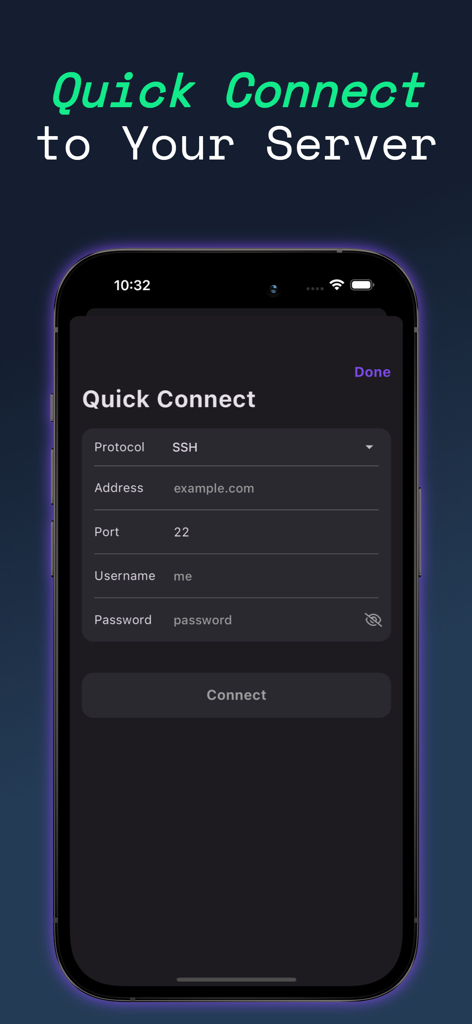
Quick Connect screen in the Termux iOS app showing SSH configuration fields for server address and port
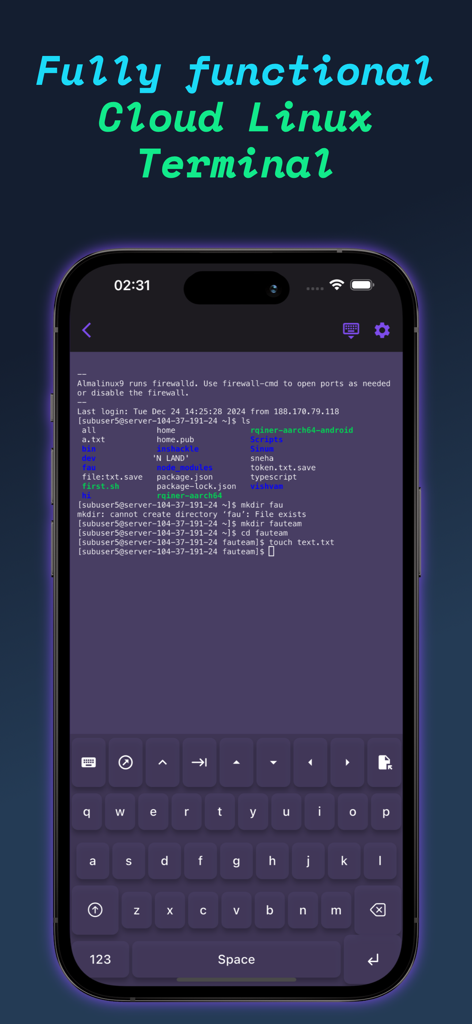
iPhone displaying the Termux app terminal interface with a custom command keyboard and active Linux session
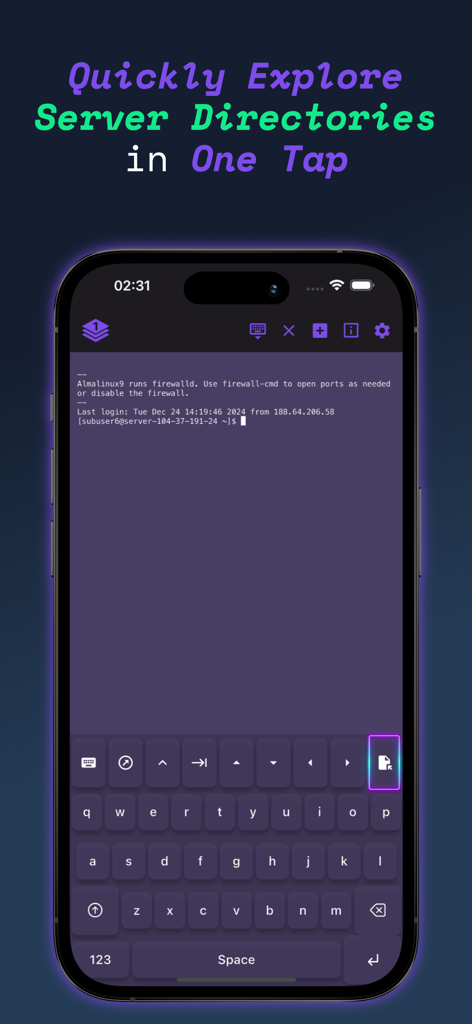
Termux app screenshot showing terminal session with a custom keyboard for exploring server directories.
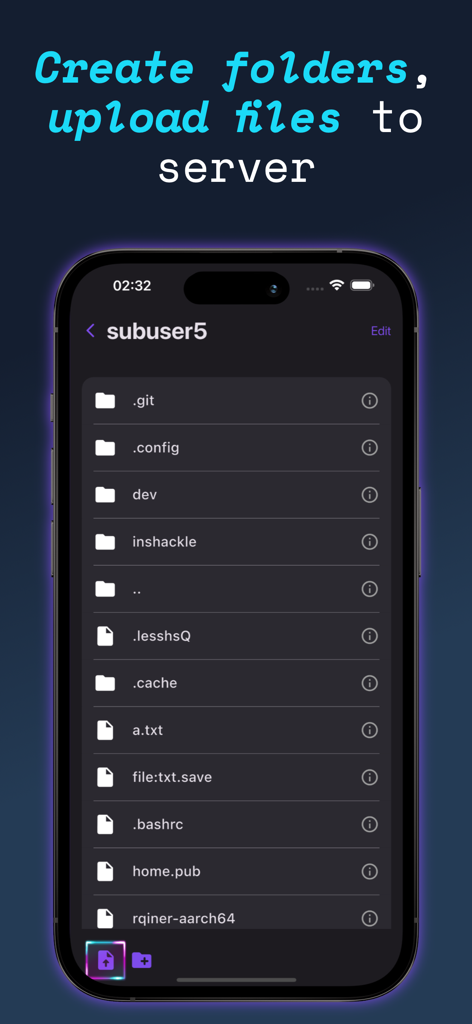
Termux mobile app screen showing a file manager interface for creating folders and uploading files to a remote server.
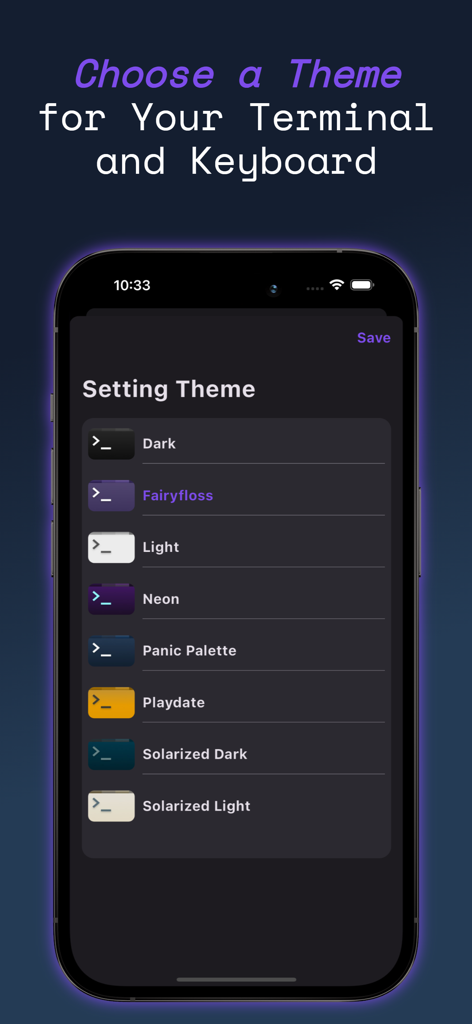
Selecting a terminal theme in the Termux app on iOS
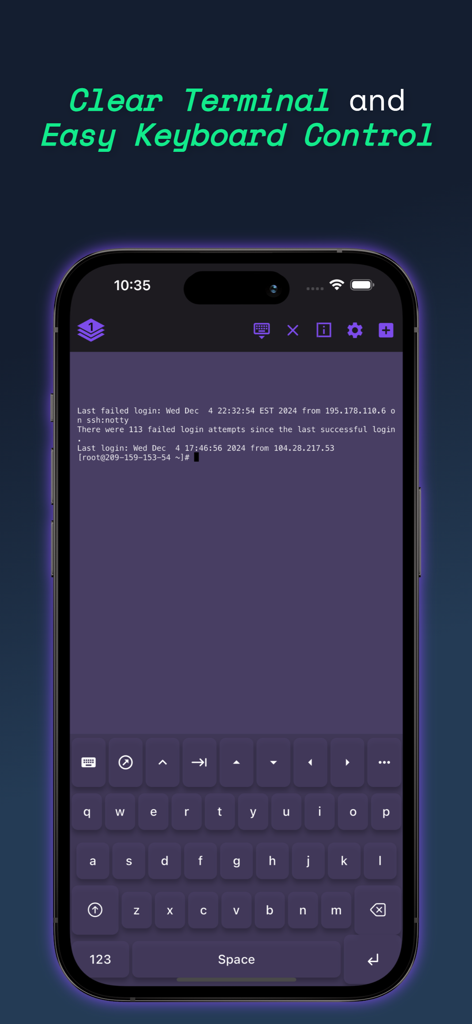
iPhone screenshot showing the Termux terminal emulator and custom SSH keyboard
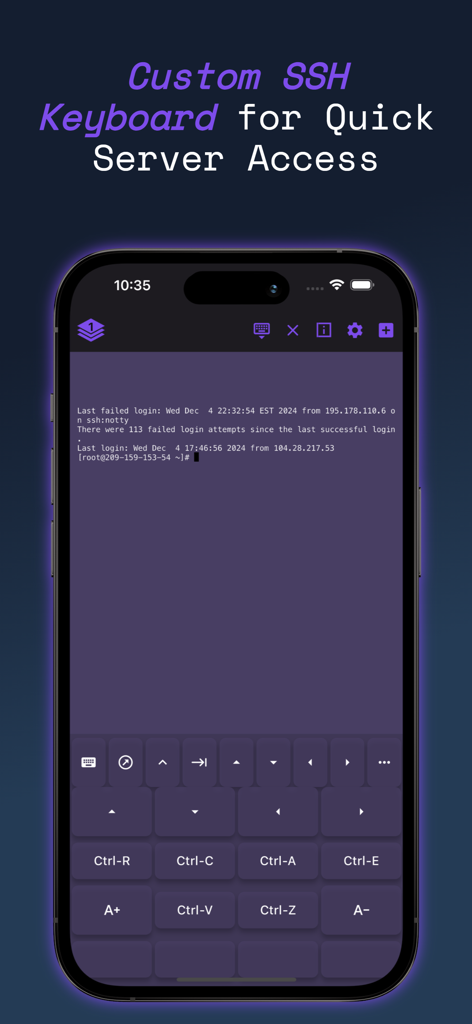
Termux iOS app displaying a custom SSH keyboard with terminal shortcuts for server management
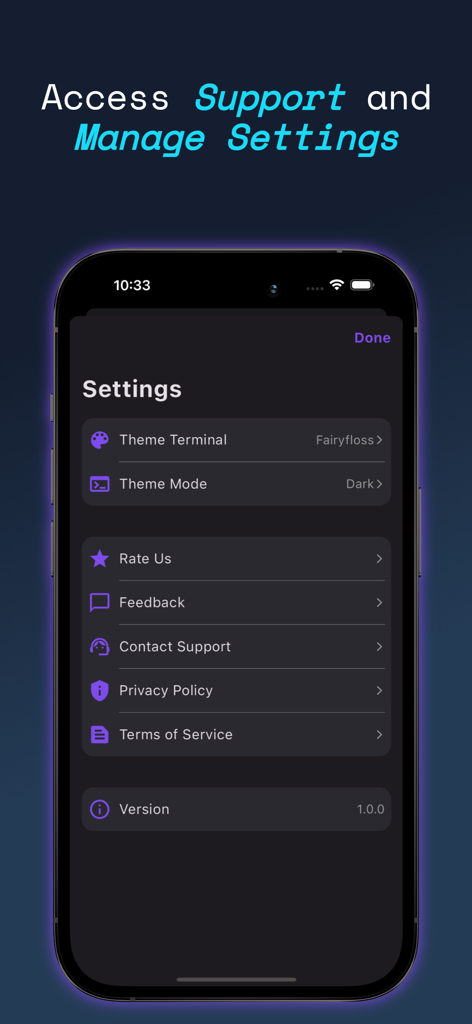
Settings menu of the Termux iOS app showing terminal theme customization and support options.
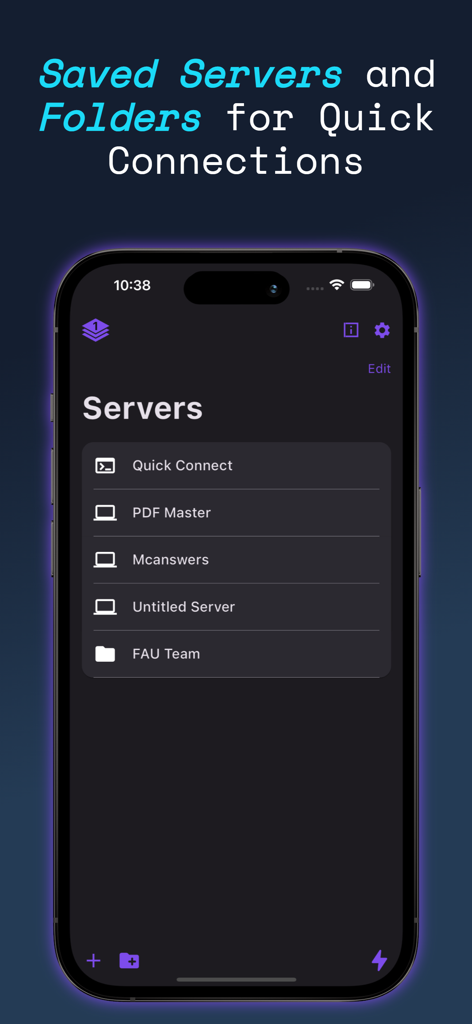
Screenshot of the Termux app showing saved servers and folders for quick SSH connections on an iPhone
Description
Download
More Like This
Apps with similar features and user experience

xTerminal - SSH Terminal Shell
婉媚 邵

SSH Client - Secure ShellFish
Anders Borum

FTPManager - FTP, SFTP client
Skyjos Co., Ltd.

FTP Client Pro
Anders Havn
TN5250
Jan Frydendal

Blink Shell, Build & Code
Blink Shell, Inc
Terminal#
Vasiliy Shaydullin

Prompt 3
Panic, Inc.
NovaAccess - Tailnet Tools
GalaxNet Ltd.
This page is not an official page of the app or its developer, but an independent editorial publication created for informational and commentary purposes. Unless expressly stated otherwise, neither the app nor its developer is affiliated with, endorsed by, sponsored by, authorized by, or otherwise officially connected with MWM, Apple, Google Play, the app publisher, or the app's developer, and nothing on this page implies that the app was developed using MWM's services. Any trademarks, logos, screenshots, and other content remain the property of their respective owners.