touchAble Pro
touchAble Pro
Download on App Store

This page is not an official page of the app or its developer, but an independent editorial publication created for informational and commentary purposes. Unless expressly stated otherwise, neither the app nor its developer is affiliated with, endorsed by, sponsored by, authorized by, or otherwise officially connected with MWM, Apple, Google Play, the app publisher, or the app's developer, and nothing on this page implies that the app was developed using MWM's services. Any trademarks, logos, screenshots, and other content remain the property of their respective owners.


Logo of touchAble Pro
Download on App Store

touchAble Pro

Ditch the mouse and transform your iPad into a professional, bespoke workstation. From deep piano roll editing to custom performance layouts, take total tactile command of your music from the studio to the stage.

Key Figures

Downloads

103K+

User Rating

3.2/5

Total Ratings

300

Publisher

Christian Blomert

Category

Music

Locales

1

Latest Version

1.761

Size

48.0 MB

First Released

Oct 3, 2018
Features

Master Your Mix with Total Tactile Freedom

Break free from the mouse. touchAble Pro gives you deep, wireless access to every corner of Ableton Live, from session view to the most complex device parameters.

Dynamic Performance Interface

Launch clips, mix tracks, and play virtual instruments with low-latency touch response designed for both the stage and the studio.

Deep MIDI & Automation Editing

Visualize waveforms and draw complex automation curves directly on your screen for a more organic and fluid music production flow.

The following screenshots and description are sourced directly from the app's official store listing and are the property of the app developer.

App Store

Screenshots
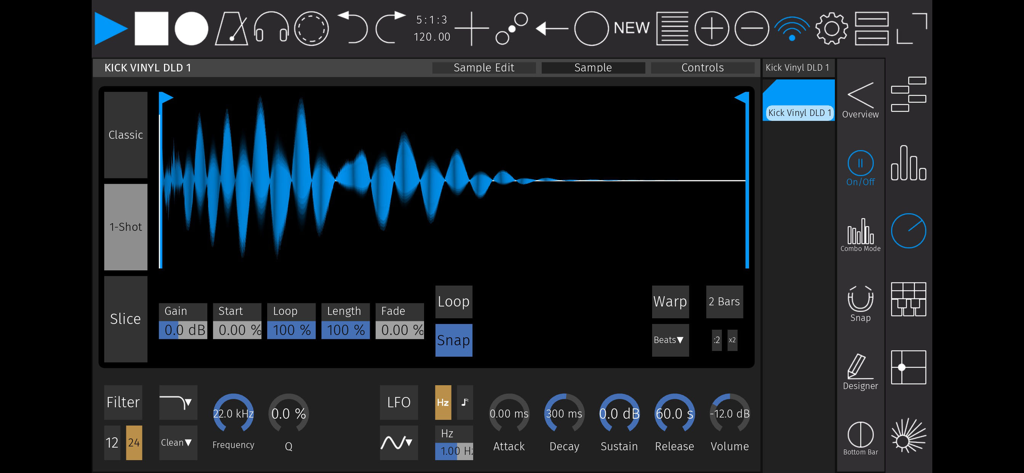
touchAble Pro - Audio sample editor in touchAble Pro featuring a waveform view and synthesis controls
Audio sample editor in touchAble Pro featuring a waveform view and synthesis controls

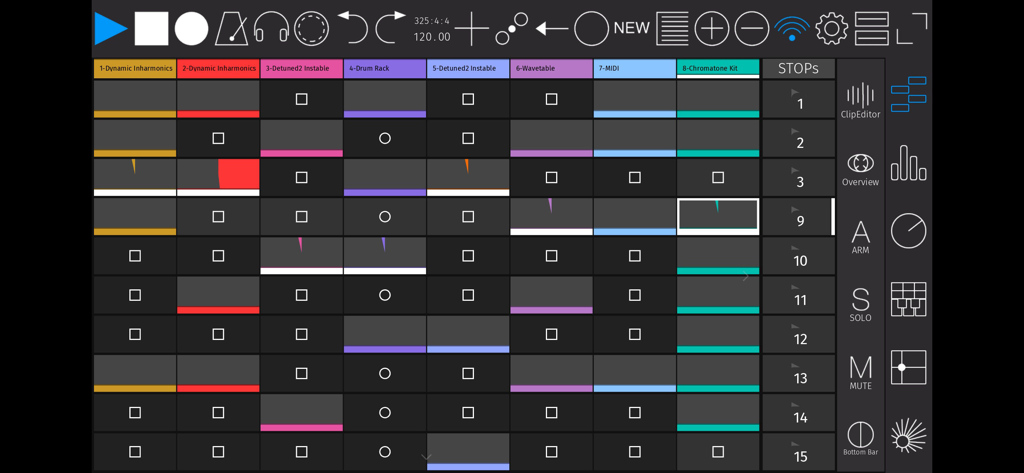
touchAble Pro - touchAble Pro app interface showing a grid of clips and transport controls for Ableton Live
touchAble Pro app interface showing a grid of clips and transport controls for Ableton Live

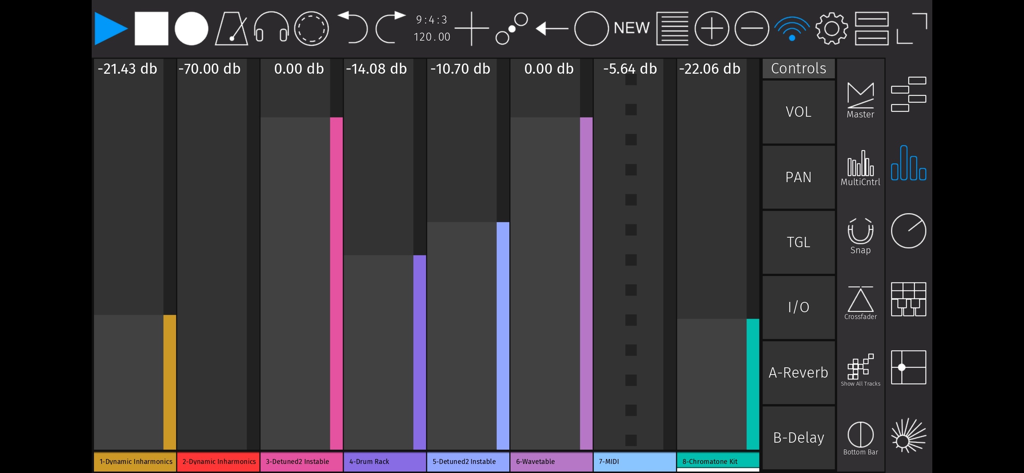
touchAble Pro - Digital mixer interface of the touchAble Pro app showing audio track faders and controls for Ableton Live
Digital mixer interface of the touchAble Pro app showing audio track faders and controls for Ableton Live

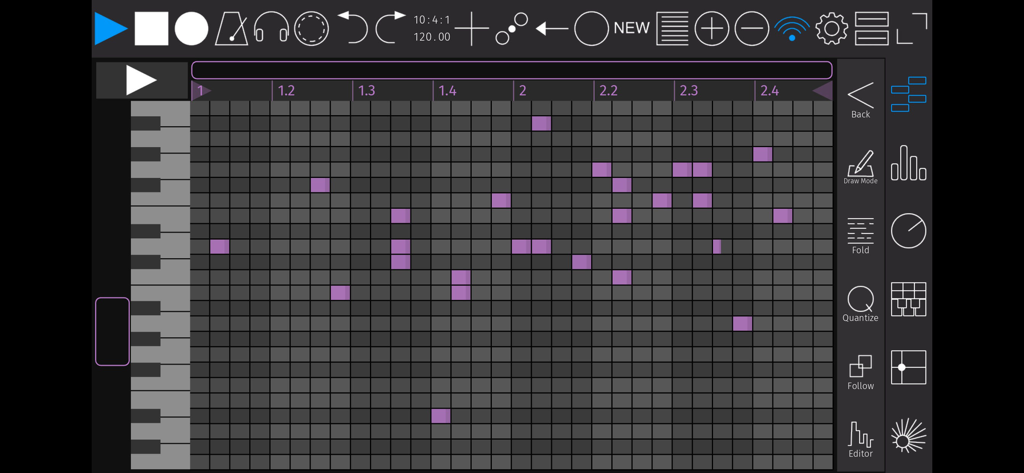
touchAble Pro - MIDI piano roll editor interface in the touchAble Pro app for music production
MIDI piano roll editor interface in the touchAble Pro app for music production

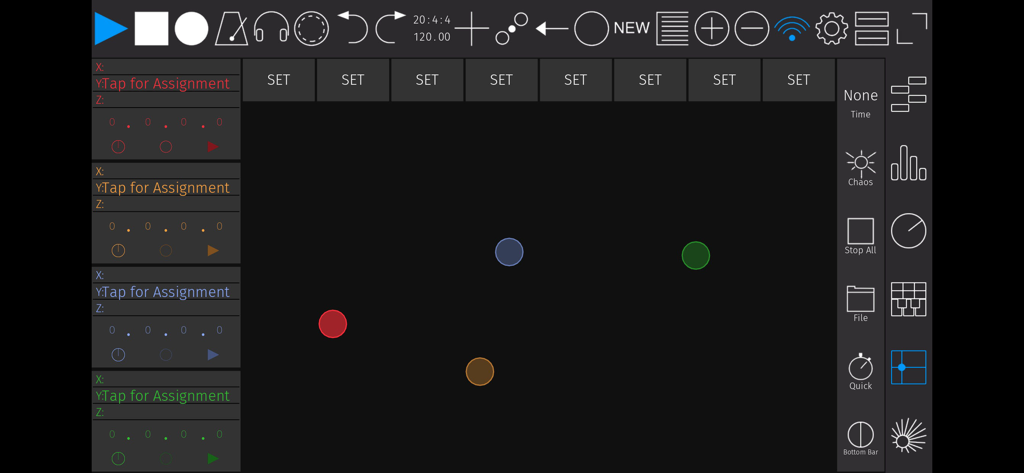
touchAble Pro - Customizable XY pad interface in touchAble Pro for Ableton Live MIDI control

Customizable XY pad interface in touchAble Pro for Ableton Live MIDI control

Description

touchAble Pro makes it easy to produce and perform music in Ableton Live by putting everything you need directly at your fingertips. Eight years ago touchAble defined what a touch controller app for Live could do. touchAble Pro has been reimagined and recoded from the ground up, incorporating years of feedback from musicians at every level. touchAble Pro provides a cleaner interface, allows much more powerful customisation and gives you the deepest access possible to Ableton Live. From waveform views to editors to automations - with touchAble Pro, you now have the complete Ableton Live experience literally at your fingertips. You can perform and edit without ever touching a mouse, you can customize your experience to access exactly the controls you need to edit or play. You’ll gain complete control that’s as portable as the smartphone, tablet or laptop you’re carrying with you. - Audio clip view with waveforms, including side-by-side waveform view - Edit patterns easier and faster than ever with the new piano roll view - Draw and edit Clip-Automations - Templates for Live devices are now included at no added cost - Create your own custom Device Templates for M4L or Live Devices, VSTs & AUs - Access a tracks I/O right from the app. - Make your own Device templates, with complete support for third-party plug-ins and Max for Live (IAP - soon to come) - Build your own complete custom layouts with the overhauled Template Editor - Make performance-friendly templates that include focus on individual clips and scenes, custom controls and even full modules. - New layout options: view modules fullscreen or duplicate them side by side - For iPhone & iPad (Universal) touchAble lets you access all of Ableton Live via simple, robust connections, either wired or wireless, and provides access to nearly every aspect of the software. touchAble Pro builds on that support with an updated interface for all of the features that made touchAble popular: - Control the transport, metronome, cues, and quantization - Trigger clips and scenes and control looping - Arm, mute, and solo tracks - Adjust monitoring - Mix, pan, crossfade, and control sends and returns - Play instruments with grid or piano-style layouts, with scales, note repeat, aftertouch, and velocity (based on finger position) - Control device parameters, using faders or assignable X/Y pad modules - X/Y Pad: assign physics, make and morph snapshots or even record full gestures - Navigate Live’s Browser, and drag and drop Devices and samples Please find the Server and installation instructions on https://zerodebug.com/#/touchable Requires iOS 9.3 Requires the latest version of Ableton Live 9 or 10 Introduction: https://youtu.be/H6EnpjfztNw (Youtube) Features: https://youtu.be/R4_GRVPbDn8 (Youtube) Multiplatform demo: https://youtu.be/-NPXlJcyELY (Youtube)

Download

Download on App Store

This page is not an official page of the app or its developer, but an independent editorial publication created for informational and commentary purposes. Unless expressly stated otherwise, neither the app nor its developer is affiliated with, endorsed by, sponsored by, authorized by, or otherwise officially connected with MWM, Apple, Google Play, the app publisher, or the app's developer, and nothing on this page implies that the app was developed using MWM's services. Any trademarks, logos, screenshots, and other content remain the property of their respective owners.







