
This page is not an official page of the app or its developer, but an independent editorial publication created for informational and commentary purposes. Unless expressly stated otherwise, neither the app nor its developer is affiliated with, endorsed by, sponsored by, authorized by, or otherwise officially connected with MWM, Apple, Google Play, the app publisher, or the app's developer, and nothing on this page implies that the app was developed using MWM's services. Any trademarks, logos, screenshots, and other content remain the property of their respective owners.


TSEYE
Get instant peace of mind with real-time video streaming and remote device control. Keep an eye on what matters most—at any time, from anywhere, with no subscription required.
Downloads
213K+User Rating
Total Ratings
100Publisher
Category
ProductivityLocales
18Latest Version
2.3.9Size
95.1 MBFirst Released
Jan 27, 2021Your Home, Always Within Sight
TSEYE bridges the gap between your security hardware and your lifestyle, offering seamless, cost-effective monitoring designed for the modern DIY homeowner.
Instant Remote Viewing
Access your live camera feed 24/7 from anywhere in the world. Whether you're at work or on vacation, peace of mind is just a tap away.
Smart Motion Alerts
Stay informed with real-time push notifications. Receive instant updates on your iPhone the moment your device detects activity on your property.
Frequently Asked Questions
Everything you need to know about TSEYE
What is the TSEYE app?
The TSEYE app is a monitoring application that requires a compatible device. It enables users to view live monitoring video on their phone and configure device settings for convenience.
Does the TSEYE app require a specific device?
Yes, the TSEYE app needs to be equipped with a specific device to function. It facilitates remote viewing and configuration of that device's monitoring capabilities.
Can users view live monitoring video using the TSEYE app?
Yes, the TSEYE app allows users to view monitoring video from their connected device at any time on their phone. Screenshot #3 displays a live video feed with a timestamp.
How do users add a new device to the TSEYE app?
Users can add a new device by navigating to the 'Device List' screen and tapping the 'Add Device' button. This integrates the monitoring device with the application.
Does the TSEYE app support multiple camera channels for monitoring?
Yes, the TSEYE app supports viewing multiple camera channels simultaneously. Screenshot #3 shows options for '1 CH', '4 CH', '9 CH', and '16 CH' for multi-channel display.
Can users record video and take snapshots using the TSEYE app?
Yes, the TSEYE app provides controls for 'Record' and 'Snap'. These functions allow users to capture video and still images from their active monitoring feed.
Does the TSEYE app provide two-way audio communication features?
Yes, the TSEYE app includes 'Talk' and 'Sound' functions. 'Talk' enables outgoing audio from the phone, while 'Sound' activates incoming audio from the device.
Can users control camera movement with TSEYE?
Yes, the TSEYE app features a 'PTZ' control option. This enables users to remotely pan, tilt, and zoom compatible cameras connected to the application.
Where does the TSEYE app store recorded pictures and videos?
The TSEYE app stores recorded pictures and videos in the 'Album' section. Users can access these media files, which are filterable by date and by specific devices.
Is an account required to use the TSEYE app's features?
Yes, the TSEYE app requires users to create an account with email and password for login. 'Create Account' and 'Login' options are displayed on the initial screen.
The following screenshots and description are sourced directly from the app's official store listing and are the property of the app developer.
App Store
Screenshots
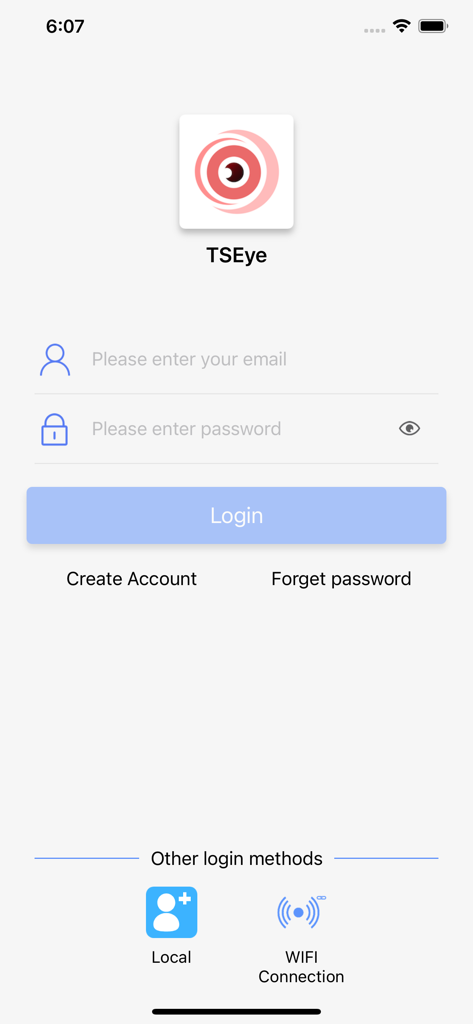
TSEye security app login interface with email and password input fields
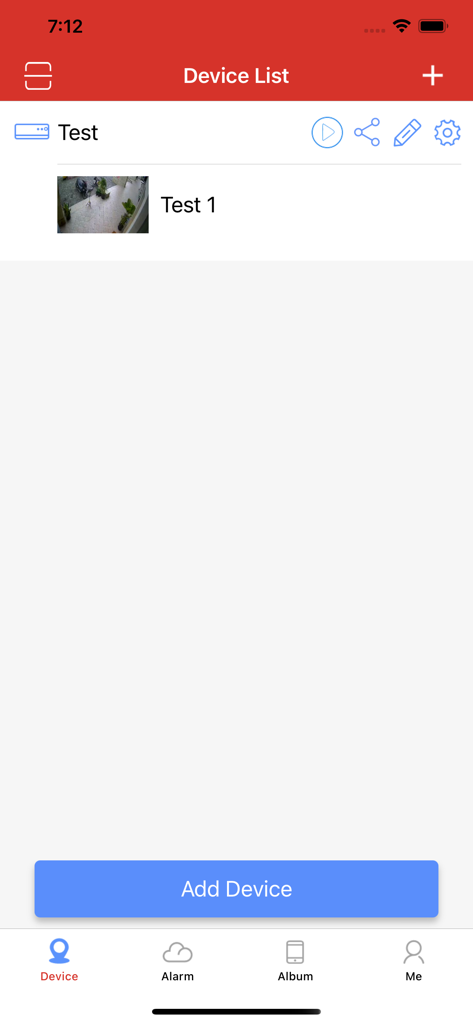
TSEYE app screen showing a list of connected security devices and a camera preview
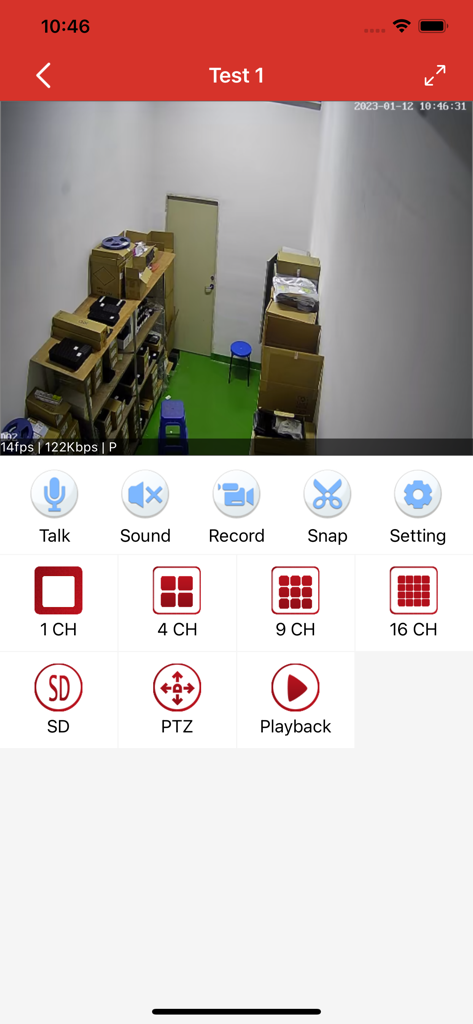
TSEYE app interface displaying a live security camera feed of a storage room with various monitoring controls
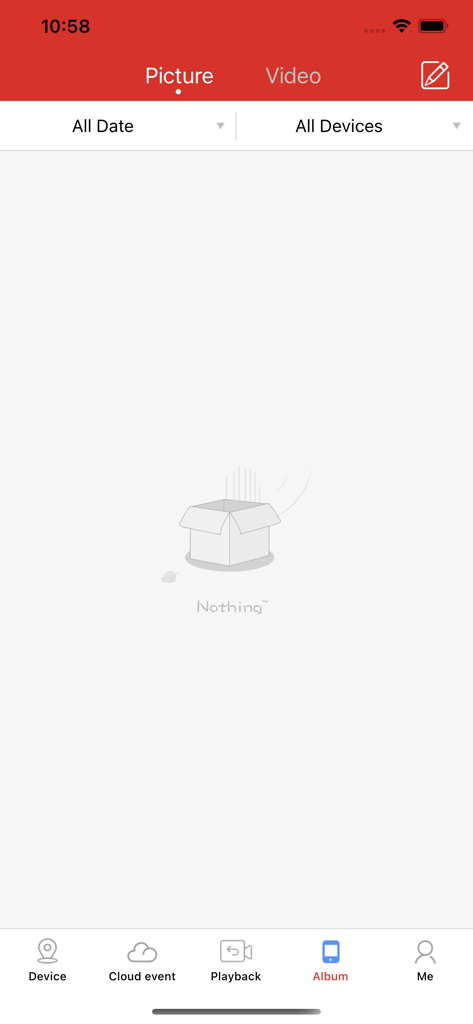
TSEYE security camera app album screen showing no captured pictures or videos
Description
Download
More Like This
Apps with similar features and user experience

DJI Mimo
SZ DJI TECHNOLOGY CO., LTD

DJI Ronin
SZ DJI TECHNOLOGY CO., LTD

Roku TV Remote Control & Cast
Aleh Piashkou

Remote for Hisense TV.
Duscov Stepan

Alpha Linker - Camera Transfer
恒茂 刘

MyCentsys Pro
Centurion Systems (Pty) Ltd

Roku TV Remote Control・
Artur Belov

Luminair
Synthe FX, LLC

FUJIFILM XApp
FUJIFILM Corporation
This page is not an official page of the app or its developer, but an independent editorial publication created for informational and commentary purposes. Unless expressly stated otherwise, neither the app nor its developer is affiliated with, endorsed by, sponsored by, authorized by, or otherwise officially connected with MWM, Apple, Google Play, the app publisher, or the app's developer, and nothing on this page implies that the app was developed using MWM's services. Any trademarks, logos, screenshots, and other content remain the property of their respective owners.