
This page is not an official page of the app or its developer, but an independent editorial publication created for informational and commentary purposes. Unless expressly stated otherwise, neither the app nor its developer is affiliated with, endorsed by, sponsored by, authorized by, or otherwise officially connected with MWM, Apple, Google Play, the app publisher, or the app's developer, and nothing on this page implies that the app was developed using MWM's services. Any trademarks, logos, screenshots, and other content remain the property of their respective owners.


WTMP - Who unlocked my phone?
Stop worrying about nosy roommates or urban pickpockets. Secure your privacy with advanced scene-based alarms and catch anyone who touches your phone without permission.
Downloads
262K+User Rating
Total Ratings
4K+Publisher
Category
UtilitiesLocales
1Latest Version
1.8Size
66.6 MBFirst Released
Aug 9, 2022Your Personal Digital Bodyguard
Comprehensive security tailored to your lifestyle, from catching nosy roommates to preventing street theft with intelligent sensor-based alerts.
Catch Every Snooper
Get instant proof and find out exactly who tried to unlock your phone or browse your private messages while you were away.
Anti-Theft Transit Protection
Activate Pocket Mode to trigger a loud alarm if someone tries to snatch your device during your commute or in crowded spaces.
Frequently Asked Questions
Everything you need to know about WTMP - Who unlocked my phone?
What is the WTMP app?
WTMP (Who unlocked my phone?) protects your phone from theft and helps locate it. It features customizable multi-scene anti-theft alarms and tracks who tries to unlock your device.
How do the anti-theft modes work in WTMP?
WTMP offers multi-scene anti-theft modes including Pocket, Move, Charging, and Earphone. These modes trigger an alarm if the phone is removed from a pocket, moved, disconnected from charge, or has earphones unplugged.
Does WTMP show who attempts to unlock my phone?
Yes, WTMP includes a "Who Touch My Phone" feature. It generates reports with timestamps and images of individuals who try to access or unlock your phone without permission.
Can WTMP help find a lost phone?
Yes, WTMP features a "Find My Phone" function. This capability helps users locate their device by triggering an audible alert, as depicted by the ringing phone icon.
How much does a WTMP VIP subscription cost?
A WTMP VIP subscription costs $2.99 per month with a 3-day free trial, or $9.99 for an annual subscription. These are recurring charges.
How do I cancel my WTMP VIP auto-renewal subscription?
To cancel your WTMP VIP subscription, turn off the automatic renewal at least 24 hours before the current period expires. Failure to do so results in automatic renewal and charges.
How can I get technical support for the WTMP app?
You can contact technical support for the WTMP app by sending an email to whotmptouched@outlook.com. This email address is provided for user inquiries.
Where can I find the Privacy Policy for WTMP?
The Privacy Policy for WTMP is available at the following URL: https://iflydocs.com/h/s/doc/syXFKJwNmoQaTK08. This document outlines data handling practices.
The following screenshots and description are sourced directly from the app's official store listing and are the property of the app developer.
App Store
Screenshots
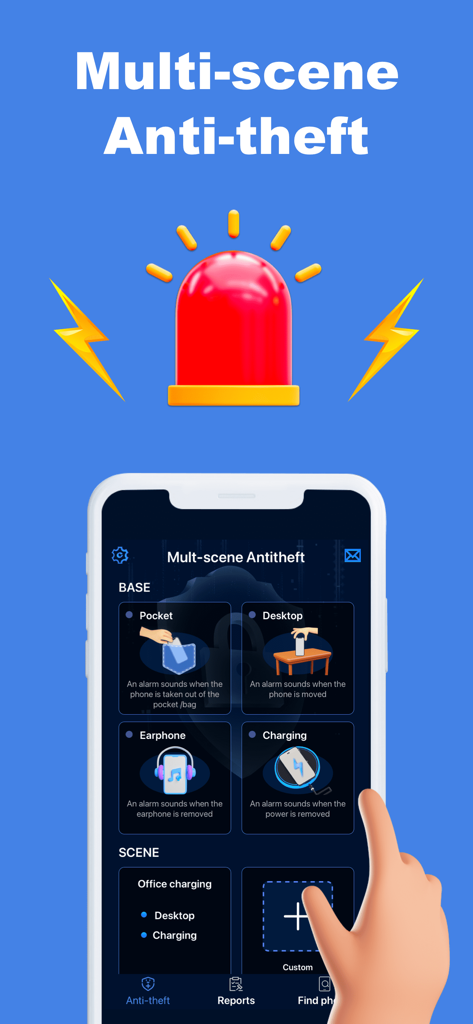
WTMP app interface displaying various multi-scene anti-theft alarm modes like pocket desktop earphone and charging
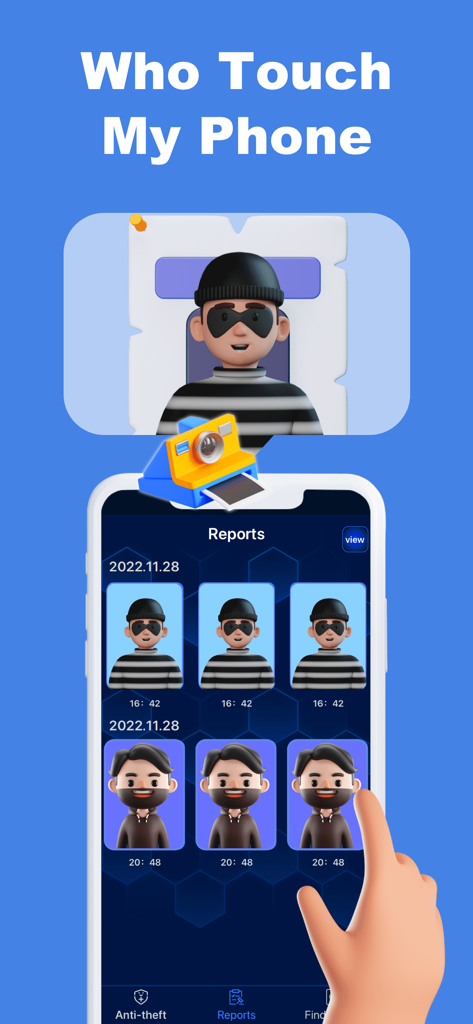
WTMP app reports screen showing photos of people who attempted to access the phone
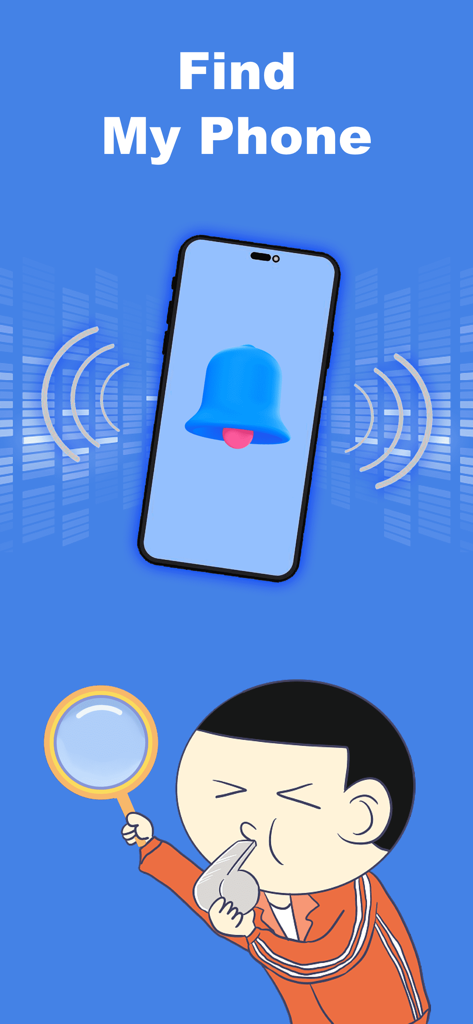
Find My Phone screen showing a ringing bell and a cartoon character searching with a magnifying glass and a whistle
Description
Download
More Like This
Apps with similar features and user experience
Amor AntiTheft-Clap Find Phone
FUTURISTIX DIGITAL MARKETING PTE. LTD
ClapSeek: Find phone by clap
PIXEL VERTEX MOBILE PTE. LTD.
Dont Touch My Phone: Antitheft
FITNESS TRAINING GLOBAL ONE MEMBER COMPANY LIMITED

ClapBack: Antilost
CODEJOY TECHNOLOGY LIMITED
AntiLost: Phone Finder & Alarm
MATRIX MOBILE PTE. LTD.

ClapFind: Phone Finder
MATRIX MOBILE PTE. LTD.
Who Touched My Phone :Guardian
Emre Erol
ClapTrack : Clap to Find Phone
80ugame Limited

Find My Phone By Clapping
Hieu Tran Thanh
This page is not an official page of the app or its developer, but an independent editorial publication created for informational and commentary purposes. Unless expressly stated otherwise, neither the app nor its developer is affiliated with, endorsed by, sponsored by, authorized by, or otherwise officially connected with MWM, Apple, Google Play, the app publisher, or the app's developer, and nothing on this page implies that the app was developed using MWM's services. Any trademarks, logos, screenshots, and other content remain the property of their respective owners.