
This page is not an official page of the app or its developer, but an independent editorial publication created for informational and commentary purposes. Unless expressly stated otherwise, neither the app nor its developer is affiliated with, endorsed by, sponsored by, authorized by, or otherwise officially connected with MWM, Apple, Google Play, the app publisher, or the app's developer, and nothing on this page implies that the app was developed using MWM's services. Any trademarks, logos, screenshots, and other content remain the property of their respective owners.


Motion Ninja Video Editor
Mobile video editing, once a creative bottleneck, now explodes with possibility. Motion Ninja grants users the power to sculpt video with desktop-grade precision, right from their pockets.
Downloads
2.5M+User Rating
Total Ratings
4.3KPublisher
Category
Graphics & DesignLocales
10Latest Version
4.8.5Size
361.0 MBFirst Released
Jan 7, 2021Evaluating core functionalities for advanced mobile video production
Motion Ninja Video Editor: A Comprehensive Analysis
Advanced 3D Camera and Scene Building
The app provides extensive capabilities for building complex 3D scenes, including 3D text, models, particles, and precise camera controls with focus blur, which is crucial for creating visually intricate and professional-grade video projects directly on a mobile device.
Granular Keyframe & Curves Control
This tool features fully customizable keyframe editing for all parameters (size, position, rotation, effects) along with free access to diverse curve (graph) types like bezier and bounce. It allows users to achieve highly precise and unique animations, offering granular control essential for sophisticated edits.
Professional-Grade Editing Toolbox
It allows users to access a powerful suite of over 10 advanced editing tools, akin to professional desktop software. These include smooth slow motion with optical flow, 3D camera tracking, motion blur, AI effects, and video quality enhancement, empowering creators to produce high-end visual effects.
Diverse Effects & Keyframe Presets Library
The app offers a vast library of over 500 diverse effects, ranging from Shake and Glow to 3D and Distortion, many of which are keyframe-enabled. It also provides keyframe presets to accelerate the creative process and inspire new visual styles.
Multi-Layer Video Editing
The app provides robust multi-layer editing, allowing users to combine numerous video clips, images, and effects. This functionality is fundamental for creating complex compositions, overlays, and intricate visual narratives commonly seen in high-quality fan edits and social media content.
High-Resolution Export & Social Sharing
It allows users to export their finished projects in high resolutions, including 1080p, 2K, and 4K, at custom frame rates. The app also facilitates direct sharing to popular social media platforms, ensuring content maintains quality and reaches target audiences effectively.
Frequently Asked Questions
Everything you need to know about Motion Ninja Video Editor
What is Motion Ninja Video Editor?
Motion Ninja Video Editor is an app for free multi-layer editing, 3D camera and scene building, and custom keyframe and curves editing. It includes over 500 effects and 10+ advanced editing tools.
Does Motion Ninja offer free features?
Yes, Motion Ninja provides free multi-layer editing, 3D camera and scene building, and custom keyframe and curves editing. Many effects and tools are available without a subscription.
Can I edit keyframes in Motion Ninja Video Editor?
Yes, Motion Ninja supports keyframe editing for all features, including size, position, and effects. It also provides free curves editing with five different types, allowing precise control over animations.
What types of effects are available in Motion Ninja?
Motion Ninja offers over 500 effects, including Shake, 3D, Glow, Blur, VHS, Distortion, Lens Flare, and Music Visualizer. Keyframe presets are also available to expedite the editing process.
How much does a Motion Ninja subscription cost?
A Motion Ninja subscription costs $3.99 monthly or $17.99 annually. This subscription provides unlimited access to all features and content offered for purchase within the app.
Does Motion Ninja include 3D editing tools?
Yes, Motion Ninja includes 3D camera and scene editing tools. Users can build 3D scenes, add 3D Text, Models, and Particles, and utilize 3D camera settings with focus blur capabilities.
Can Motion Ninja create smooth slow motion videos?
Yes, Motion Ninja's Pro Toolbox features Smooth Slow Motion with Optical Flow and a Frame Rate Changer. These tools allow users to create fluid slow-motion effects precisely.
How can I remove video backgrounds in Motion Ninja?
Motion Ninja provides an AI Video Cutout tool that enables users to remove backgrounds from their videos. This feature assists in isolating subjects for creative video compositions.
What export options are available in Motion Ninja?
Motion Ninja supports exporting MP4 videos and converting animations to GIF. Users can customize the export resolution and frame rate, including options for 1080p, 2k, and 4k.
Does Motion Ninja allow users to create 3D camera tracking effects?
Yes, Motion Ninja features 3D camera tracking as part of its advanced tools. This enables users to create dynamic effects by tracking objects within a 3D environment for complex compositions.
Can I adjust colors in Motion Ninja?
Yes, Motion Ninja offers comprehensive color adjustment tools within its Color Lab. Users can precisely control shadows, midtones, highlights, and global color settings for professional color grading results.
The following screenshots and description are sourced directly from the app's official store listing and are the property of the app developer.
App Store
Screenshots
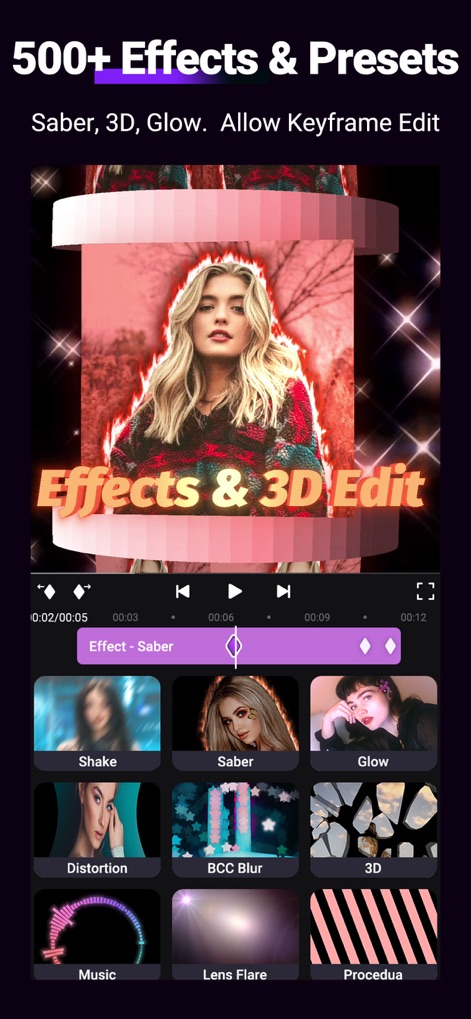
Users can explore an extensive library of over 500 effects and apply detailed keyframe editing to customize every visual element.
Dynamic Effects Library
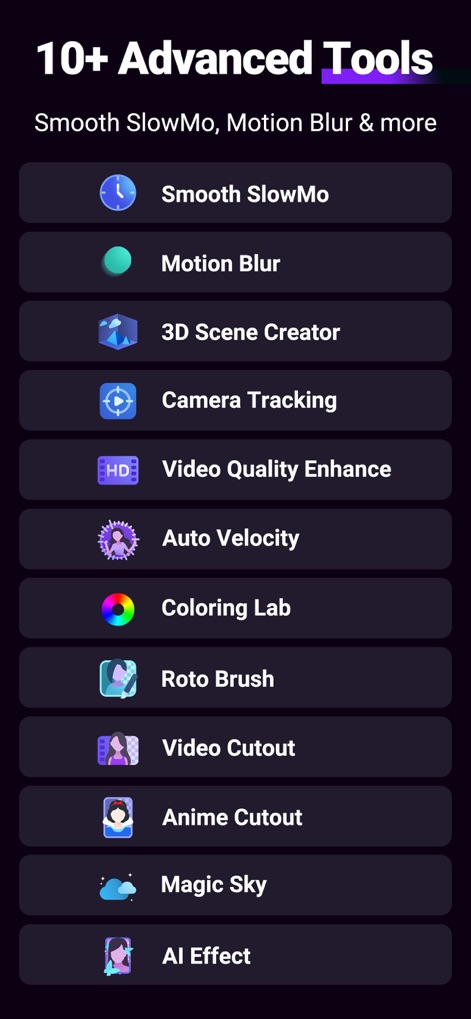
This app provides access to more than 10 advanced editing tools, including Smooth SlowMo and Motion Blur, enhancing creative control.
Professional Tool Suite

The app showcases its smooth slow motion capabilities, powered by Optical Flow and precise Time Remapping for fluid playback.
Seamless Slow Motion

Dive into advanced 3D camera tracking features, allowing for the integration of complex 3D objects and environment manipulation.
Immersive 3D Tracking

Discover the professional color grading interface, offering granular control over Shadows, Midtones, and Highlights for perfect visual tone.
Precision Color Grading
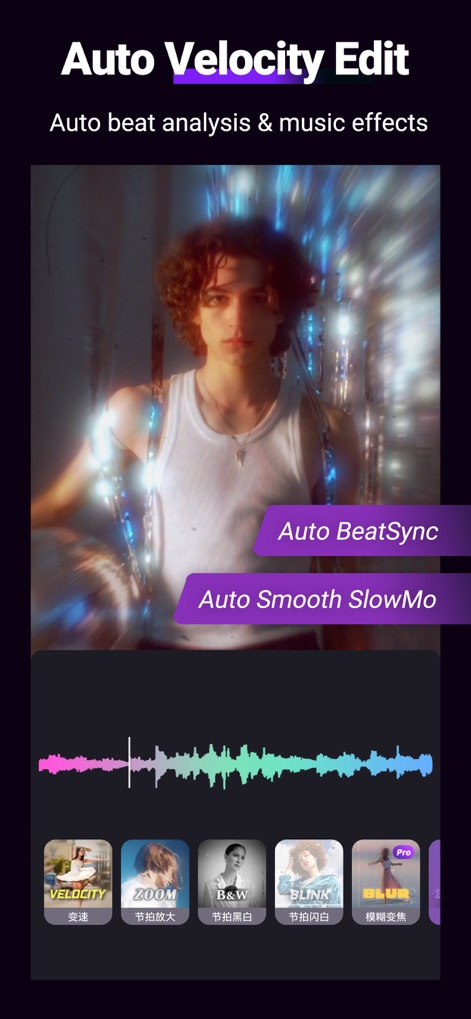
The Auto Velocity Edit function intelligently syncs video to music beats, incorporating automatic beat analysis and smooth slow-motion effects.
Intelligent Auto-Velocity

Leverage AI Video Cutout to effortlessly remove backgrounds and integrate multi-layer editing with comprehensive keyframe support for refined compositions.
AI Background Removal
Description
Download
More Like This
Apps with similar features and user experience

VN: AI Video Editor
Ubiquiti Labs, LLC

Splice - Video Editor & Maker
Bending Spoons Apps ApS

Blurrr-Music video editor
TBPS INTERNATIONAL TECHNOLOGY PTE. LTD.

Node Video
小为 罗

Filmmaker Pro - Video Editor
Tinkerworks Apps

Time Cut: Smooth Slow Motion
立亚 林

LumaFusion
Luma Touch LLC

Slow Motion Video Fx Editor
Brain Craft Ltd

WEILO - My Last Video Editor
vimosoft
This page is not an official page of the app or its developer, but an independent editorial publication created for informational and commentary purposes. Unless expressly stated otherwise, neither the app nor its developer is affiliated with, endorsed by, sponsored by, authorized by, or otherwise officially connected with MWM, Apple, Google Play, the app publisher, or the app's developer, and nothing on this page implies that the app was developed using MWM's services. Any trademarks, logos, screenshots, and other content remain the property of their respective owners.