
This page is not an official page of the app or its developer, but an independent editorial publication created for informational and commentary purposes. Unless expressly stated otherwise, neither the app nor its developer is affiliated with, endorsed by, sponsored by, authorized by, or otherwise officially connected with MWM, Apple, Google Play, the app publisher, or the app's developer, and nothing on this page implies that the app was developed using MWM's services. Any trademarks, logos, screenshots, and other content remain the property of their respective owners.


MySign
Forget the pen. MySign empowers users to secure their digital transactions with a tap, anywhere.
Downloads
750k+User Rating
Total Ratings
463Publisher
Category
BusinessLocales
2Latest Version
1.2.30Size
308.8 MBFirst Released
Jan 13, 2023An Analytical Review for Professionals and Businesses in Vietnam
MySign App Evaluation: Key Features
Vietnam Legal Compliance
The app fully complies with Vietnam's legal requirements for digital signatures, ensuring all signed documents hold legal validity and are recognized by local authorities.
eIDAS Standard Adherence
This tool adheres to the European eIDAS standards for digital signatures, providing a high level of security and international recognition for signed documents.
Secure Remote Signing
It allows users to securely authenticate and approve documents and transactions remotely, anytime and anywhere, leveraging robust security protocols to protect sensitive data.
Mobile & Tablet Accessibility
The app provides full functionality on mobile phones and tablets, enabling professionals to sign documents and manage transactions conveniently on-the-go.
User-Friendly Interface
This tool features an easy-to-use and flexible interface, simplifying the digital signature process for all users, regardless of technical proficiency.
Application Integration
It allows for seamless digital signing across various applications, streamlining workflows and enhancing efficiency within existing business ecosystems.
Frequently Asked Questions
Everything you need to know about MySign
What is MySign?
MySign is an authentication and authorization application for Viettel-CA's remote digital signature solution. It allows customers to securely approve document and transaction signatures using mobile devices.
How does MySign ensure digital signature security?
MySign ensures digital signature security by complying with European eIDAS standards for remote signing. It also meets all legal requirements for digital signatures in Vietnam.
Can I sign documents on my mobile phone using MySign?
Yes, MySign allows you to digitally sign documents directly on your mobile phone, tablet, and other applications. This provides flexibility for signing anytime, anywhere.
Does MySign support biometric login?
Yes, MySign supports biometric login methods such as fingerprint authentication. Users can utilize this feature for quick and secure access to their account.
How do I register for MySign service?
You can register for MySign service by selecting 'Register service' within the app. The process involves choosing a package, entering information, a video call, payment, and contract signing.
What are the password requirements for MySign?
MySign passwords require a minimum of 8 characters, including uppercase, lowercase, special characters, and numbers. The new password cannot be the same as the old one.
Where can I find customer support for MySign?
You can contact MySign customer support by calling the hotline 1800 8000. This number is accessible within the app's side menu.
Can I view my active and revoked digital certificates in MySign?
Yes, MySign provides a list of both active and revoked digital certificates. Users can view the status of their certificates within the application.
Is MySign compliant with international digital signature standards?
Yes, MySign digitally signs remotely according to European eIDAS standards. It also fully meets legal requirements for digital signatures in Vietnam.
How do I manage my devices connected to MySign?
MySign includes a 'Manage device' feature, allowing users to oversee and control the devices linked to their digital signature service.
Can I renew my digital certificate through the MySign app?
Yes, the MySign app provides a function to 'Renew digital certificate,' allowing users to extend the validity of their certificates directly within the application.
What information is required for MySign account registration?
Account registration requires personal information, including a valid ID (CMND/CCCD). Users must photograph the front, back, and a portrait of themselves for verification.
Does MySign allow me to track my service orders?
Yes, MySign includes a 'Look up order' feature. This allows users to check the status or details of their service orders within the application.
Can MySign users change their service package?
Yes, MySign offers a 'Change package' option. This feature allows users to modify their current service plan directly through the application.
How can I save authentication sessions in MySign?
MySign provides a 'Save authentication session' option. This feature allows users to maintain their authentication status for convenience.
Is MySign integrated with other systems?
Yes, MySign features an 'Integrated system' section. This indicates the app can connect or work with other platforms for enhanced functionality.
How do I approve a signature request in MySign?
To approve a signature request, navigate to the 'List of signature authentication'. Details like document name and remaining time are displayed before you confirm authentication.
Can I create a new signature request using MySign?
Yes, MySign includes a 'Create signature request' function. This allows users to initiate new digital signature processes directly from the application.
The following screenshots and description are sourced directly from the app's official store listing and are the property of the app developer.
App Store
Screenshots
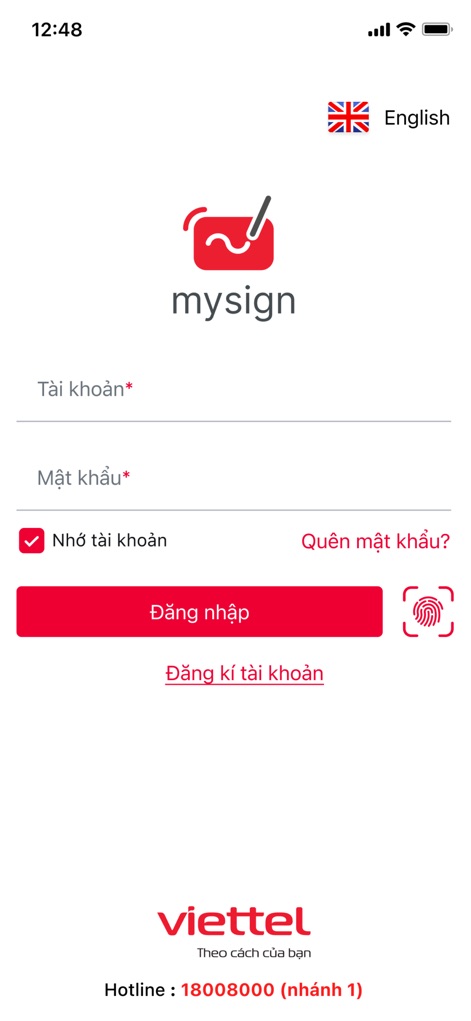
See how the app offers quick access via standard login fields and convenient biometric authentication options.
Secure Access Portal

Discover the straightforward process for service registration and activation, guided by a clear illustration of digital signing.
Service Onboarding Flow
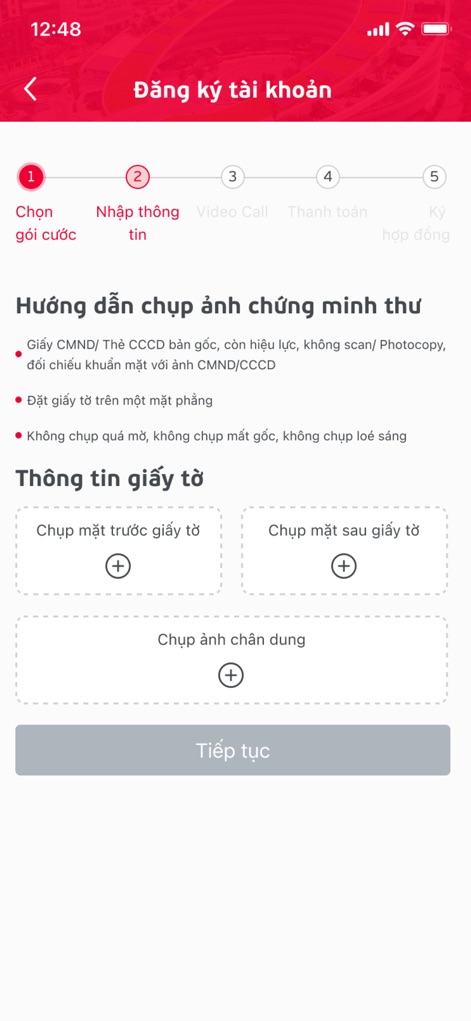
Explore the five-step account registration process, including clear instructions for capturing essential ID document photos.
Streamlined Registration Steps
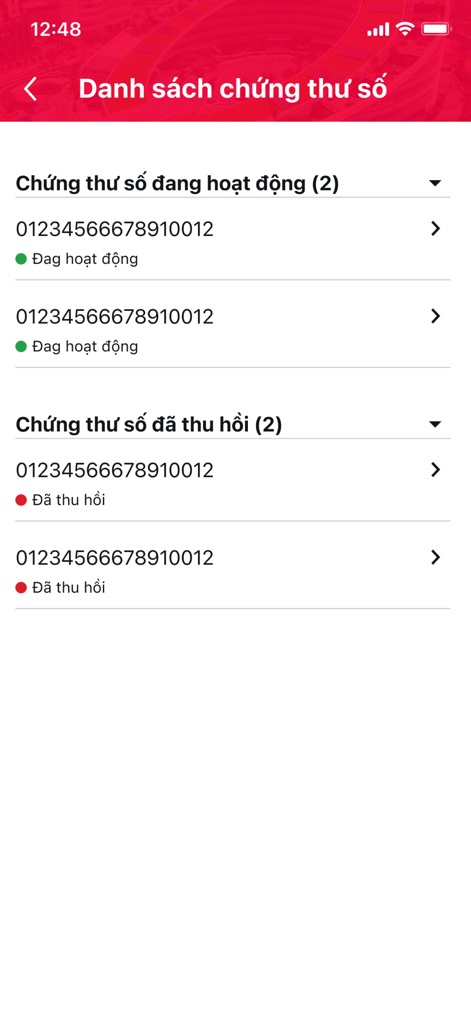
This screen displays organized lists of active and revoked digital certificates, ensuring users have a complete overview of their signing credentials.
Certificate Management View
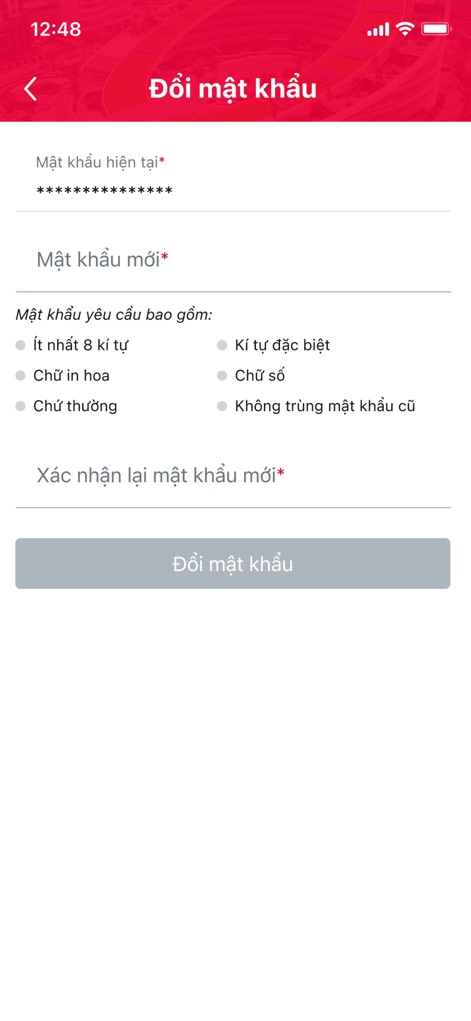
Examine the robust password change interface, featuring clear requirements for new passwords and a confirmation field for secure updates.
Password Security Settings
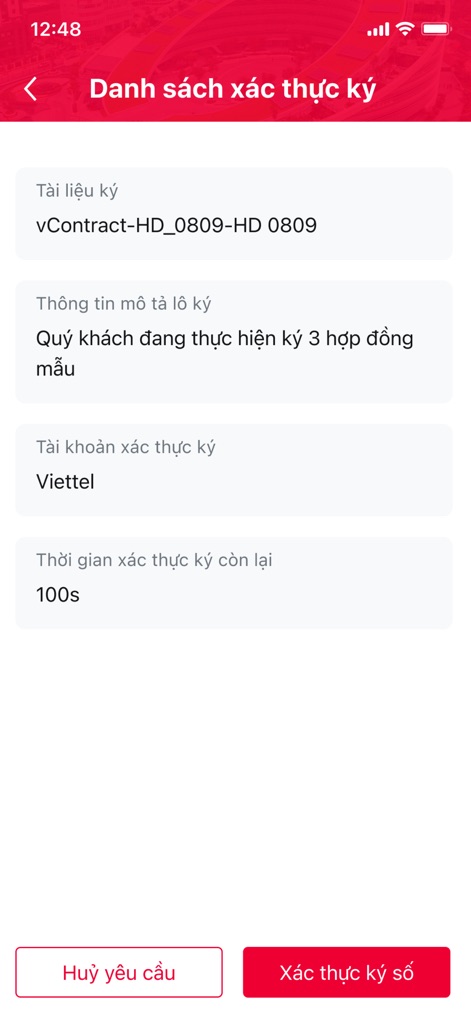
View the comprehensive details of a signing request, including the document name and a countdown timer for authentication.
Sign Request Overview

This screen provides a clear overview of the user's personal account information, from account type to contact details.
User Profile Details

Experience seamless navigation through the app's side menu, offering quick access to account settings and support contacts.
Intuitive Navigation Menu

The central dashboard presents a comprehensive array of core features, allowing users to manage certificates and create new signing requests efficiently.
Core Features Dashboard
Description
Download
More Like This
Apps with similar features and user experience

Mi_Pass
Banco de Chile

Raiffeisen SmartToken
Raiffeisen Bank S.A.

Synology Secure SignIn
Synology Inc.

DATEV SmartLogin
DATEV eG

VR SecureGo plus
Atruvia AG

Namirial OTP
Namirial Spa

UBS Access – secure login
UBS AG

Mobilní klíč eGovernmentu
MINISTERSTVO VNITRA

Commerzbank photoTAN
Commerzbank AG
This page is not an official page of the app or its developer, but an independent editorial publication created for informational and commentary purposes. Unless expressly stated otherwise, neither the app nor its developer is affiliated with, endorsed by, sponsored by, authorized by, or otherwise officially connected with MWM, Apple, Google Play, the app publisher, or the app's developer, and nothing on this page implies that the app was developed using MWM's services. Any trademarks, logos, screenshots, and other content remain the property of their respective owners.