
This page is not an official page of the app or its developer, but an independent editorial publication created for informational and commentary purposes. Unless expressly stated otherwise, neither the app nor its developer is affiliated with, endorsed by, sponsored by, authorized by, or otherwise officially connected with MWM, Apple, Google Play, the app publisher, or the app's developer, and nothing on this page implies that the app was developed using MWM's services. Any trademarks, logos, screenshots, and other content remain the property of their respective owners.


Postbank BestSign
Authorize online transactions with professional-grade security. A standalone app designed for those who value the safety of biometric authentication and the peace of mind of separate order approval.
Downloads
1M+User Rating
Total Ratings
258K+Publisher
Category
FinanceLocales
2Latest Version
3.30.1Size
43.8 MBFirst Released
Feb 6, 2019Your Personal Digital Key for Secure Banking
BestSign offers a dedicated layer of protection by separating transaction authorization from your banking tasks, ensuring your assets stay safe.
Maximum Security via Separation
Keep your banking and authorization on separate channels to prevent unauthorized access and enjoy total peace of mind.
Biometric One-Tap Approval
Authorize orders in seconds using FaceID or TouchID—no more manual TAN codes or complex passwords to remember.
Frequently Asked Questions
Everything you need to know about Postbank BestSign
What is the Postbank BestSign app?
The Postbank BestSign app is a separate application designed for securely authorizing orders within Postbank online banking. It specifically implements the BestSign security procedure for transaction approvals.
How do I activate the BestSign procedure for Postbank?
Yes, you activate BestSign by setting up your method with a Postbank ID and creating a new password. The process involves specifying password requirements and can include QR code activation.
Does Postbank BestSign support biometric login or Face ID?
Yes, you can log into the Postbank BestSign app using biometric data, such as Face ID, if available. This allows for convenient transaction approval without entering your password.
Can the Postbank BestSign app be used without the main Postbank app?
Yes, the Postbank BestSign app is explicitly designed to be a separate application. It functions independently, allowing users to authorize online banking orders without using the main Postbank app.
Is the Postbank BestSign app secure and does it protect my data?
Yes, the Postbank BestSign app prioritizes data protection. It is built for securely authorizing online banking orders and transactions, with detailed privacy information available in their policy.
How do I approve a transaction using the Postbank BestSign app?
To approve transactions with Postbank BestSign, you view the approval information, such as transfer details and amount, presented on screen. You then select the 'Approve' option to confirm the transaction.
What are the password requirements for Postbank BestSign?
The BestSign password must contain at least 8 characters, include both letters and numbers, and incorporate uppercase and lowercase letters or special characters for security.
The following screenshots and description are sourced directly from the app's official store listing and are the property of the app developer.
App Store
Screenshots
Postbank BestSign app highlighting security management and transaction approval on iPhone
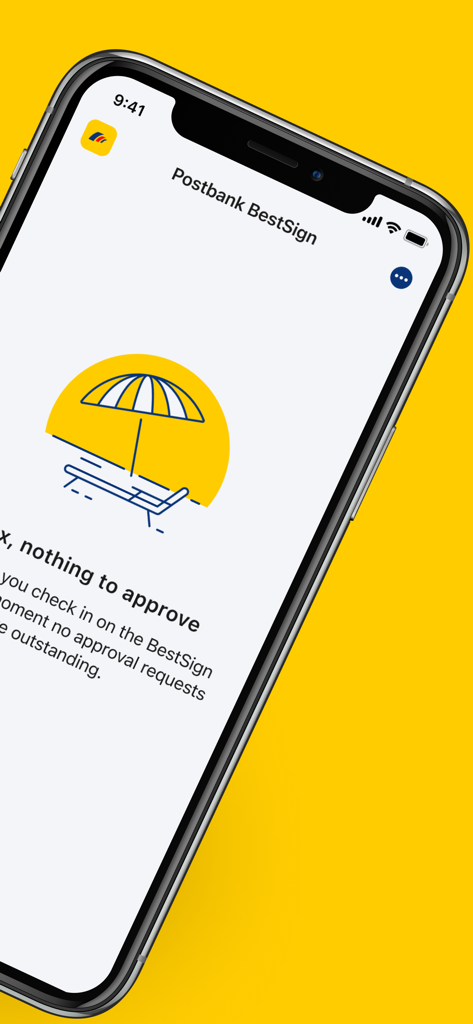
Screenshot of Postbank BestSign app showing no pending authorization requests
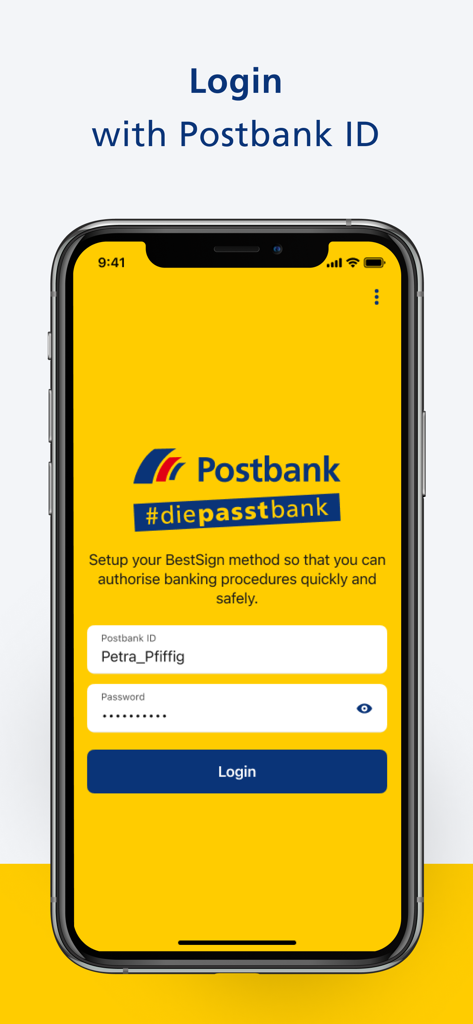
Postbank BestSign app login screen showing fields for Postbank ID and password
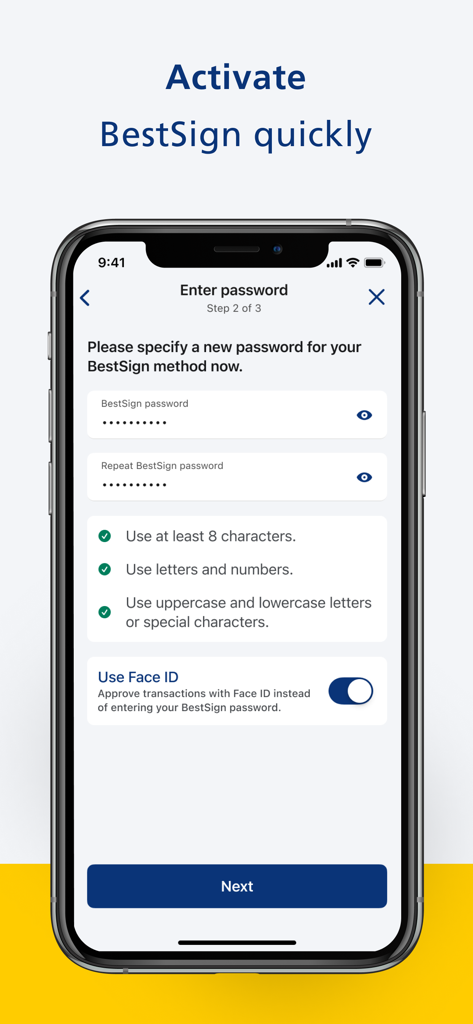
Postbank BestSign app screen for setting up a secure password and activating Face ID authentication.
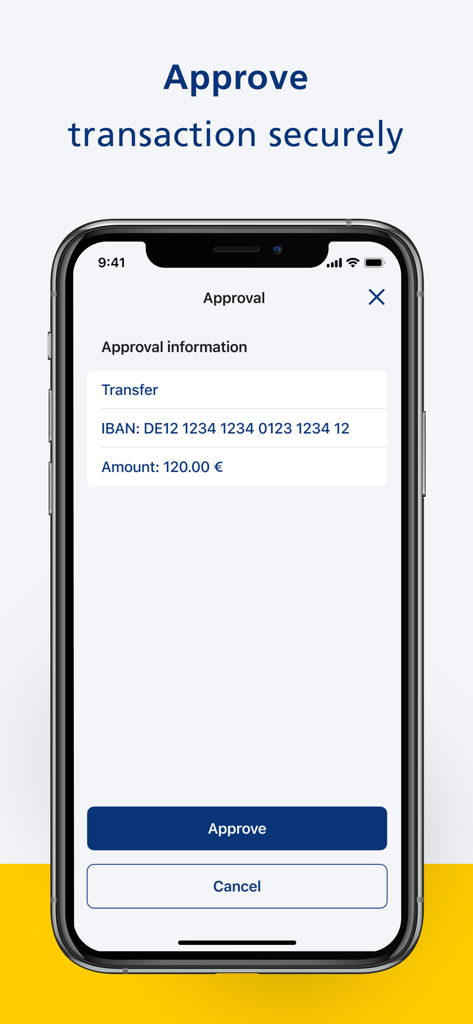
Postbank BestSign app interface showing a transaction approval screen for a transfer
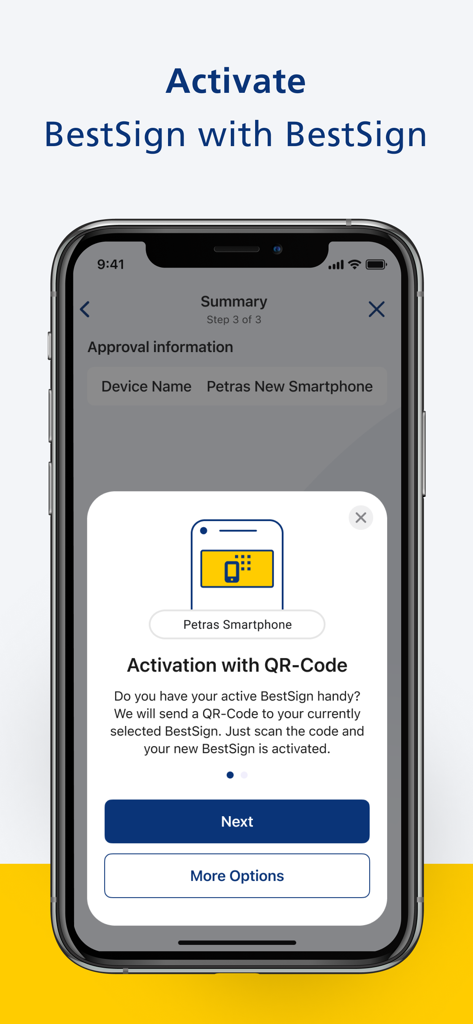
Postbank BestSign app activation screen with QR code instructions for a new smartphone.
Description
Download
More Like This
Apps with similar features and user experience

Mi_Pass
Banco de Chile

Raiffeisen SmartToken
Raiffeisen Bank S.A.

Synology Secure SignIn
Synology Inc.

DATEV SmartLogin
DATEV eG

VR SecureGo plus
Atruvia AG

Namirial OTP
Namirial Spa

UBS Access – secure login
UBS AG

Mobilní klíč eGovernmentu
MINISTERSTVO VNITRA

Commerzbank photoTAN
Commerzbank AG
This page is not an official page of the app or its developer, but an independent editorial publication created for informational and commentary purposes. Unless expressly stated otherwise, neither the app nor its developer is affiliated with, endorsed by, sponsored by, authorized by, or otherwise officially connected with MWM, Apple, Google Play, the app publisher, or the app's developer, and nothing on this page implies that the app was developed using MWM's services. Any trademarks, logos, screenshots, and other content remain the property of their respective owners.